1. Log in to your Teacher account on the Daily Connect app:
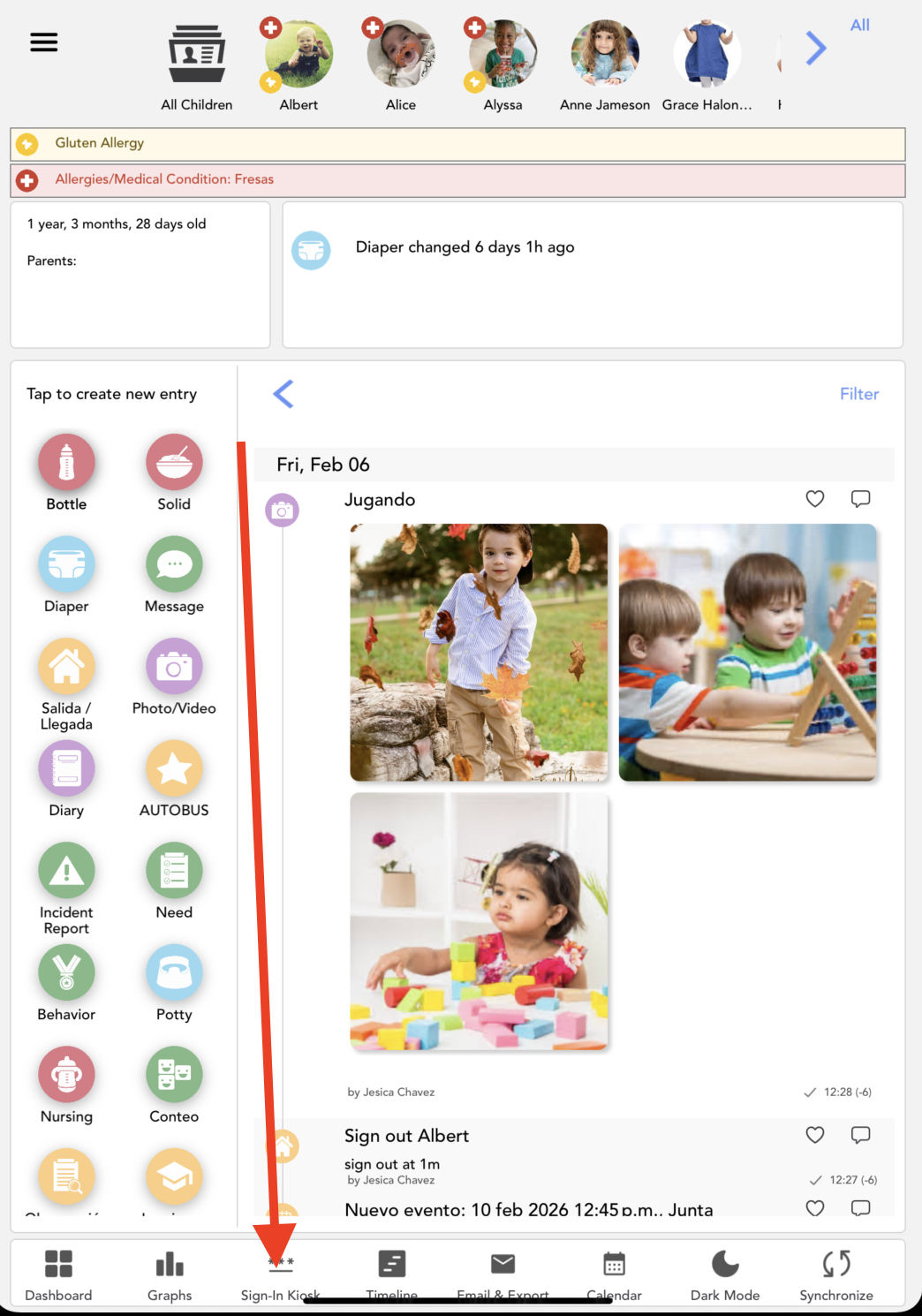
2. Go to Sign in Kiosk, at the bottom of your device:
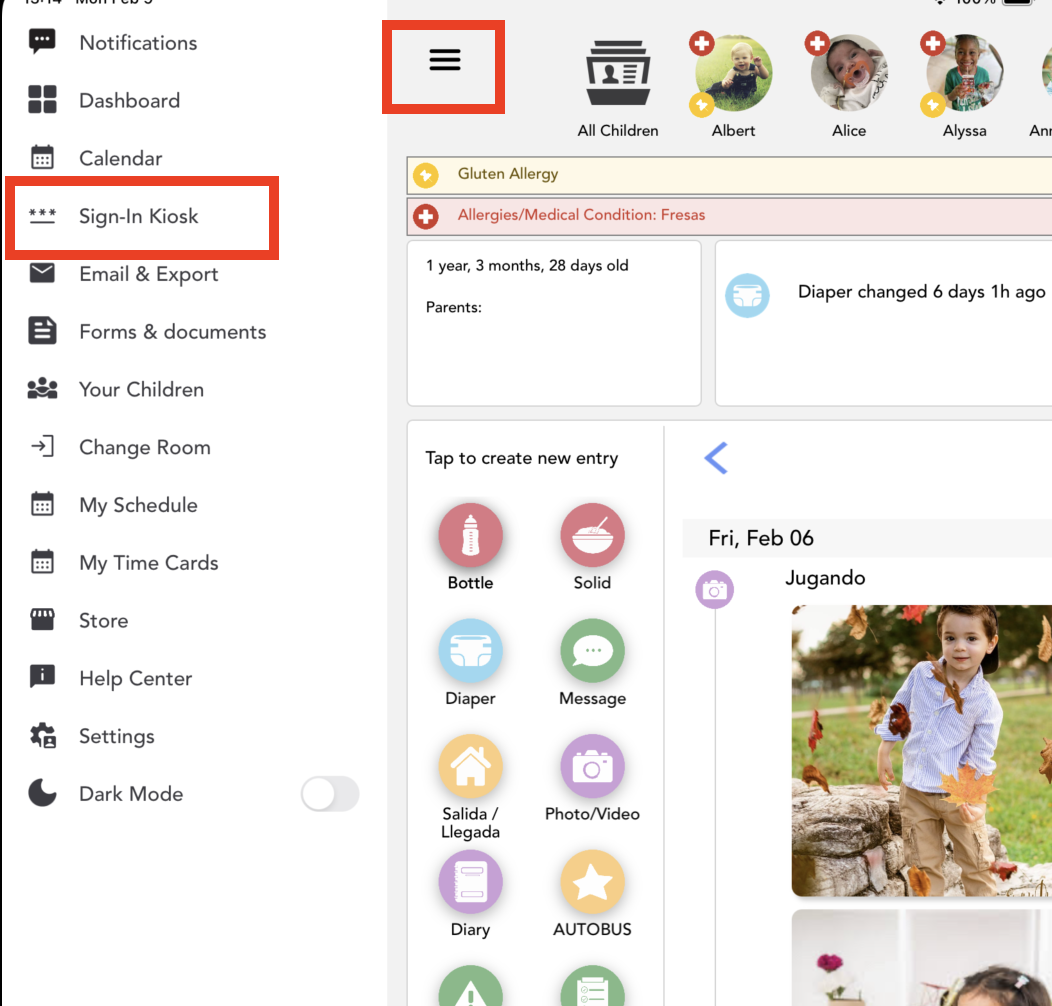
Or by accessing Settings > Sign in Kiosk:
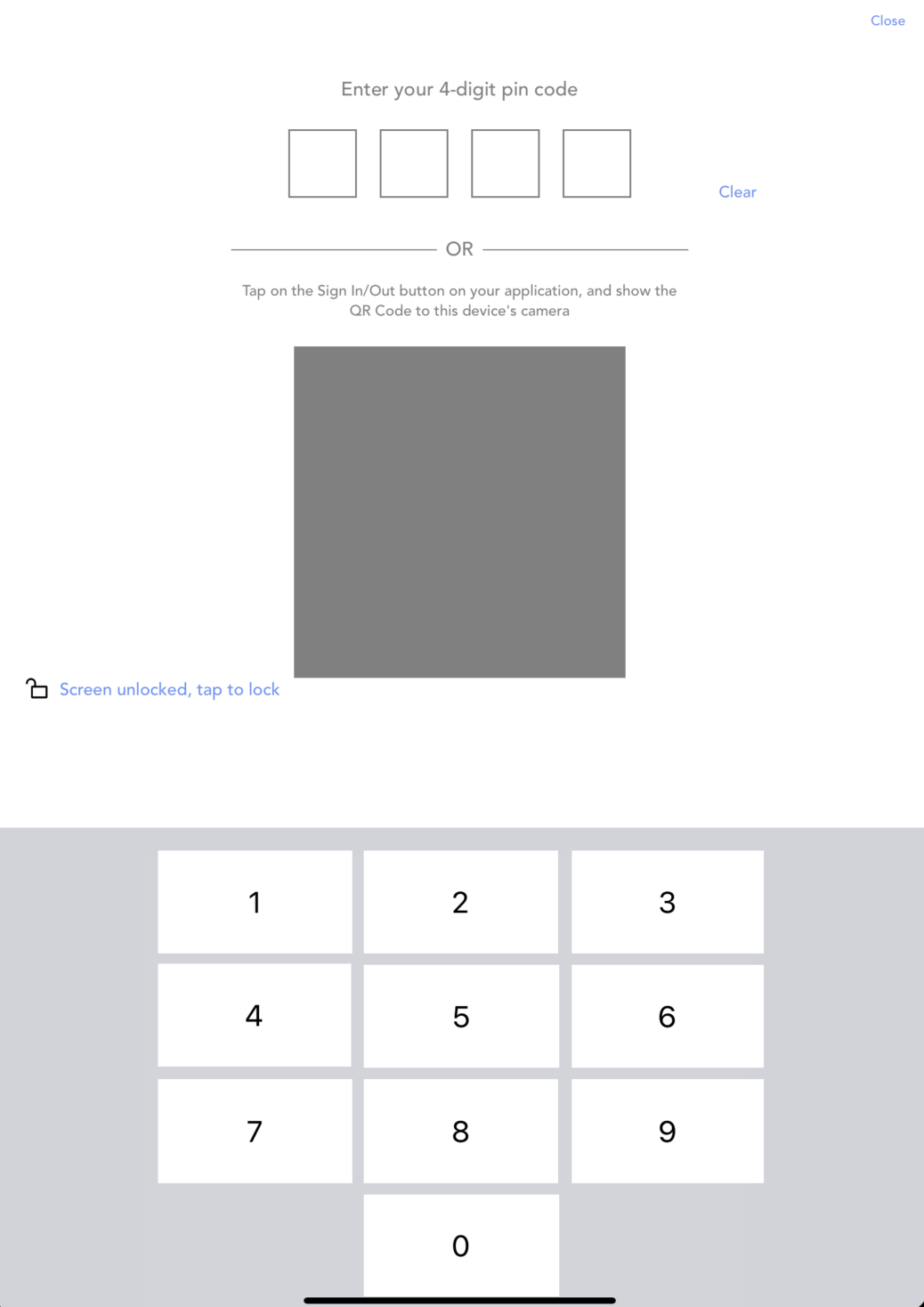
3. You can sign in/out with your 4-digit PIN code:
Was this article helpful?
That’s Great!
Thank you for your feedback
Sorry! We couldn't be helpful
Thank you for your feedback
Feedback sent
We appreciate your effort and will try to fix the article