The CRM allows you to keep all customer information in one place. It is the record of all the families who are interested in the services your center offers, providing information about the status of their applications and the services they are interested in.
Follow the steps below to access your CRM
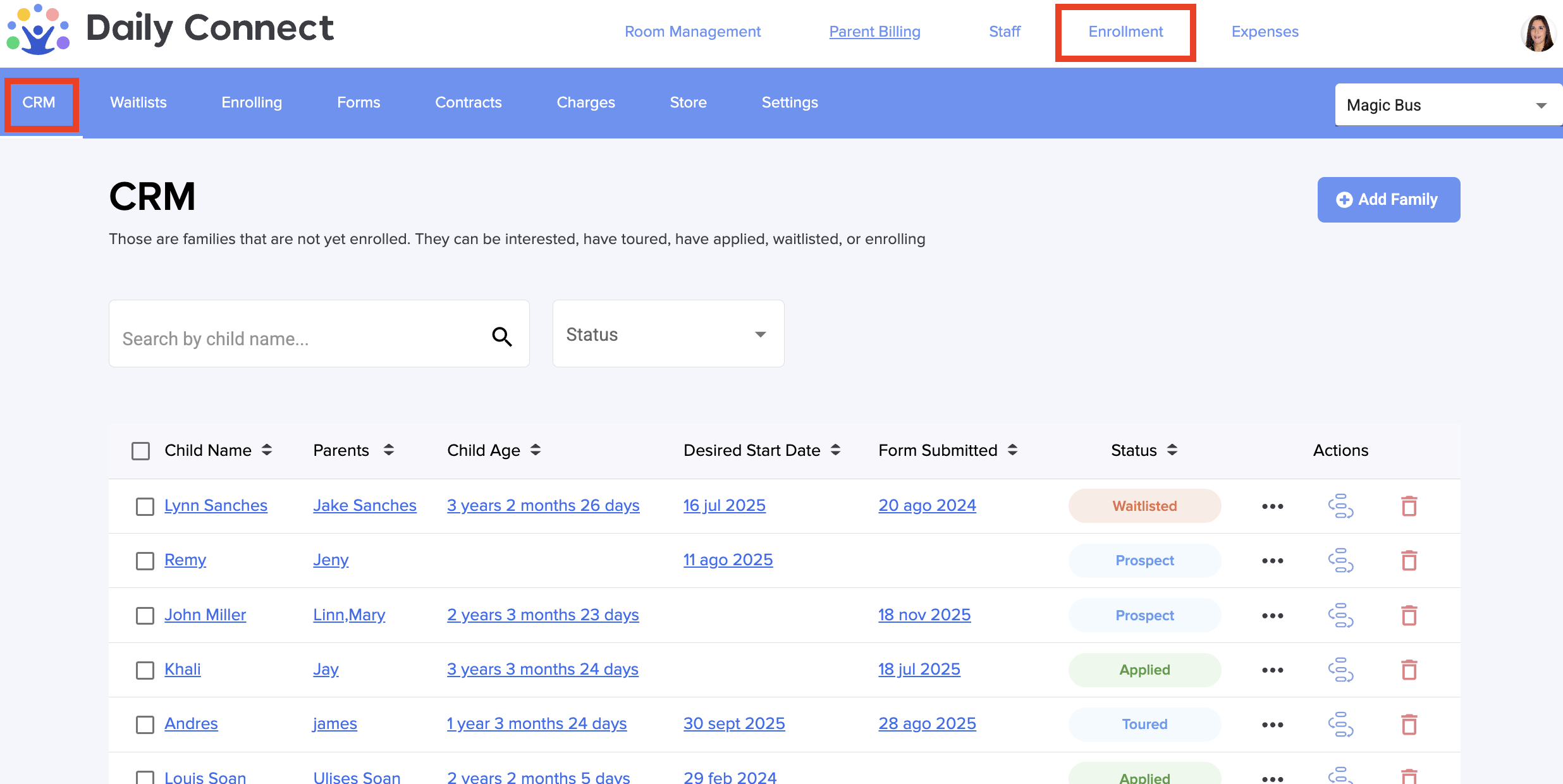
1. Go to Enrrollment > CRM:
2. You can add each family’s information manually, directly in the CRM section or through forms. In this case, we’ll show you how to do it manually.
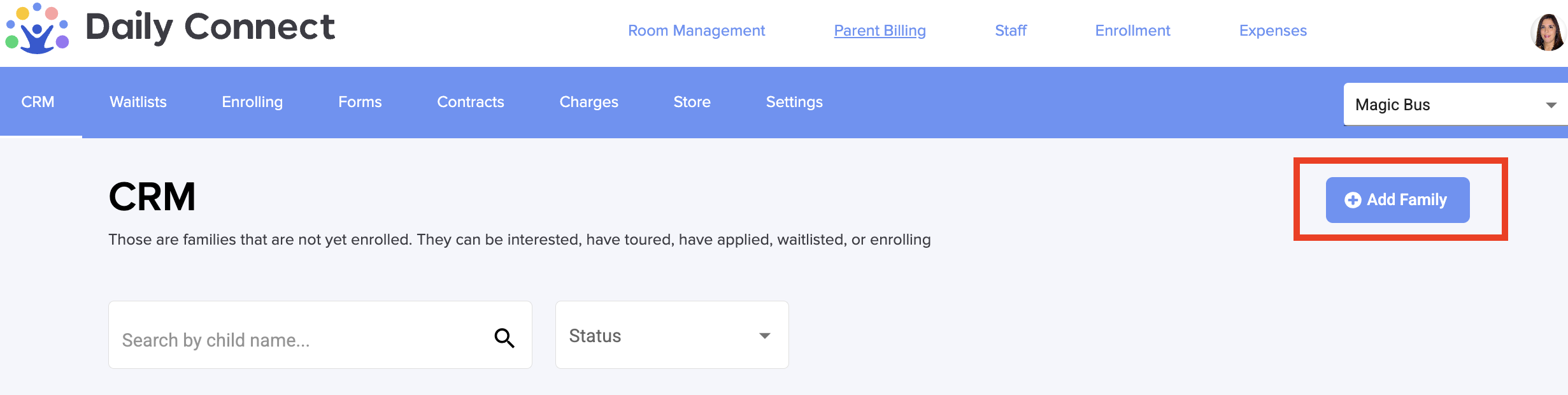
Click on +Add Family:
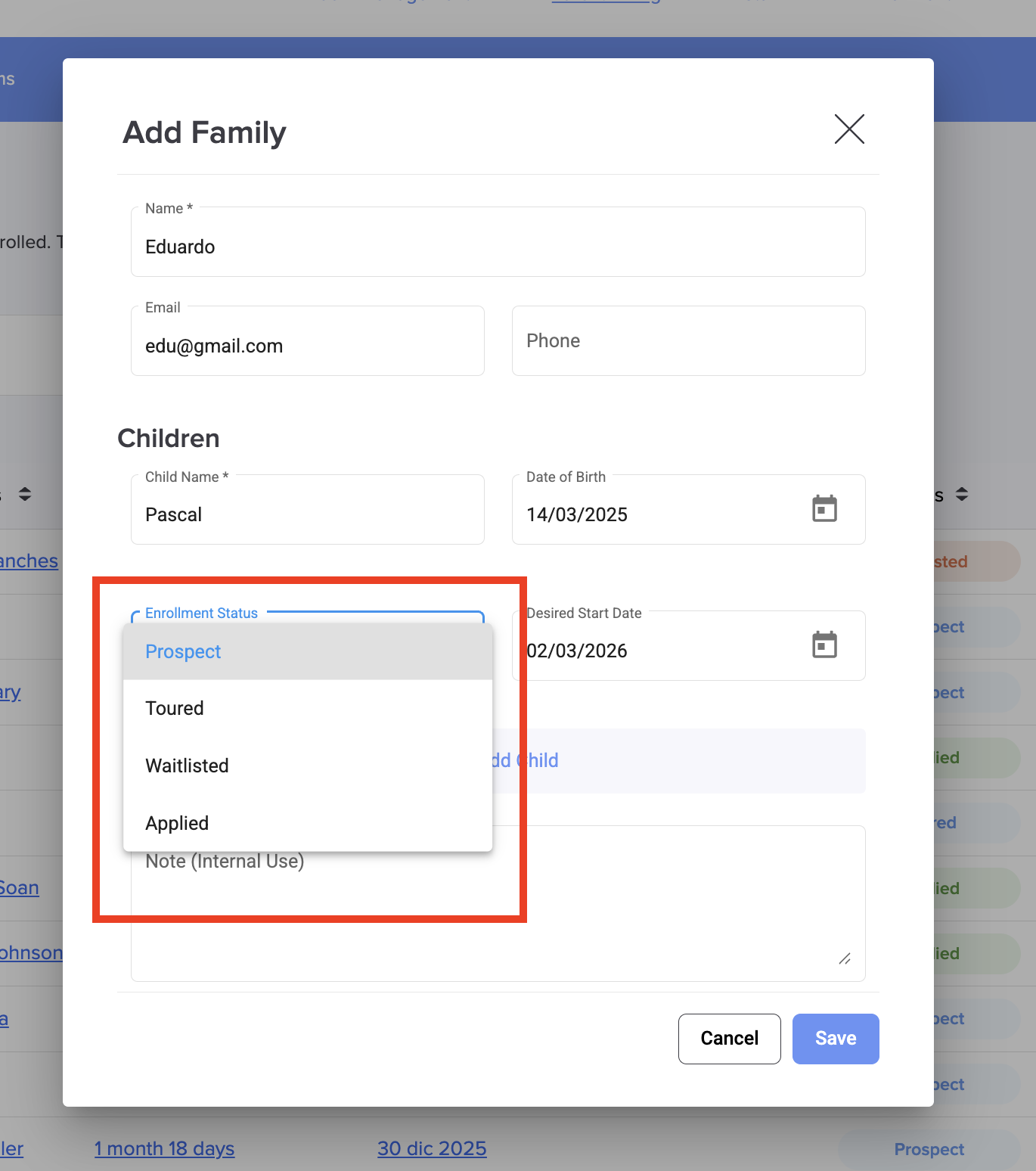
3. Fill in all the information, including the enrollment status:
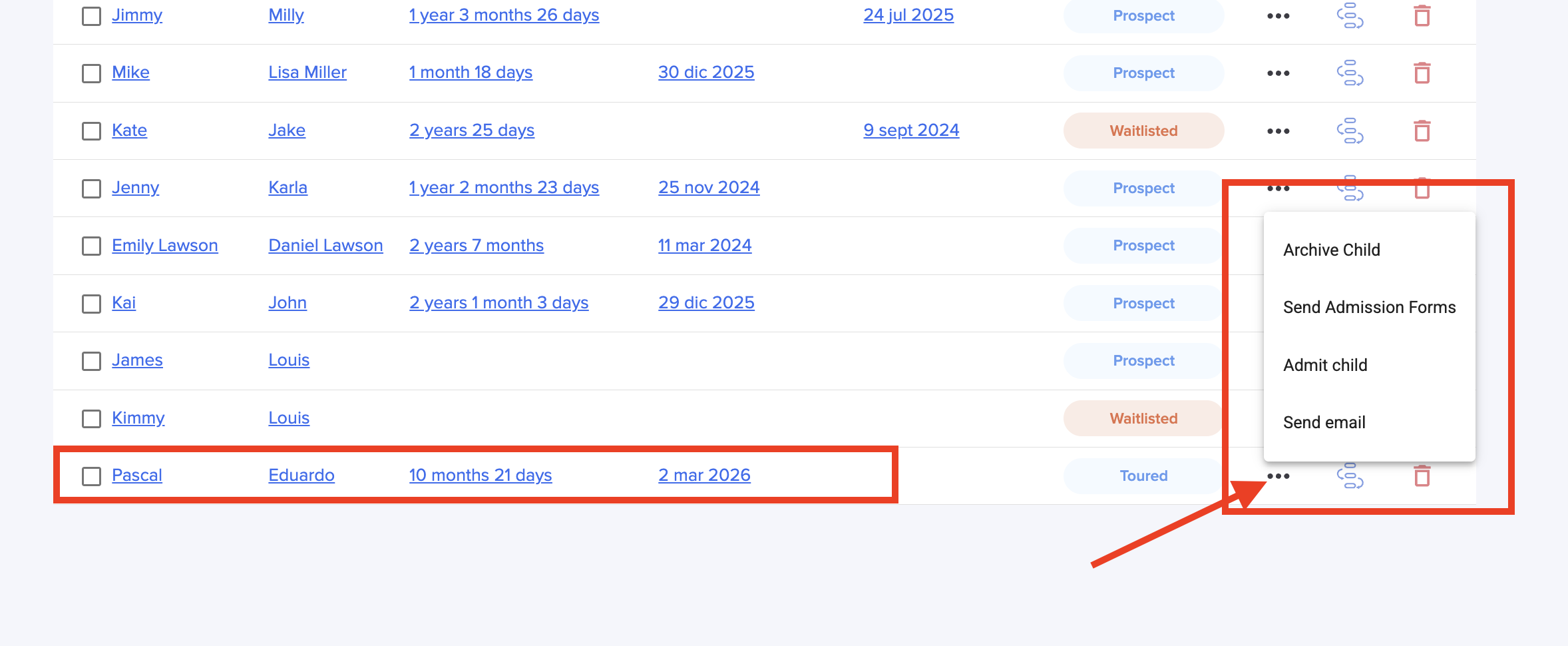
4. Now you have a new deal in your CRM. You can Admin/archive the child, send forms or send emails to the parents.
In this video, we’ll provide more information about the CRM and how to manage it:
If you want to add forms from the Store to your CRM check this article
Was this article helpful?
That’s Great!
Thank you for your feedback
Sorry! We couldn't be helpful
Thank you for your feedback
Feedback sent
We appreciate your effort and will try to fix the article