Log in to your admin account on the Daily Connect website
Activate this sign-in/out option:
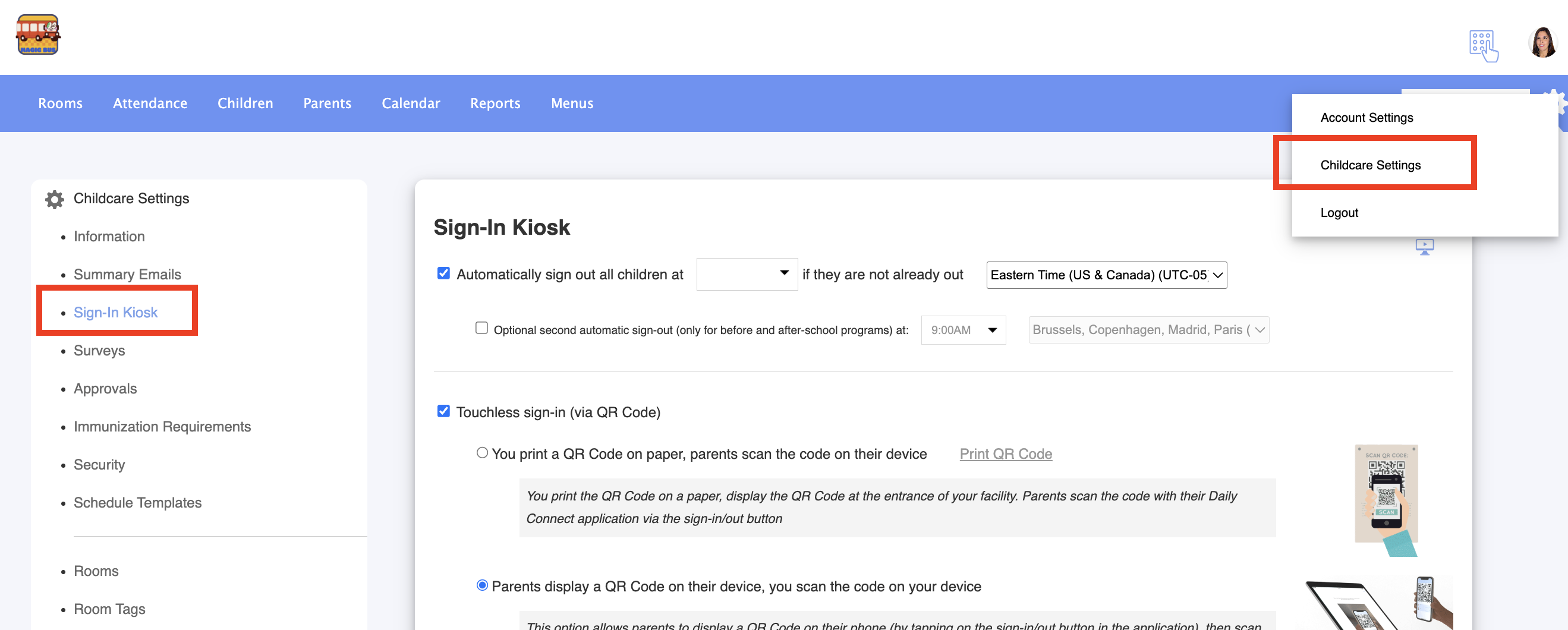
1. Go to Childcare Settings > Sign in Kiosk:
2. Enable this sing in/out option for parents:
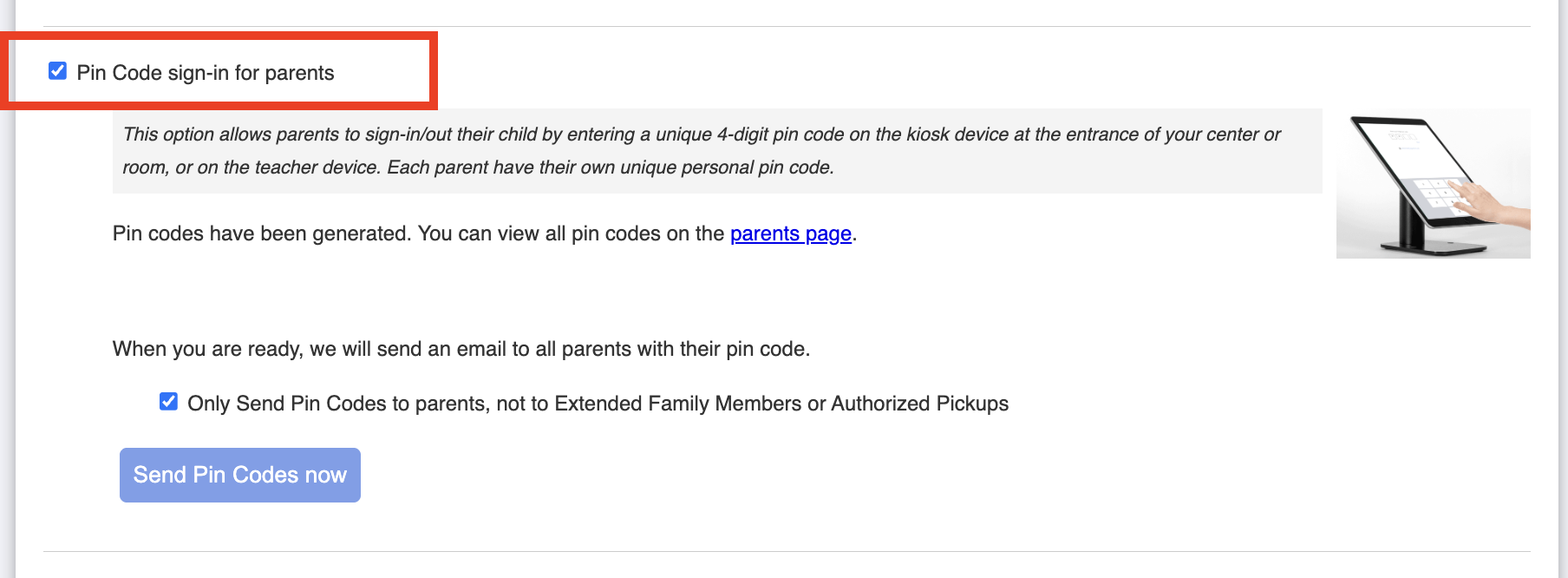
You can also enable the option to send the pin code to parents only.
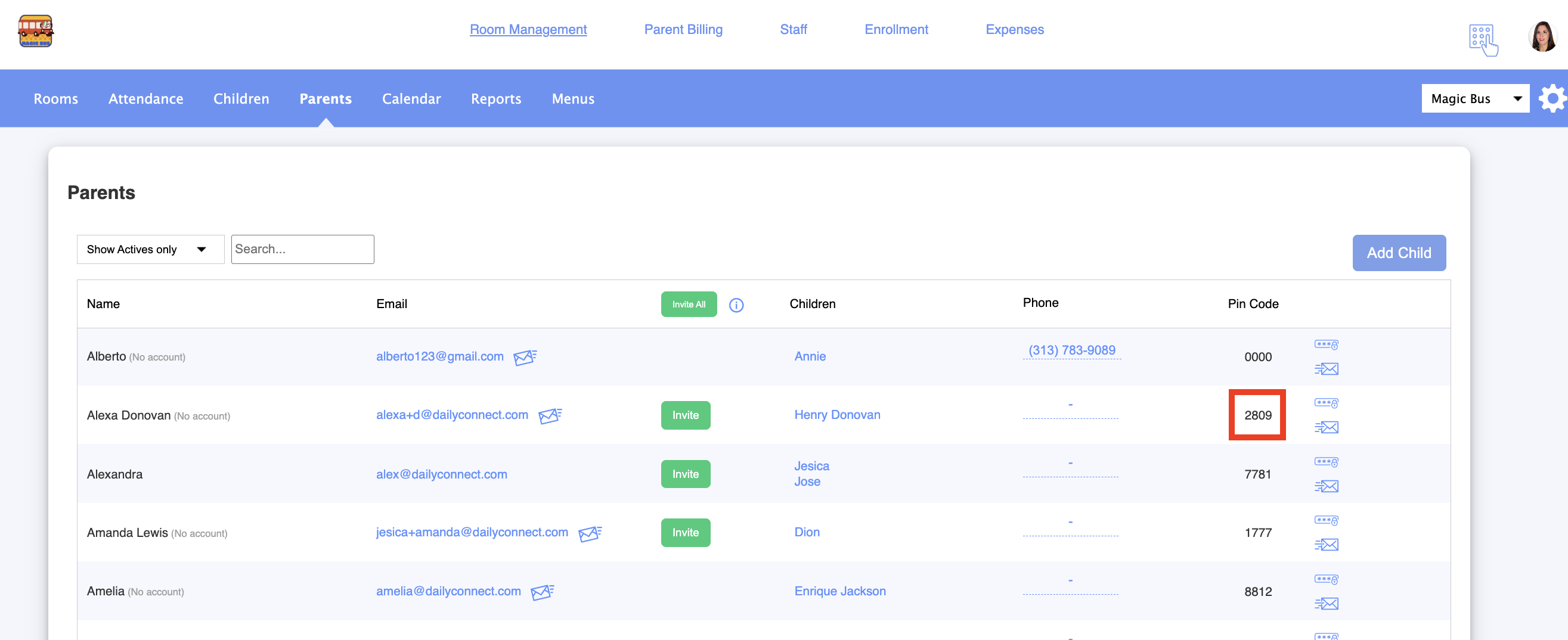
How to find these 4 digit pin codes:
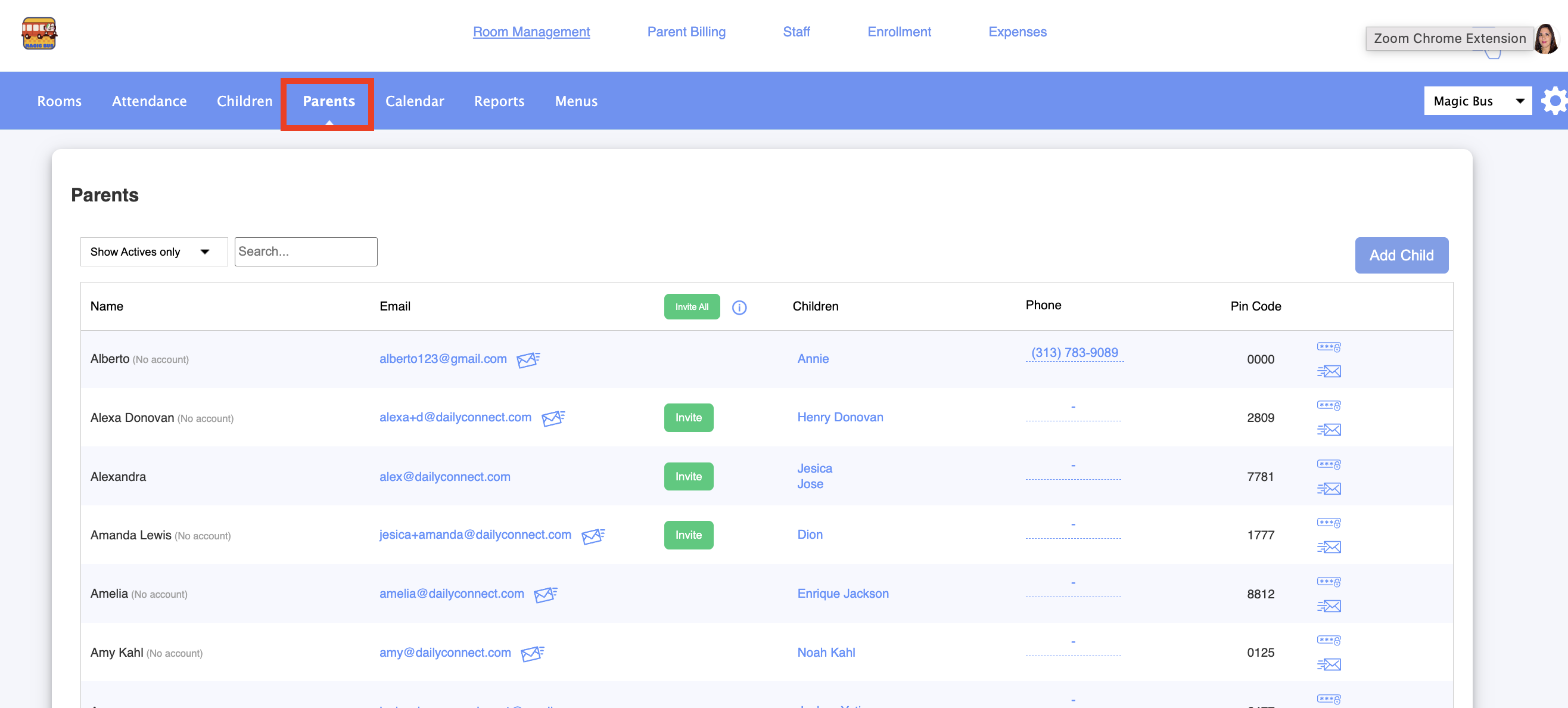
1. Go to Parents:
2. Search for the parent whose PIN code you need to retrieve :
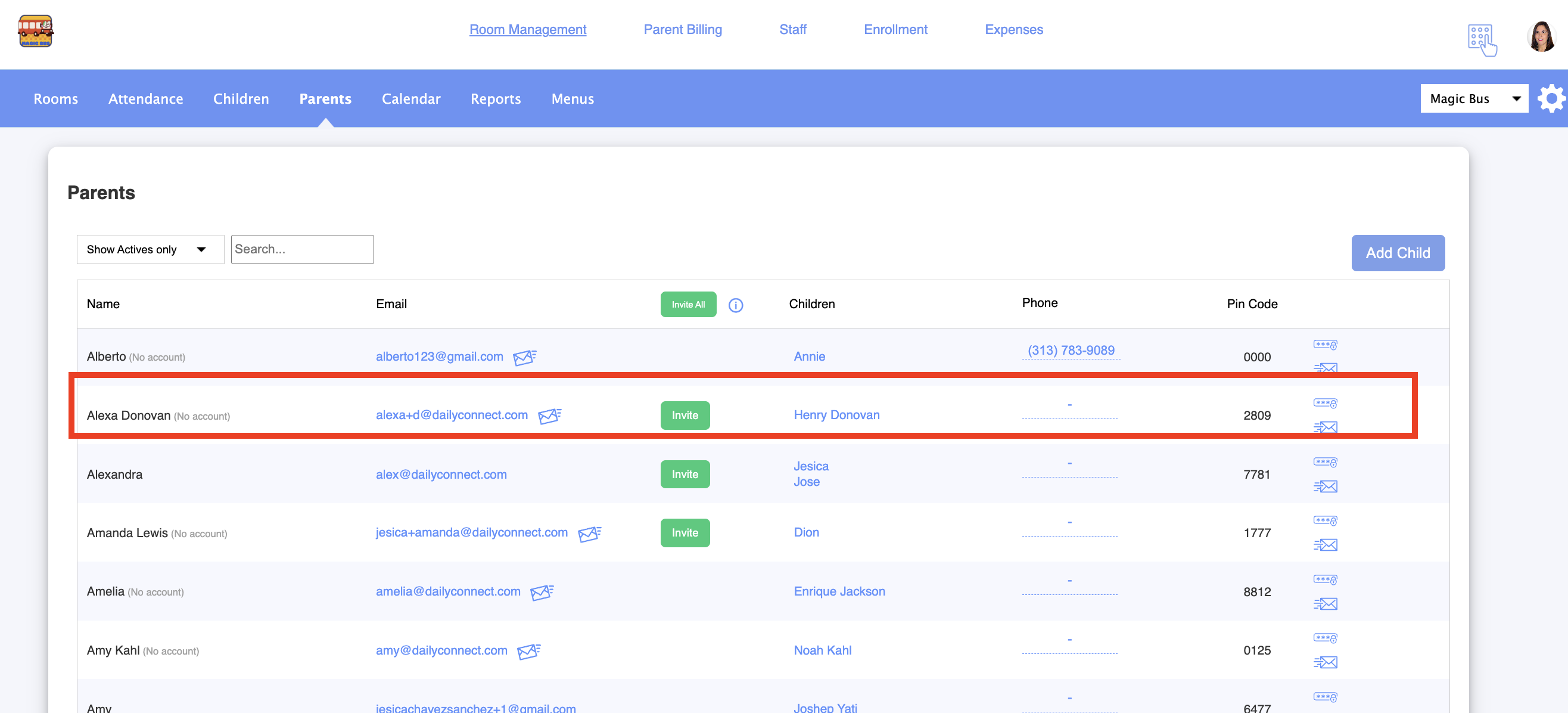
3. Here you can see this parent’s PIN code:
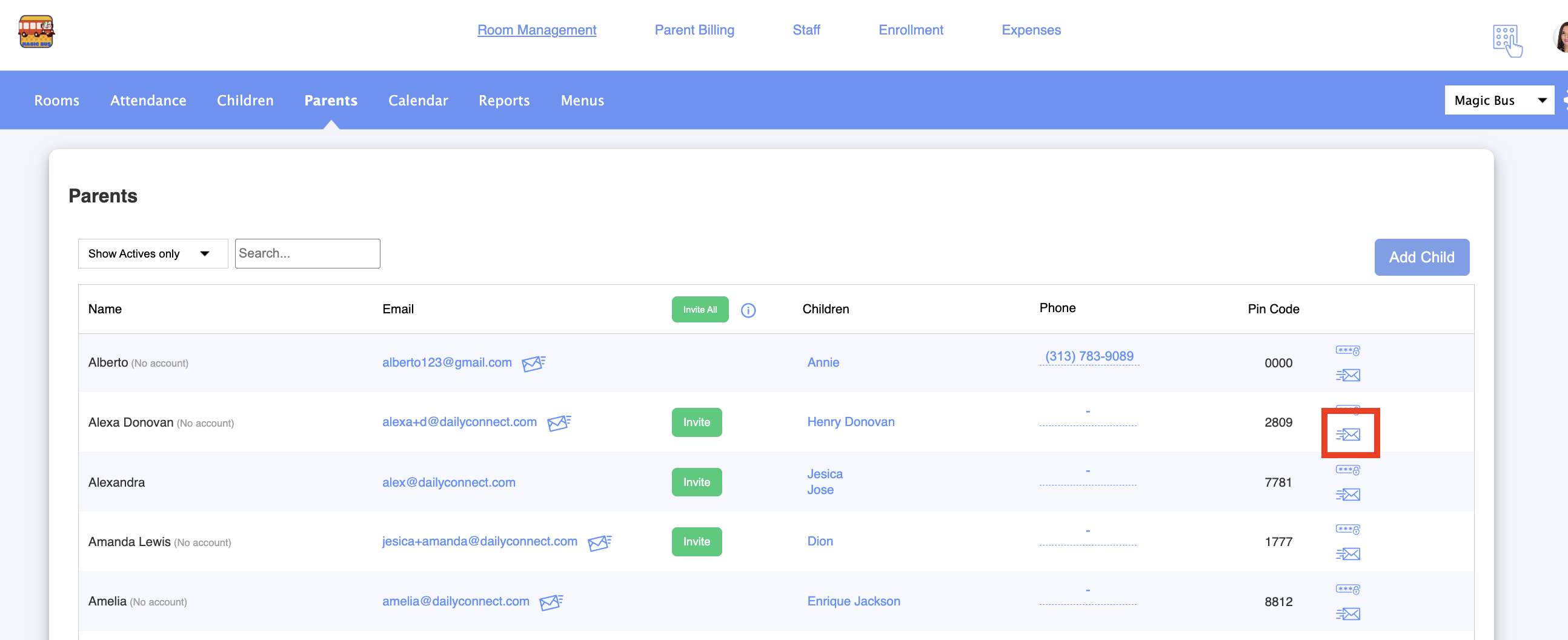
4. If you would like to send the code to the parent, click on this icon:
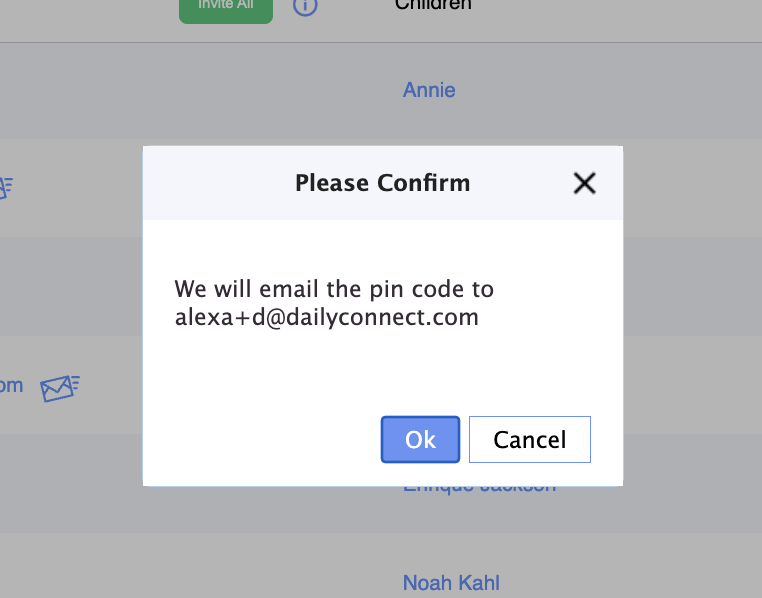
5. Confirm the action:
Was this article helpful?
That’s Great!
Thank you for your feedback
Sorry! We couldn't be helpful
Thank you for your feedback
Feedback sent
We appreciate your effort and will try to fix the article