Daily Connect lets you quickly add multiple attendance entries for a child, all from a single profile screen.
1. Open the child’s profile
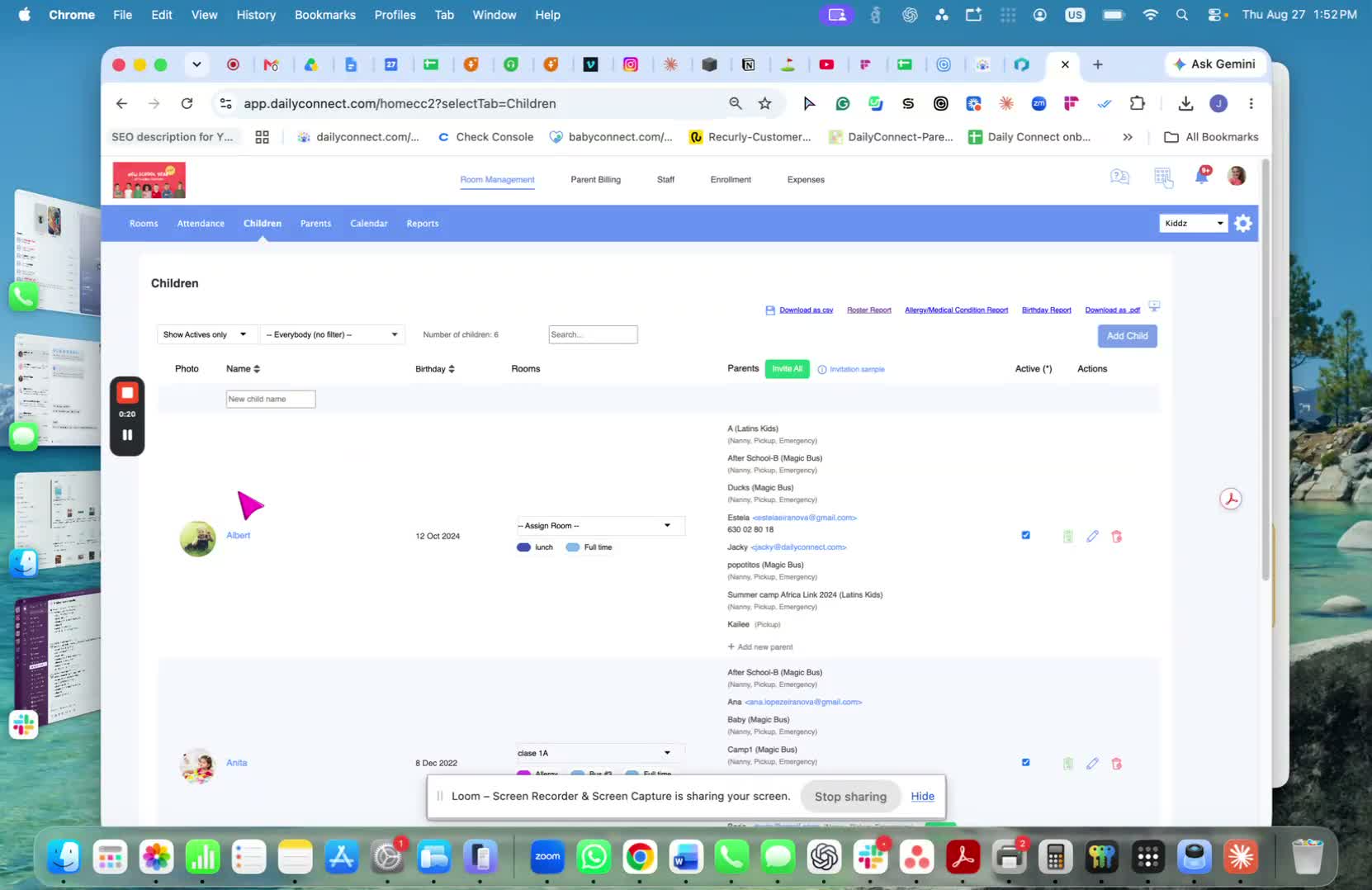
Go to Children.
Click on the specific child you want to update.
2. Navigate to the Attendance tab
Once inside the child’s profile, select the Attendance tab.
This is where attendance entries are managed for that child.
3. Add attendance by date
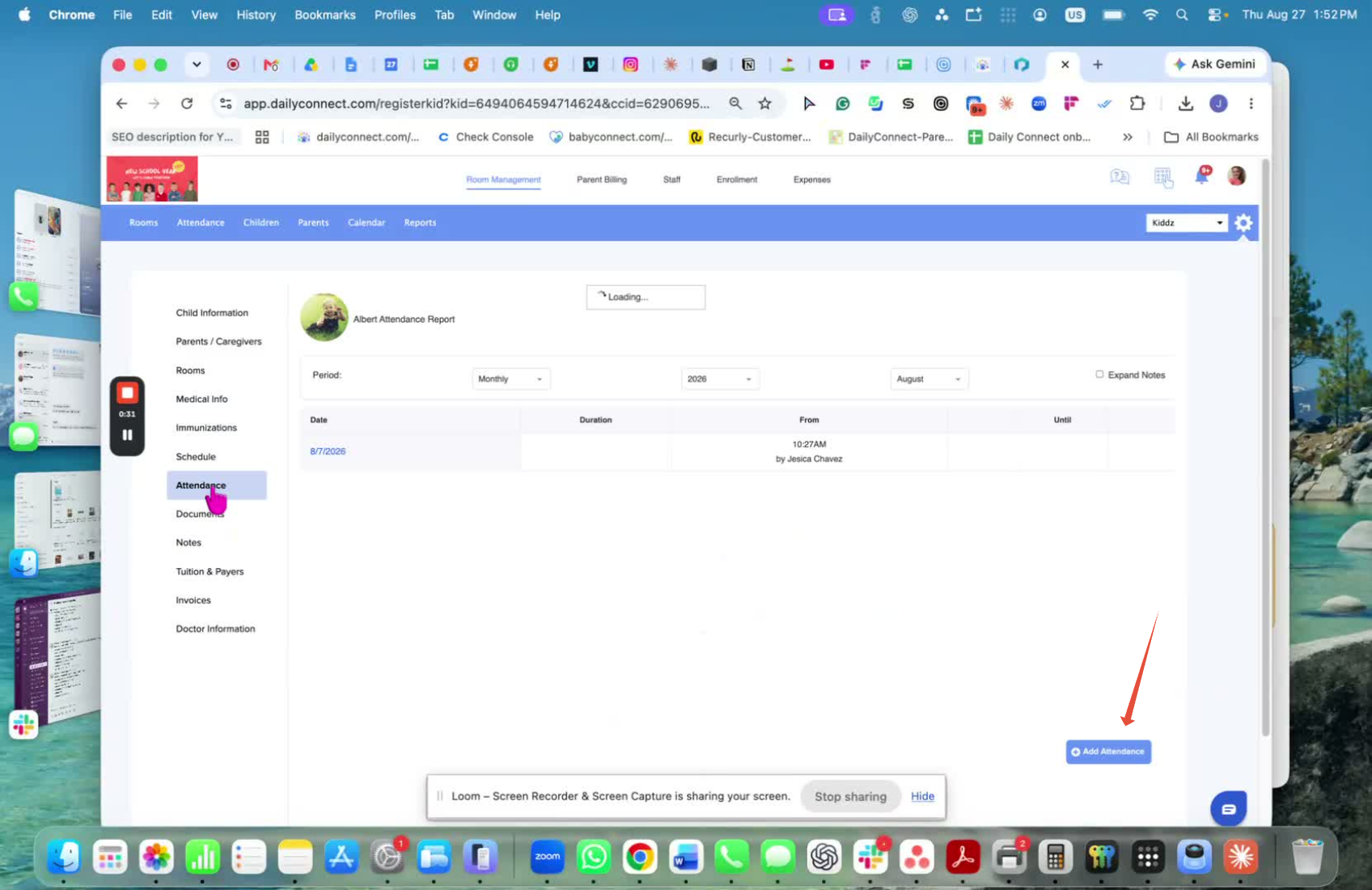
Click Add under Attendance.
Enter the attendance information based on the date you need to record.
Use this method to enter multiple entries.
If you have any questions or need assistance, please contact us via email at support@dailyconnect.com.
Was this article helpful?
That’s Great!
Thank you for your feedback
Sorry! We couldn't be helpful
Thank you for your feedback
Feedback sent
We appreciate your effort and will try to fix the article