Your child’s care facility may upload forms and documents for you to fill in or contain important information. You can access those forms and documents via your web or mobile app.
Examples of documents that you may receive include policy handbooks, transportation forms, field trip permissions, immunization forms, etc.
Follow the instructions below to access forms and documents on the web app
Log in to your account.
Go to Account Settings > Forms & documents:
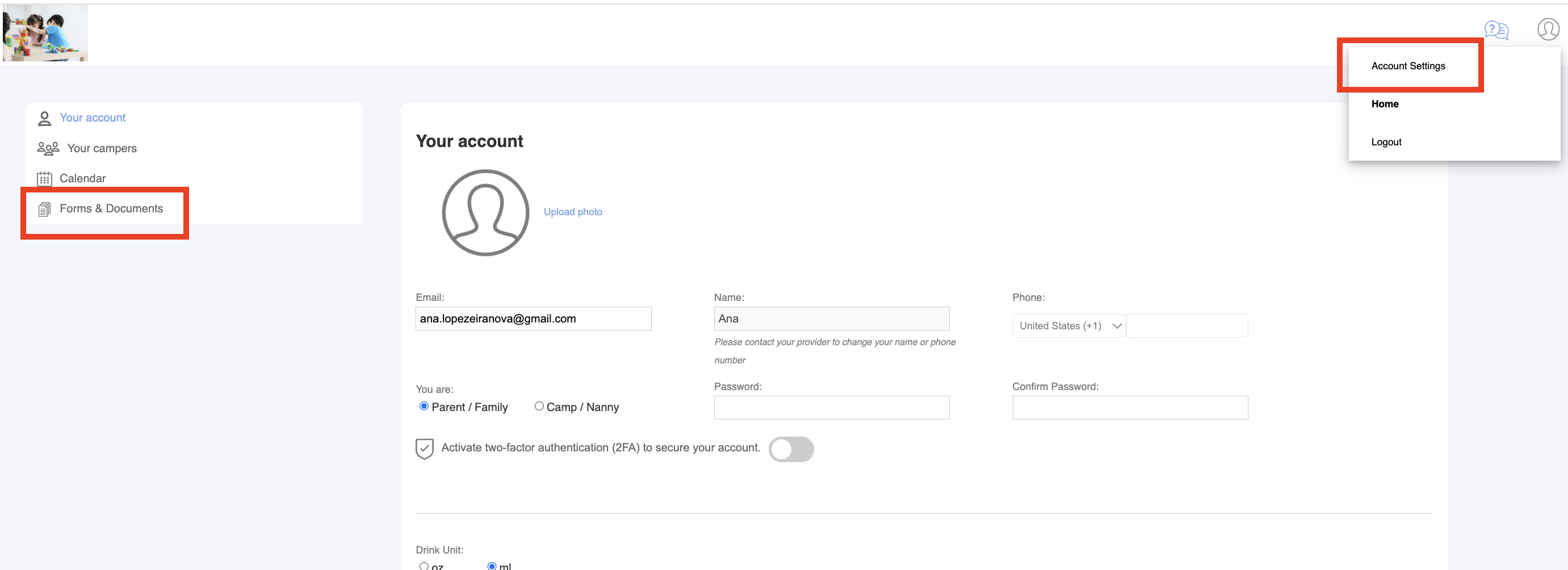
Select the document you would like to view.

Was this article helpful?
That’s Great!
Thank you for your feedback
Sorry! We couldn't be helpful
Thank you for your feedback
Feedback sent
We appreciate your effort and will try to fix the article