Apply more flexible pricing by adding a second discount to a child.
1. Navigate to Dailyconnect.com
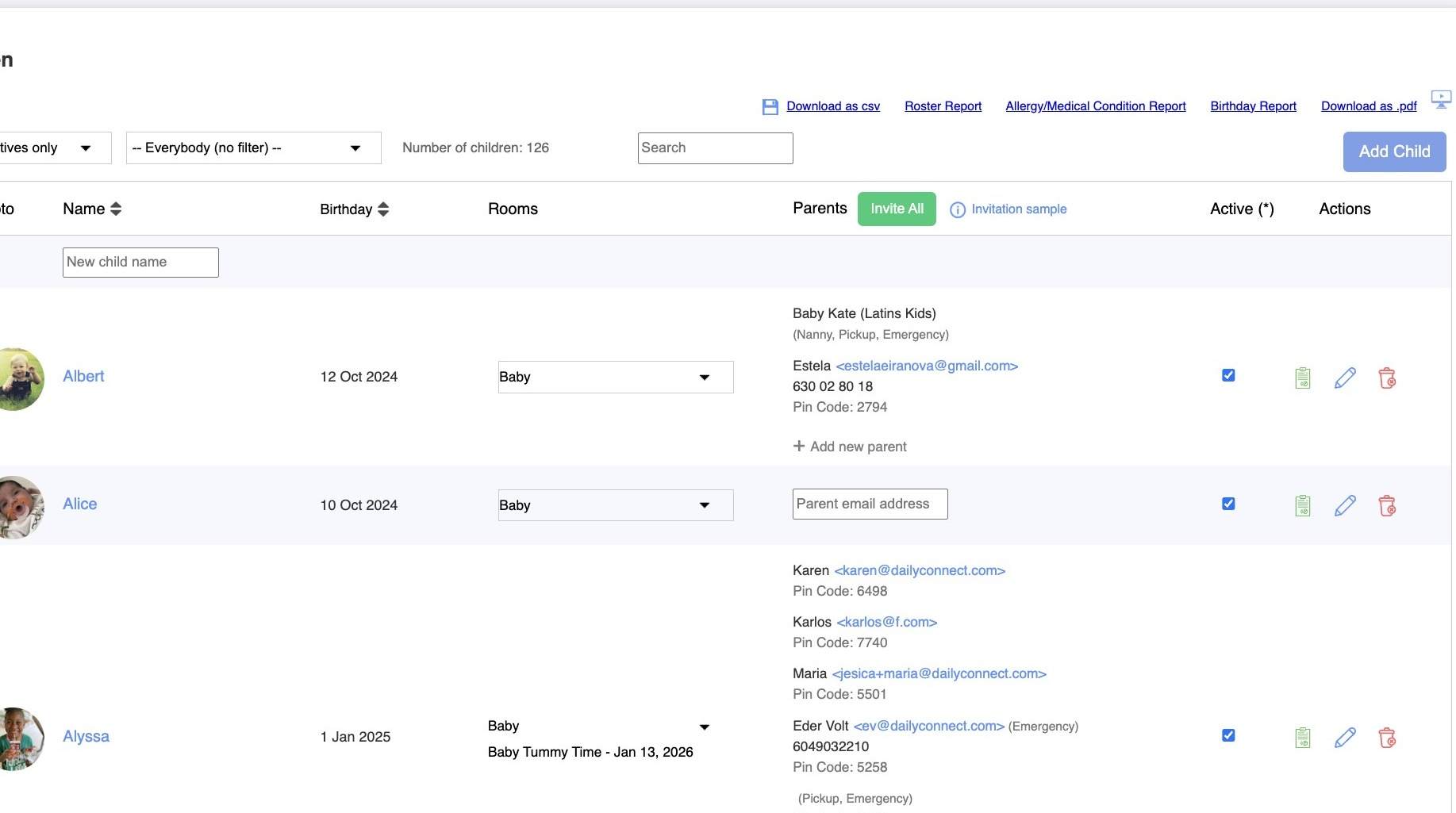
2. From Room Management, go to Children and click on the child you want to add the discount.
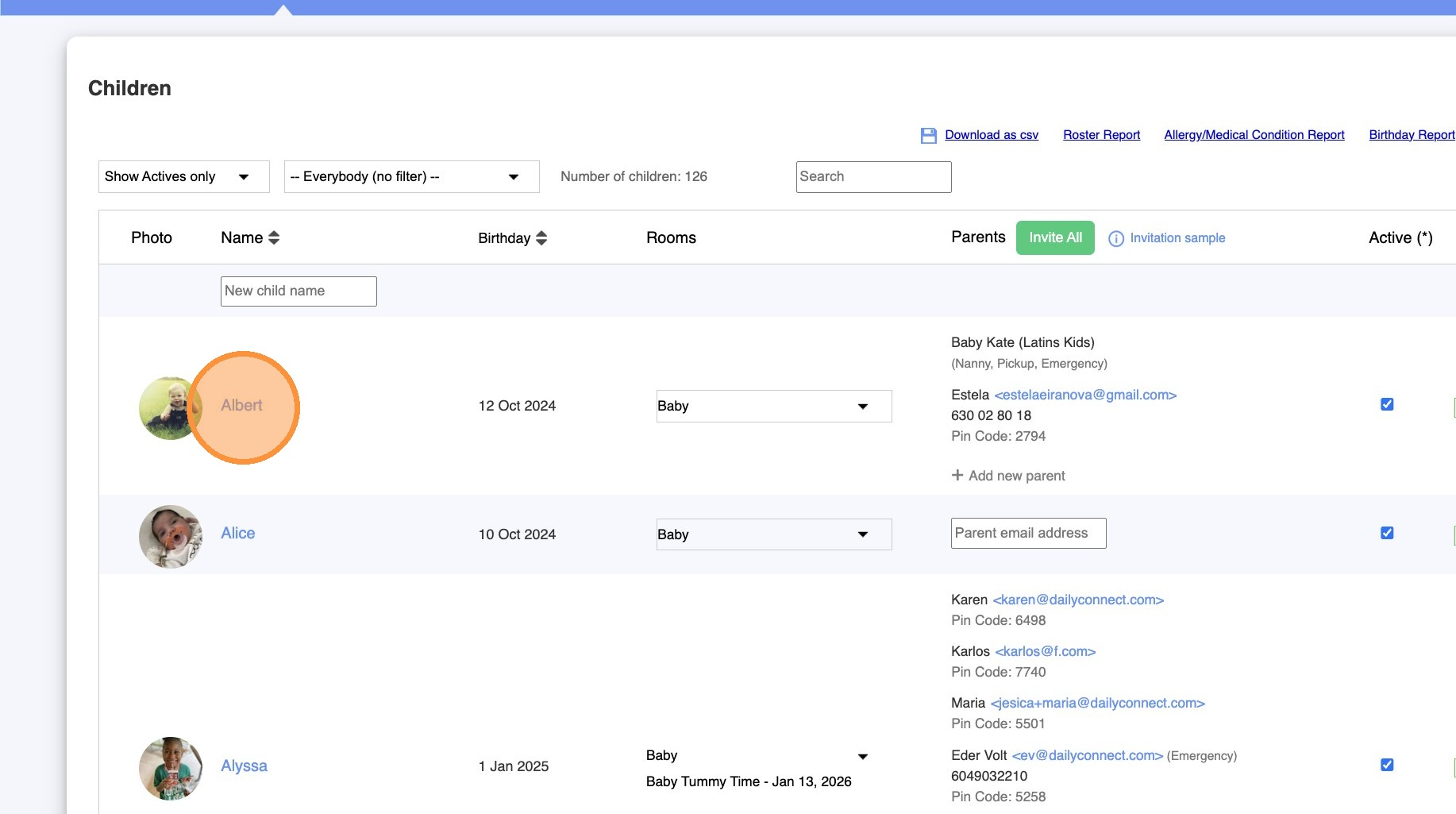
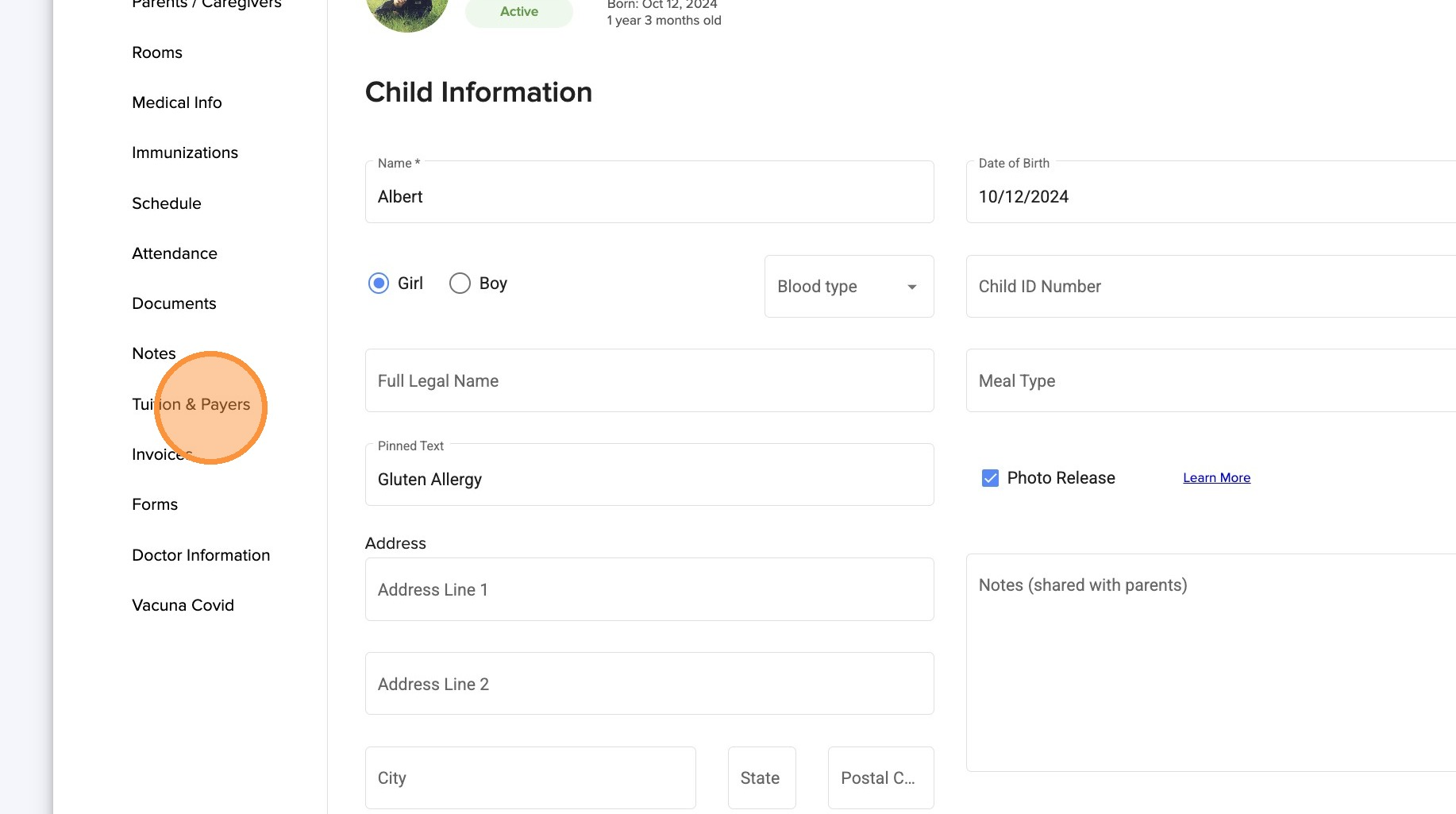
3. Click "Tuition & Payers"
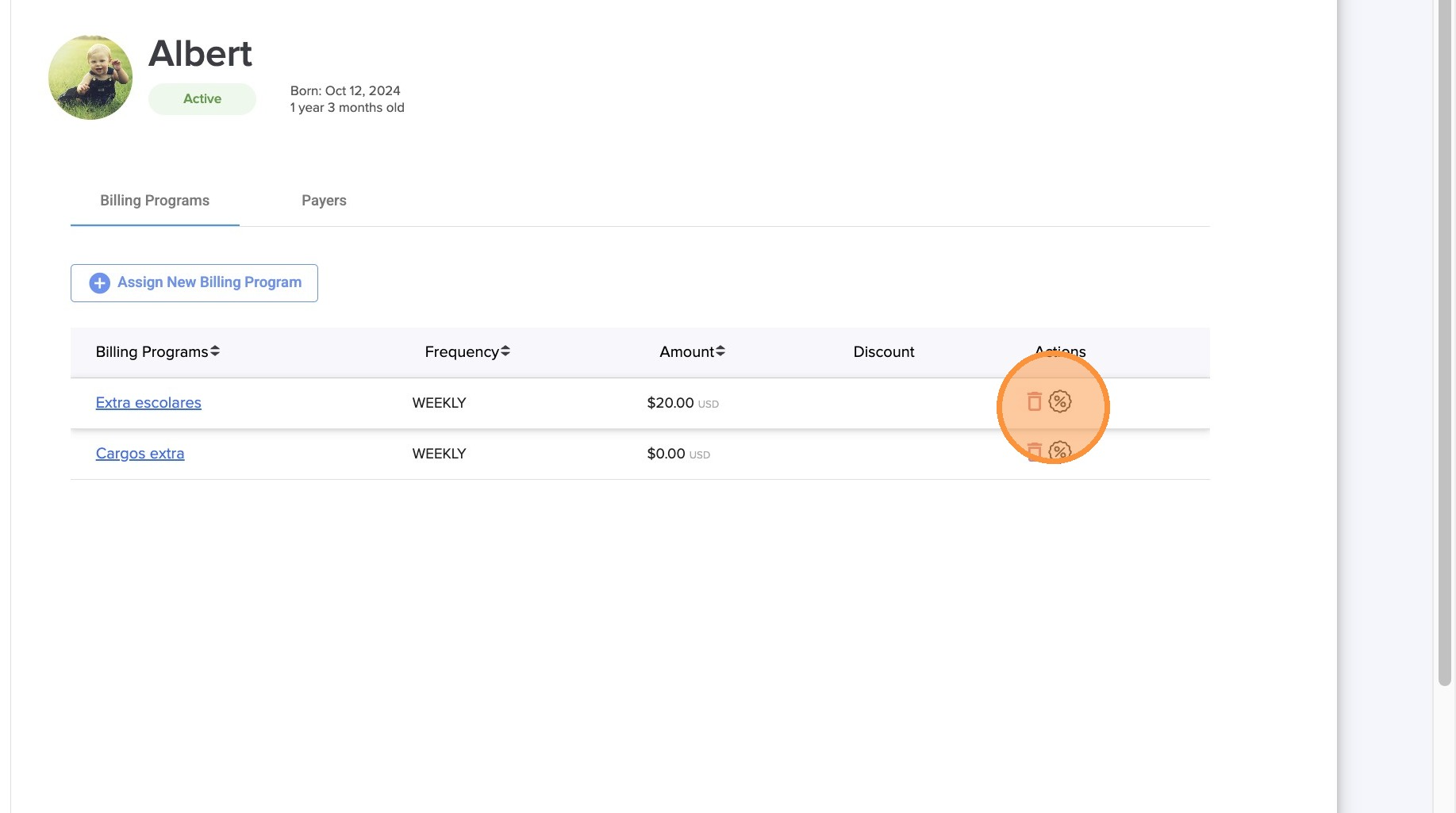
4. Click on the discount icon.
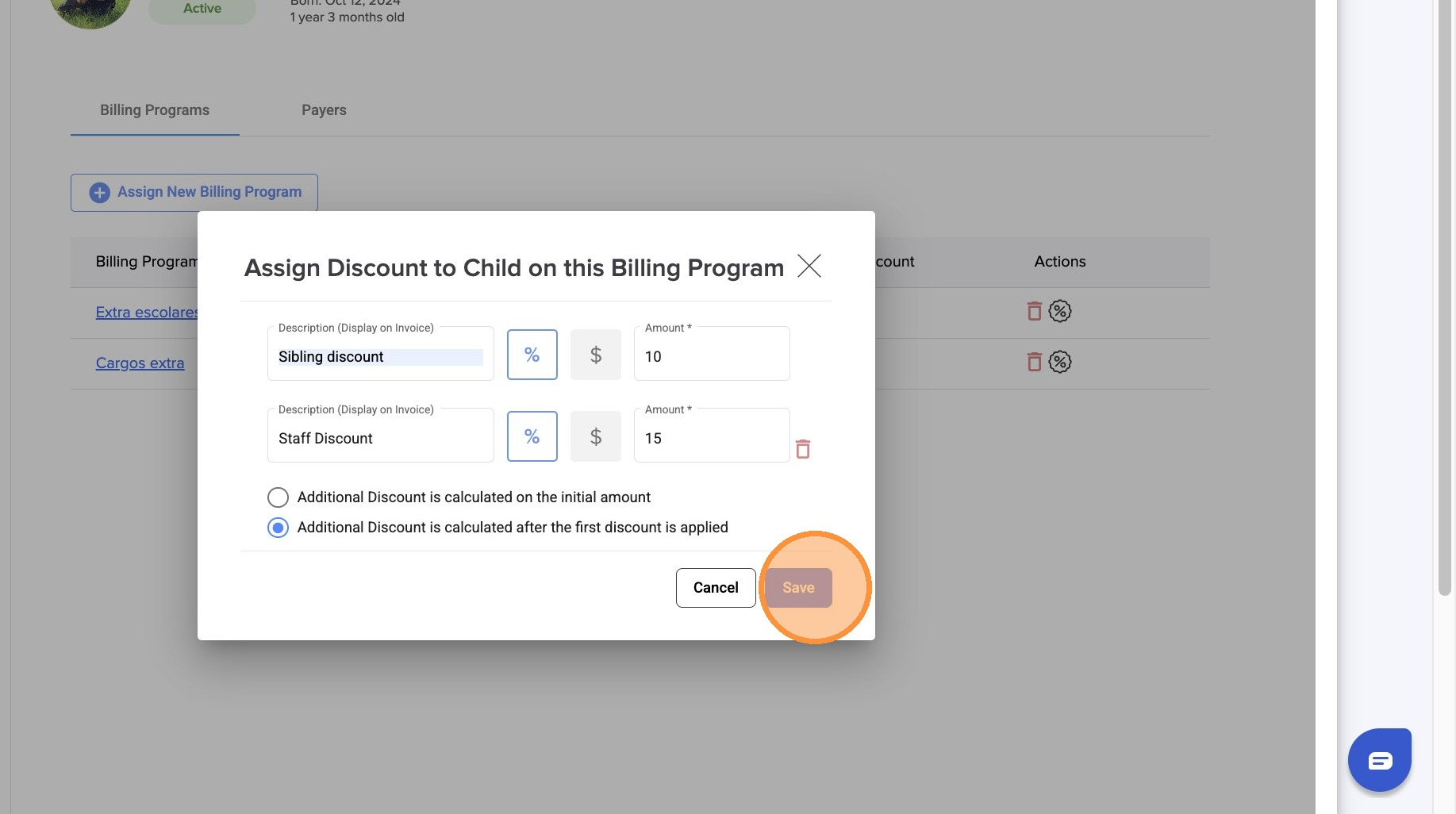
5. Type the discount name and select percentage or amount discount.
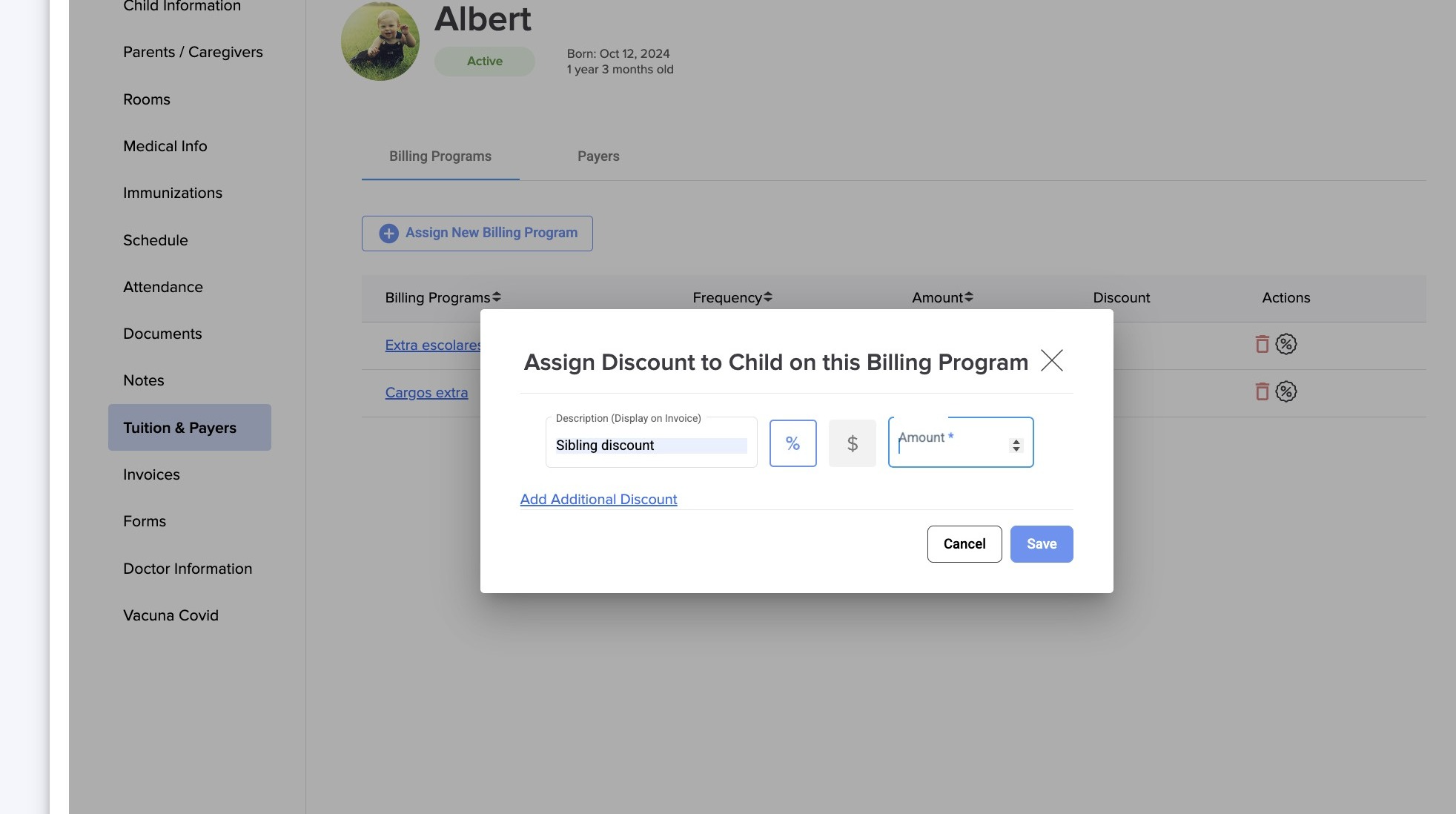
6. Click "Add Additional Discount"
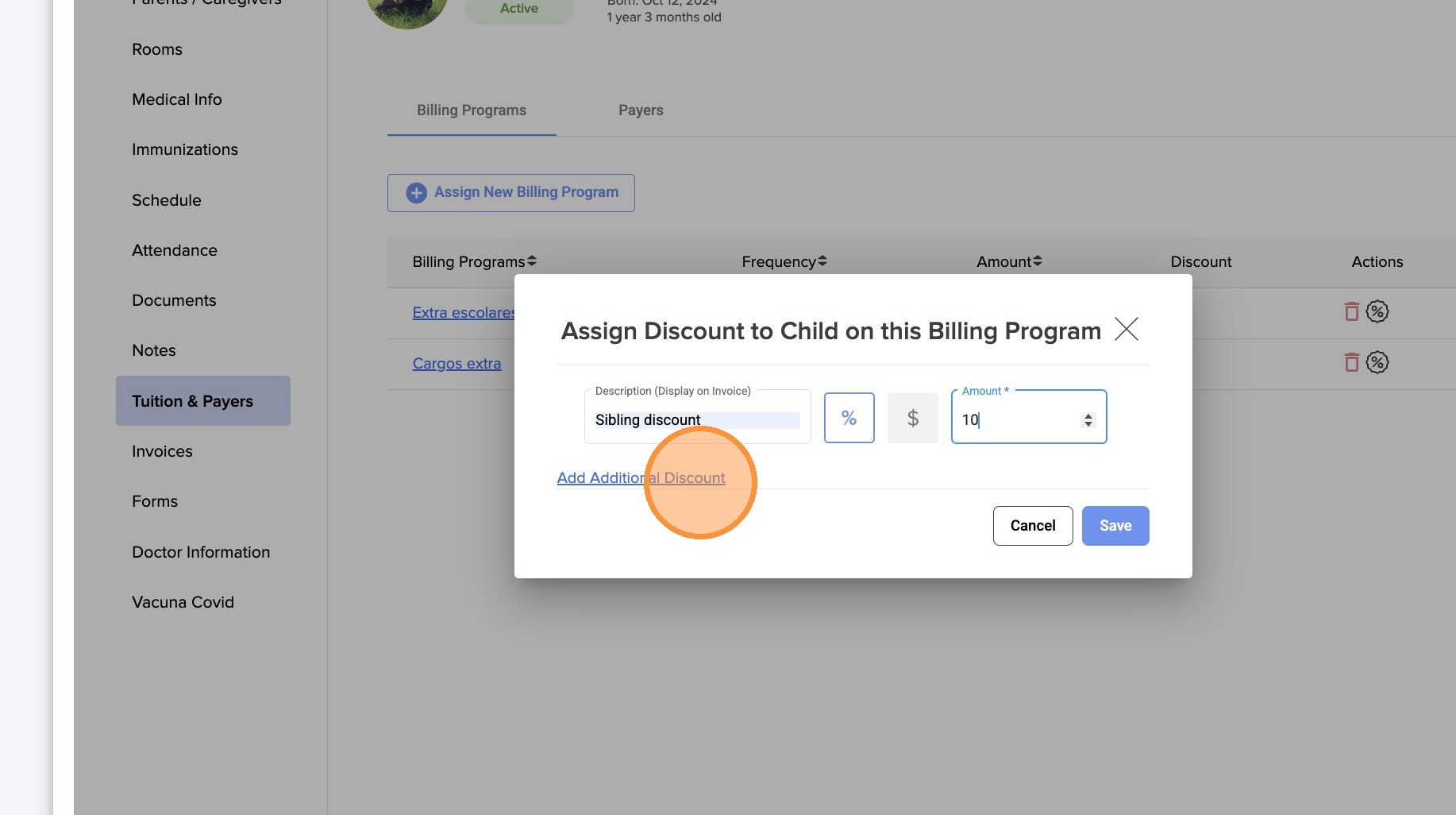
7. Enter the discount information.
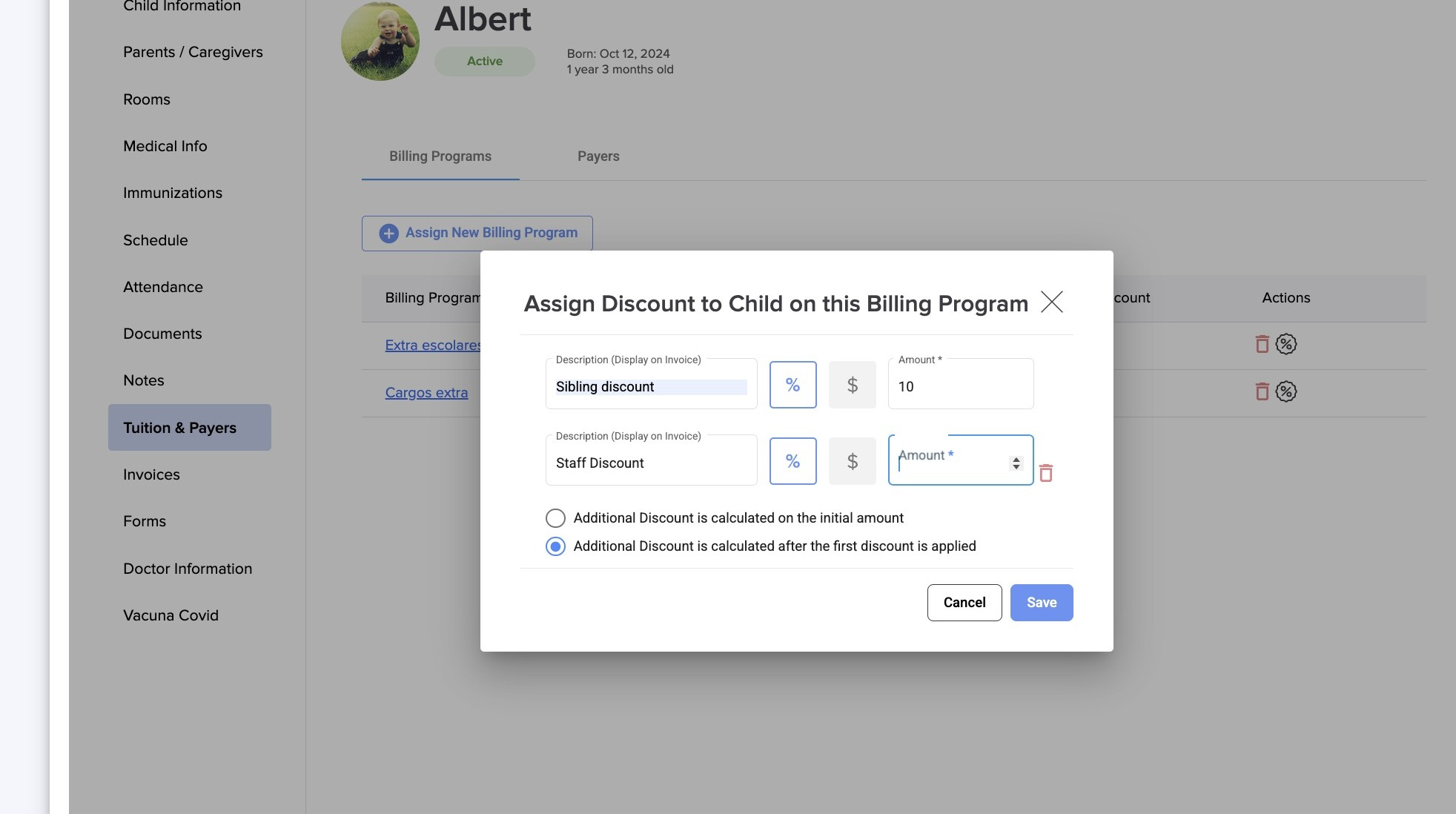
8. Select how do you want the additional discount to be calculated.
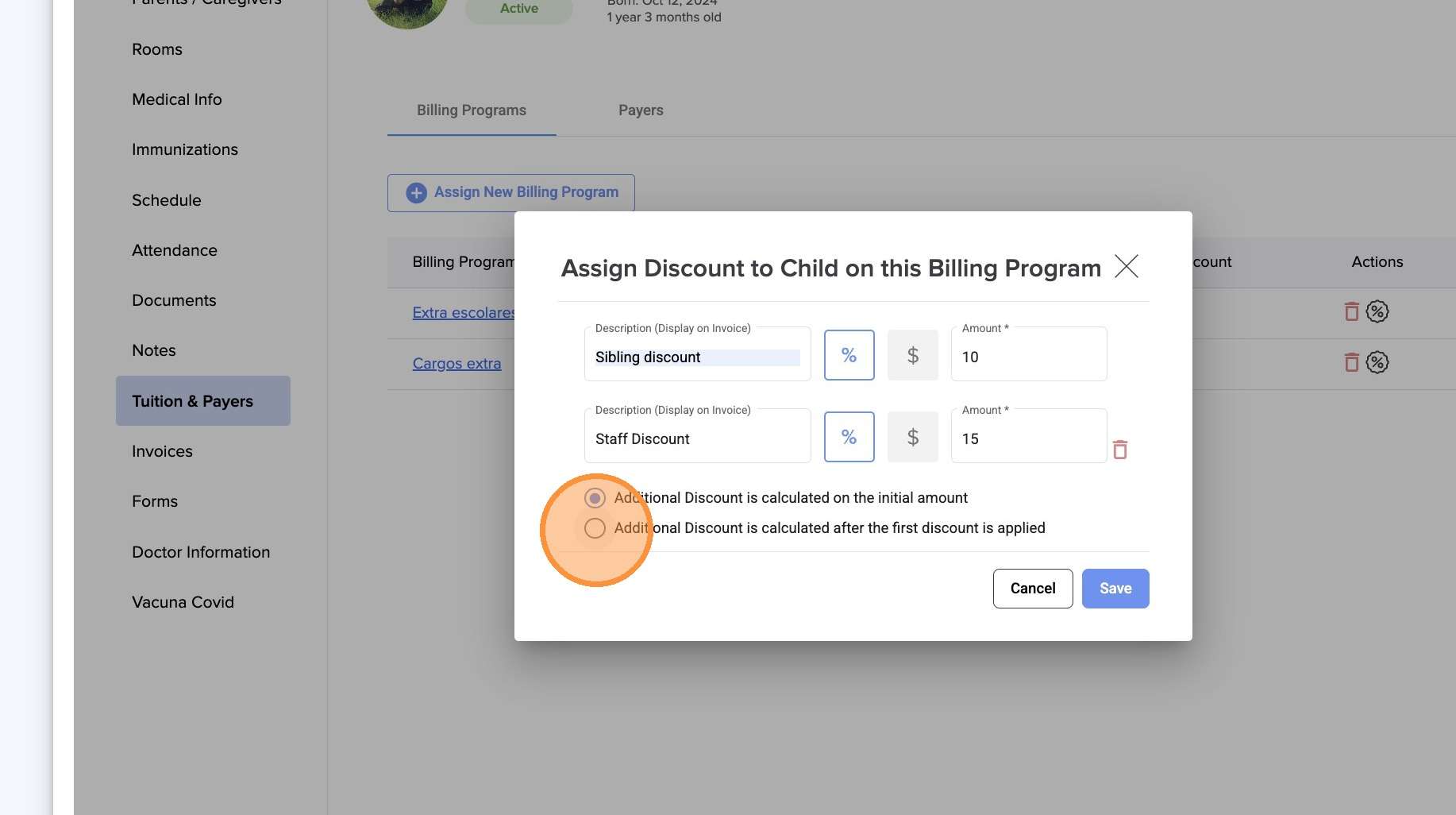
9. Click "Save"
Was this article helpful?
That’s Great!
Thank you for your feedback
Sorry! We couldn't be helpful
Thank you for your feedback
Feedback sent
We appreciate your effort and will try to fix the article