1. Log in to your admin account on the Daily Connect website.
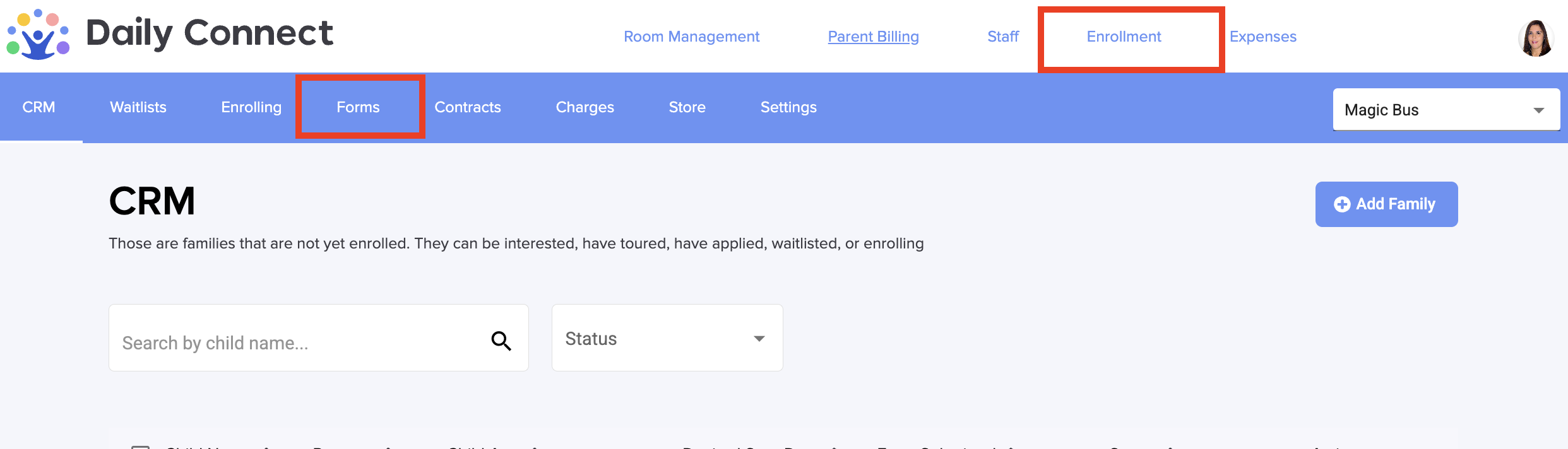
2. Go to Enrollment > Forms:
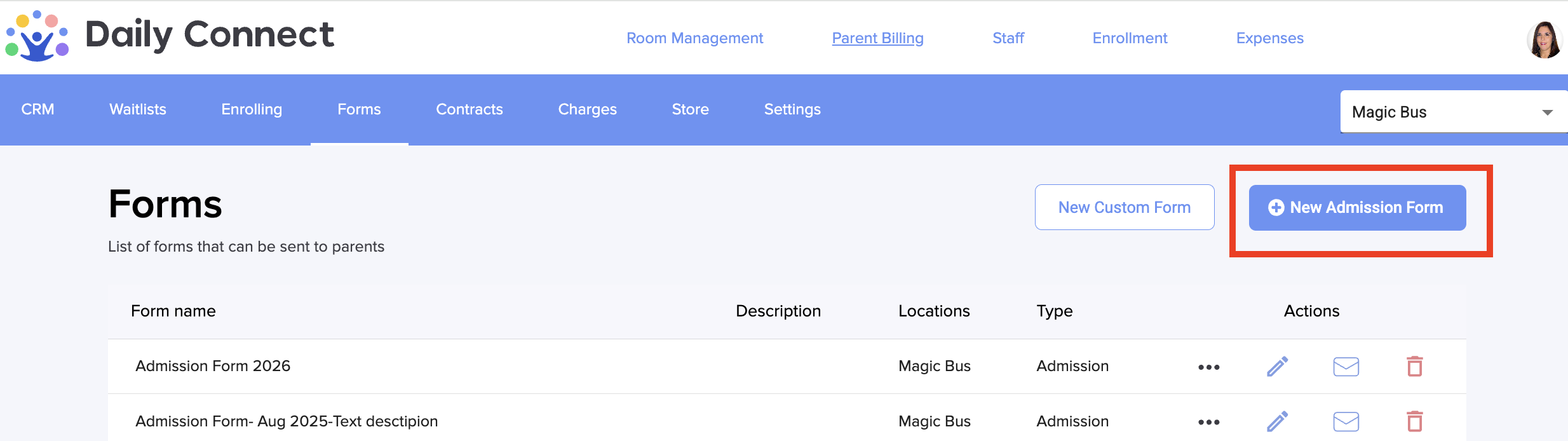
3. To create a new admission form, click +New Admission Form.
4. You can see the Admission form template that you can modify:
5. If you want to delete a section inside one question , you have to click on the trash icon. If you want to edit it, you have to click on the blue pencil icon:
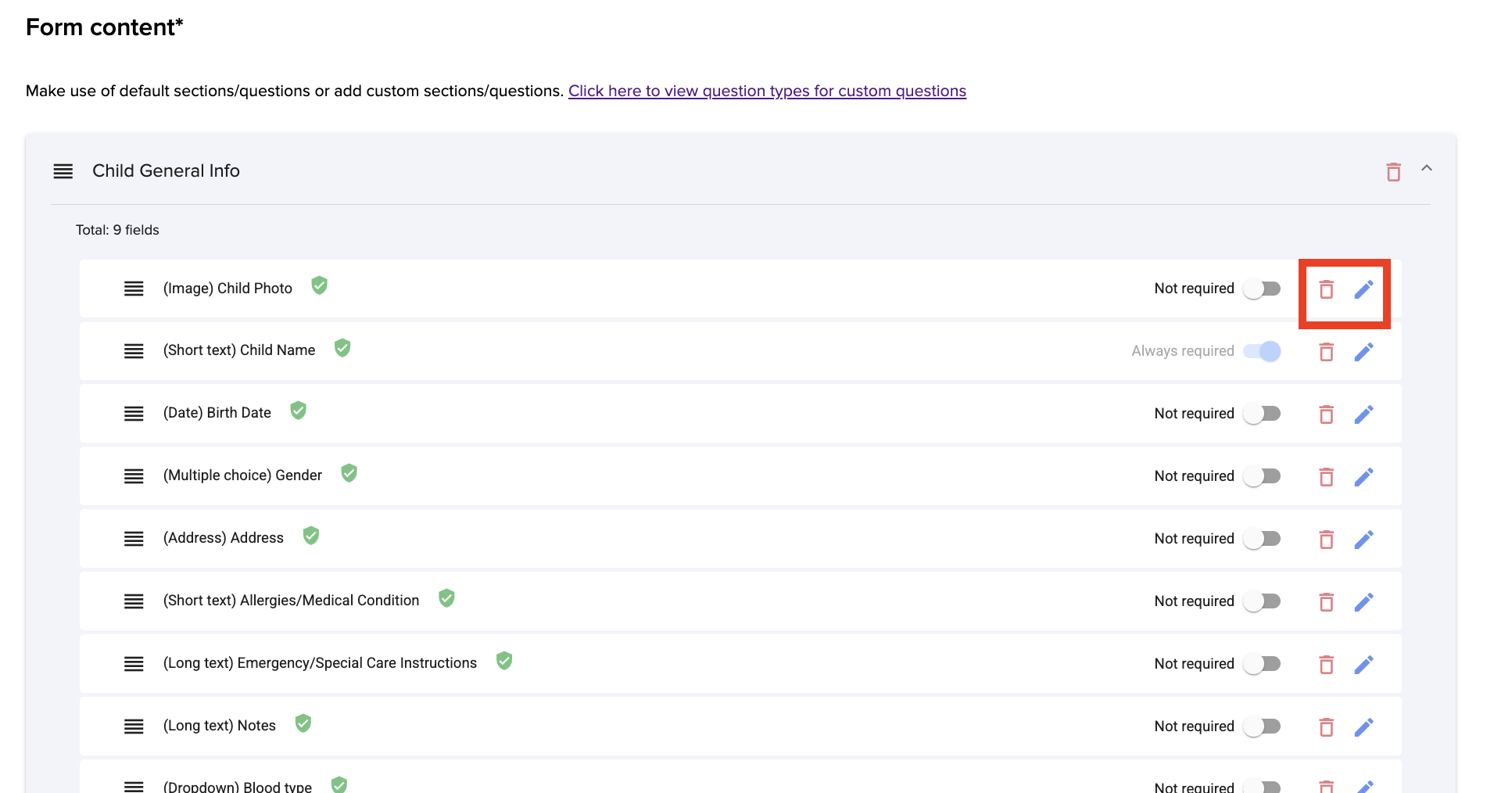
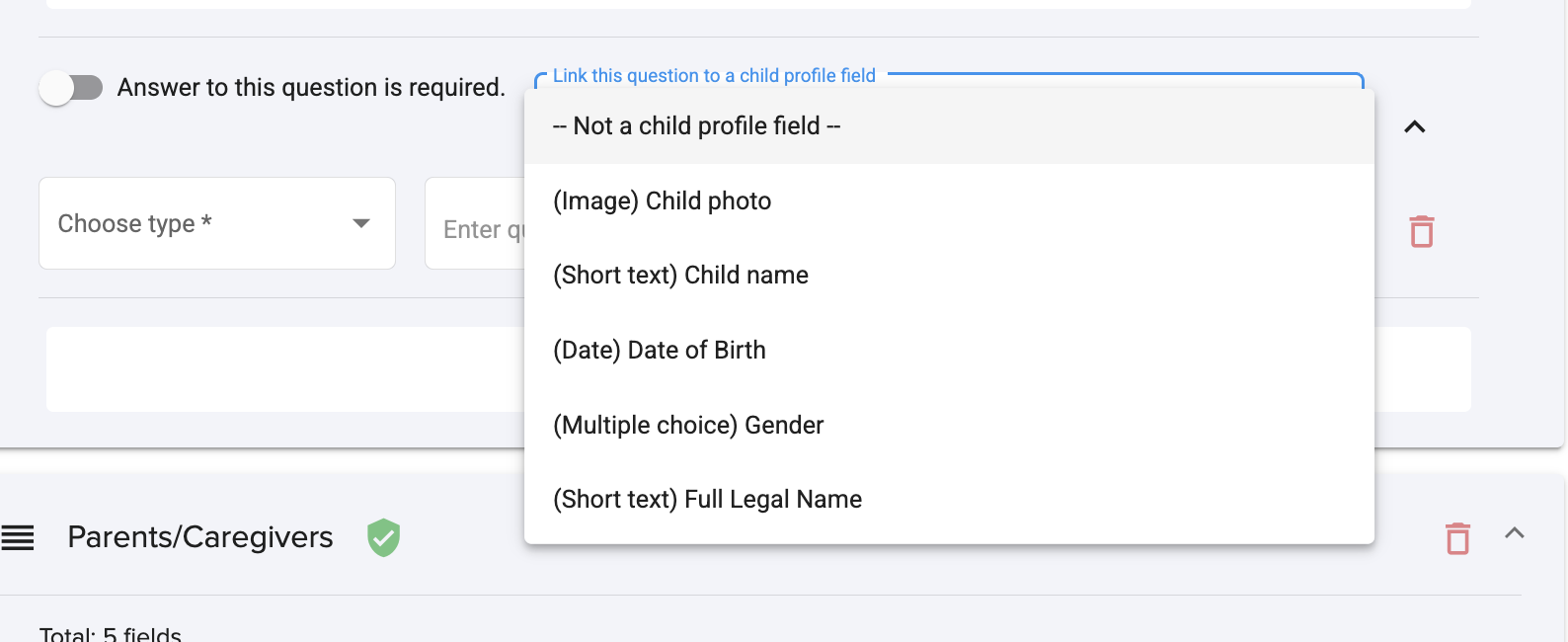
The green icon that you can see on some of the questions means that the information will be recorded on the child's profile directly from the form.
6. To create a question inside a section that will be recorded on the child profile, click here:
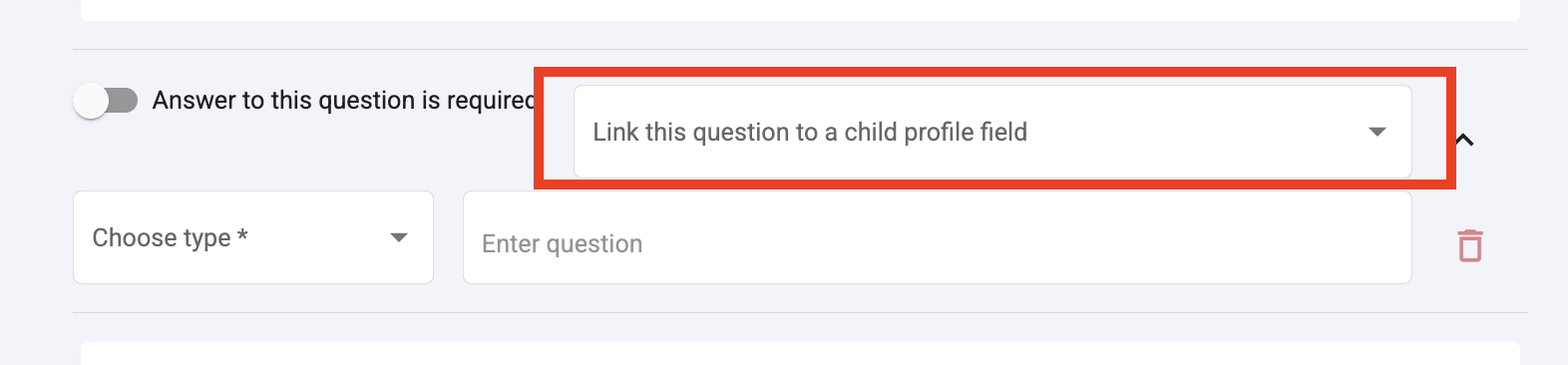
8. Select the type of question and fill in the other information and click save if you have finished with the customization of your form.
Was this article helpful?
That’s Great!
Thank you for your feedback
Sorry! We couldn't be helpful
Thank you for your feedback
Feedback sent
We appreciate your effort and will try to fix the article