... ...
Skip to main content

How to sign in/out scanning a QR code

Modified on Tue, 10 Feb at 9:30 AM

As a parent, you can sign your child in and out of the center by scanning a QR code that your center will show you.


First, you should know that the method used to sign your child in and out at the center is decided by the center itself. If your center has chosen QR code sign-in, please follow the steps below.


1. Log in to your Daily Connect account on your app.


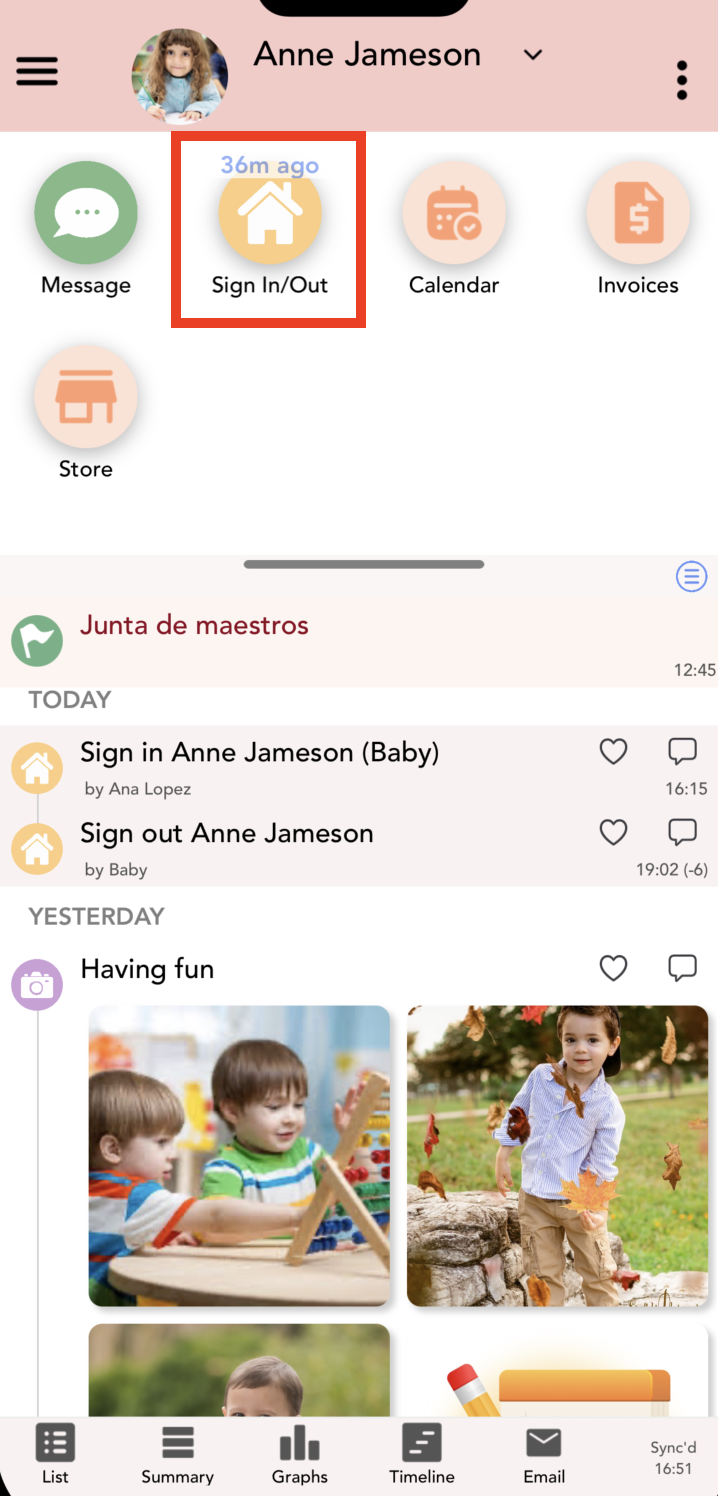
2. Click on the Sign in/out icon:


2. Your camera will activate so you can scan the QR code, and your child’s sign-in or sign-out will be recorded.

Was this article helpful?

That’s Great!

Thank you for your feedback

Sorry! We couldn't be helpful

Thank you for your feedback

Let us know how can we improve this article!

Select at least one of the reasons
CAPTCHA verification is required.

Feedback sent

We appreciate your effort and will try to fix the article