You can now charge a one-time fee for store products, perfect for things like Summer Camp registration fees, special programs, activity fees, or one-time supplies. You have the option to set the fee per child, or per family account.
Follow the steps in this article:
1. Log in to your admin account.
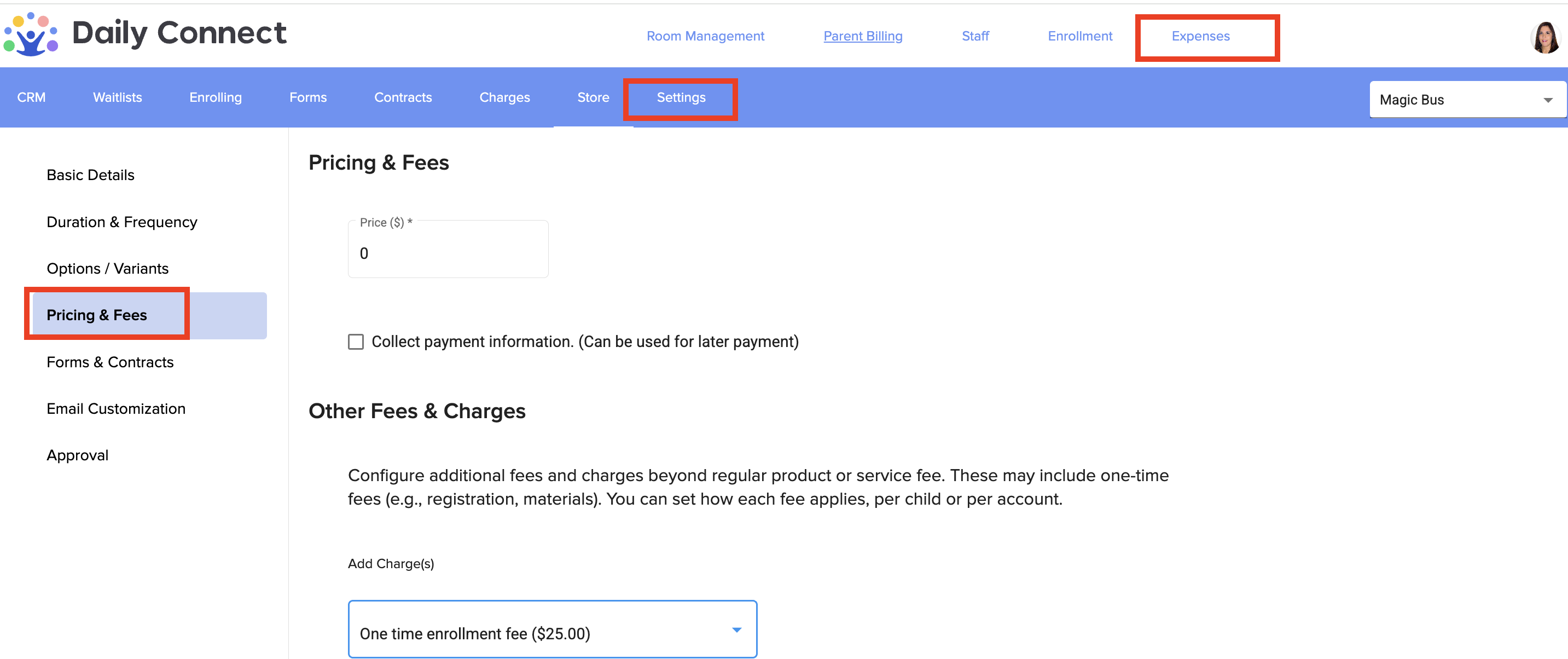
2. Go to Enrollment > Store. If you have already created your product, you can edit it, if not, first create the product (see this article). In both cases, go to Pricing & Fees:
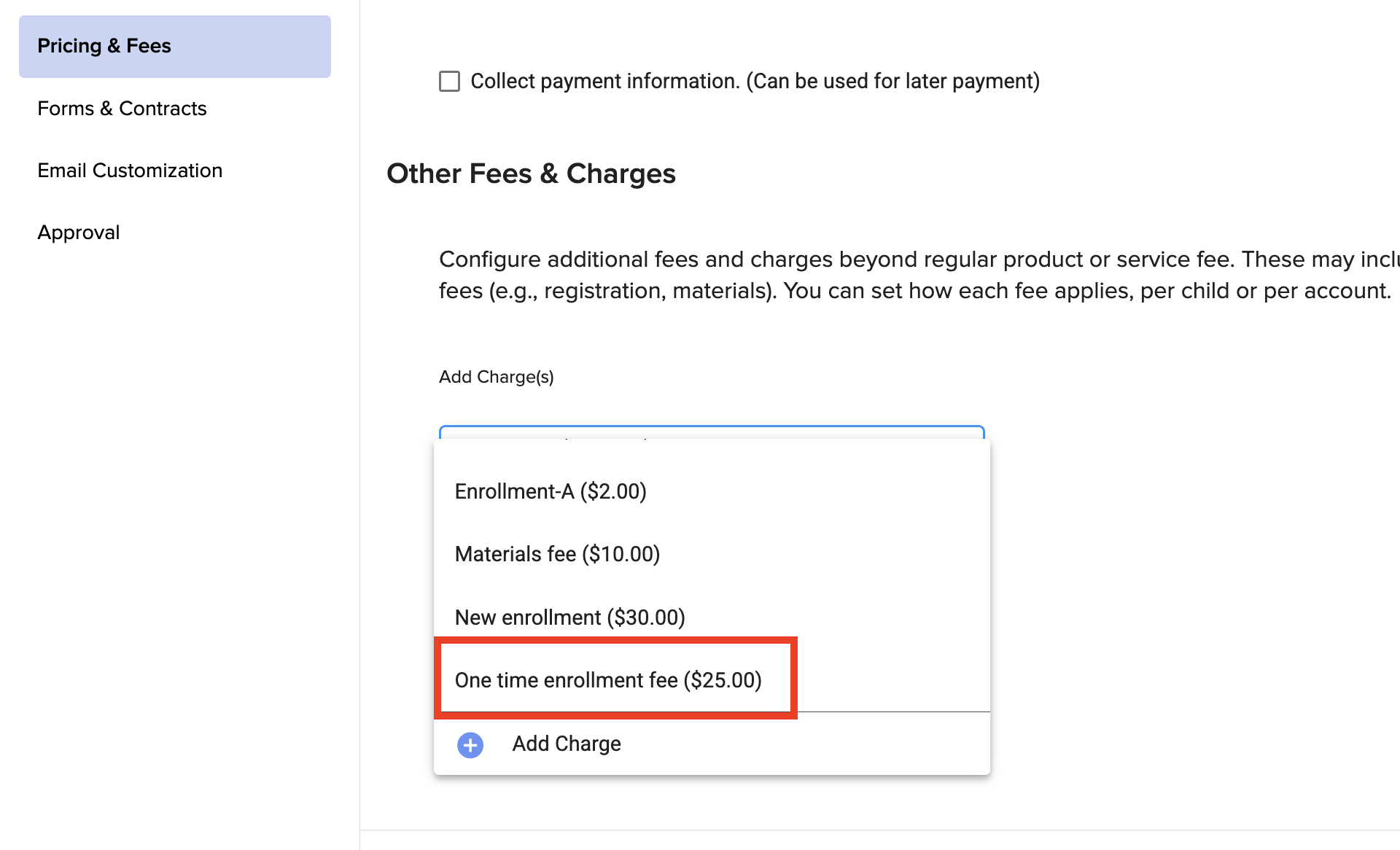
3. Select the one time-enrollment fee that you have created before in the Charges section.
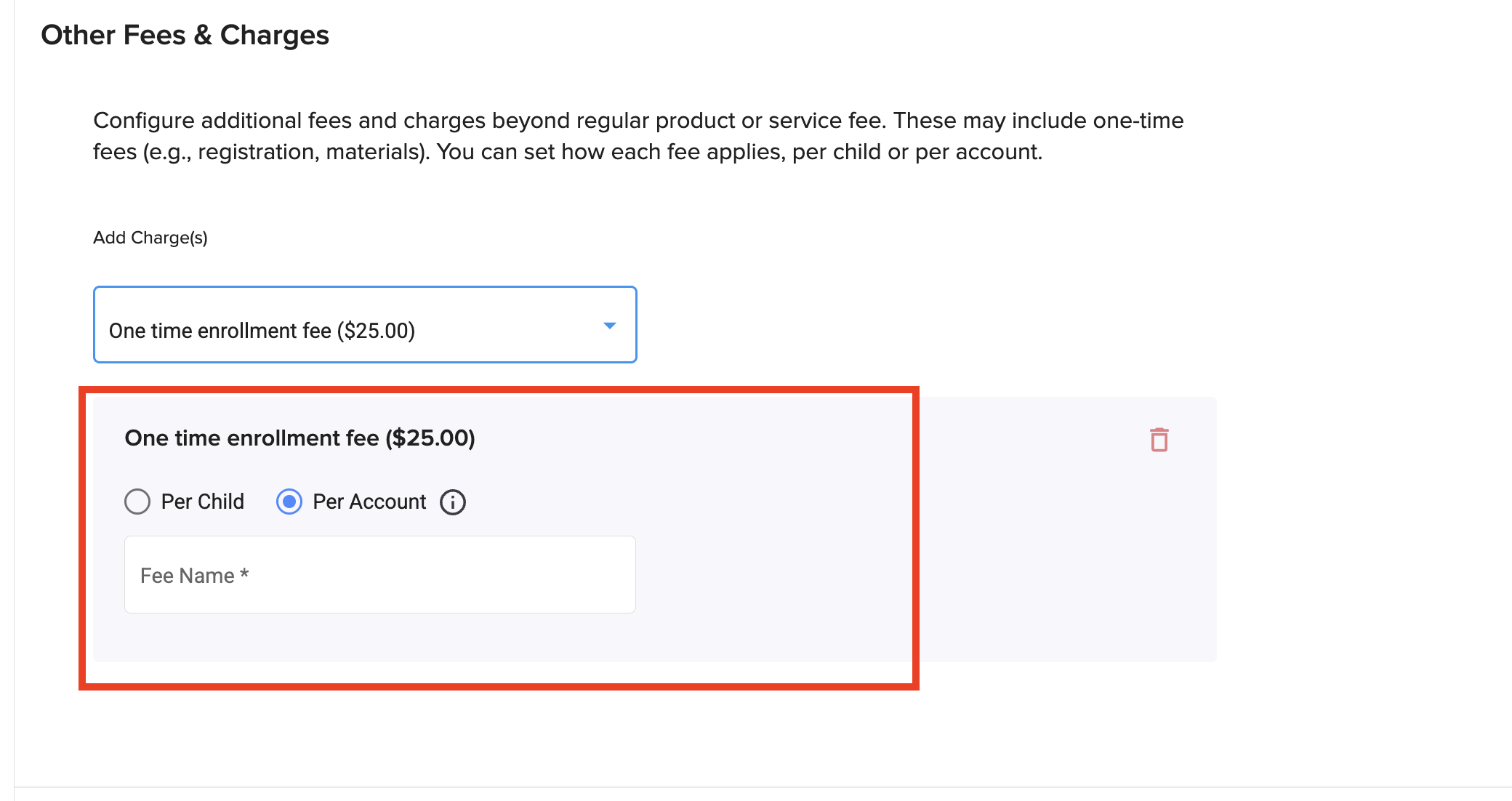
4. Here you can choose whether the charge will be applied per child (one charge for each child) or per account (a single charge per account regardless of the number of children). You can also give the charge a name.
Was this article helpful?
That’s Great!
Thank you for your feedback
Sorry! We couldn't be helpful
Thank you for your feedback
Feedback sent
We appreciate your effort and will try to fix the article