This article will help you remove the framework you previously assigned to a specific class, so that you can assign a different one in the future.
1. Log in to your admin account.
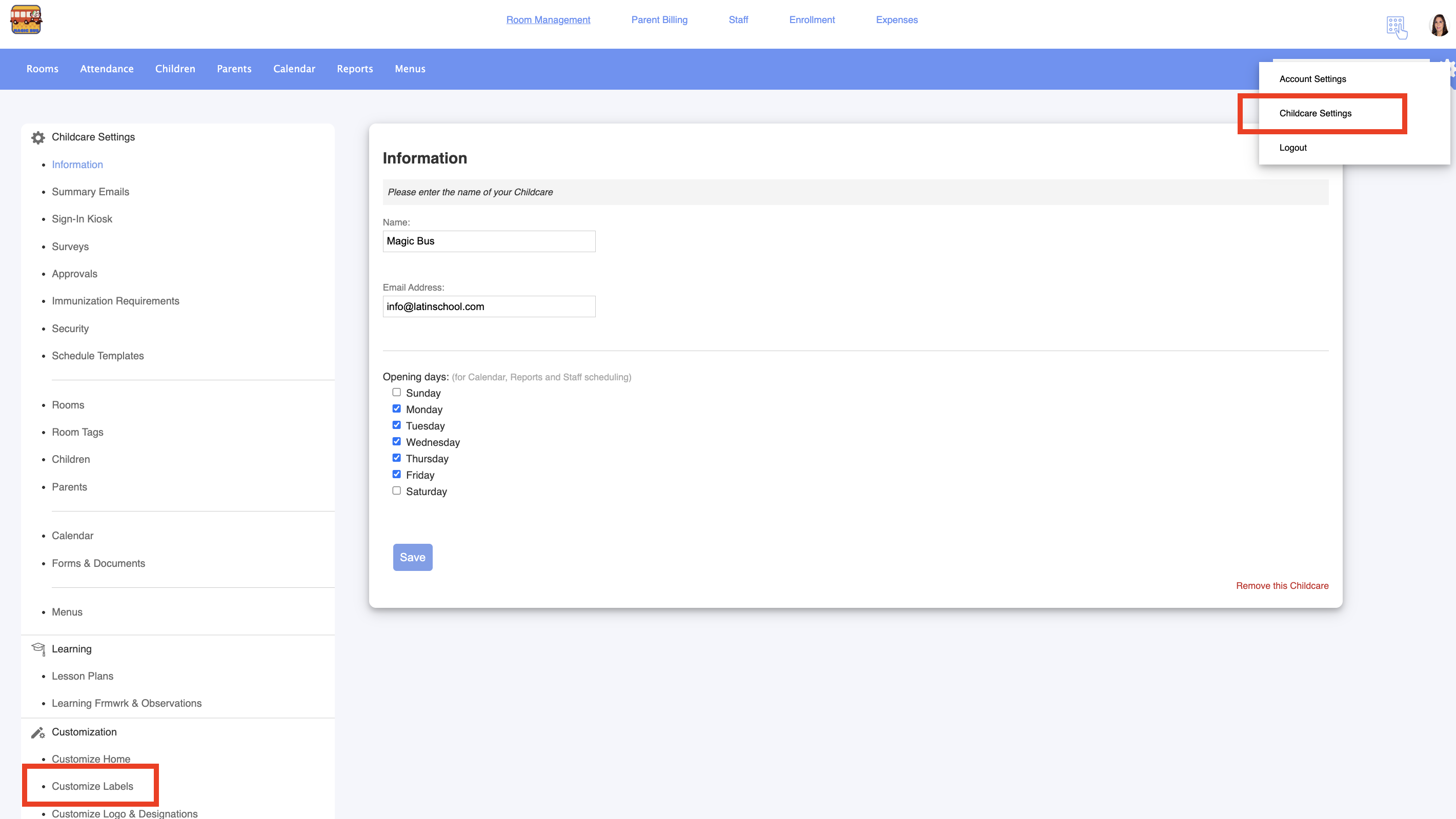
2. Go to Childcare settings > Customize labels:
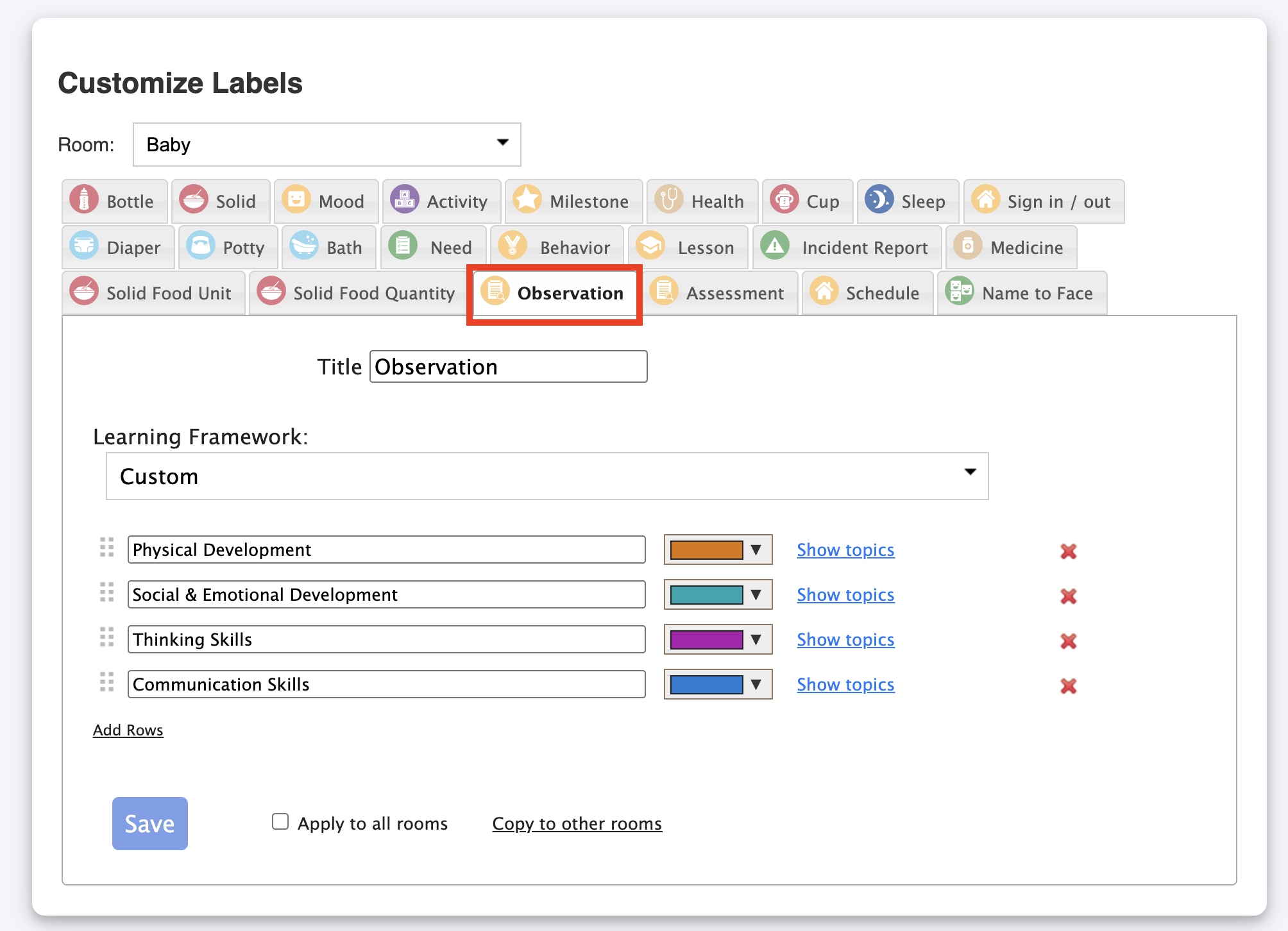
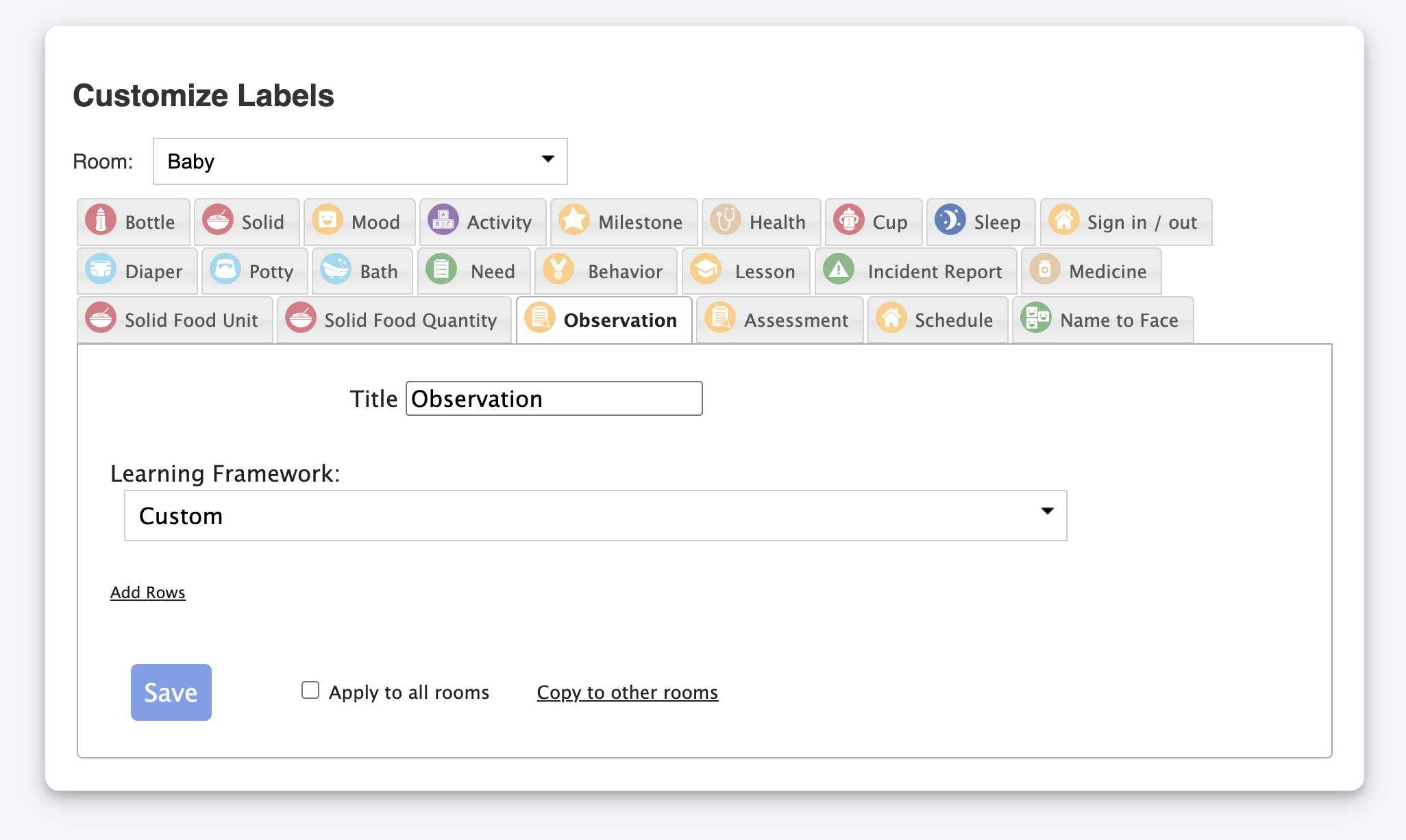
3. Go to Observation and select the room to check the current framework assigned:
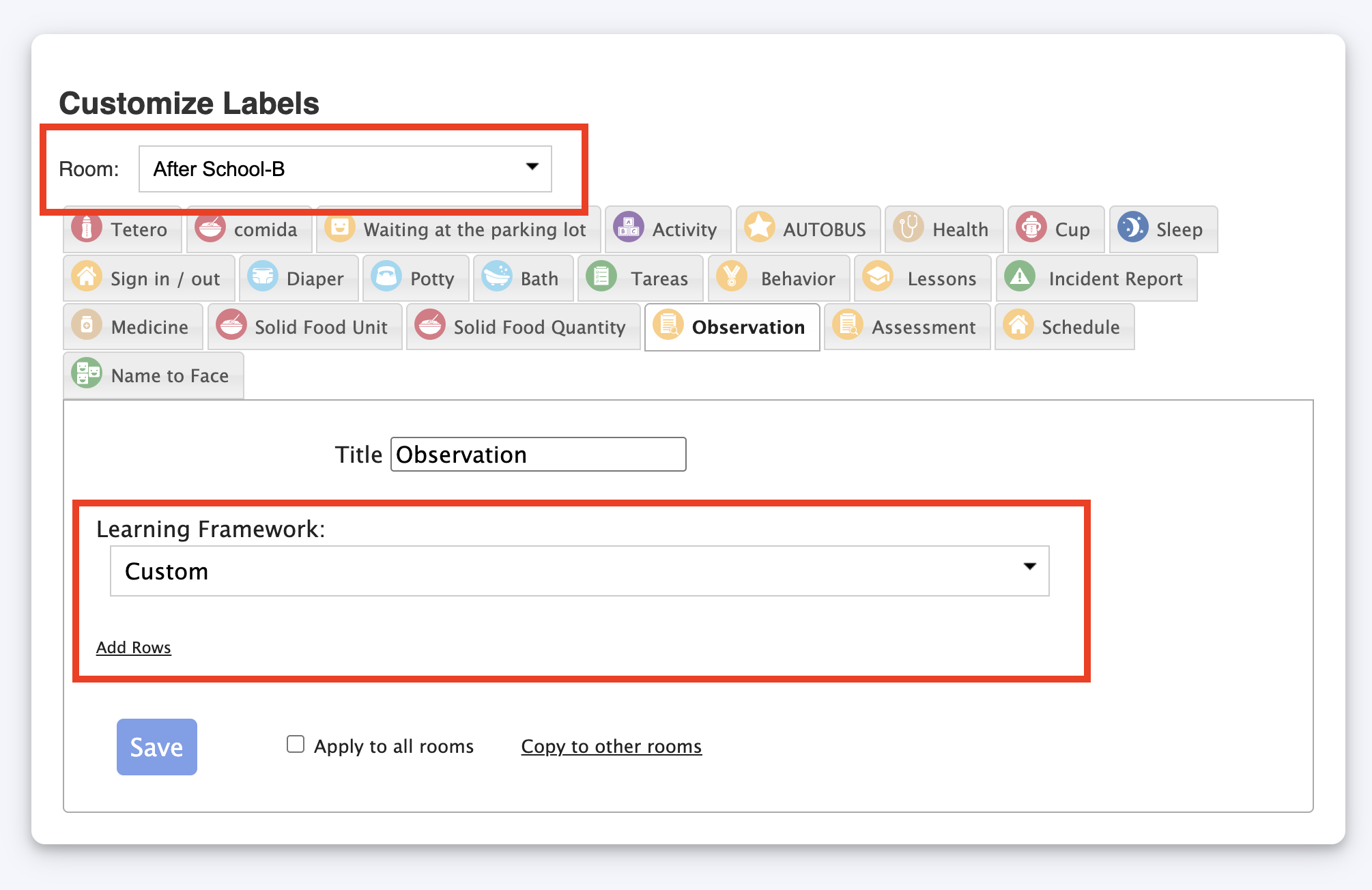
4. If you want to reset the framework assigned to a room, you will need to have another class with an empty framework, like this:
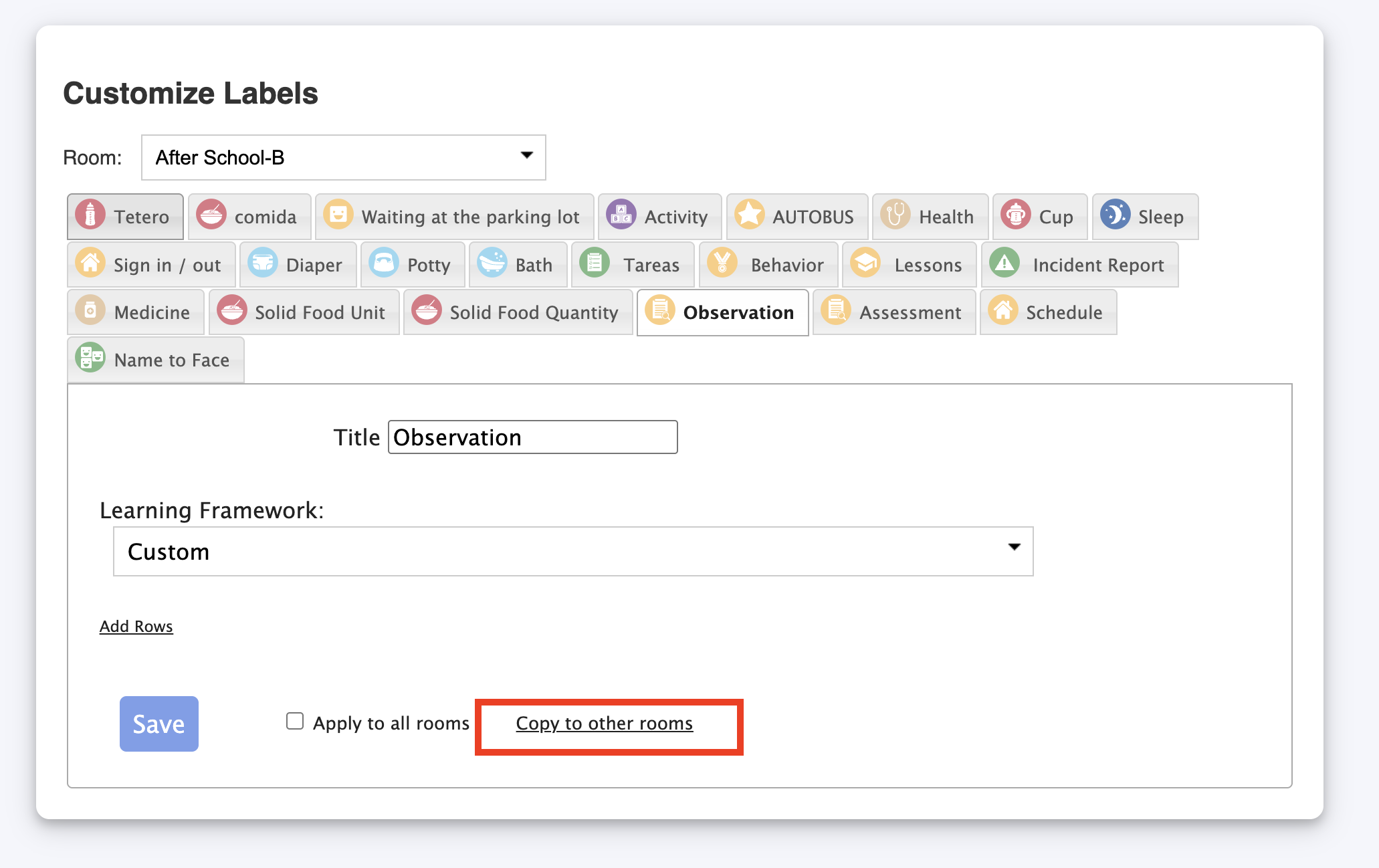
5. Apply this empty framework to your room. To do so, select option Copy to other rooms:
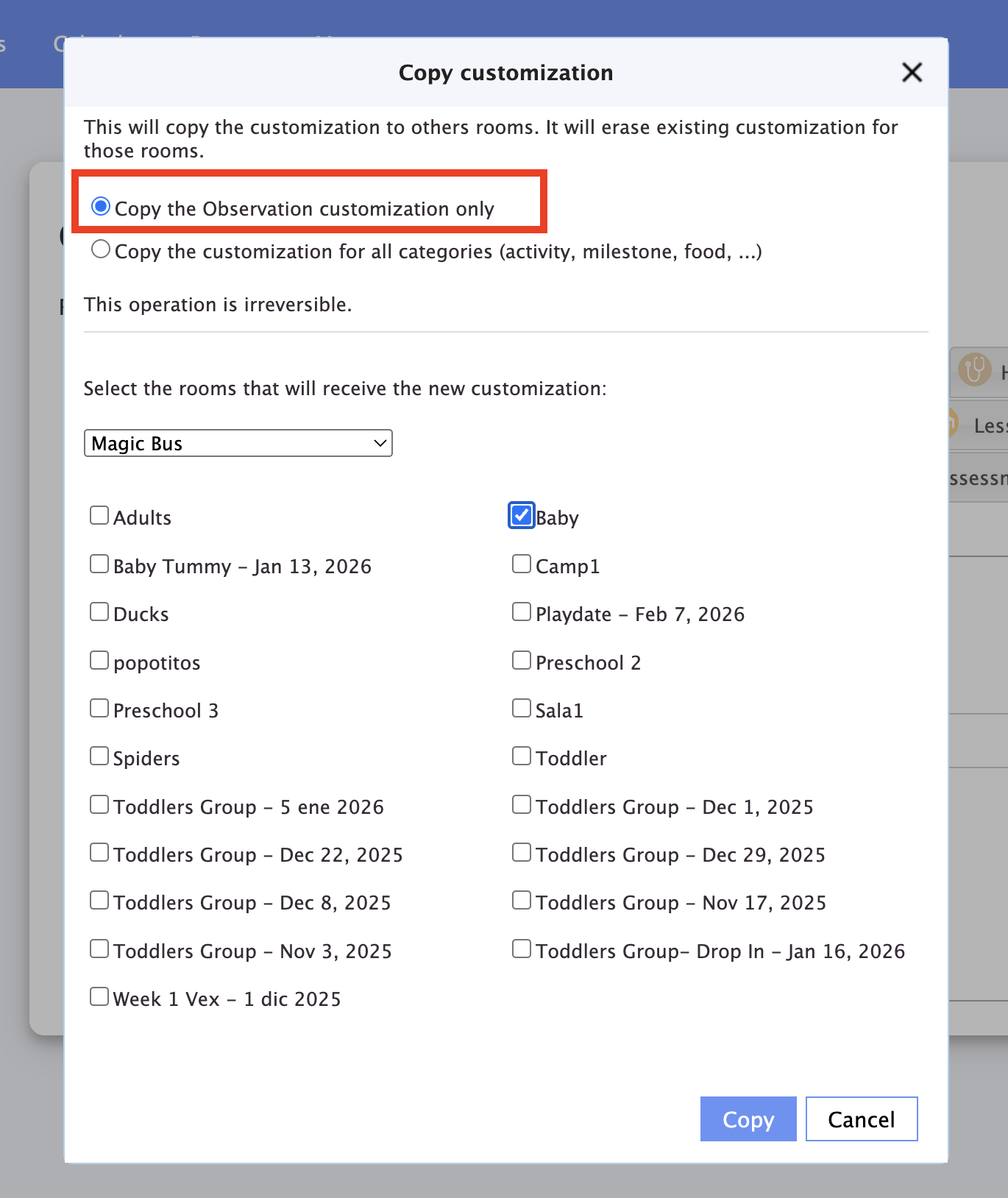
6. Select to copy just the observation customization and select your room. Remember that this action is irreversible. Click copy :
Now you can add a new framework if you want:
Was this article helpful?
That’s Great!
Thank you for your feedback
Sorry! We couldn't be helpful
Thank you for your feedback
Feedback sent
We appreciate your effort and will try to fix the article