... ...
Skip to main content

How to record a new vaccine for your child

Modified on Thu, 9 Apr at 12:17 AM

With Daily Connect, you can record all the vaccines your children have. Learn how to do it:


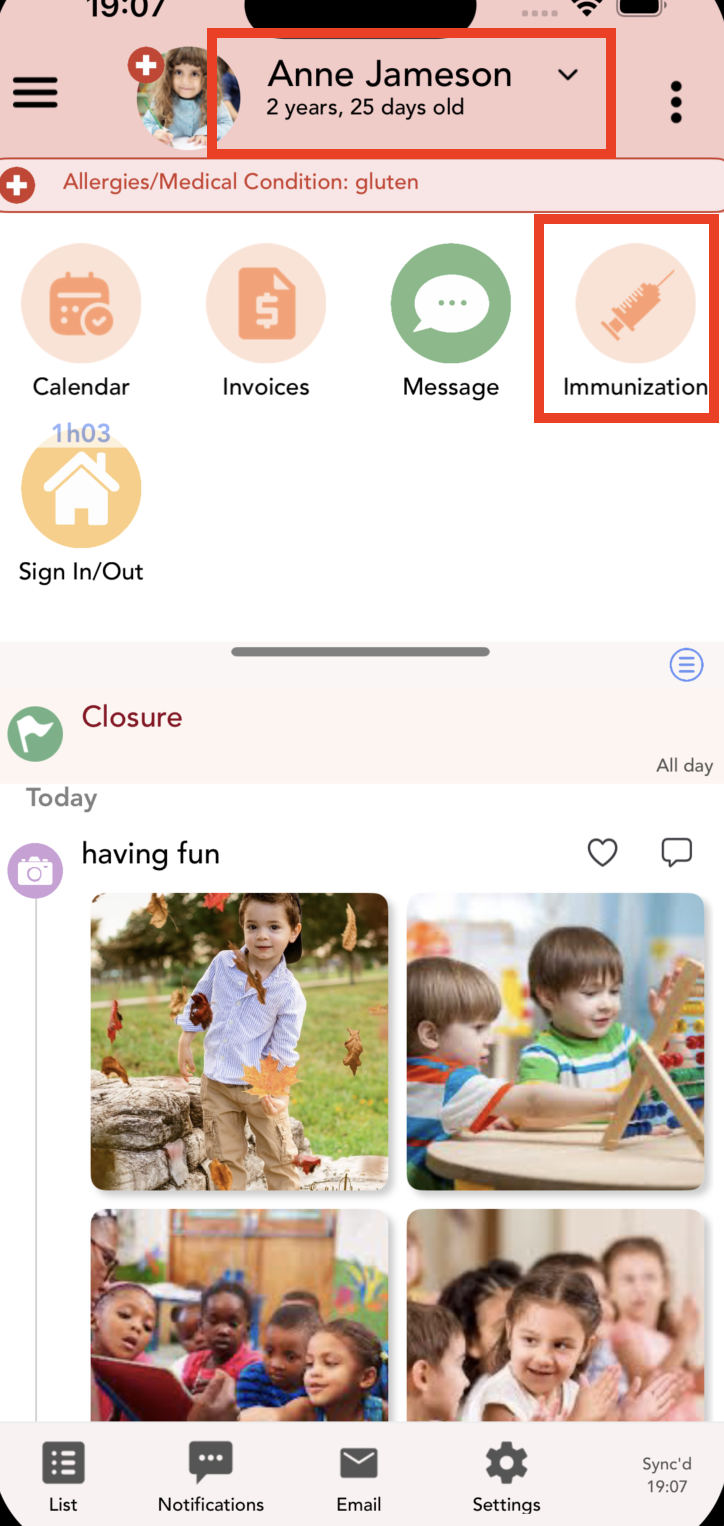
1. Log in to the app and click on the immunization icon. If you have more than one kid remember to select the correct one:


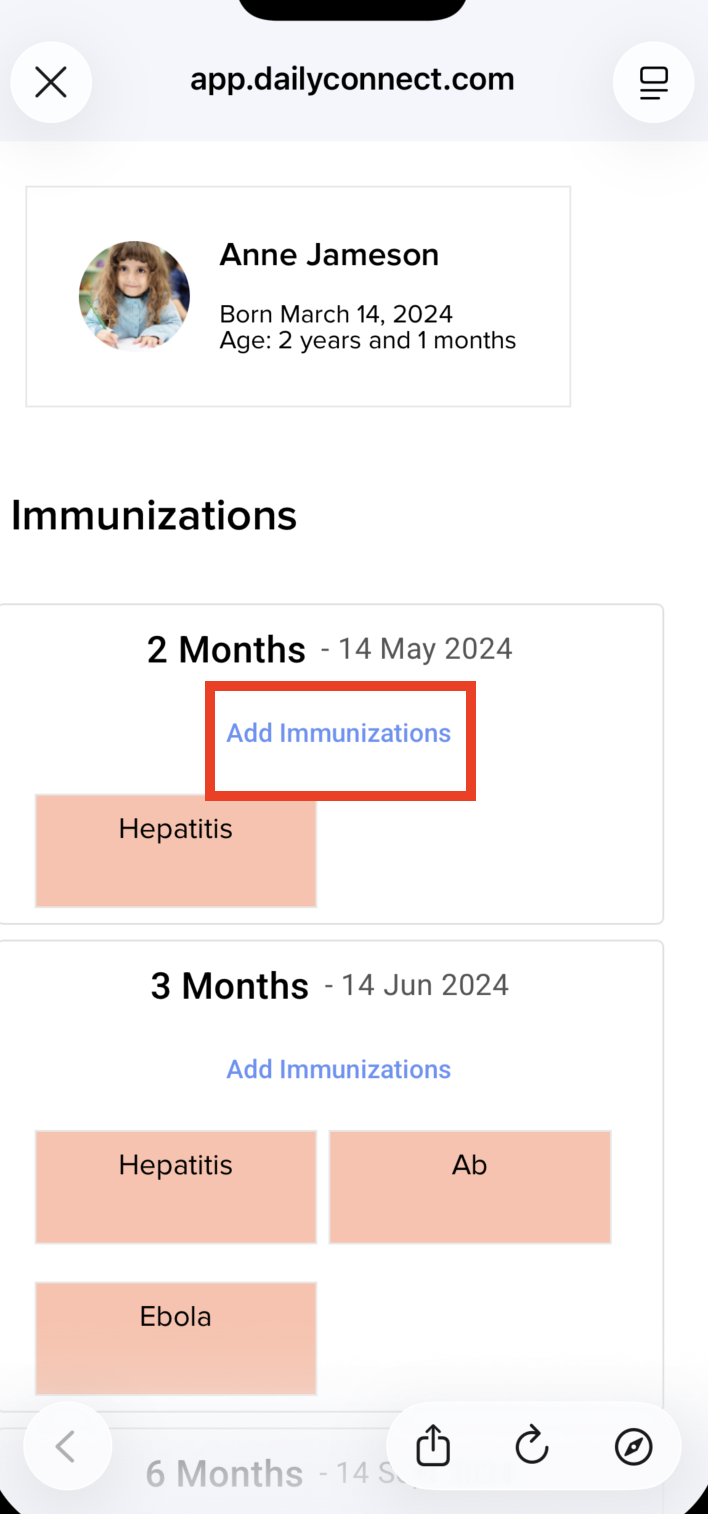
2. Click on “Add Immunizations” for the vaccine you want to add:


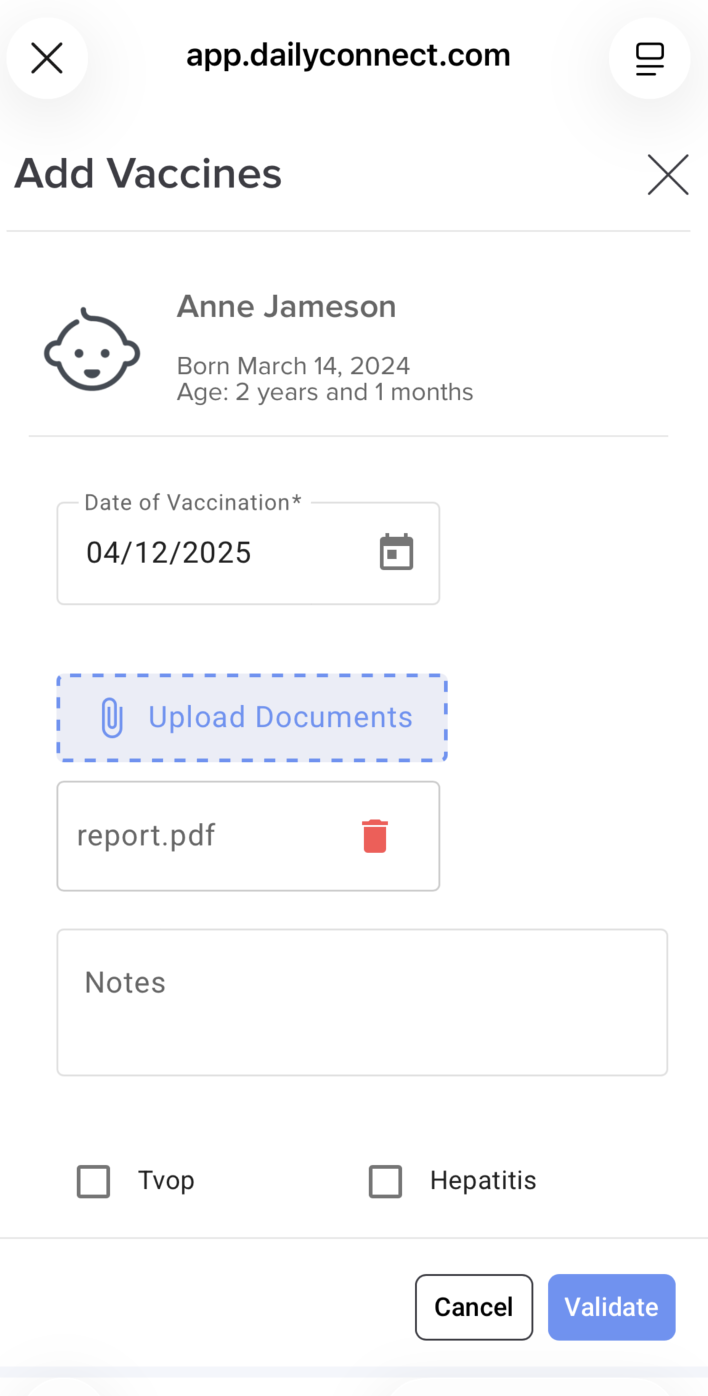
3. Fill the information and click Validate:


Your center will receive an email with the record of this new vaccine


Was this article helpful?

That’s Great!

Thank you for your feedback

Sorry! We couldn't be helpful

Thank you for your feedback

Let us know how can we improve this article!

Select at least one of the reasons
CAPTCHA verification is required.

Feedback sent

We appreciate your effort and will try to fix the article