Now step by step:
1. Log in to your admin account.
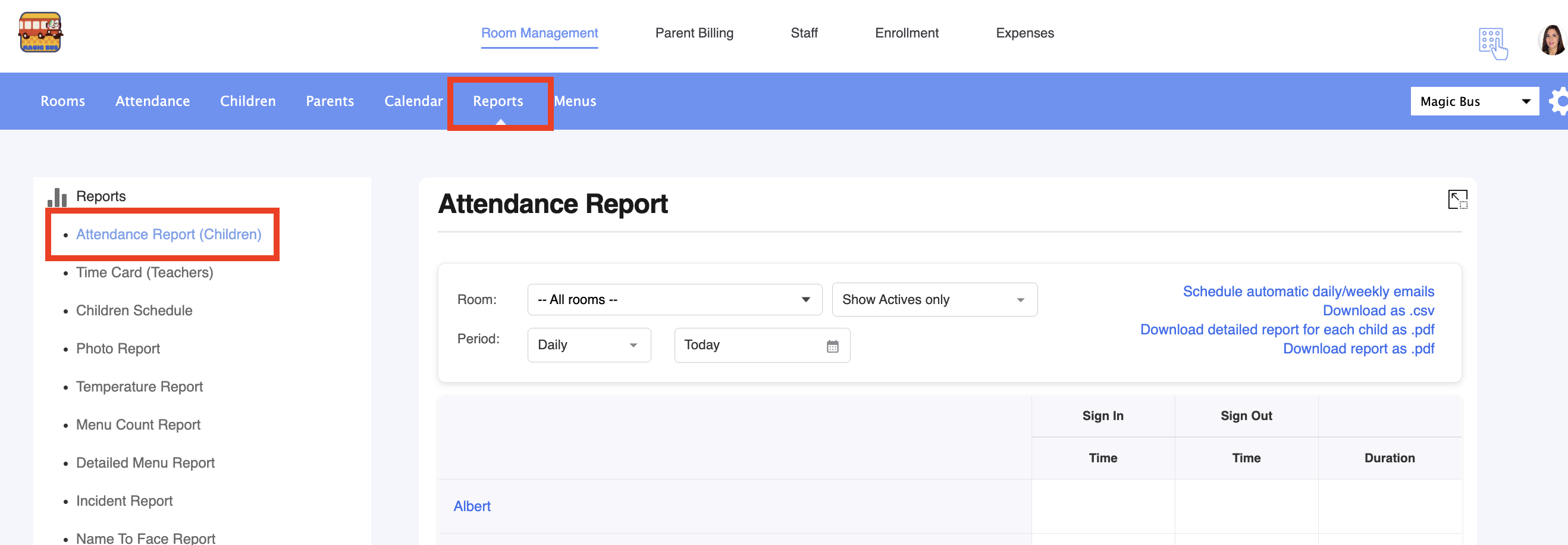
2. Go to Reports > Attendance report:
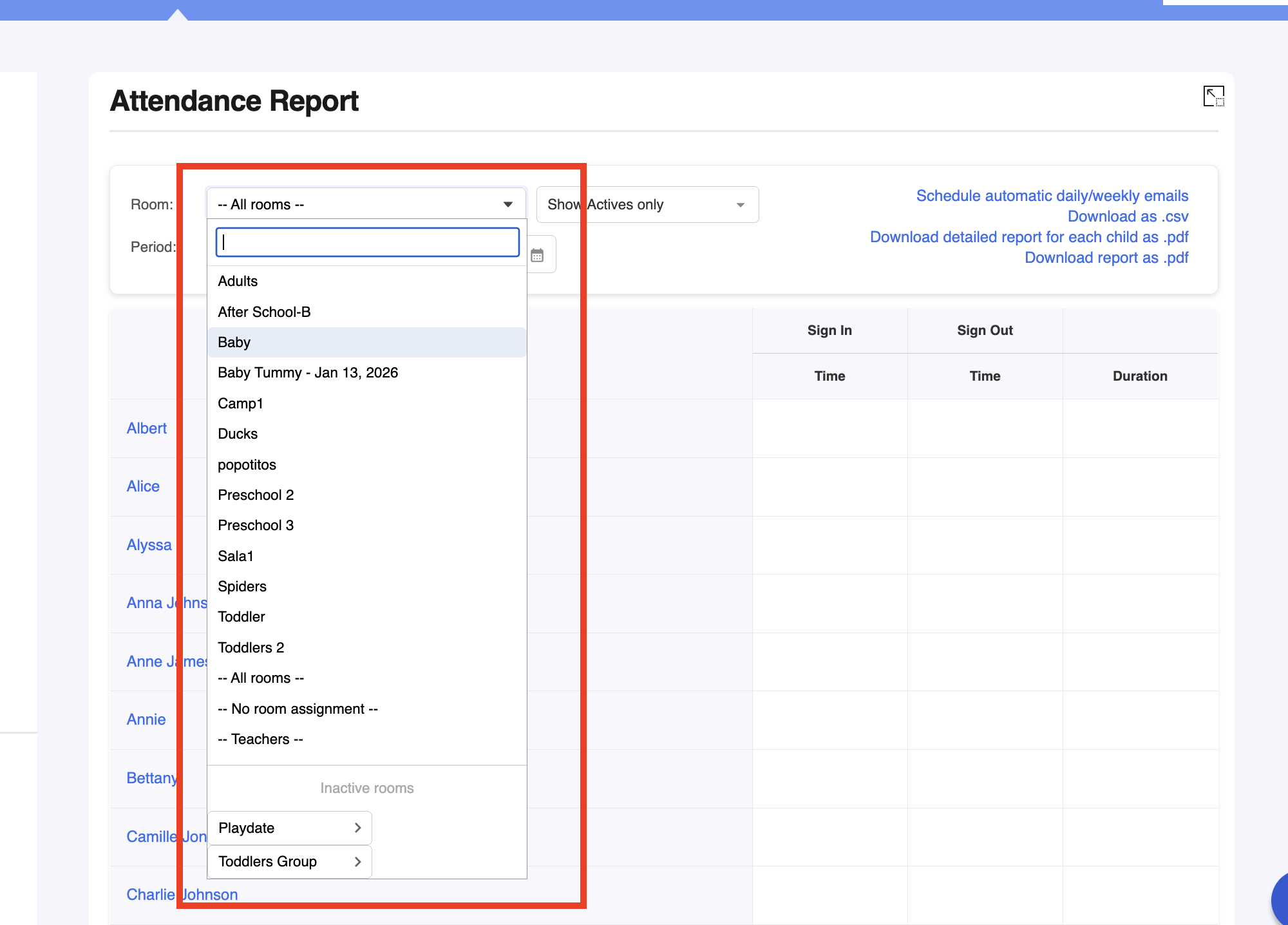
3. Select the room where the kid belongs to:
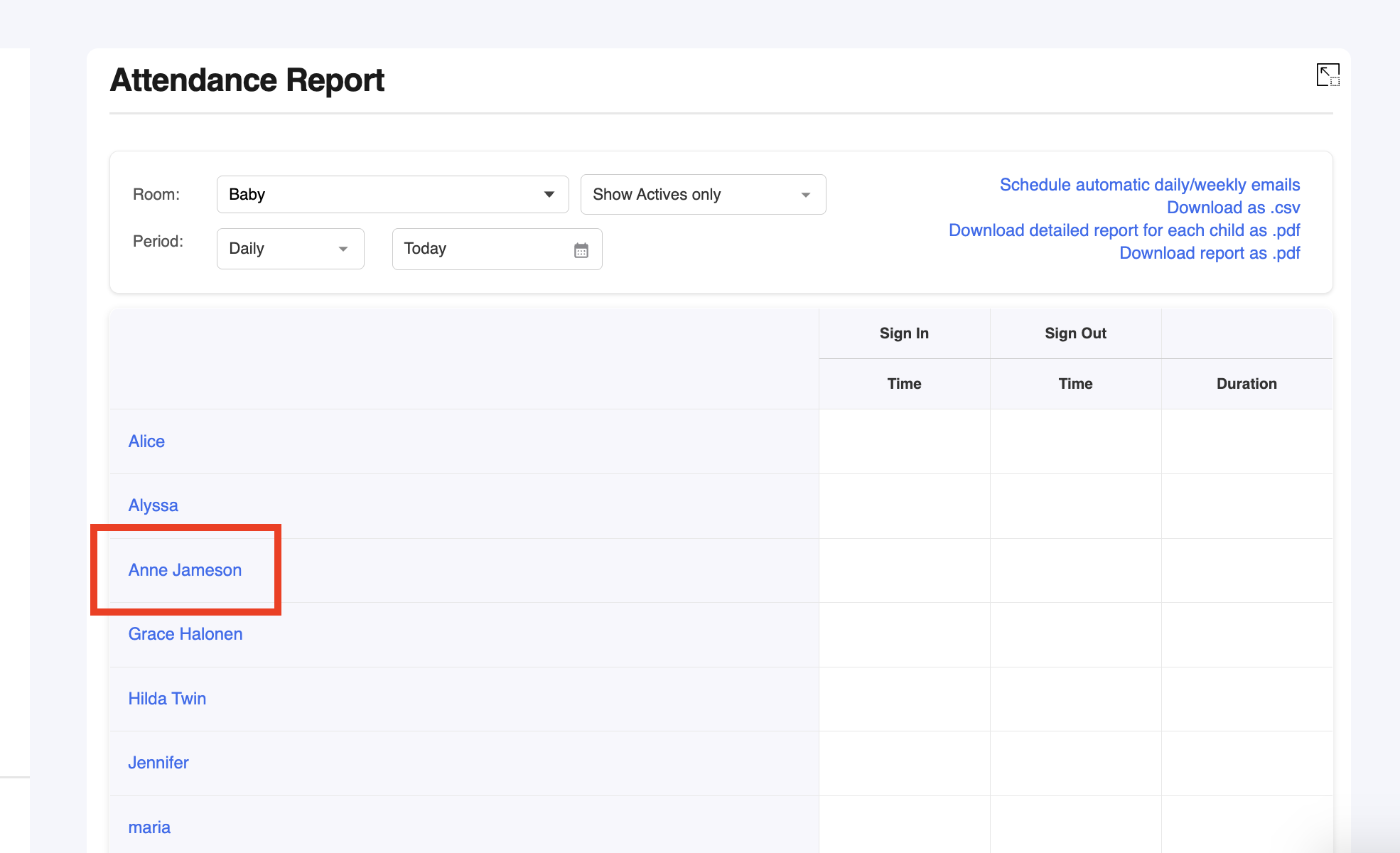
4. Click on the child:
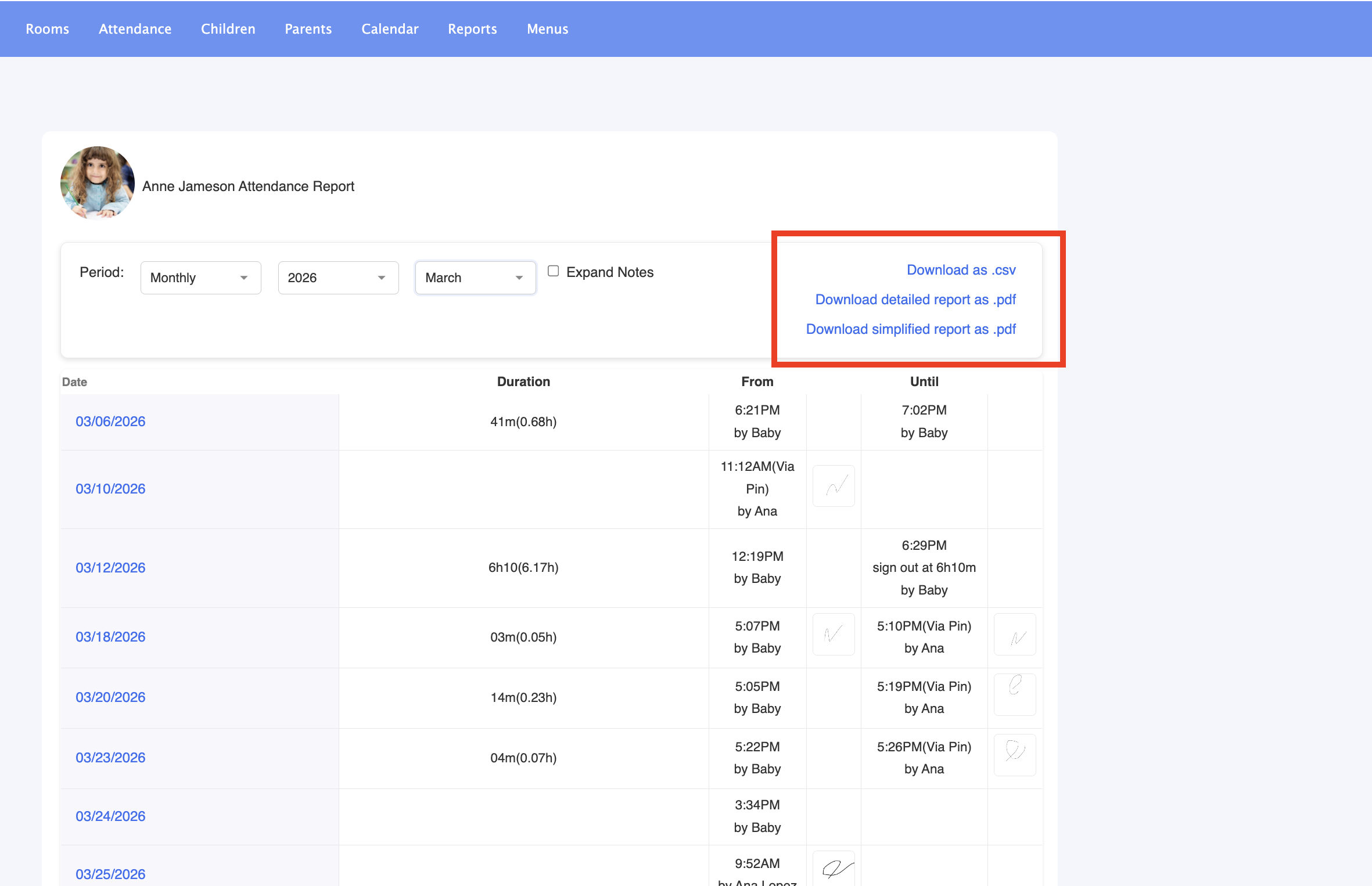
5. Configure the period:
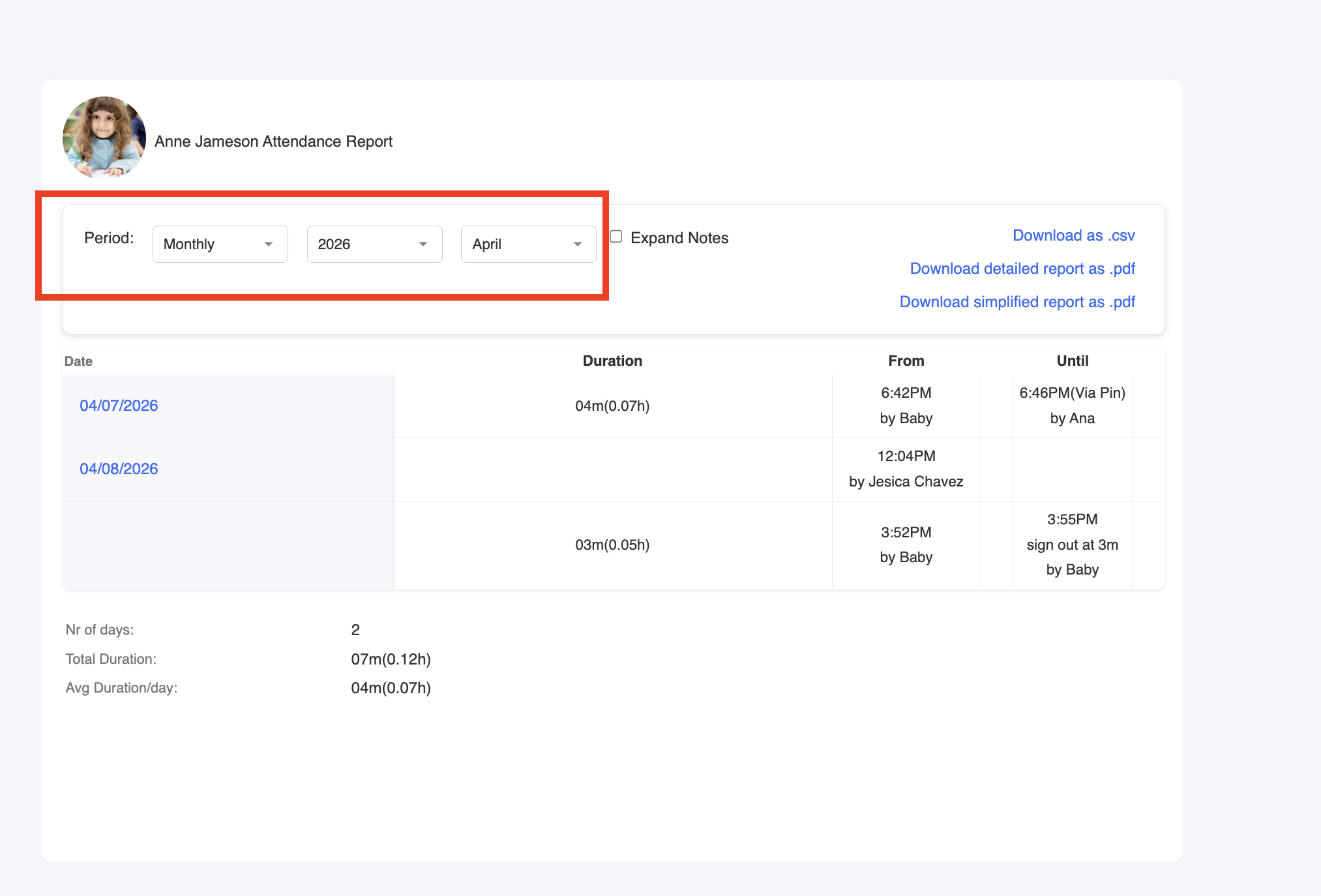
6. Now you can download the report in your preferred format:
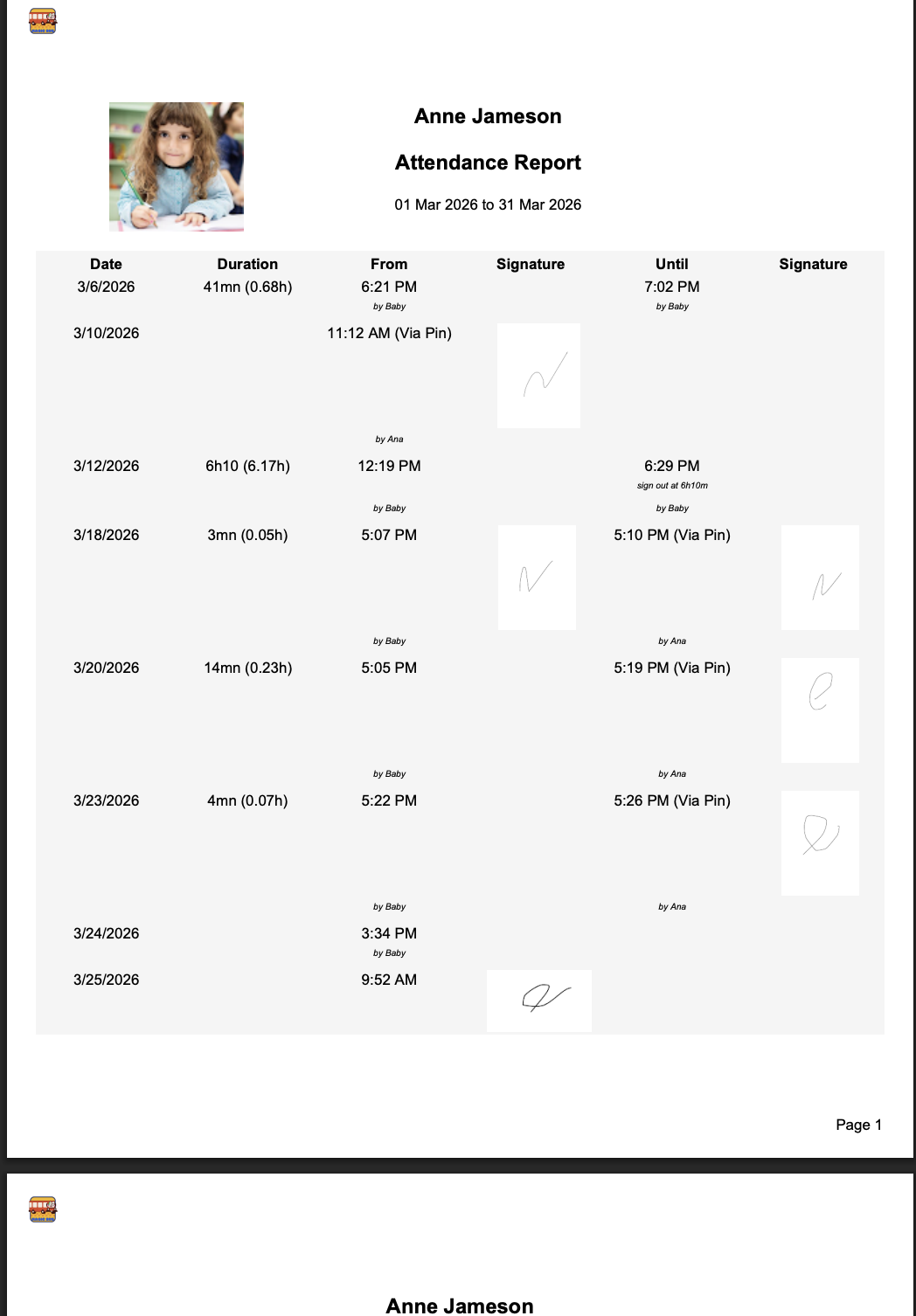
And here you have the report:
Was this article helpful?
That’s Great!
Thank you for your feedback
Sorry! We couldn't be helpful
Thank you for your feedback
Feedback sent
We appreciate your effort and will try to fix the article