As a parent, you can easily record your child’s absence from the app.
Please, follow these steps:
1. Log in to your parent account in the Daily Connect app.
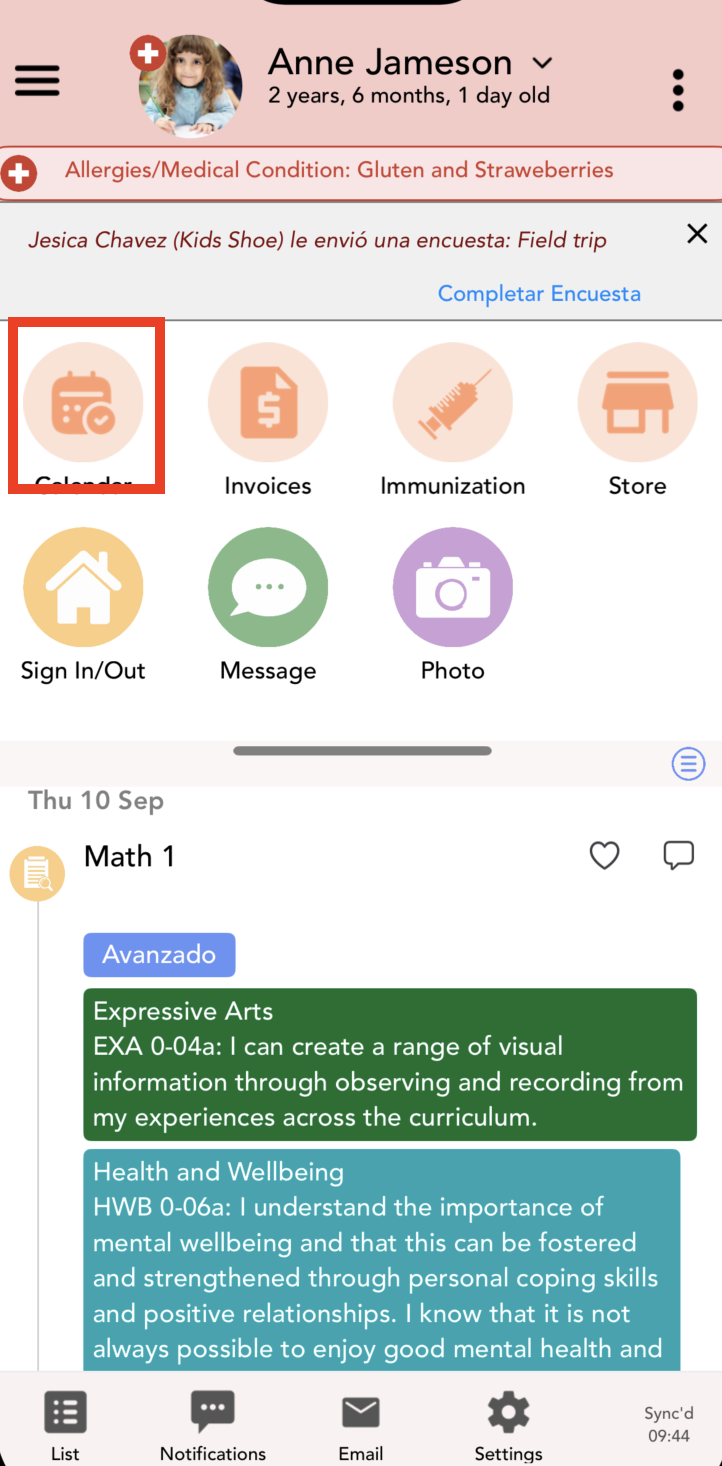
2. Click on the calendar icon, if your center has enabled this option:
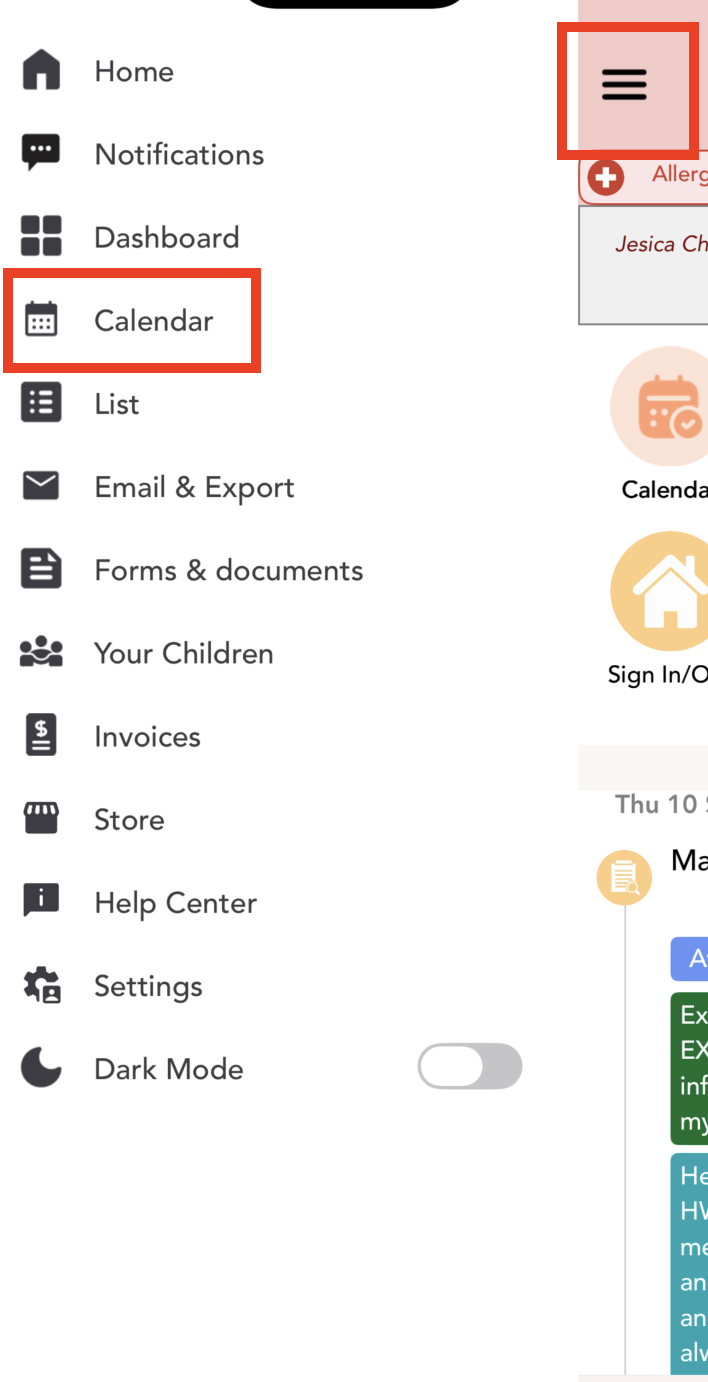
If it is not enabled, click Menu > Calendar:
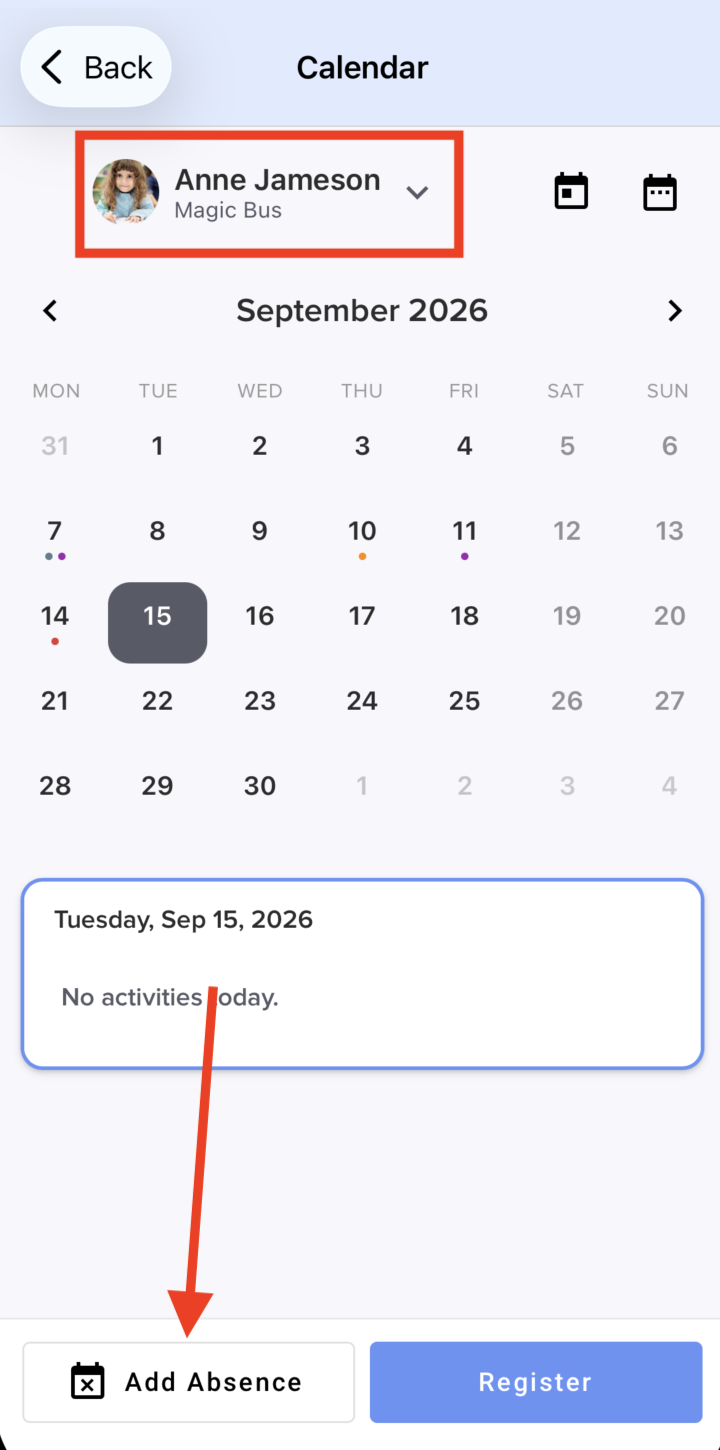
 3. First, if you have more than one child, select the child. Then click Add absence:
4. Select the day(s) your child will be absent and add notes if you want. Click Save absence:
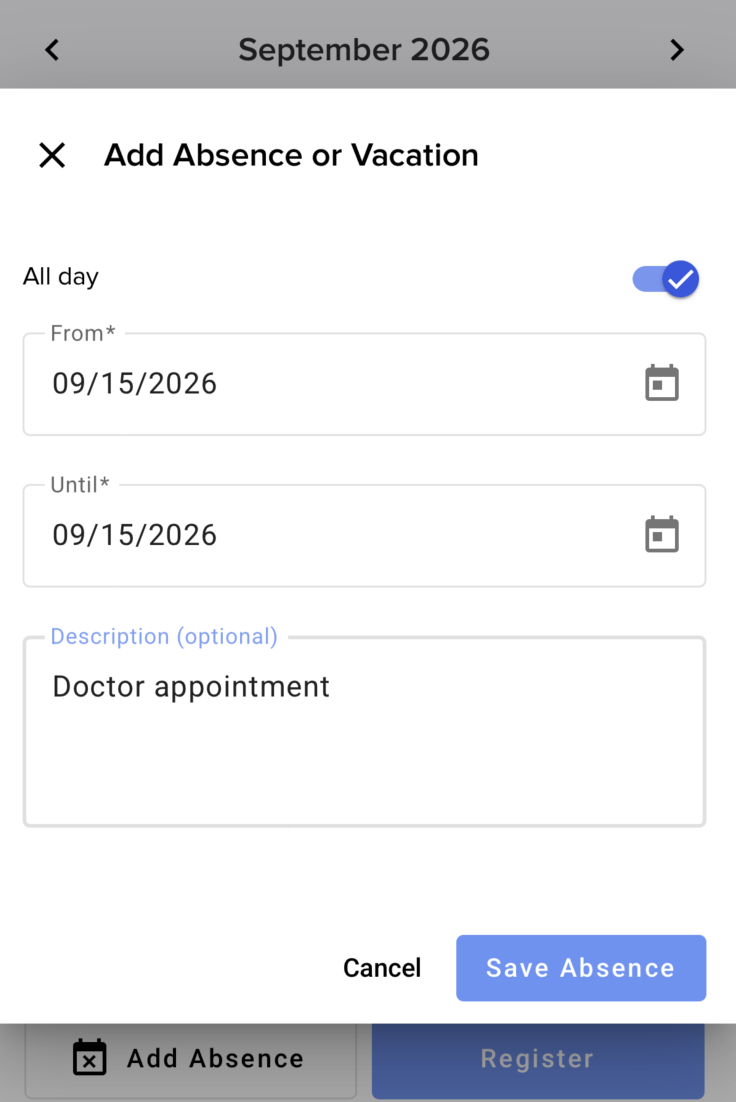
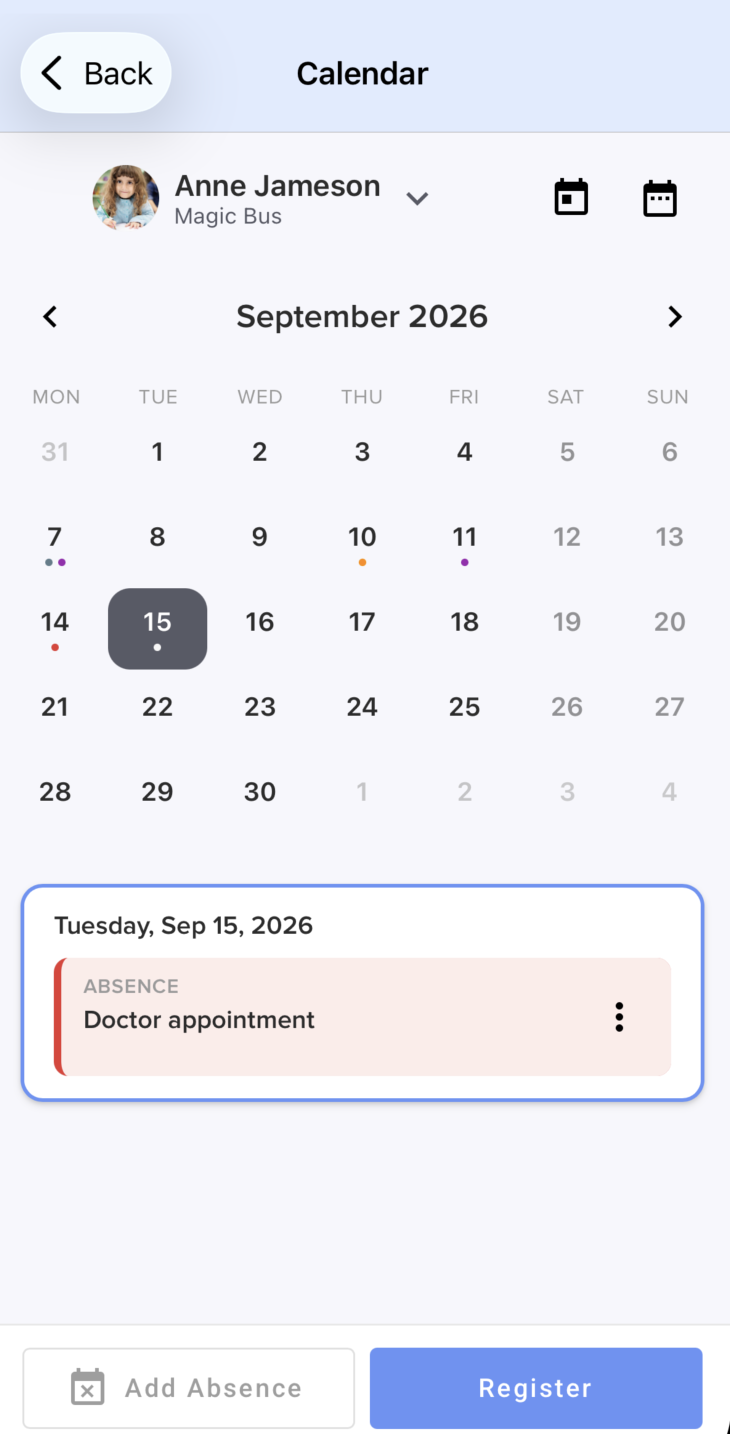
The absence will be recorded on the calendar, and your childcare provider will receive a notification about it:
If you have more questions, please contact us at support@dailyconnect.com
Was this article helpful?
That’s Great!
Thank you for your feedback
Sorry! We couldn't be helpful
Thank you for your feedback
Feedback sent
We appreciate your effort and will try to fix the article