The Deposit feature allows you to track deposits made by parents, enabling you to manage these funds effectively and either utilize them as needed or return them when appropriate
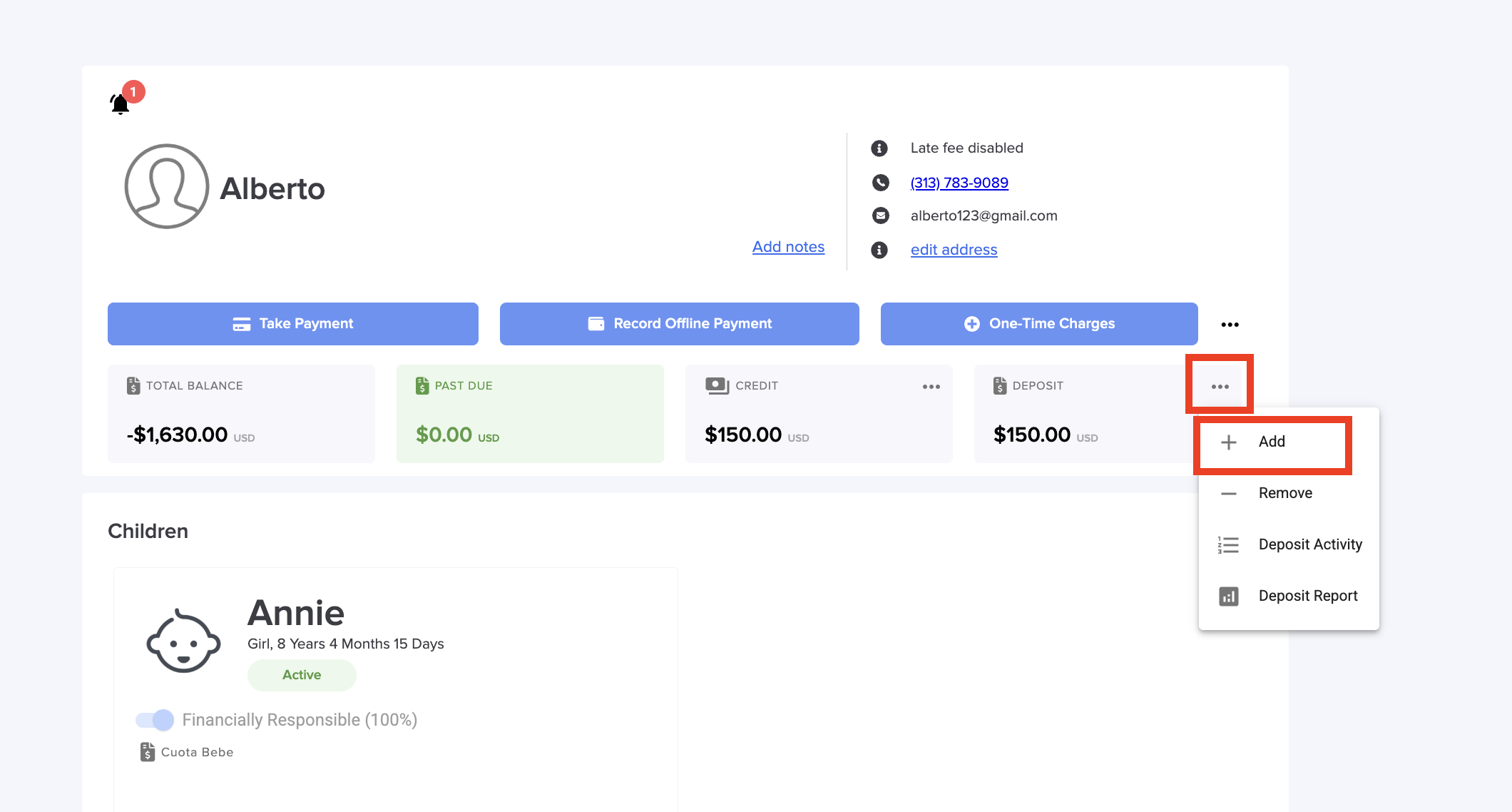
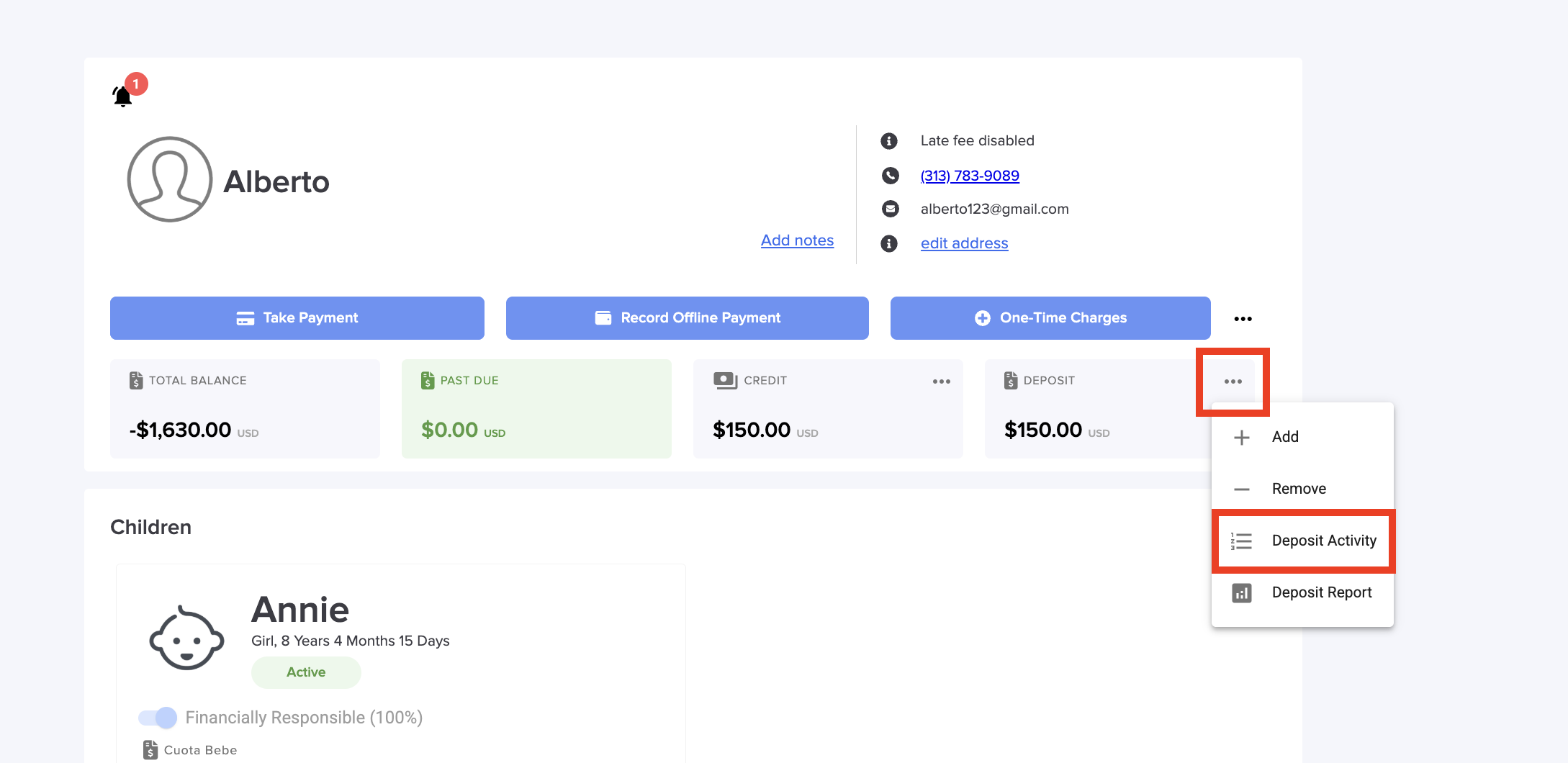
1. Go to Parent Billing and select a parent, then Click on the 3 points and select Add .
2. Type the Deposit, name and amount. You can include a description and a Note.
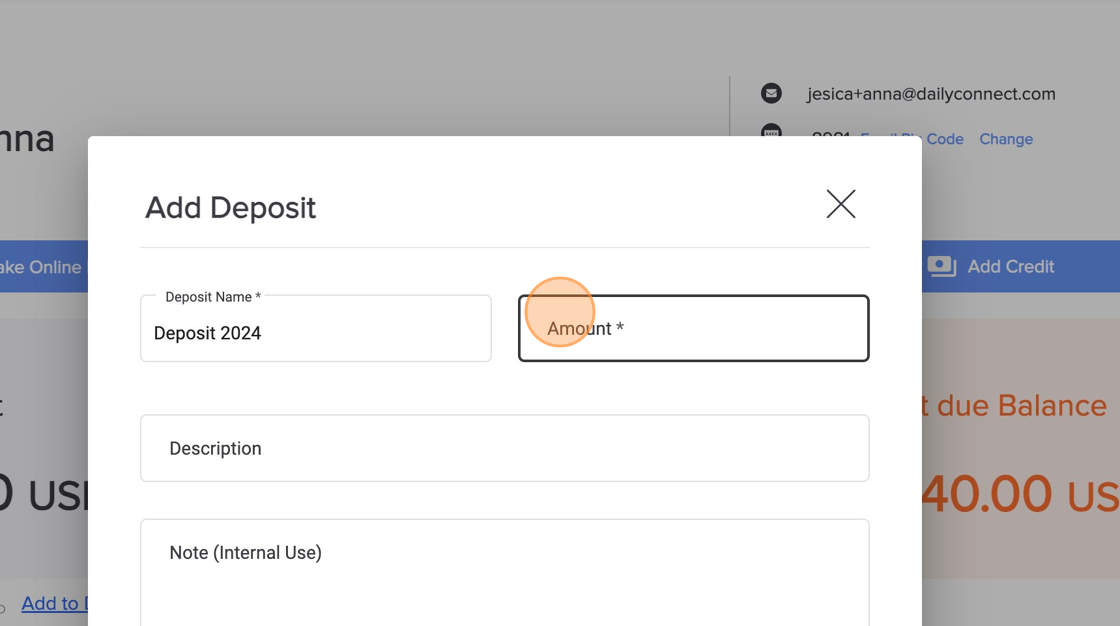
3. Note: The parent will be able to see the amount on his/her account.
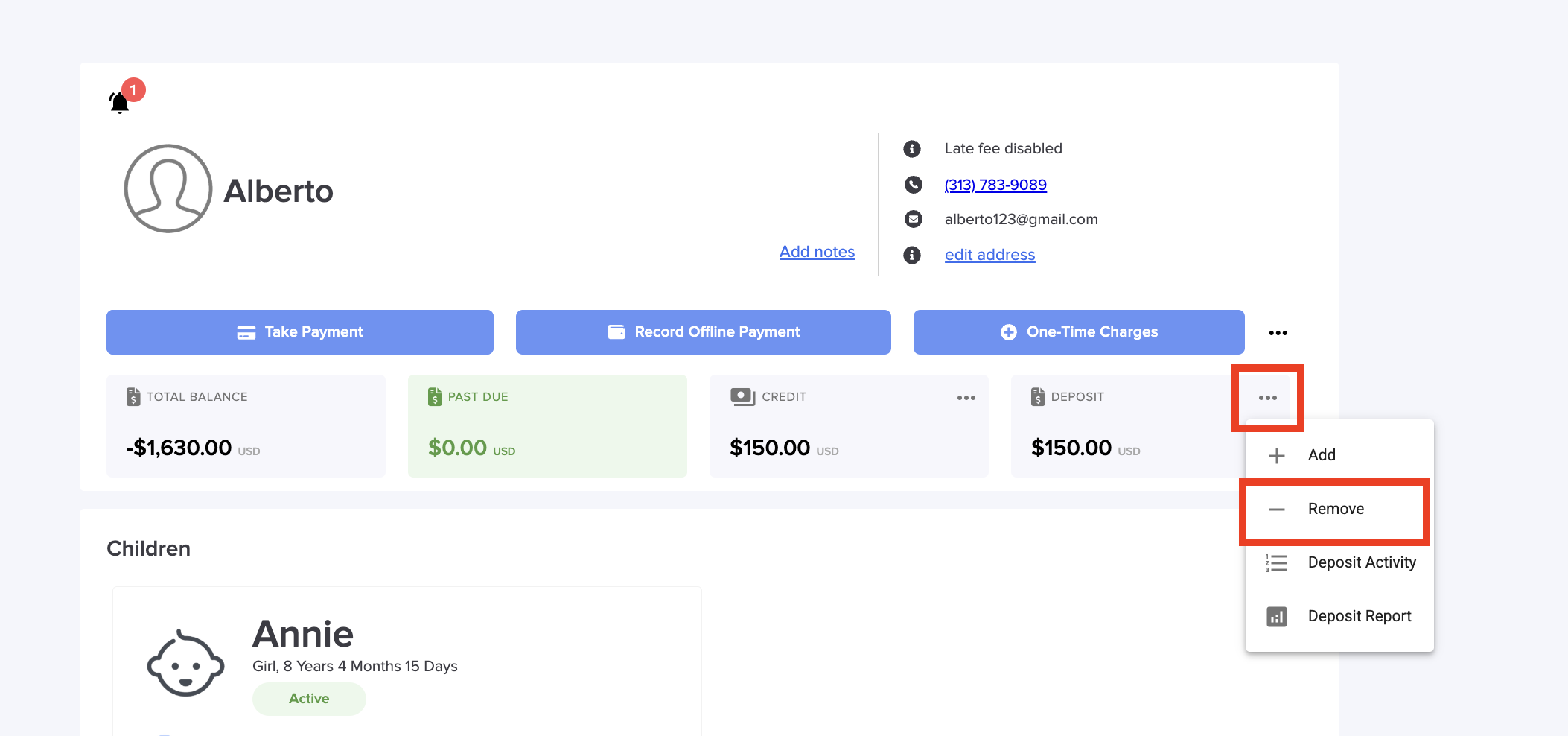
4. If you need to remove an amount from the deposit, Click on the 3 points and select Remove.
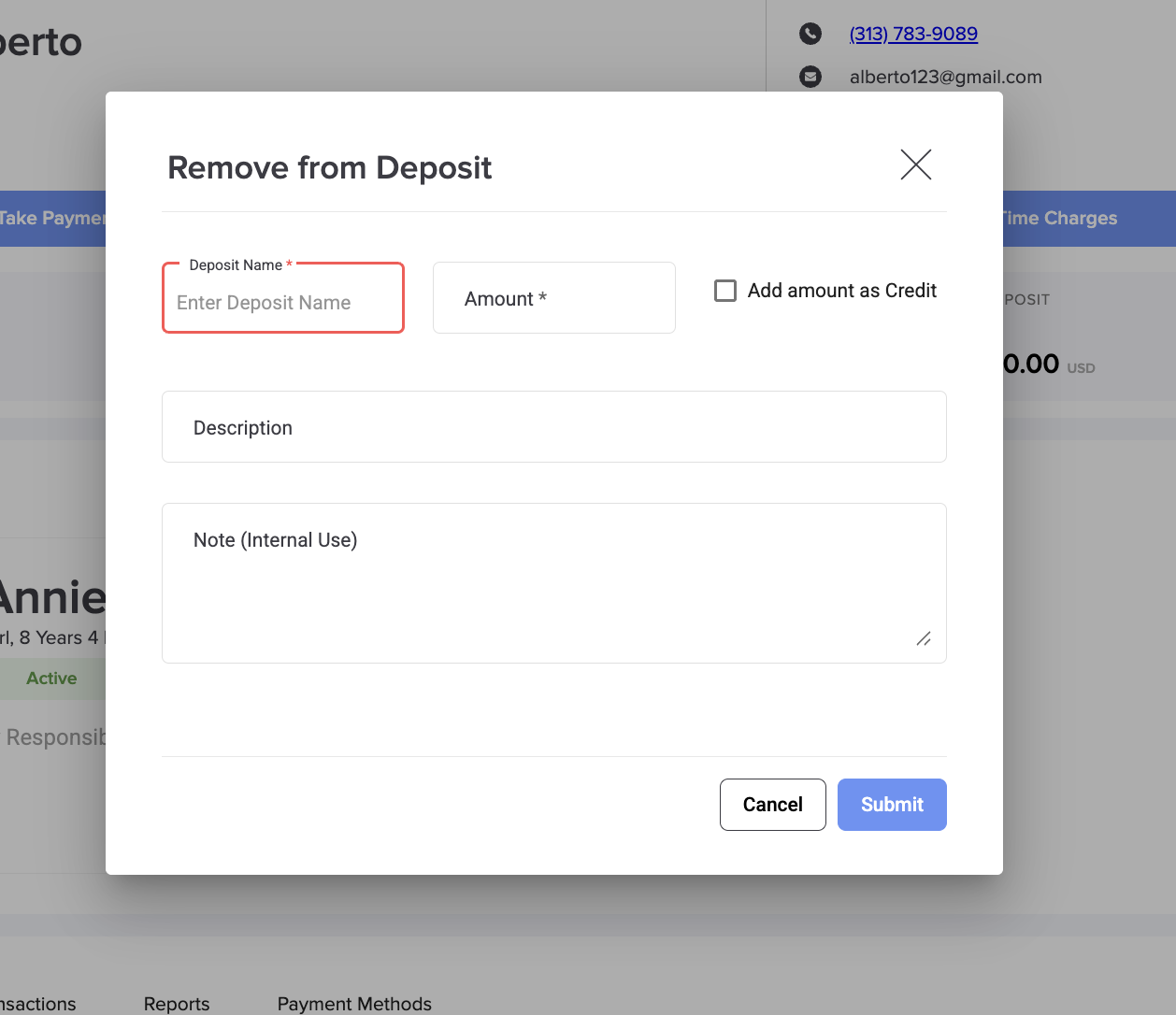
5. Type the name and amount. You can add a description and internal note.
6. You can view the deposit history for this parent by clicking on the three dots and selecting Deposit Activity.
Was this article helpful?
That’s Great!
Thank you for your feedback
Sorry! We couldn't be helpful
Thank you for your feedback
Feedback sent
We appreciate your effort and will try to fix the article