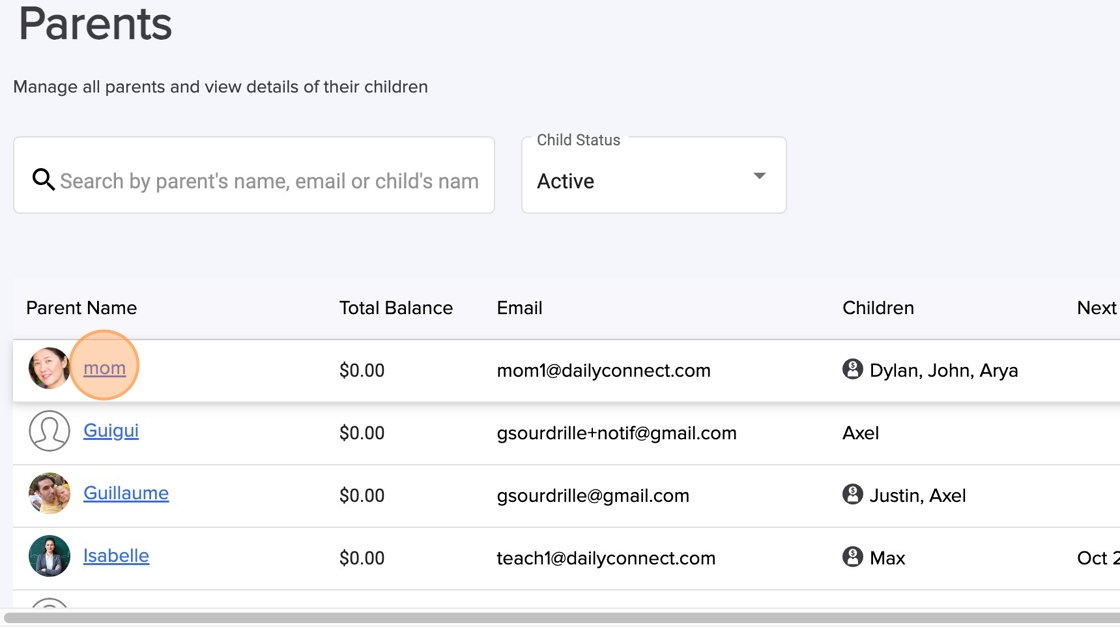
1. Navigate to https://www.dailyconnect.com , go to Parent Billing > Parents
2. Click on the parent that you need to refund
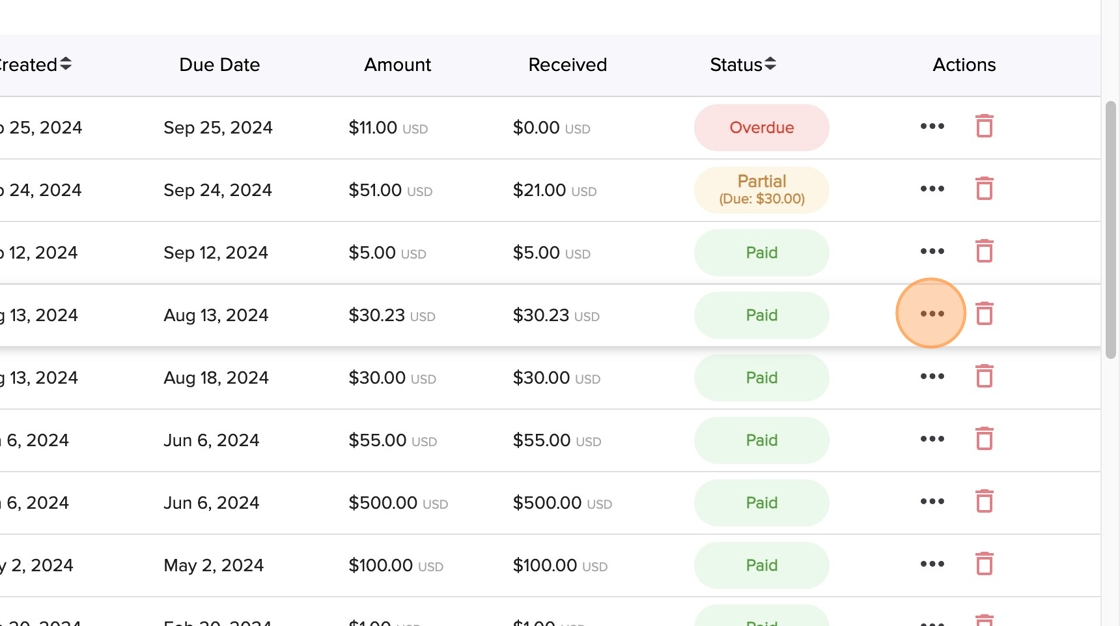
3. Click on the actions (paid invoice)
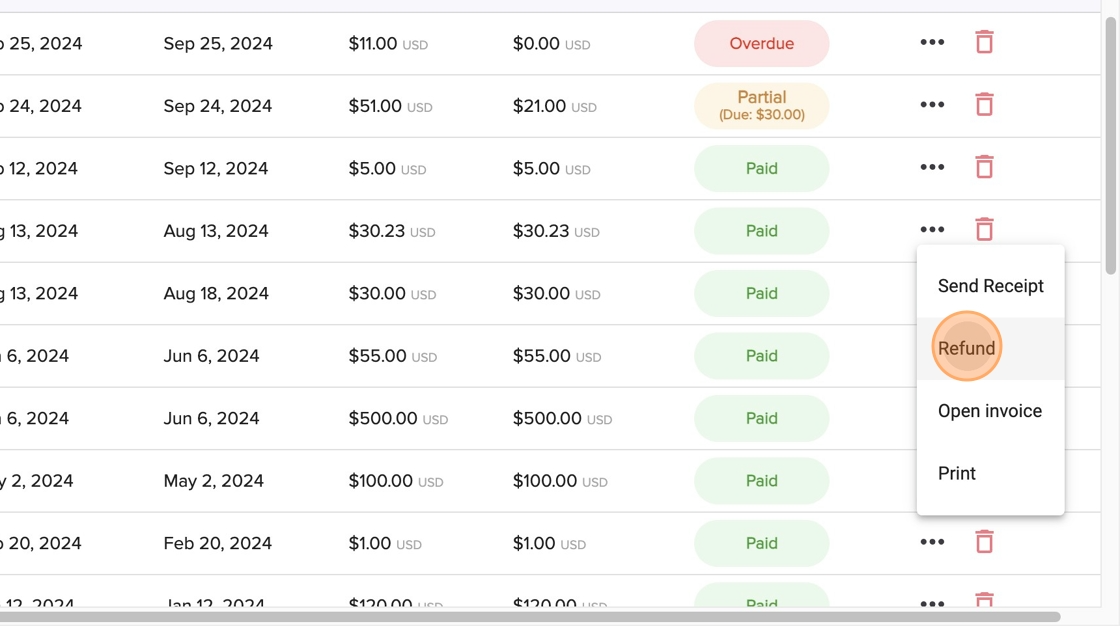
4. Click "Refund"
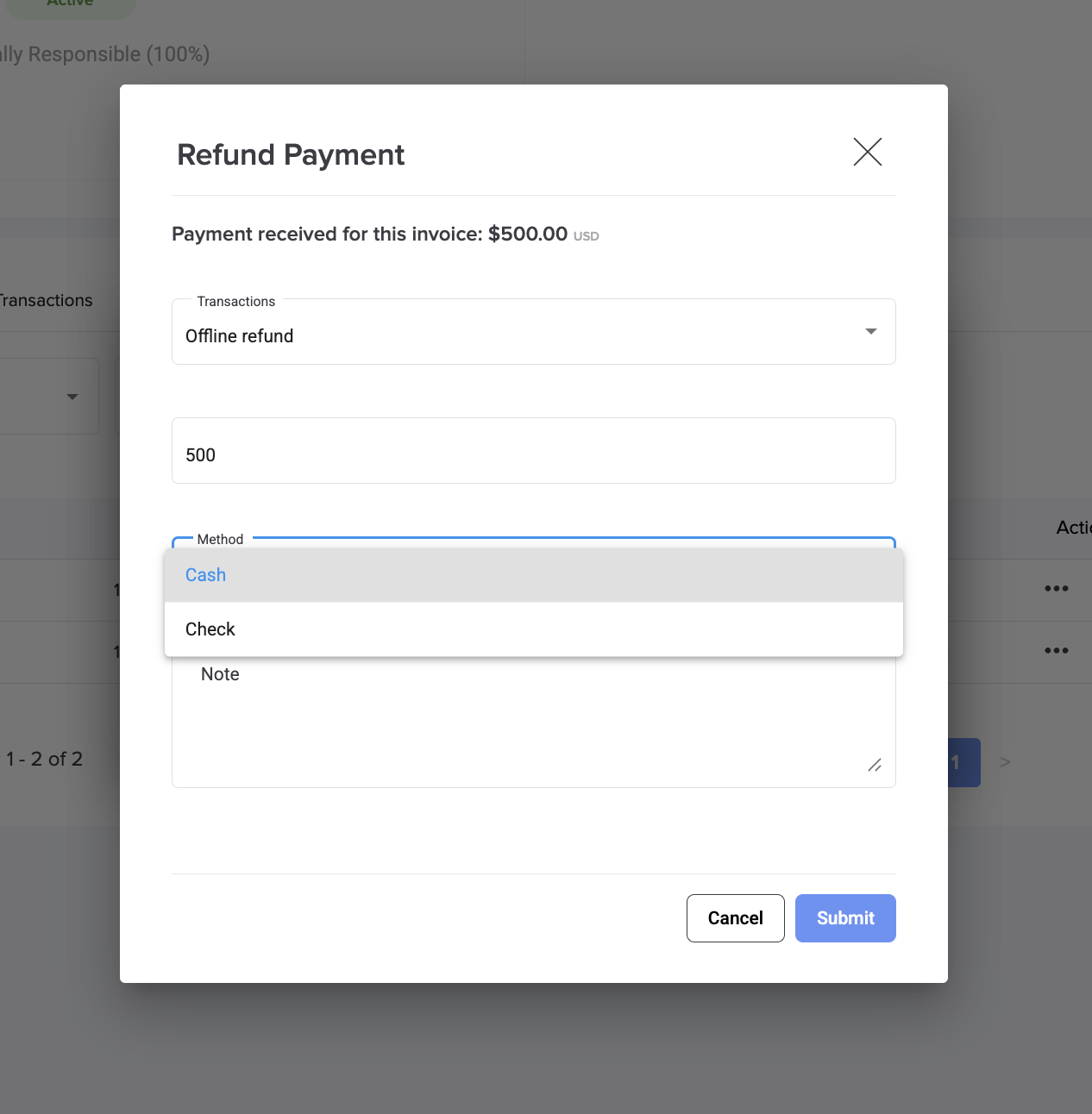
5. You have the option to receive a refund through the online payment method or by doing an offline return, which involves providing cash or a check. Fill all the information related to the refund.
Was this article helpful?
That’s Great!
Thank you for your feedback
Sorry! We couldn't be helpful
Thank you for your feedback
Feedback sent
We appreciate your effort and will try to fix the article