You can send forms to parents from the admin panel at any time. Please, follow these steps:
1. Log in to your admin account at the Daily Connect website.
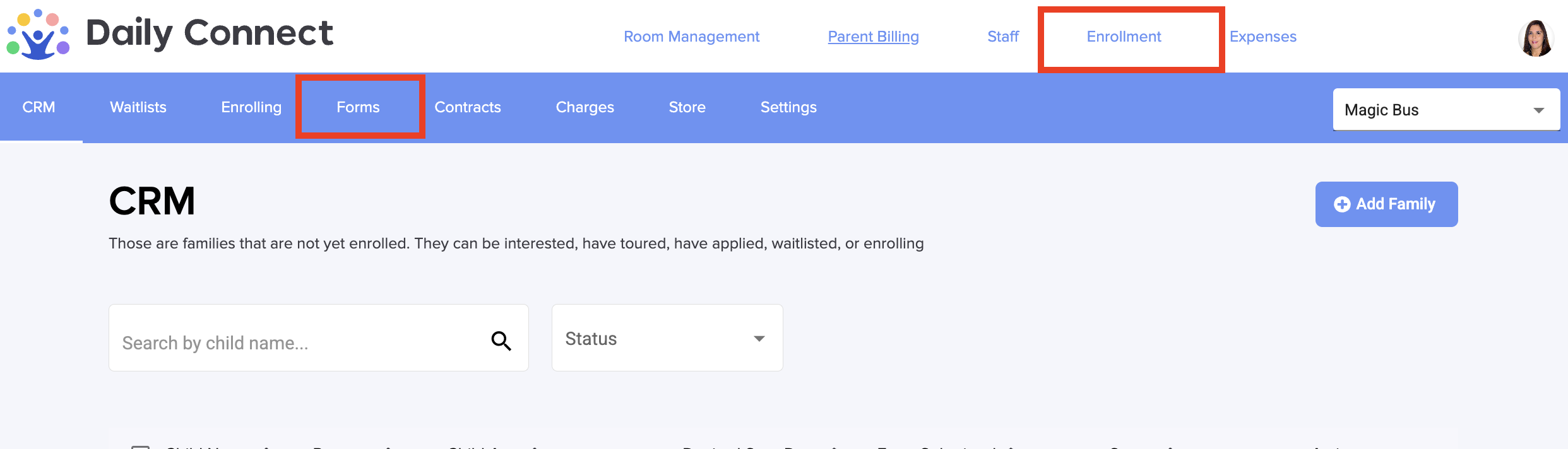
2. Go to Enrollment > Forms:
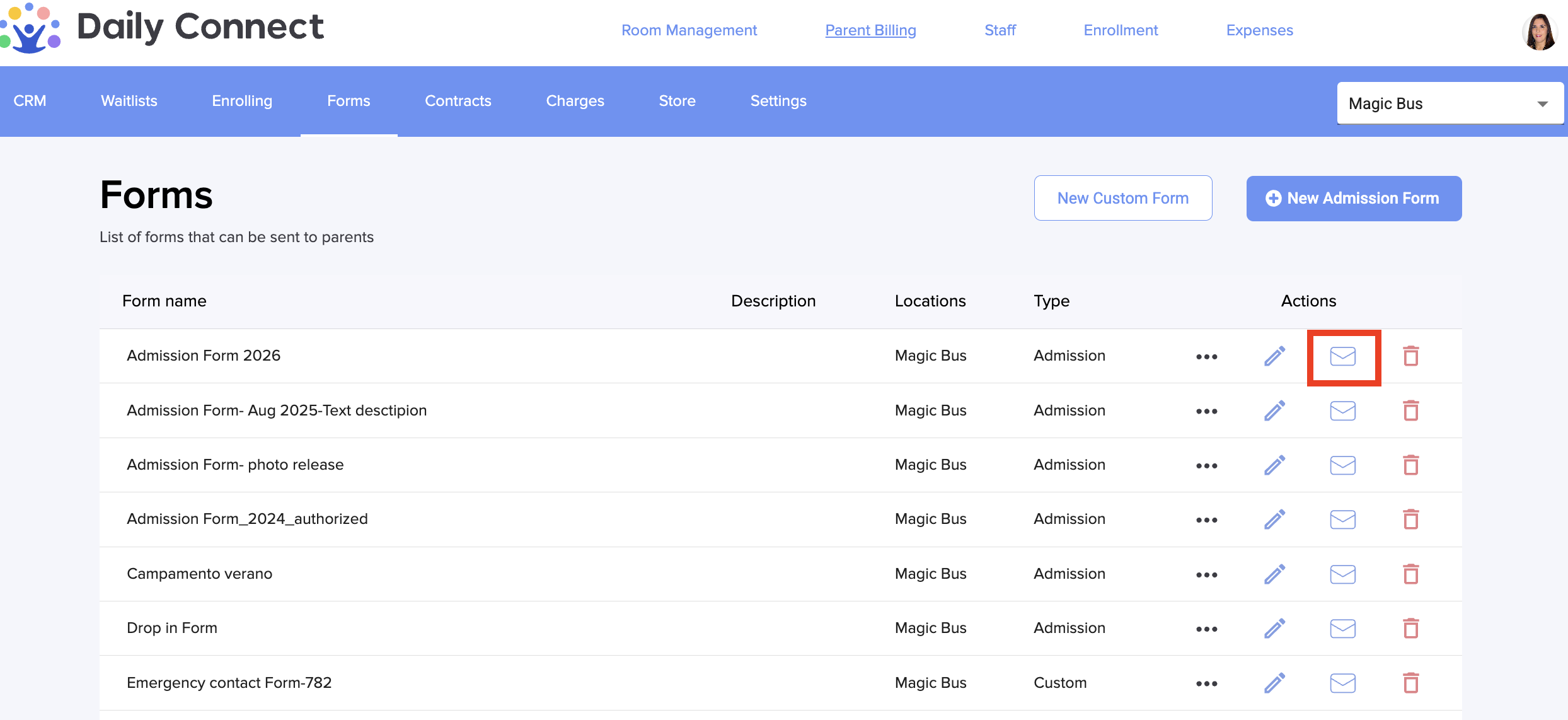
3. Click on the envelope icon of the form you want to send:
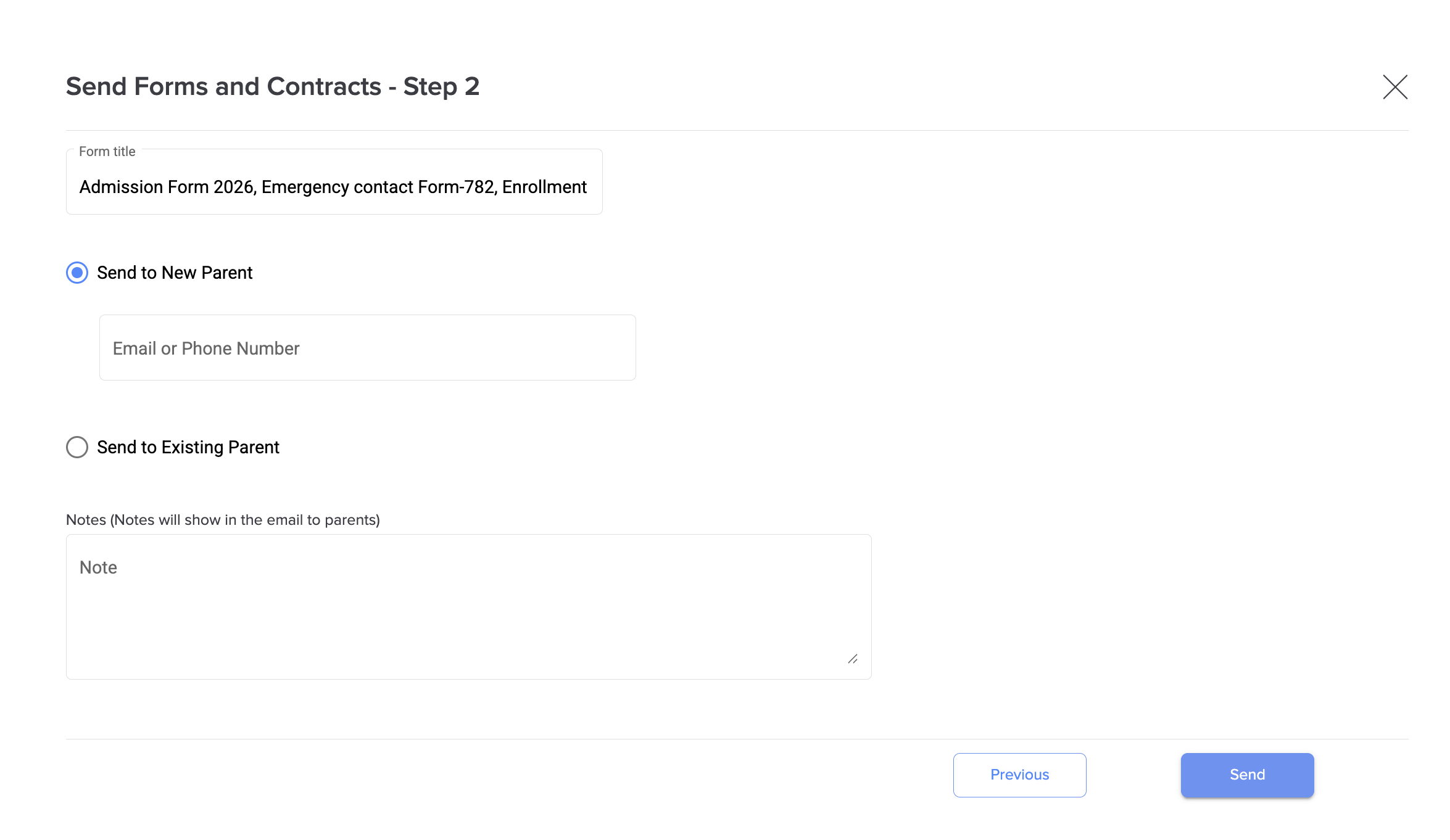
4. You can also select contracts and charges to be sent:
5. Introduce the email address of the parents, in case they are not already users, or select them from your database. Click Save
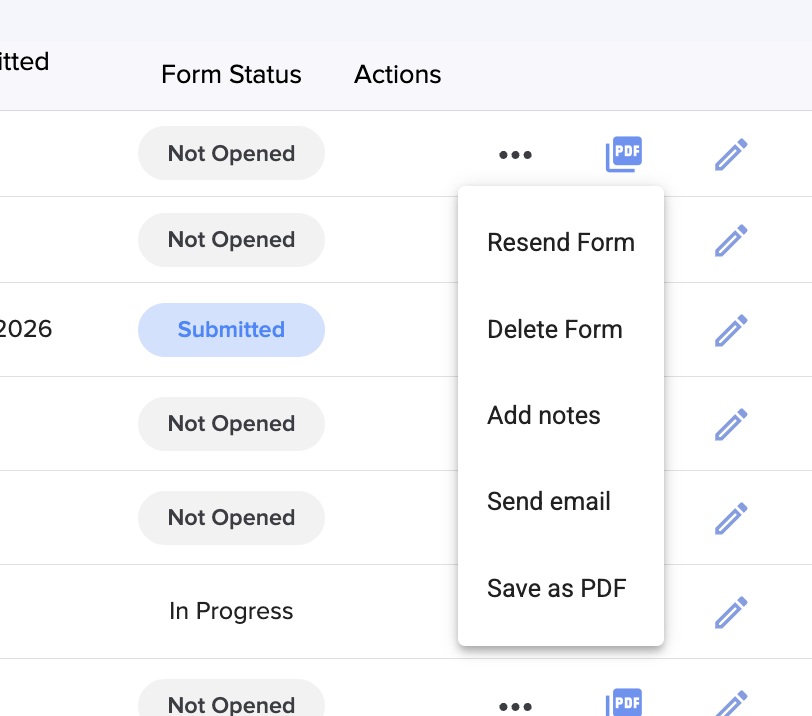
6. You can check the status of the forms that you have sent in the Enrolling section:
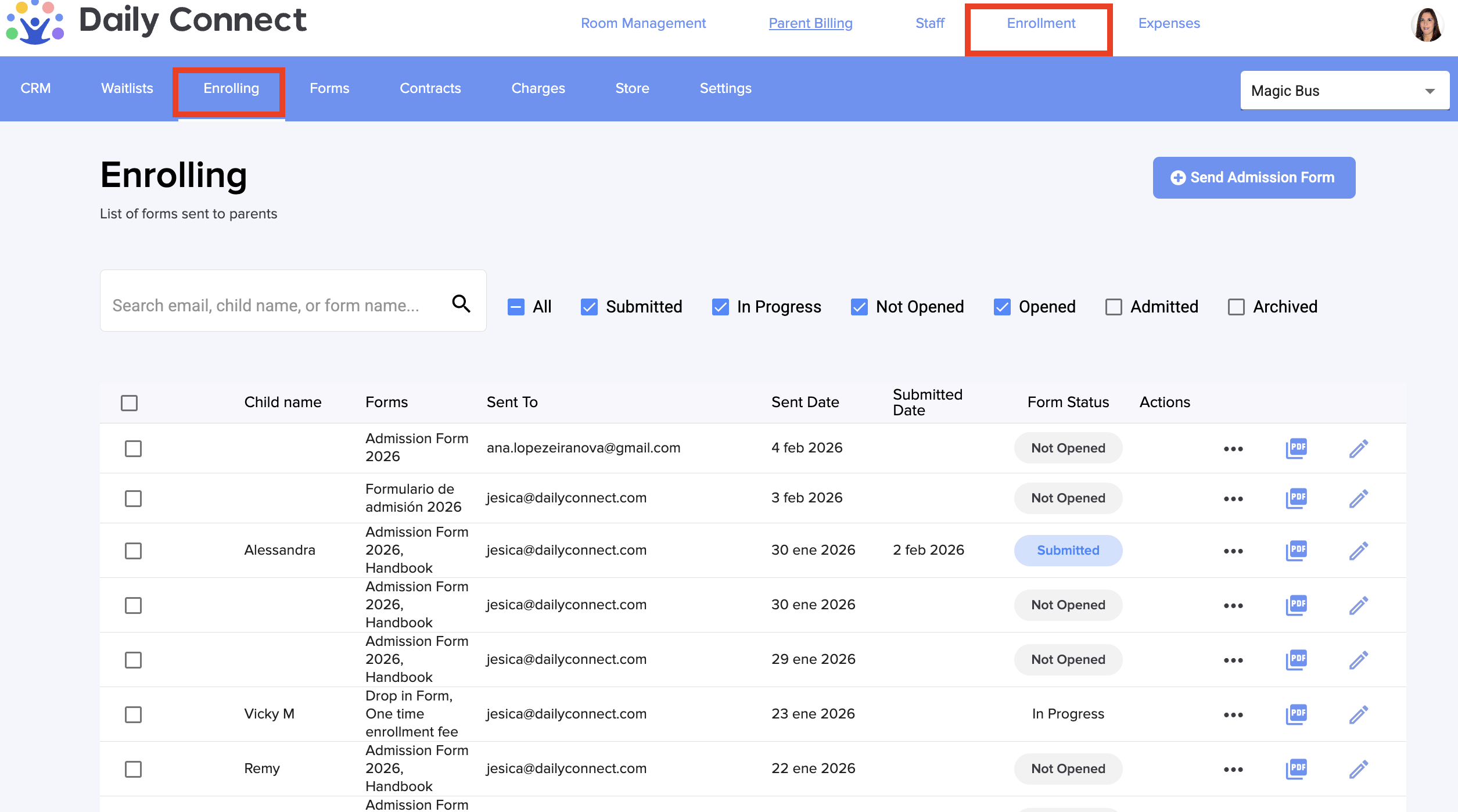
There you can see the status of the different forms that you have sent to parents. If you click on the 3 dots, you can even select other actions that you can do related to each form:
Was this article helpful?
That’s Great!
Thank you for your feedback
Sorry! We couldn't be helpful
Thank you for your feedback
Feedback sent
We appreciate your effort and will try to fix the article