When parents complete their subscriptions through your store and fill out the corresponding forms, in addition to receiving an email with the form (if you choose to), you can also review those forms on the platform.
Follow these steps:
1. Log in to your admin account on the Daily Connect website.
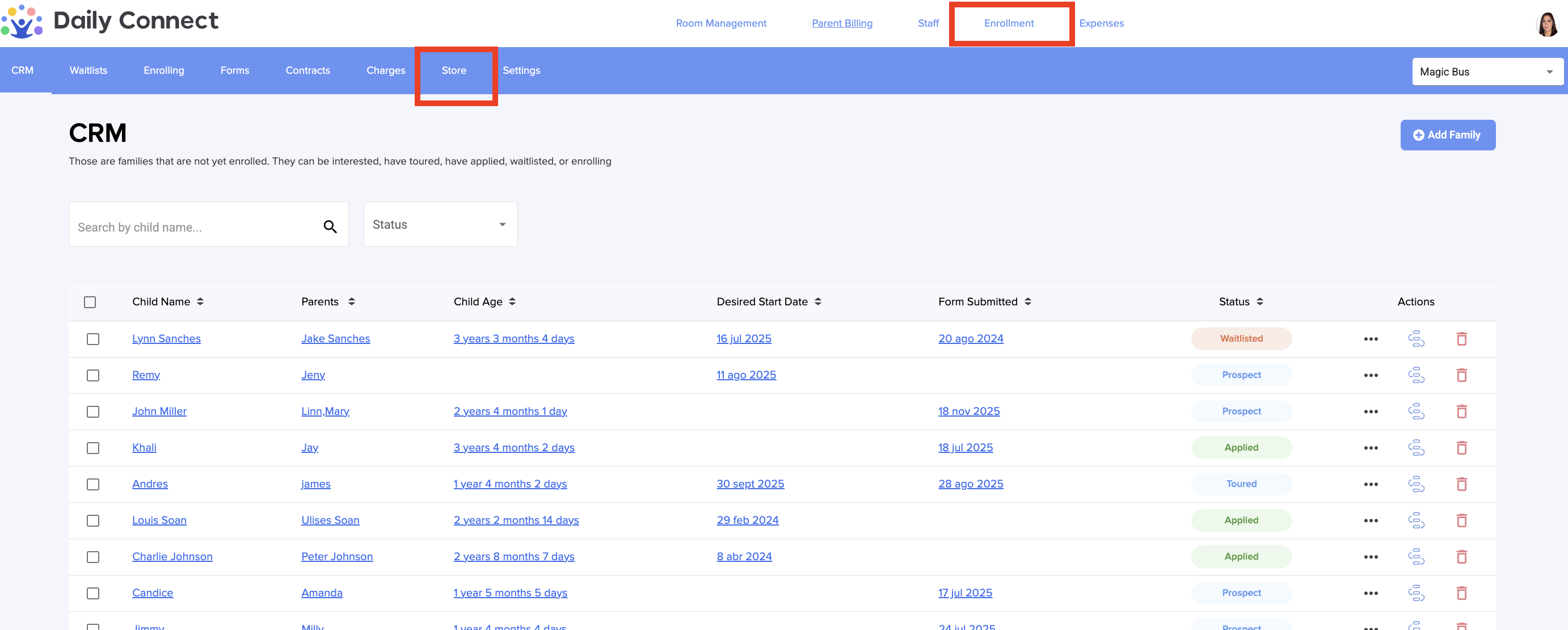
2. Go to Enrollment > Store:
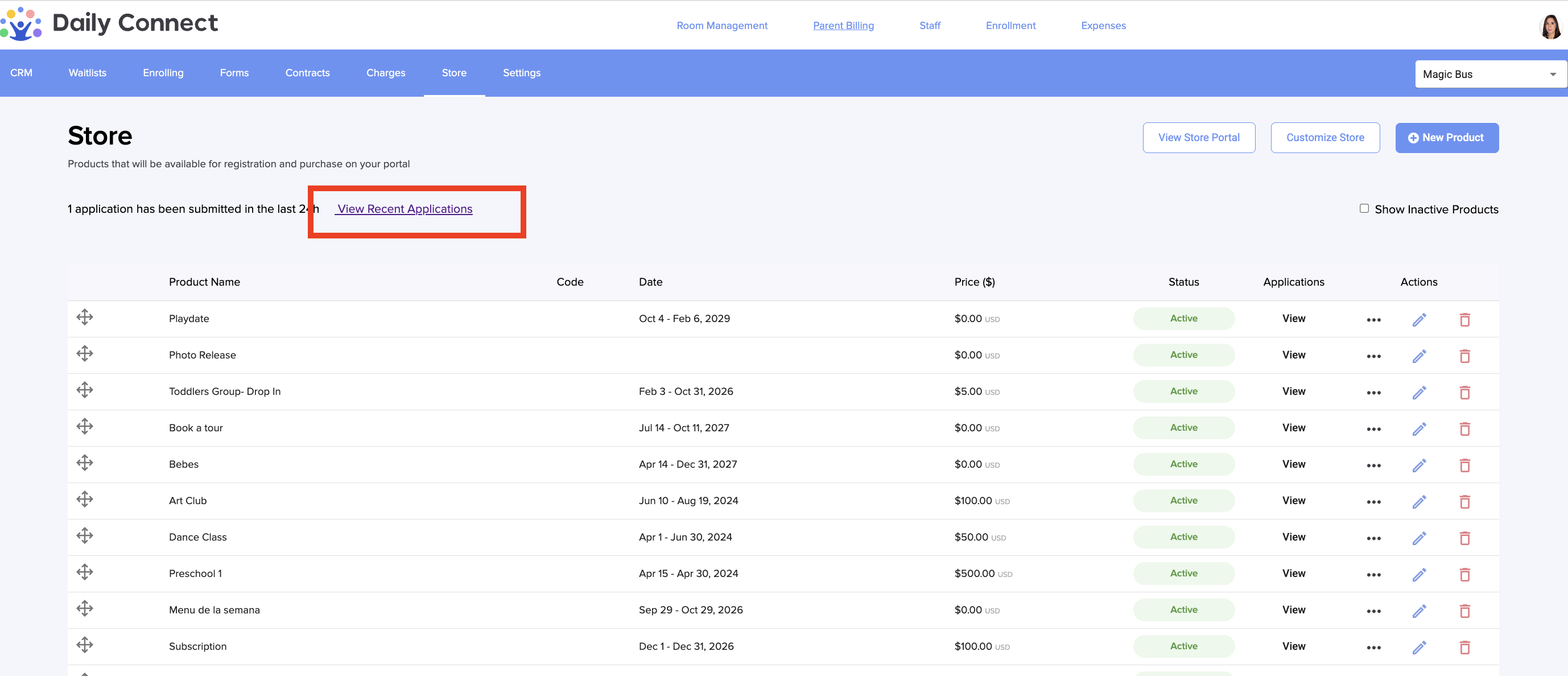
3. Go to View recent applications:
4. Here you can see the different applications submitted for each of the products you offer in the store. For each application, you can perform different actions, if you wish:
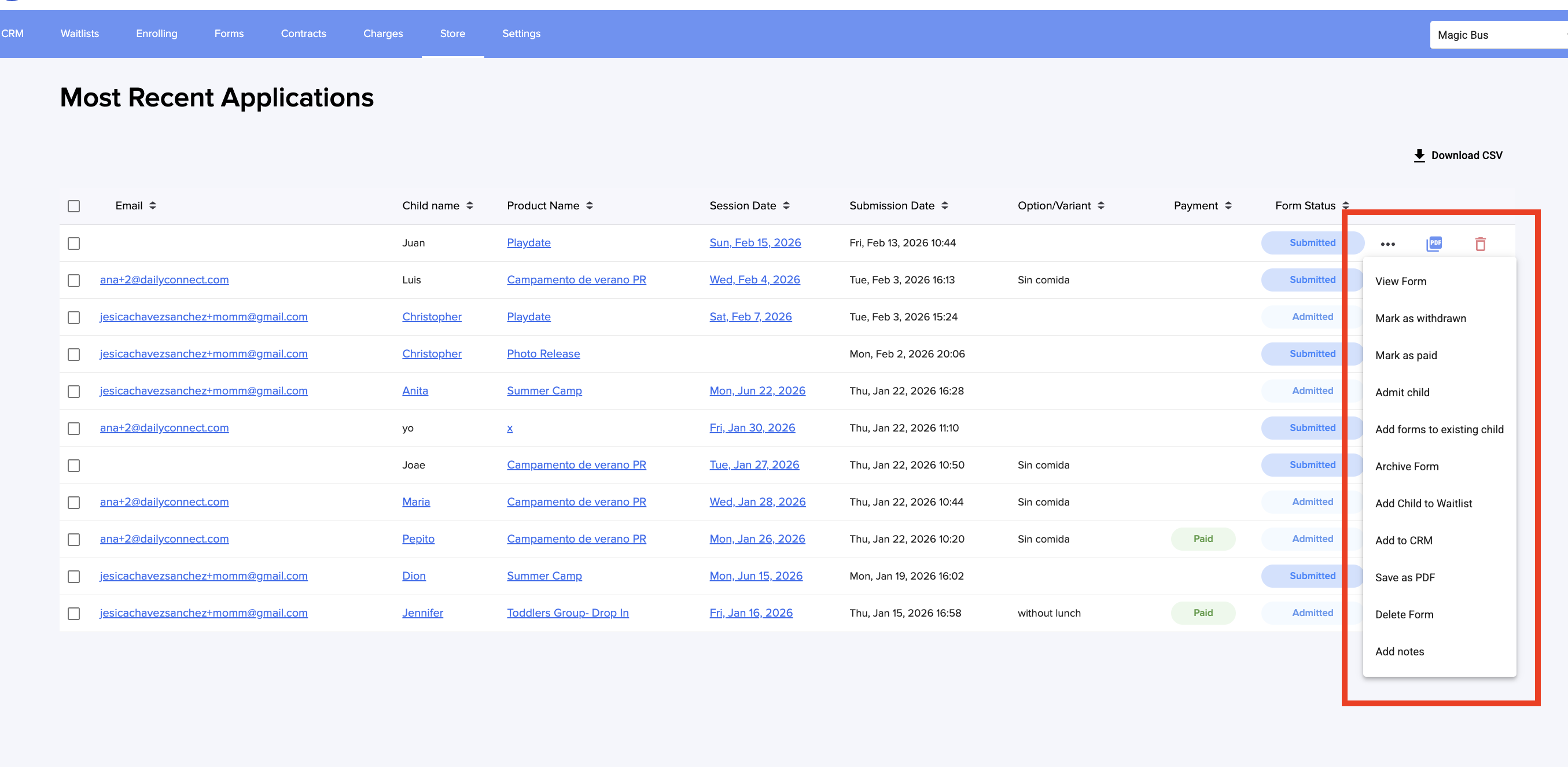
It is not necessary to manually approve each application; when creating the product, you can select automatic approval for applications
Was this article helpful?
That’s Great!
Thank you for your feedback
Sorry! We couldn't be helpful
Thank you for your feedback
Feedback sent
We appreciate your effort and will try to fix the article