You can easily access all your payment invoices for Daily Connect. Learn how to access them in this article.
1. Log in to your Daily Connect administrator account.
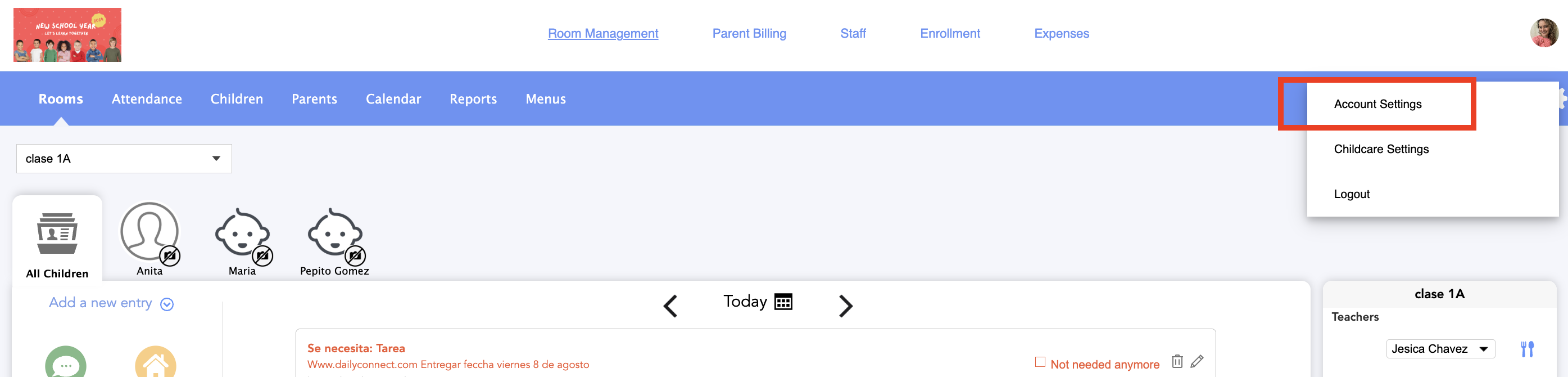
2. Go to Account settings:
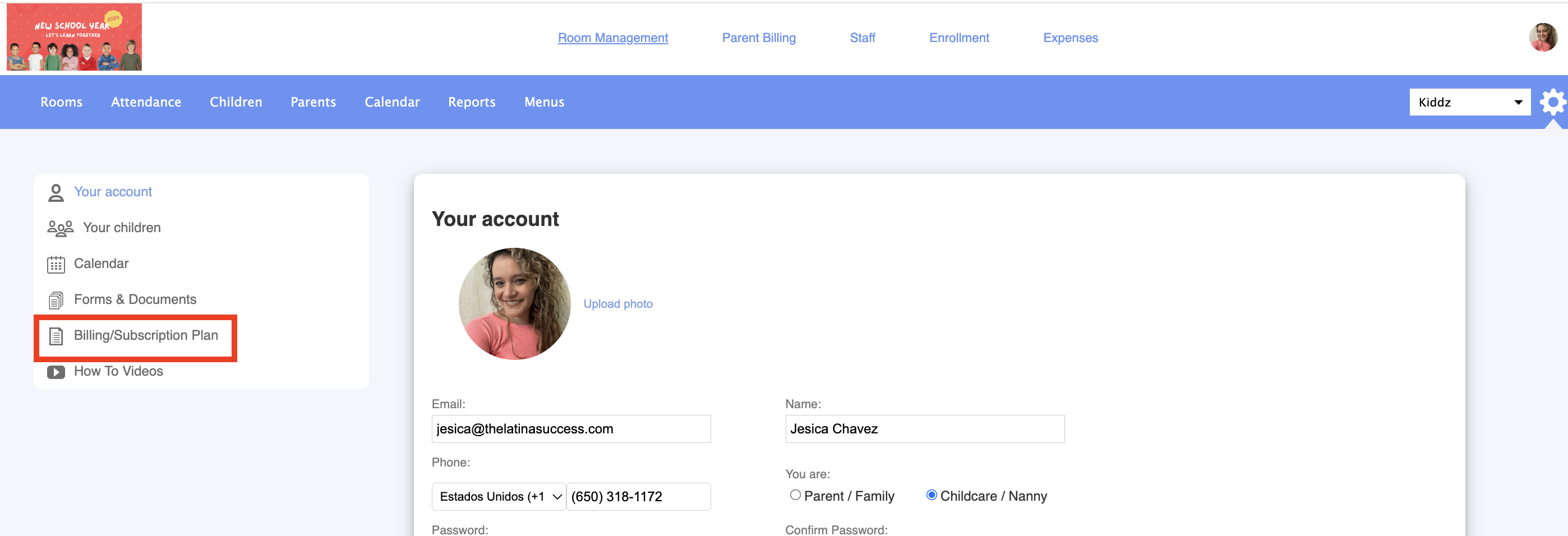
3. Go to Billing/subscription plan:
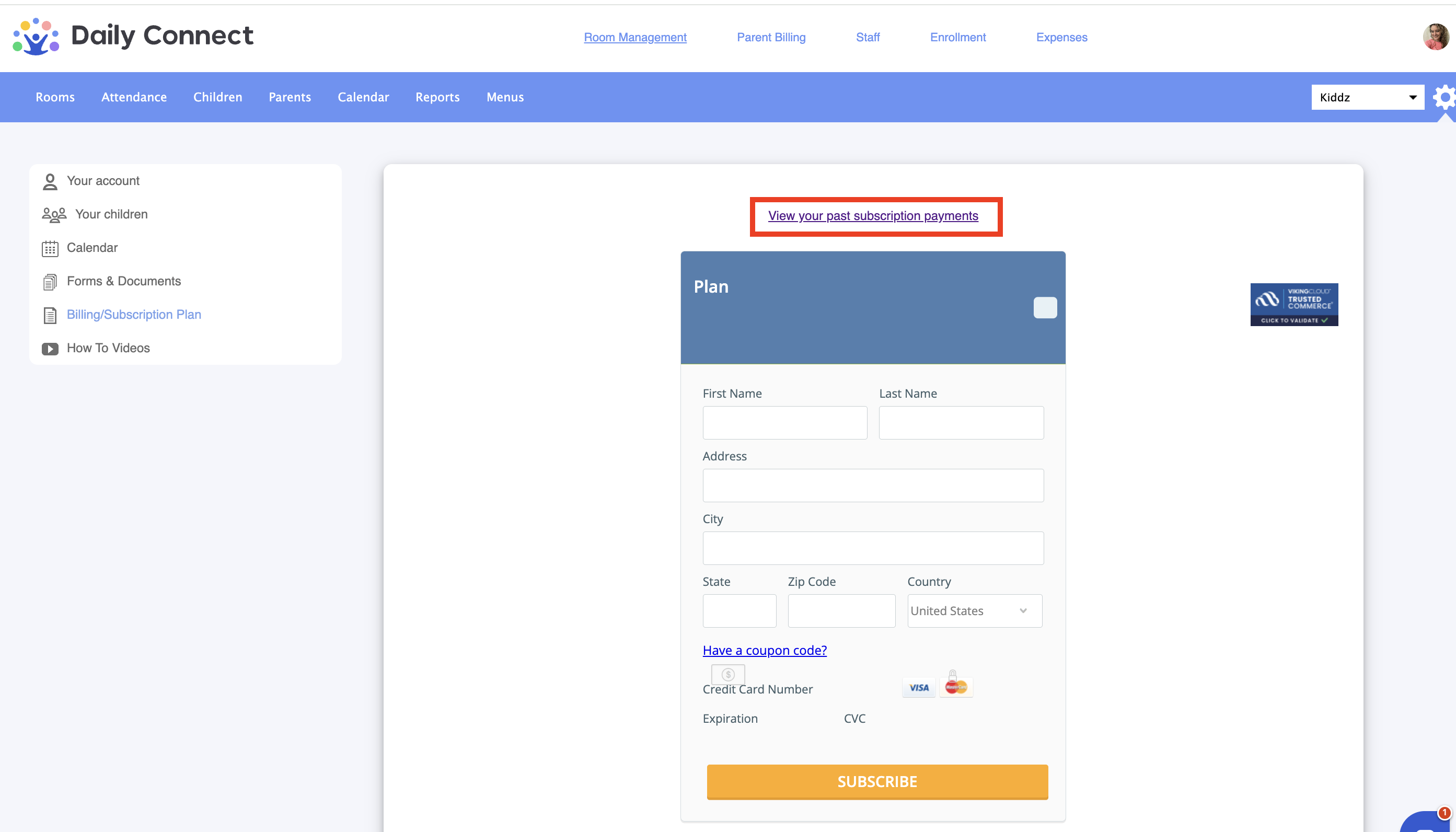
4. Click on view your past subscription payments:
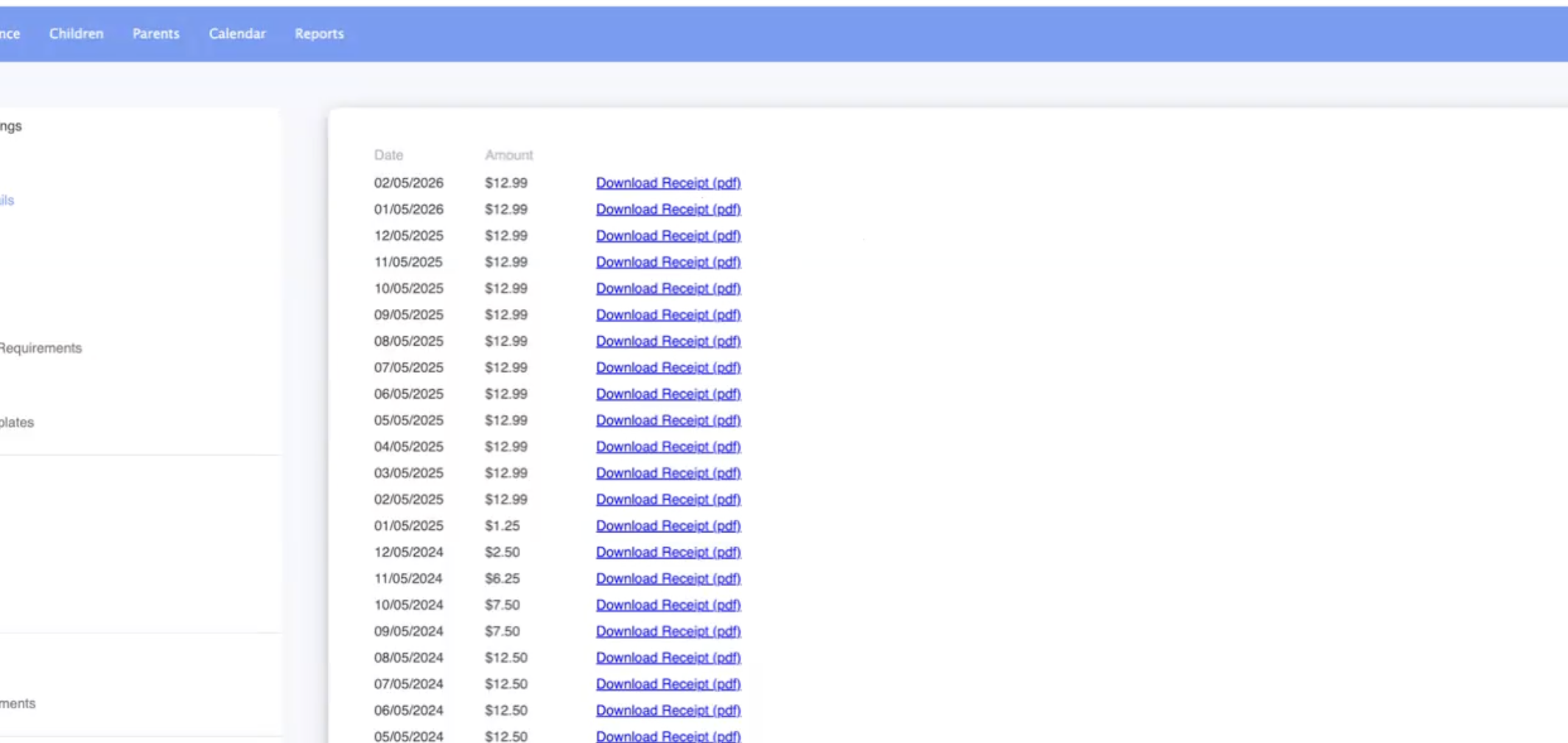
5. And here you will be able to download all your monthly receipts:
Was this article helpful?
That’s Great!
Thank you for your feedback
Sorry! We couldn't be helpful
Thank you for your feedback
Feedback sent
We appreciate your effort and will try to fix the article