It is possible to see whether parents have read the entries that teachers post during the day in the app. To do this, you need to enable a security option in the Daily Connect app.
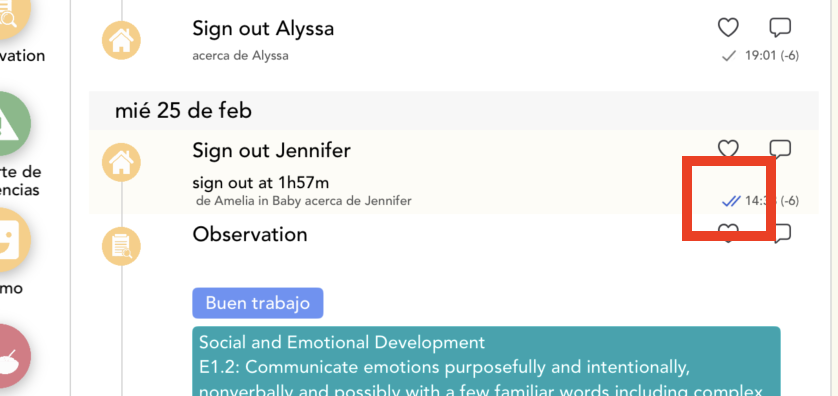
On the app, if the entry is showing this 2 blue marks mean that parents have read the entry:
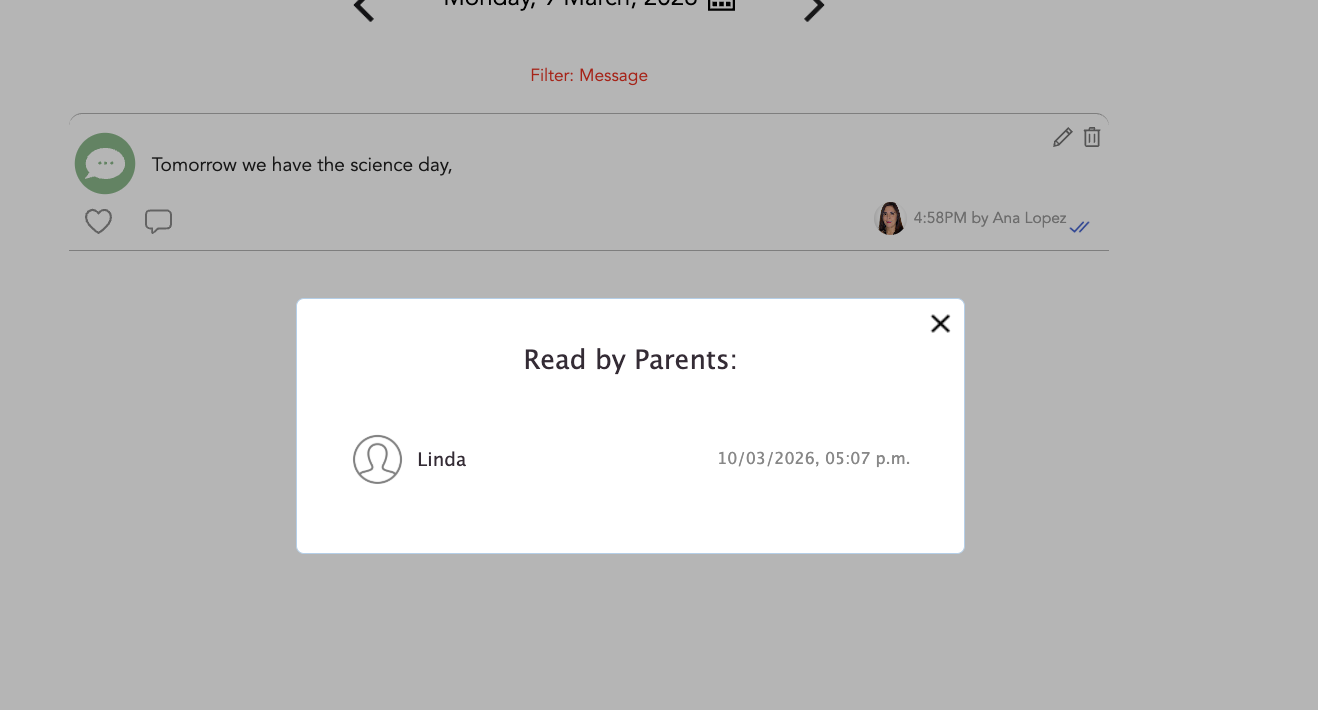
If you tap on the entry you can also see the parent who has read it:
To enable this functionality, please follow these steps:
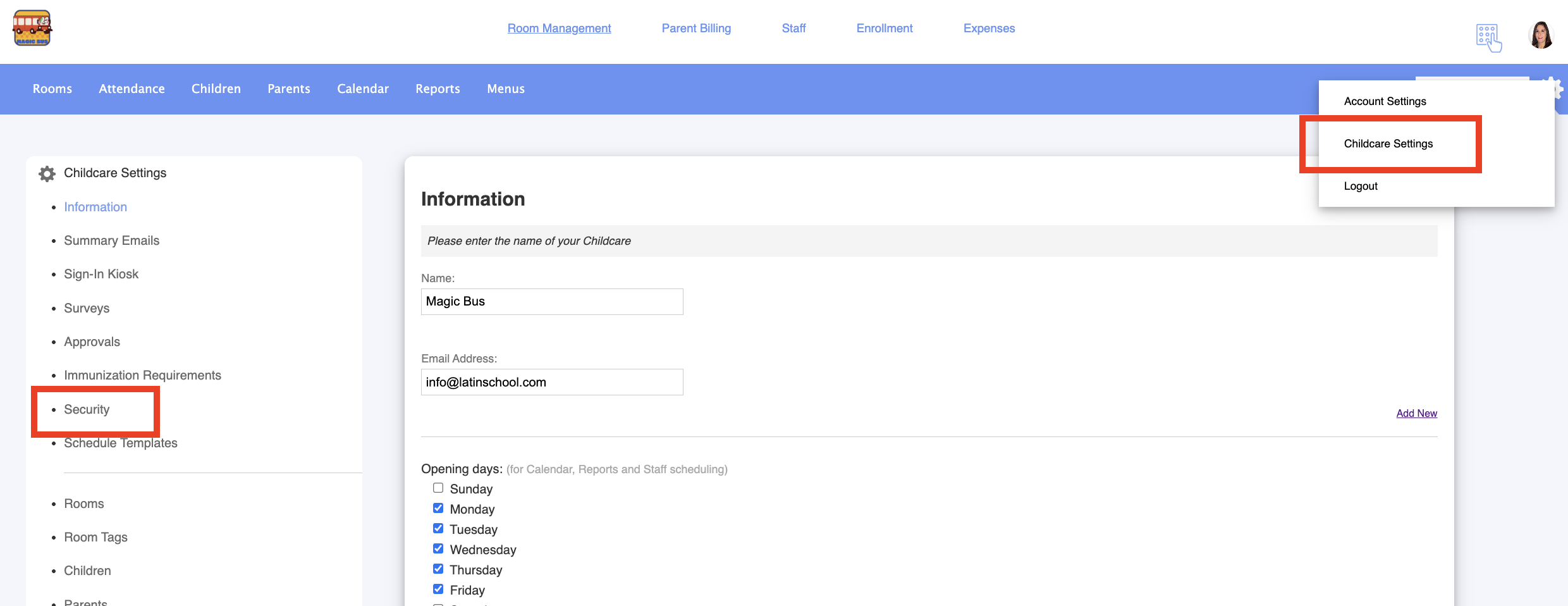
1. Log in to your admin account on the Daily Connect website:
2. Go to Childcare Settings > Security:
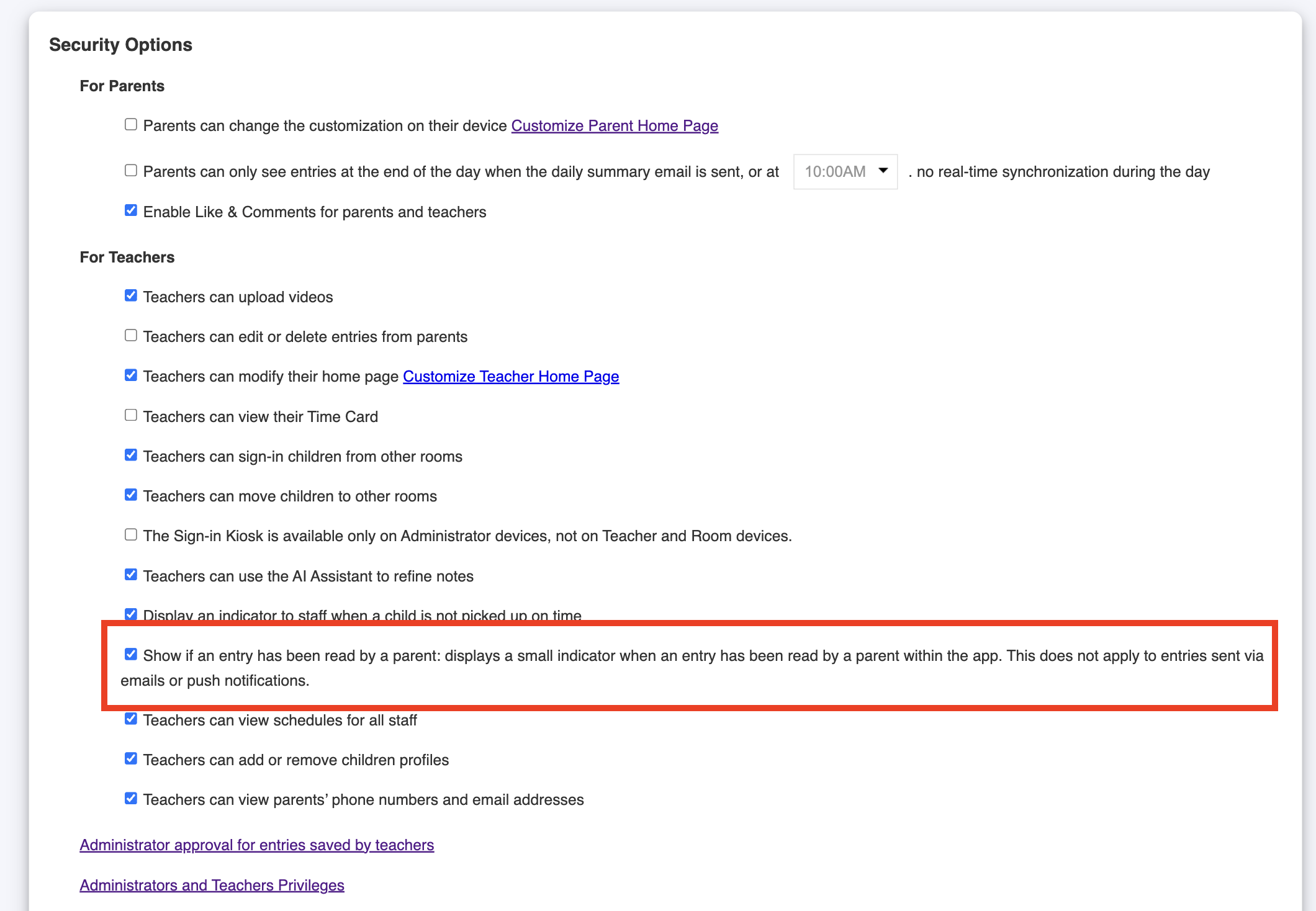
3. Enable this option:
And that's it! All is set now to see if parents have read your entries.
Was this article helpful?
That’s Great!
Thank you for your feedback
Sorry! We couldn't be helpful
Thank you for your feedback
Feedback sent
We appreciate your effort and will try to fix the article