... ...
Skip to main content

How to allow or prevent parents from customizing their home page .

Modified on Wed, 11 Mar at 4:56 AM

Centers can decide whether parents are allowed to customize their home page with icons related to the different features they want to access:
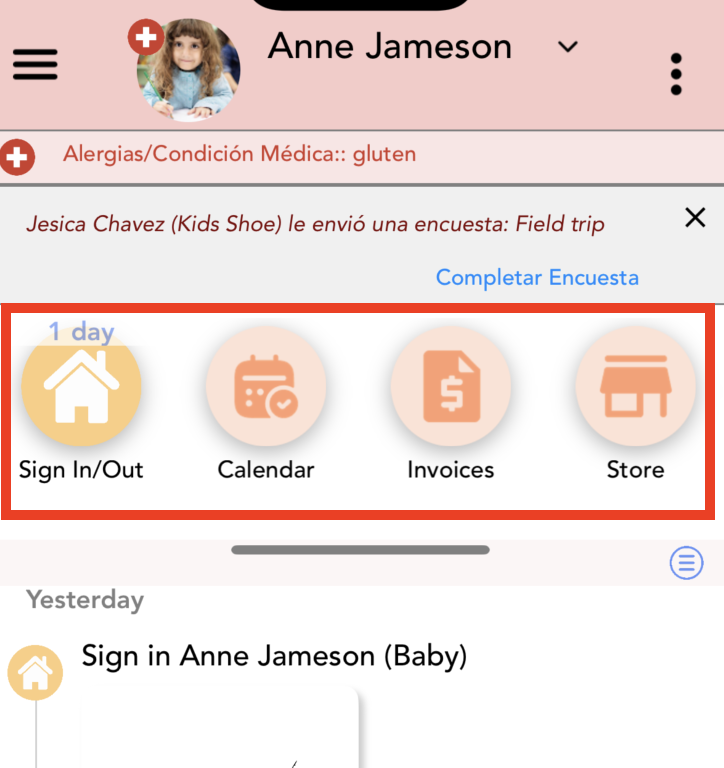
Follow these steps to enable or disable this option:


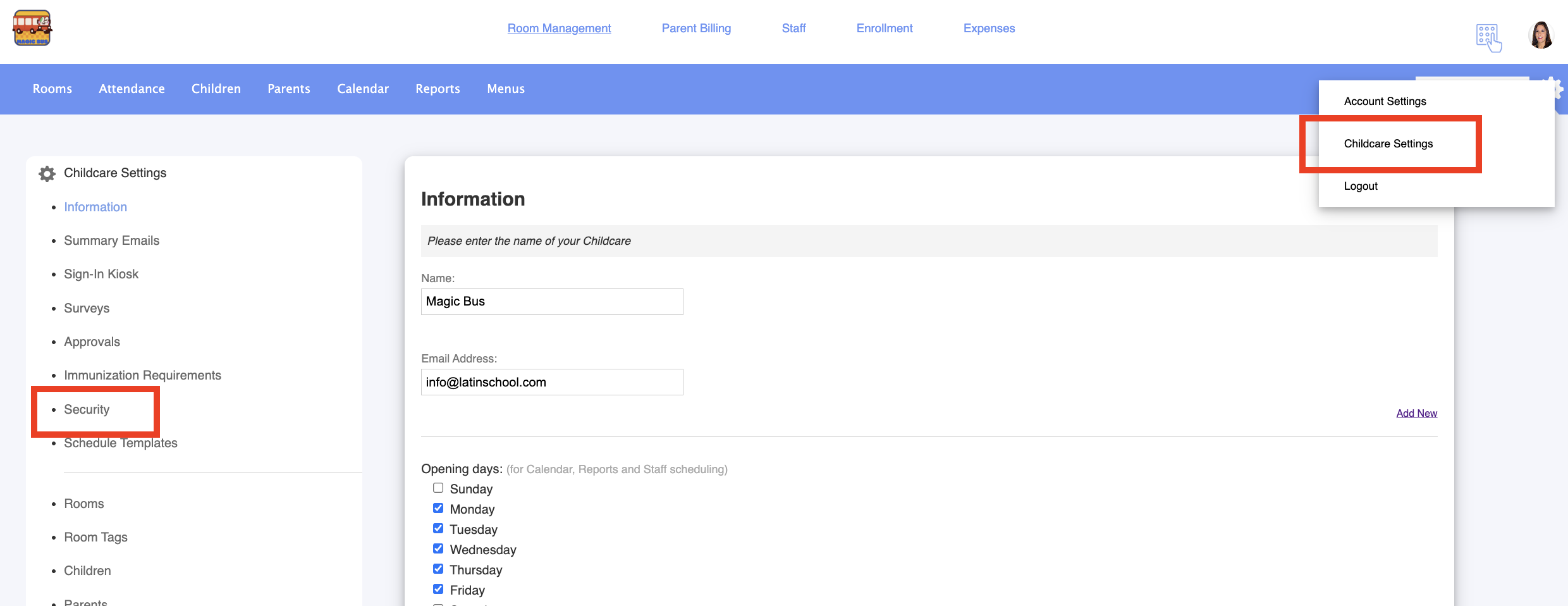
1. Log in to your admin account.


2. Go to Childcare Settings > Security:


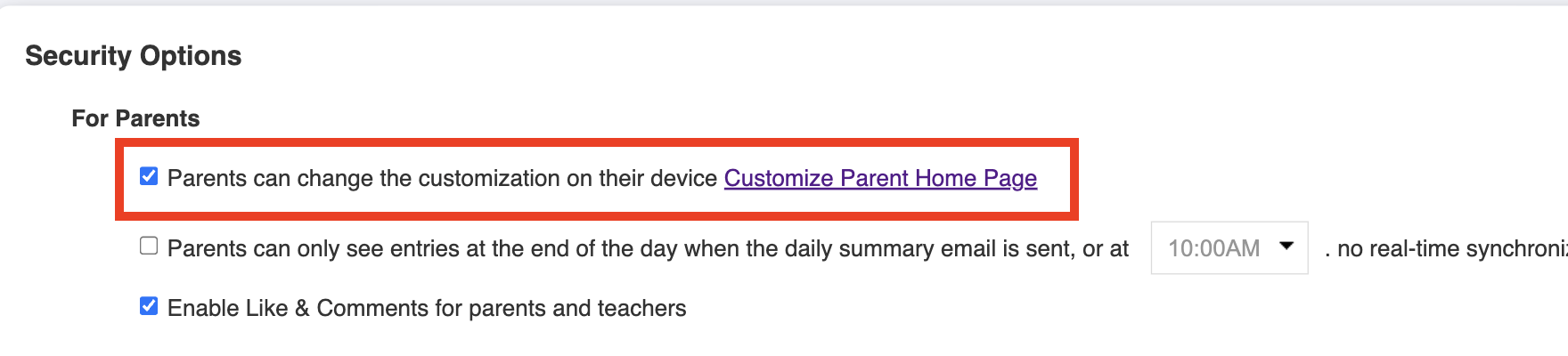
3. Enable or disable this option:


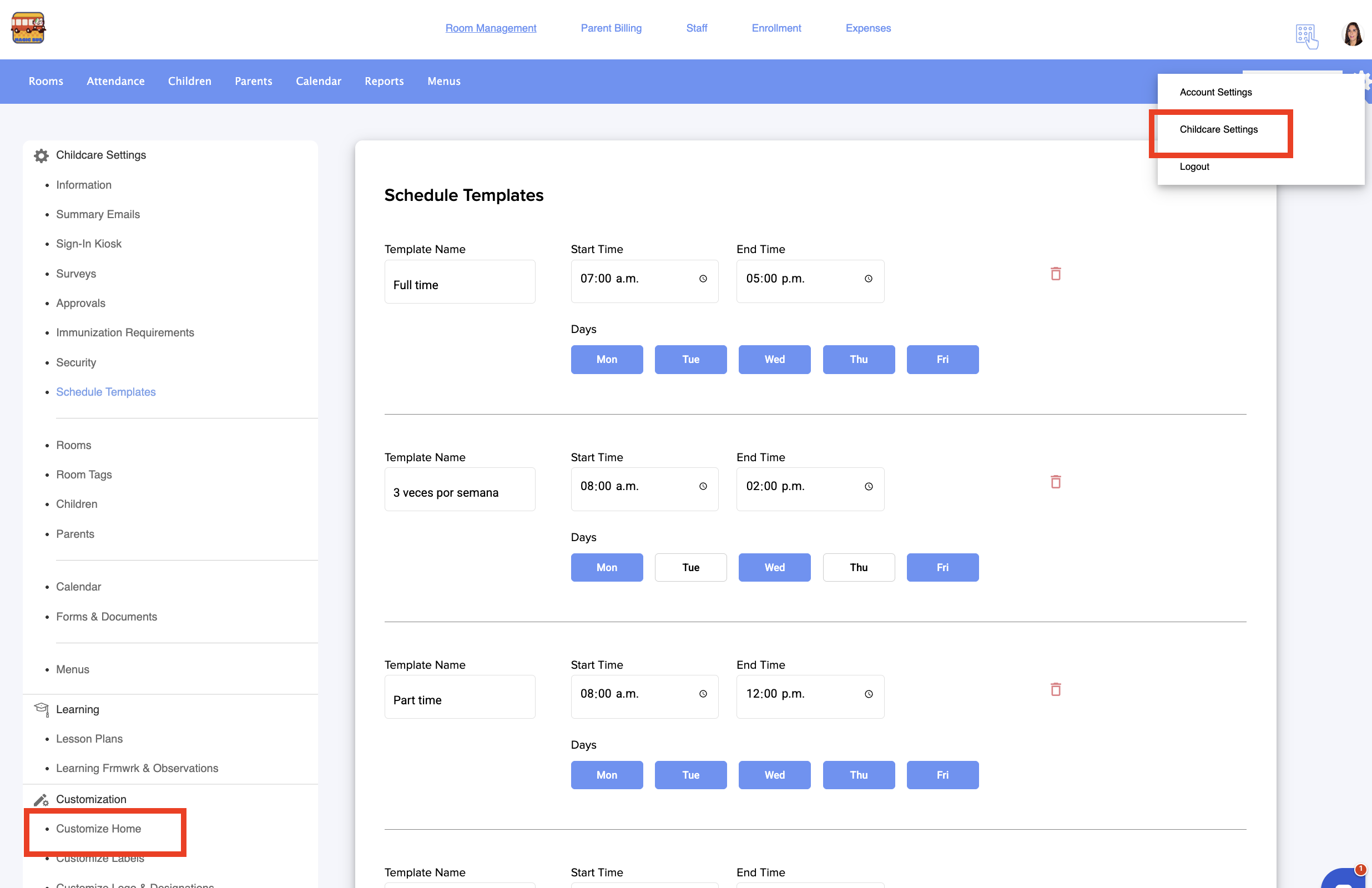
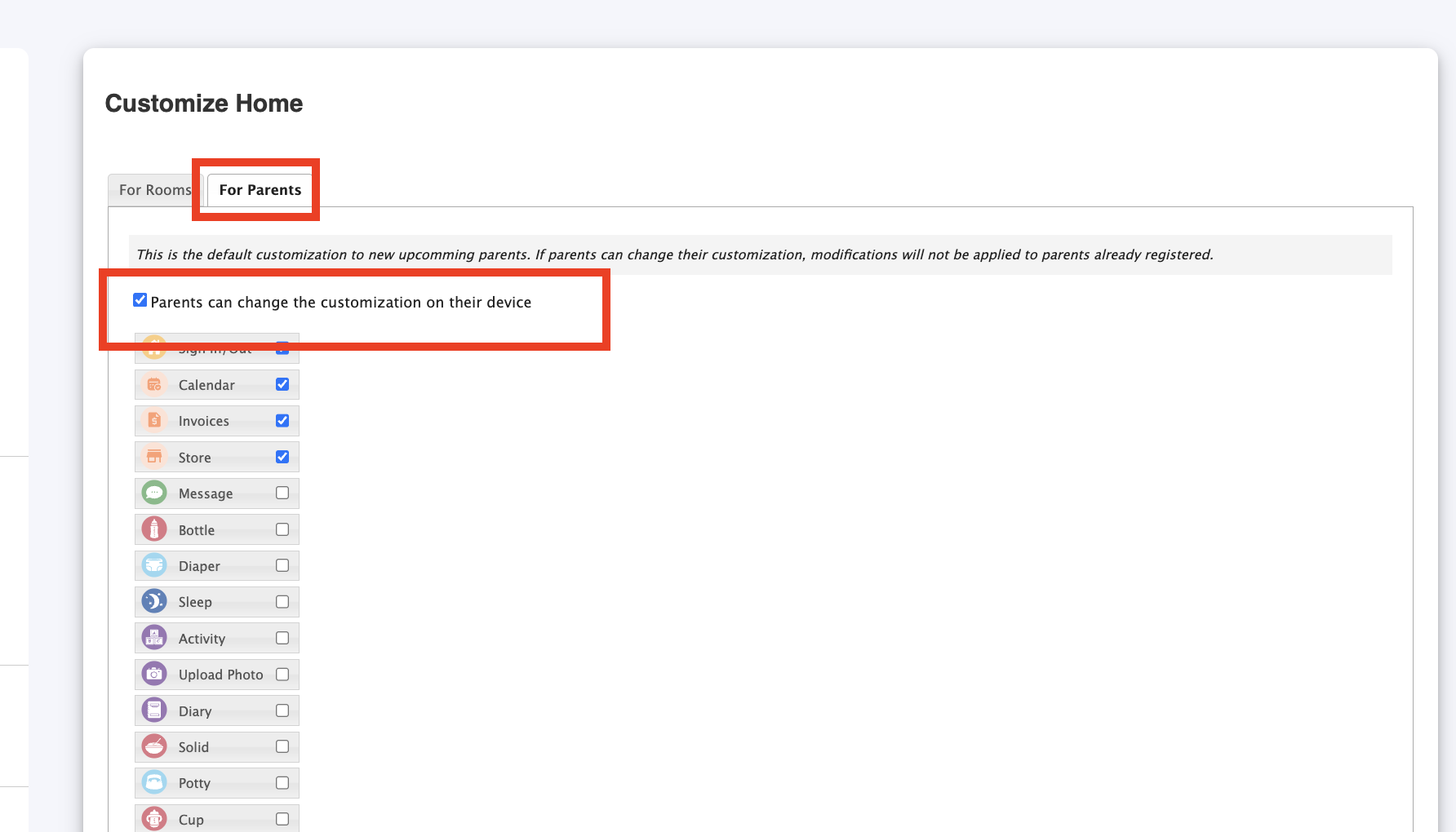
4. Also you can go to Childcare Settings > Customize Home:


5. Go to Parents tab and enable or disable this option:


Was this article helpful?

That’s Great!

Thank you for your feedback

Sorry! We couldn't be helpful

Thank you for your feedback

Let us know how can we improve this article!

Select at least one of the reasons
CAPTCHA verification is required.

Feedback sent

We appreciate your effort and will try to fix the article