... ...
Skip to main content

Configuring automatic translations for daily entries

Modified on Tue, 17 Mar at 3:45 AM

We are aware of the diversity of nationalities among our users, parents, grandparents, and caregivers, many of whom only fully understand and speak their native language. For this reason, we have developed a feature that automatically translates all entries made by teachers or the center throughout the day.


Follow these steps to configure this feature on your app:


1. Log in to your account on the Daily Connect app.


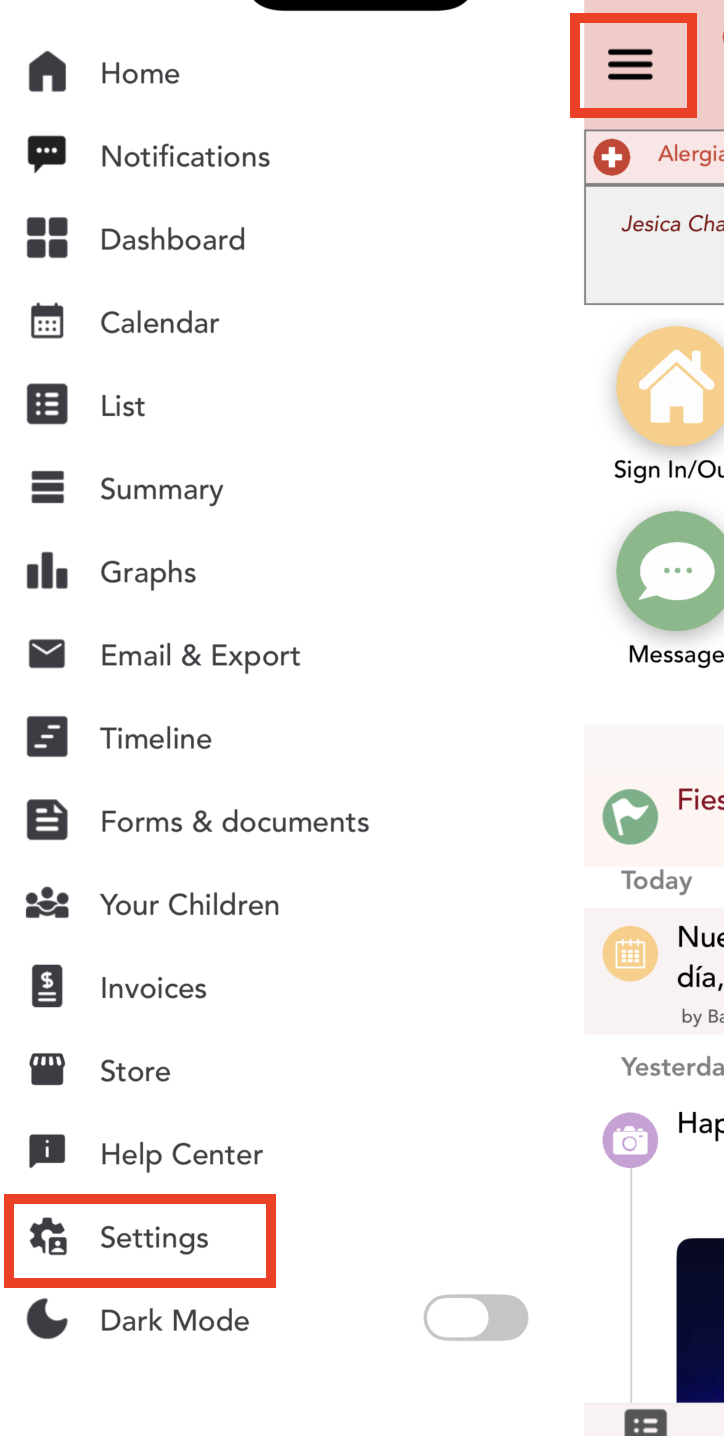
2. Go to Settings :


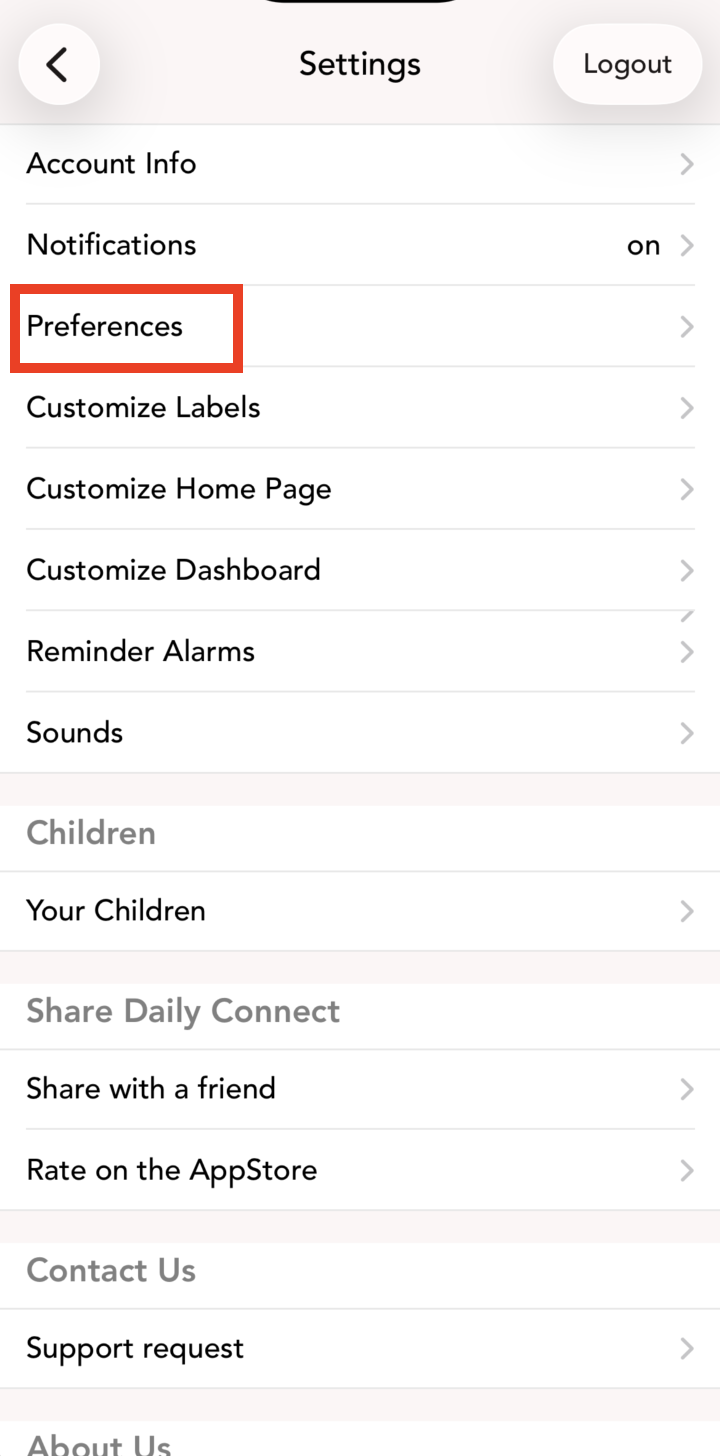
3. Go to Preferences:


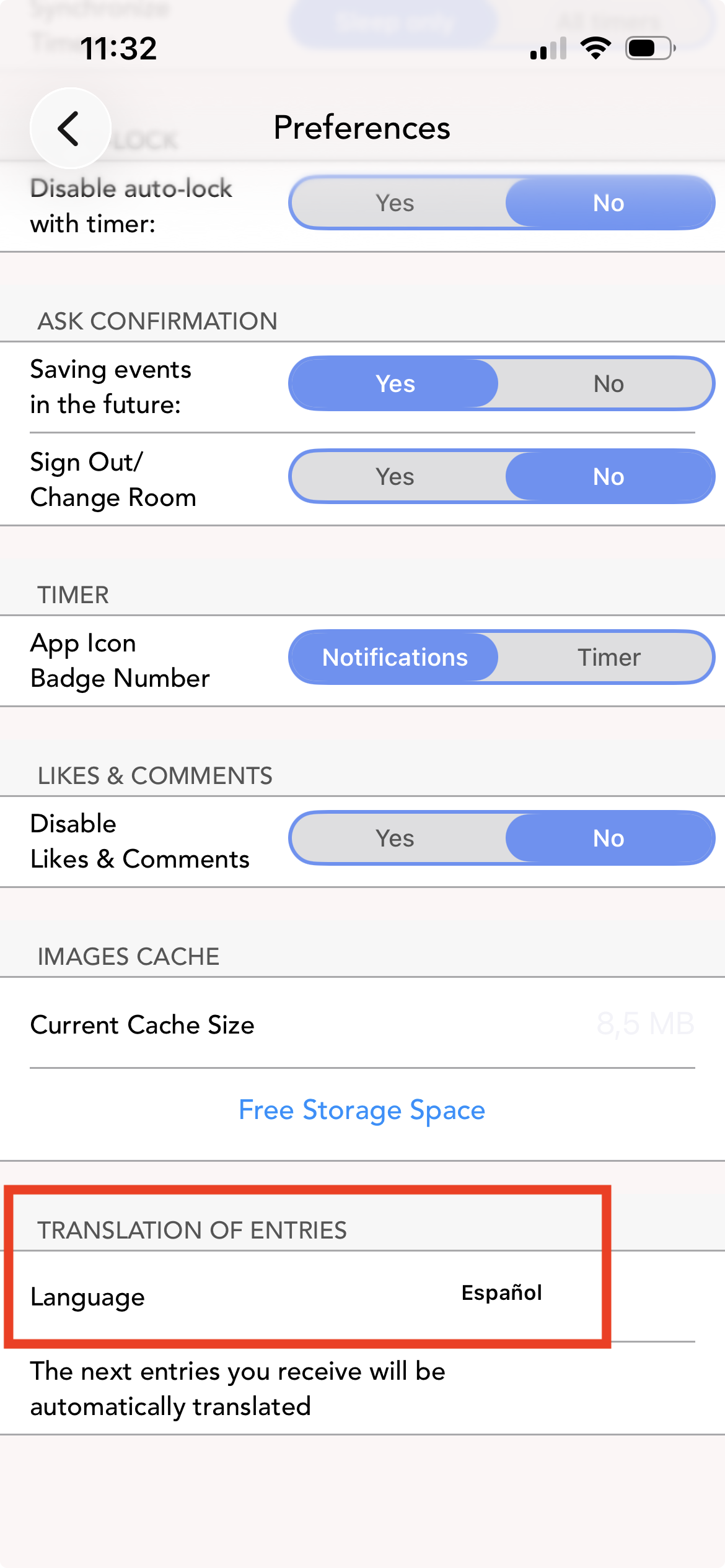
 4. Select the language:


From now on, all entries will be translated into the language you have selected. Previous entries will not be translated.

Was this article helpful?

That’s Great!

Thank you for your feedback

Sorry! We couldn't be helpful

Thank you for your feedback

Let us know how can we improve this article!

Select at least one of the reasons
CAPTCHA verification is required.

Feedback sent

We appreciate your effort and will try to fix the article