... ...
Skip to main content

How to change the financially responsible

Modified on Thu, 9 Apr at 12:59 AM

Each child must have at least one parent set as the financially responsible. Learn how to change it by following these steps.


1. Log in to your admin account.


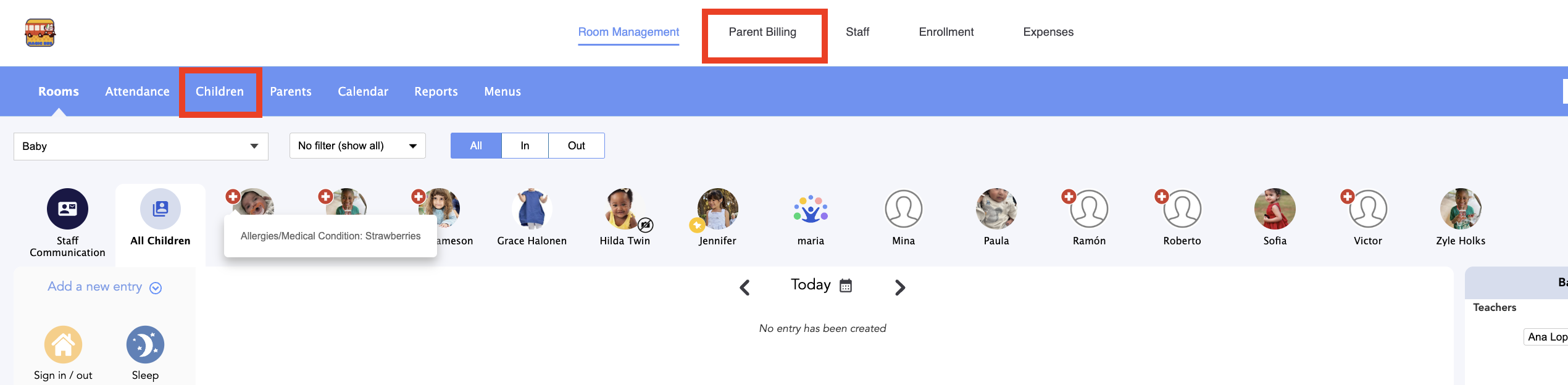
2. Go to Parent Billing > Children:


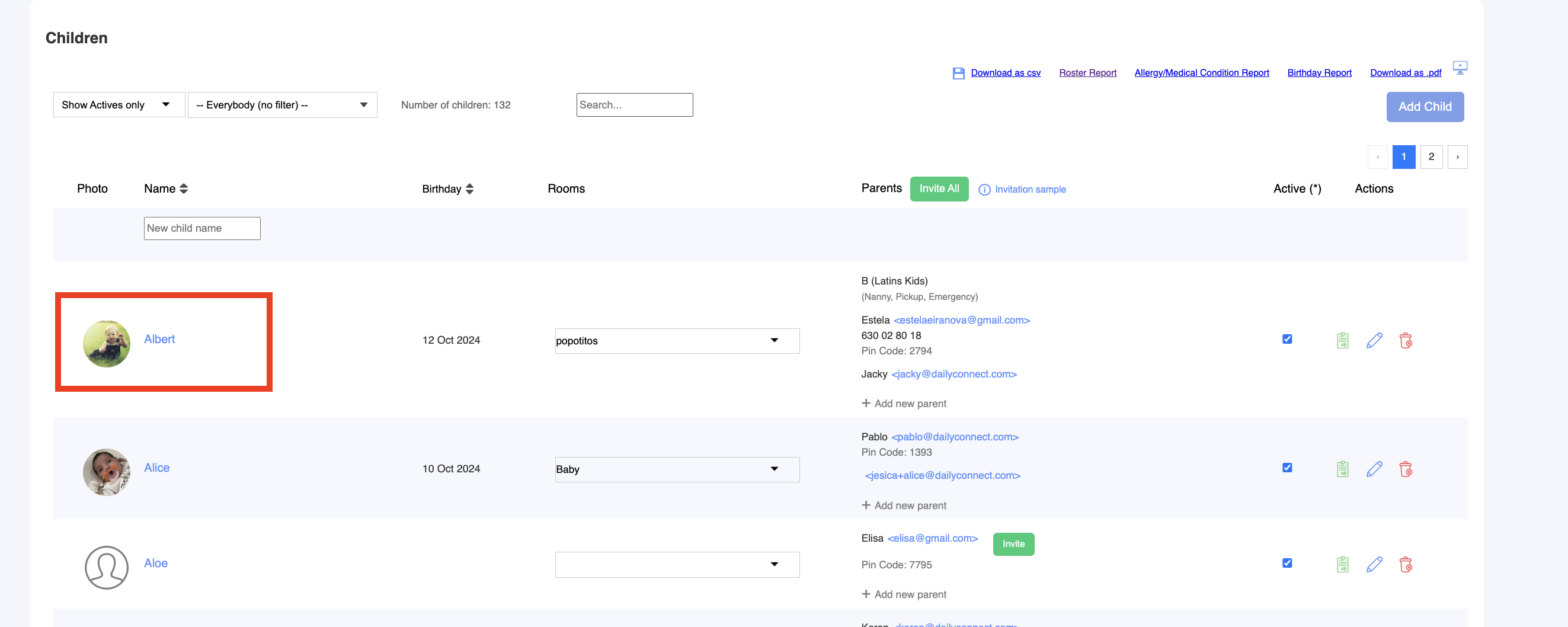
3. Select the child you want to make the change for:


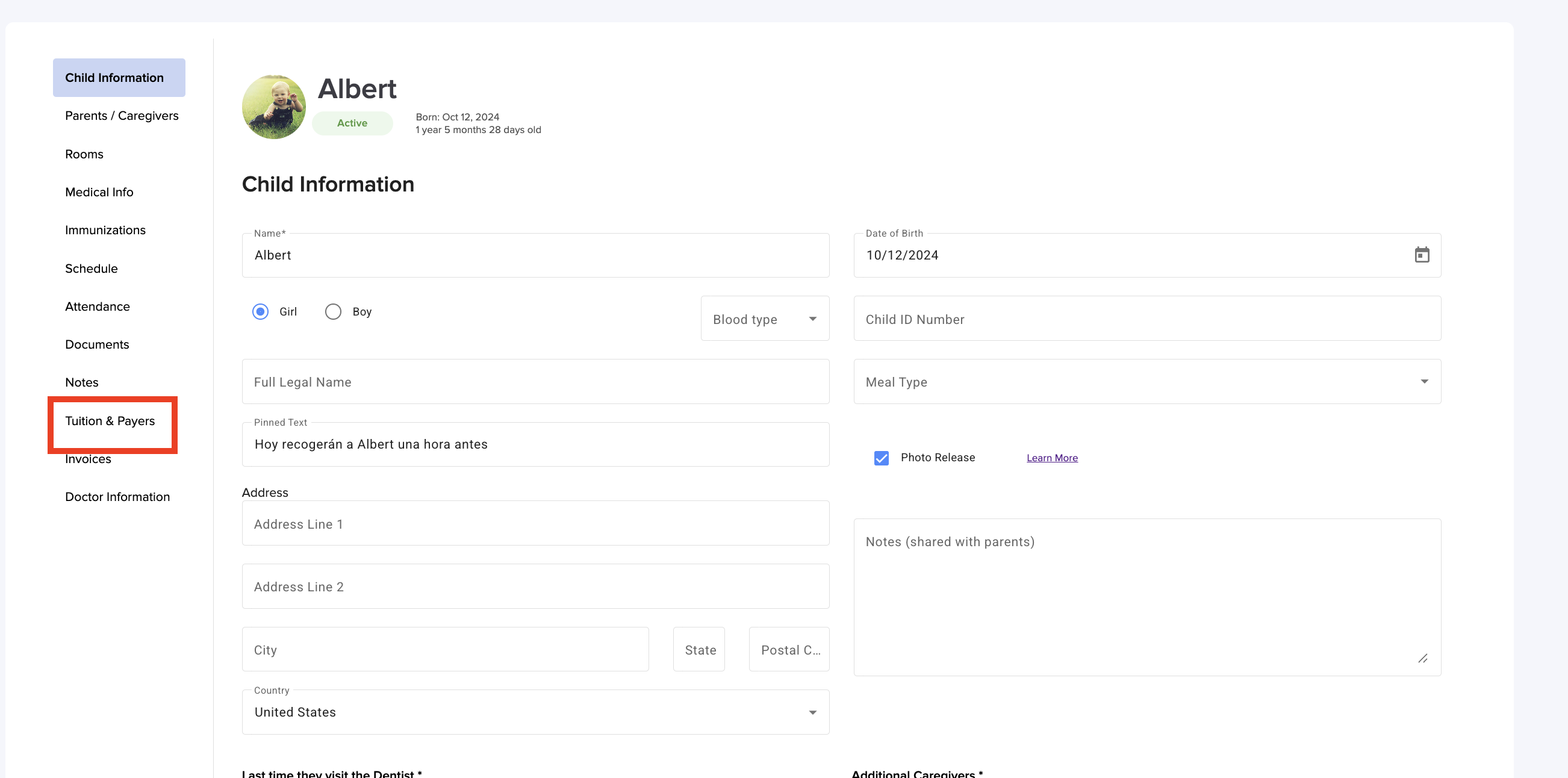
4. Go to Tuition & Payers:


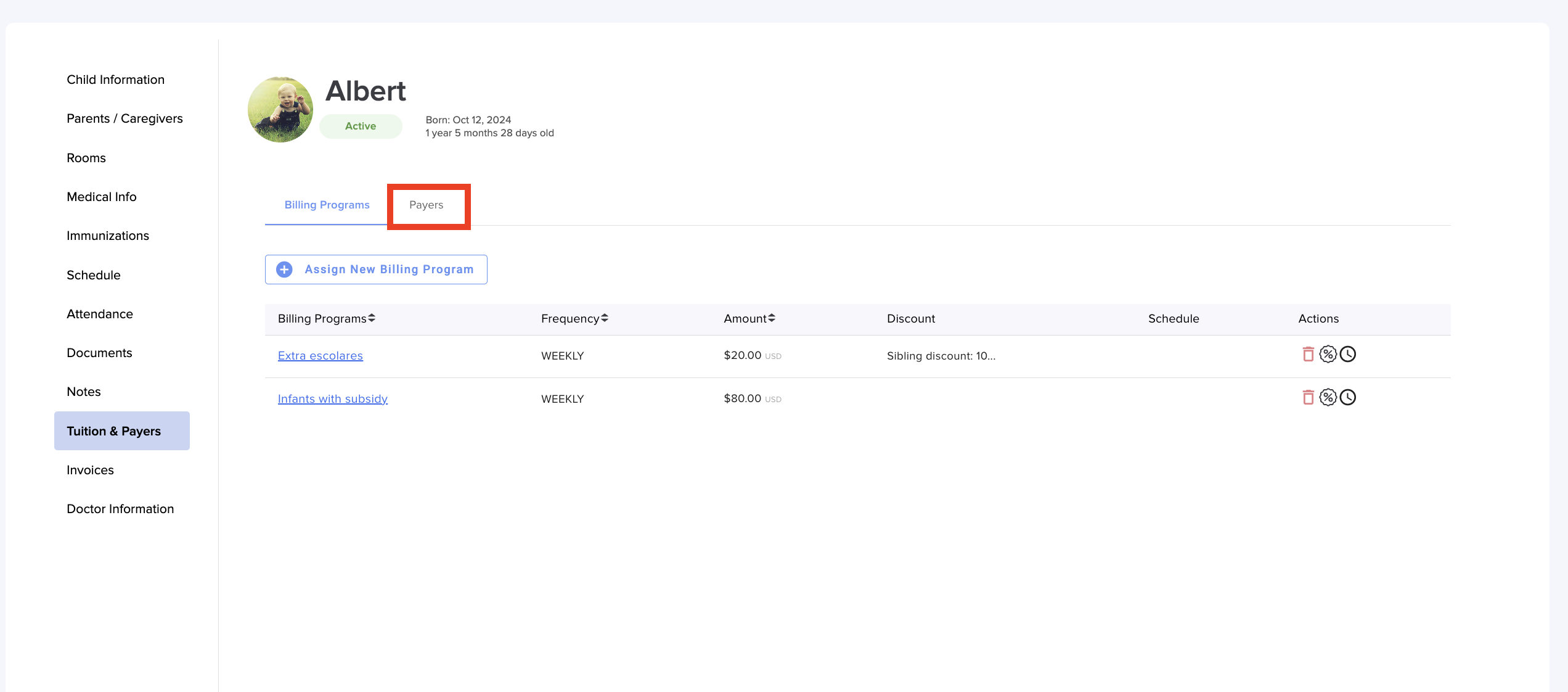
5. Go to Payers:


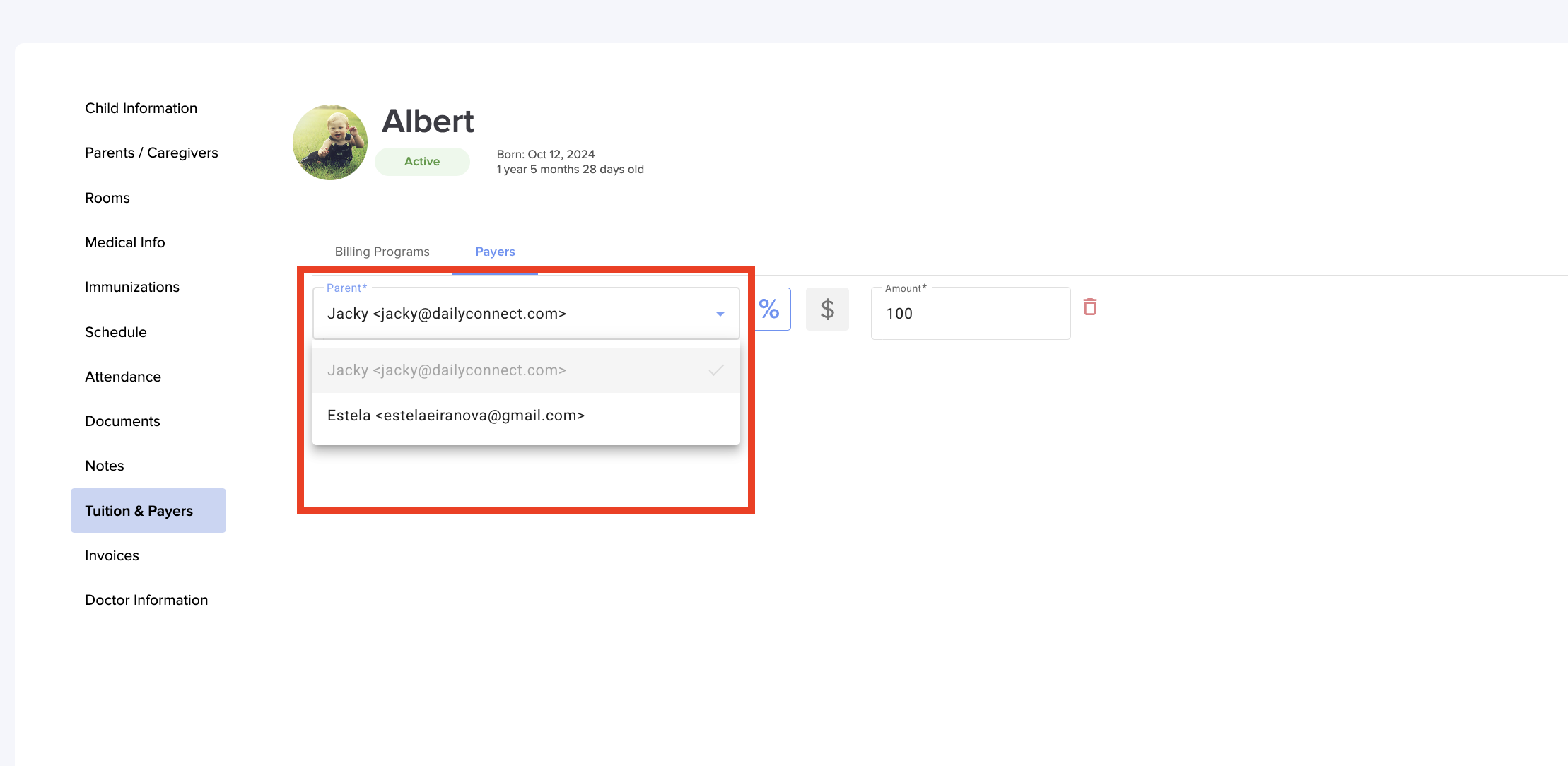
6. Select the parent who will be the financially responsible:


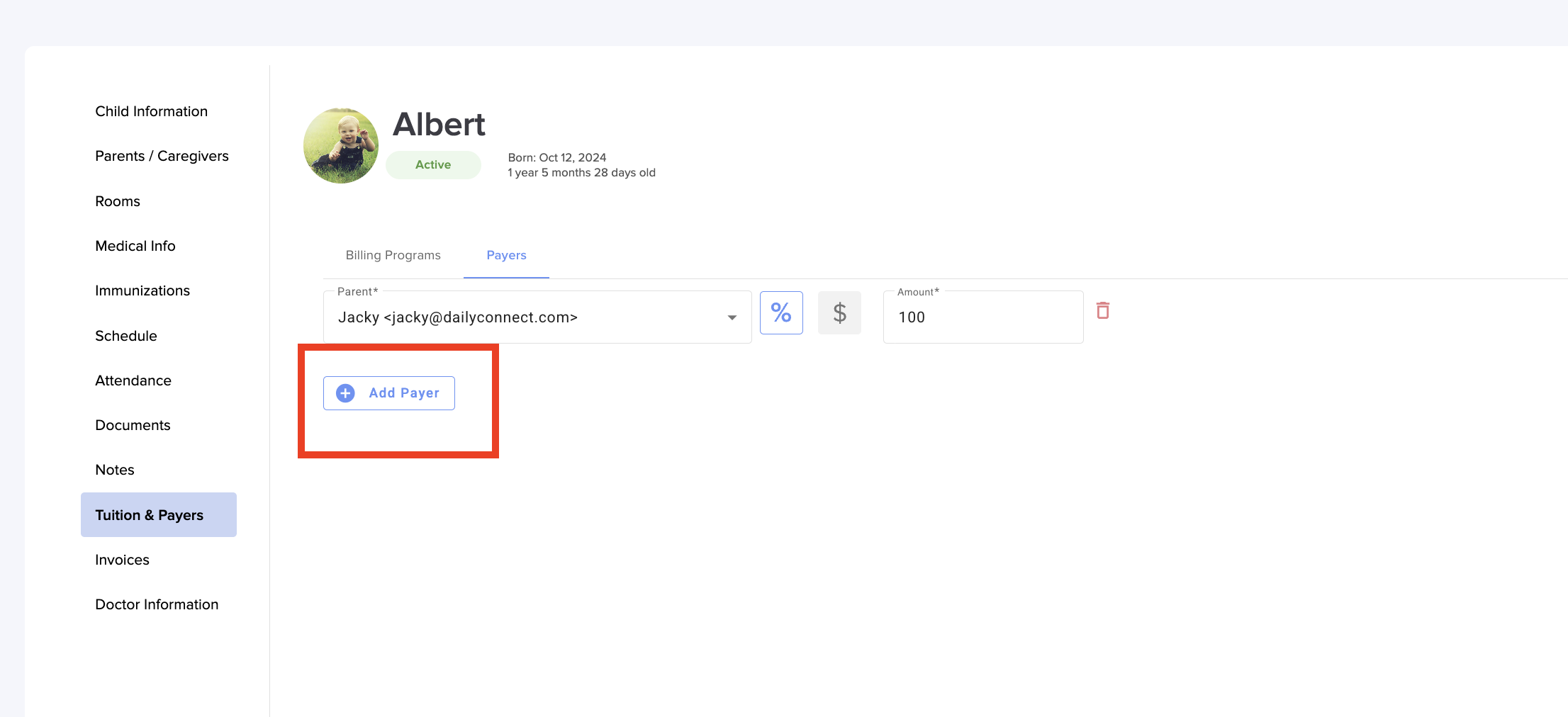
7. Financial responsibility can also be shared between parents. To do this, click on Add Payer:


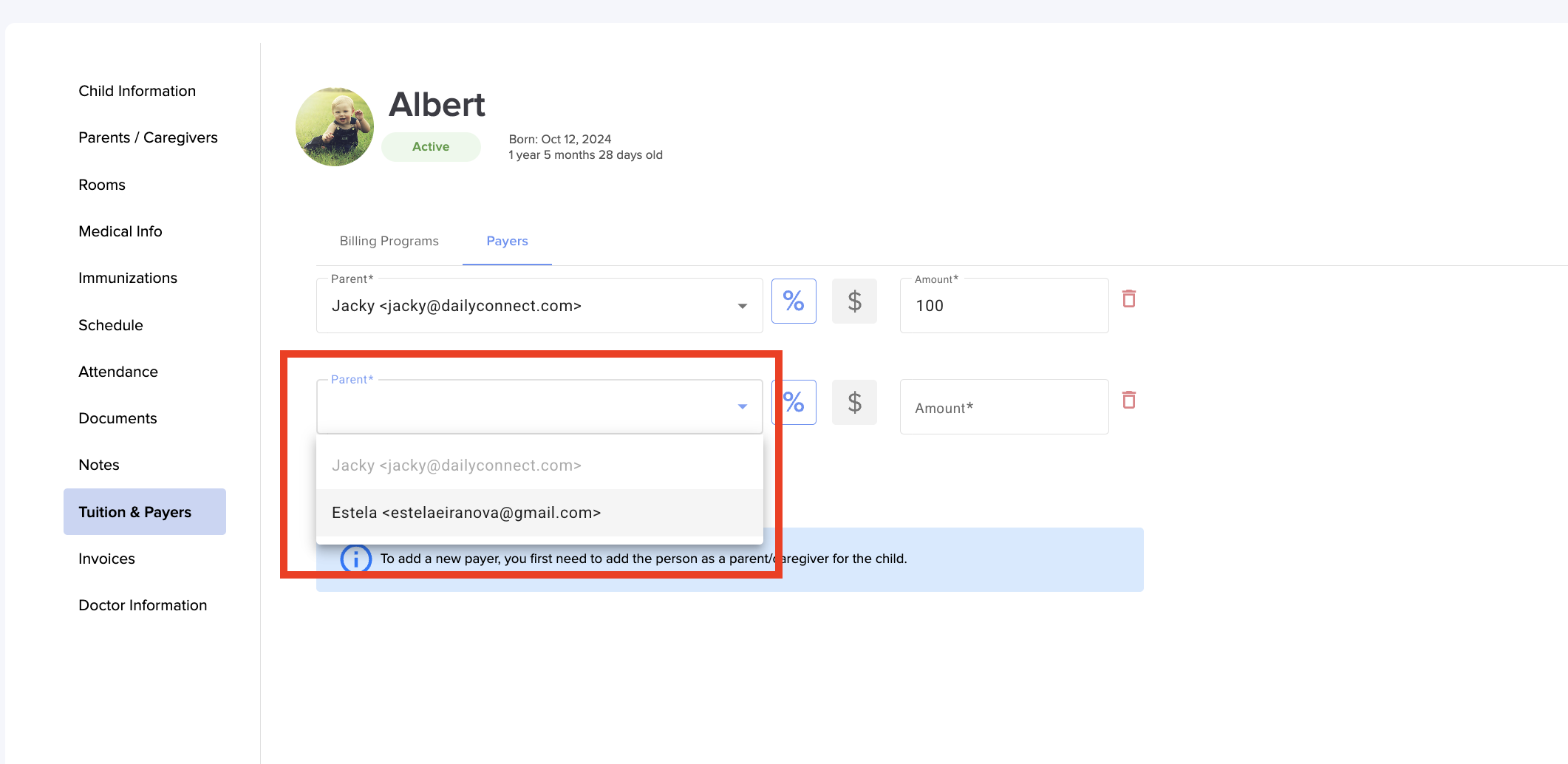
8. Select the other parent:


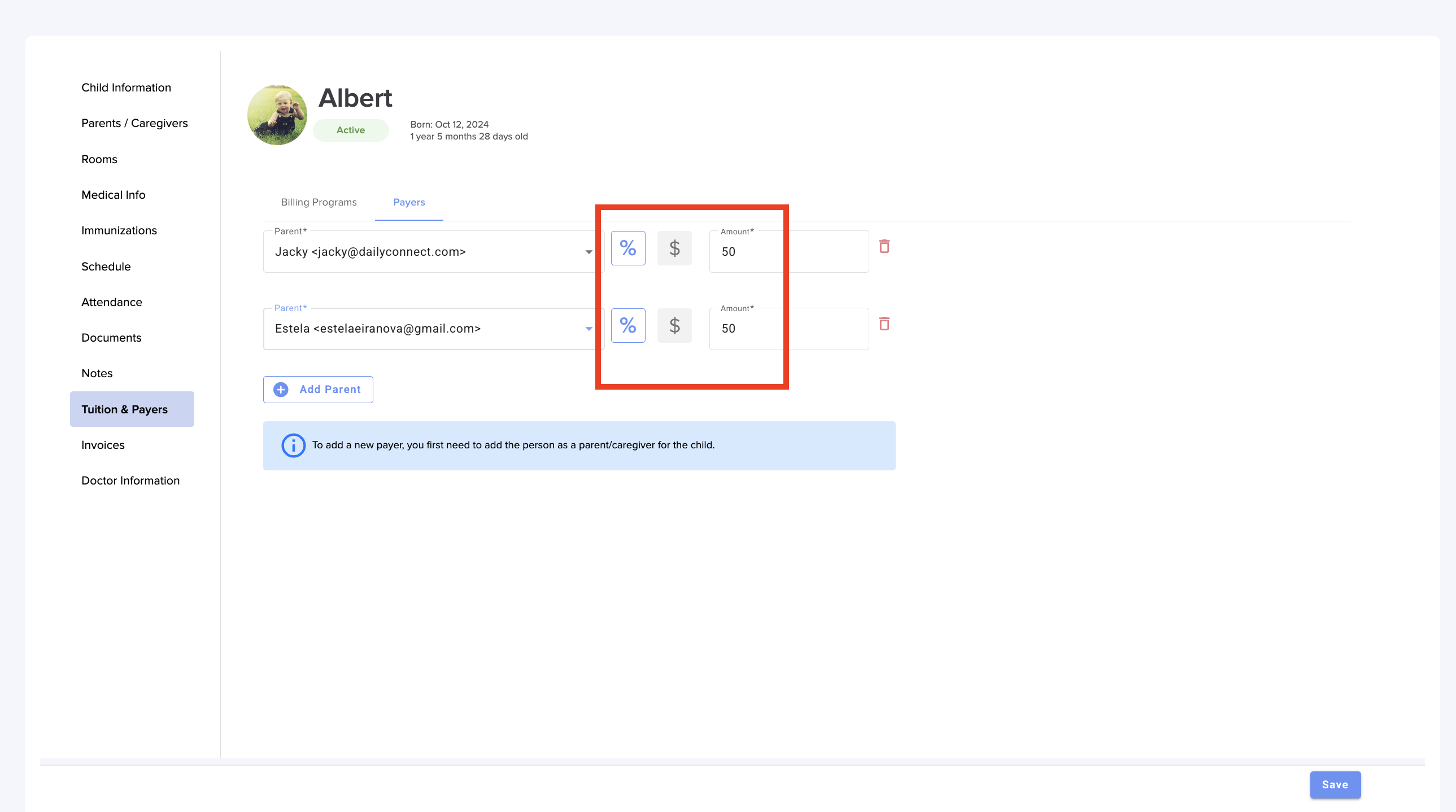
9. Select the percentage, or amount, that each parent will pay on each invoice. Click Save:


Was this article helpful?

That’s Great!

Thank you for your feedback

Sorry! We couldn't be helpful

Thank you for your feedback

Let us know how can we improve this article!

Select at least one of the reasons
CAPTCHA verification is required.

Feedback sent

We appreciate your effort and will try to fix the article