As an administrator, you can create different user profiles in your Staff section.
To learn how to do it watch this video:
Or follow these steps:
1. Log in to your admin account.
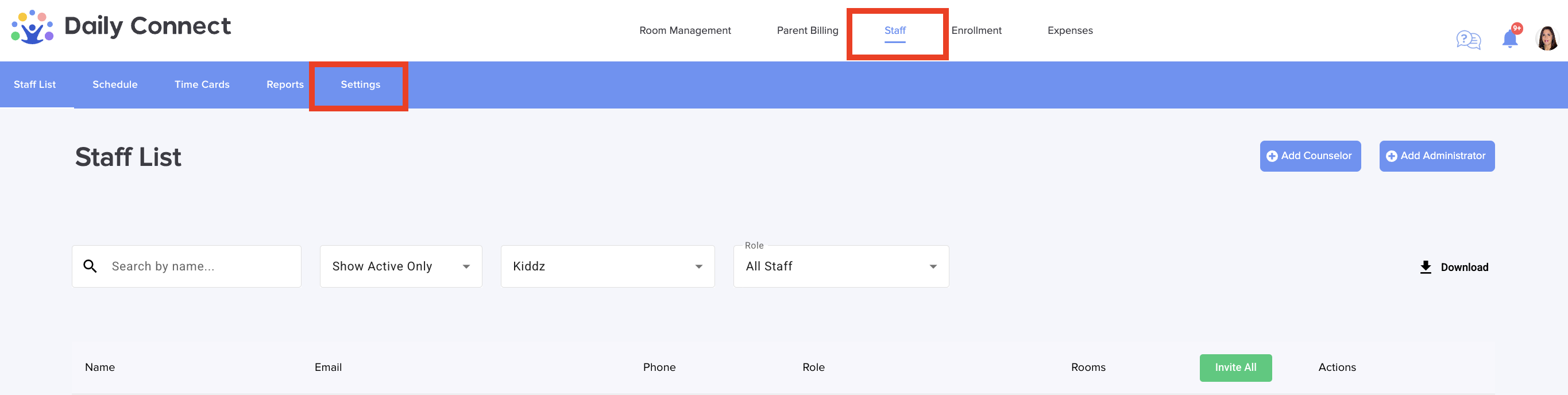
2. Click on Staff > Settings:
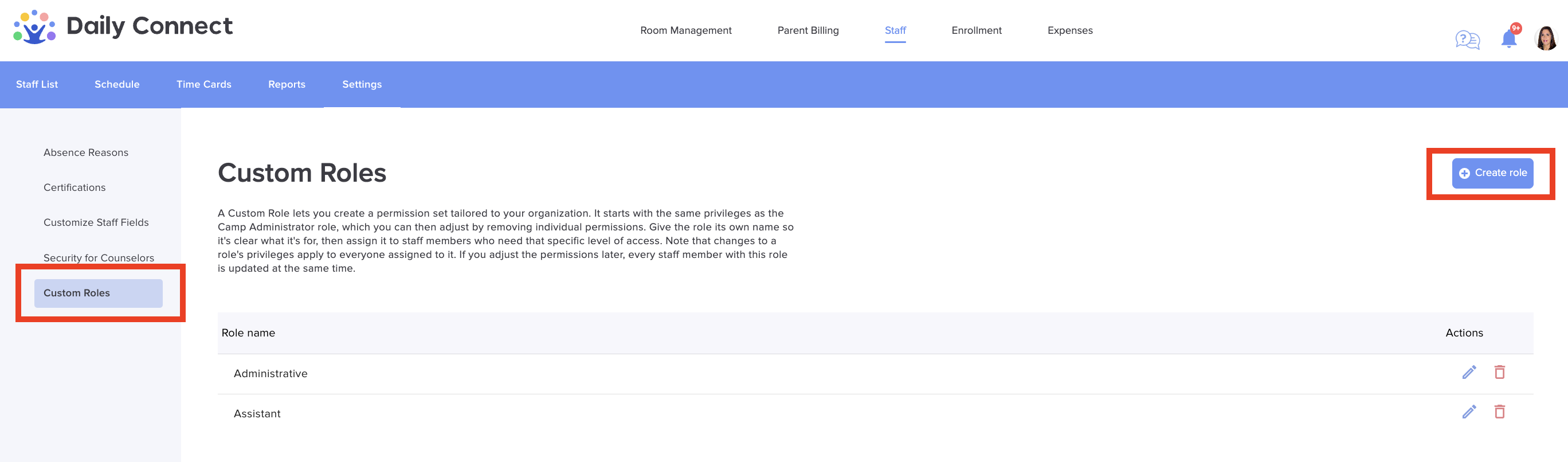
3. Click Custom roles > Create role:
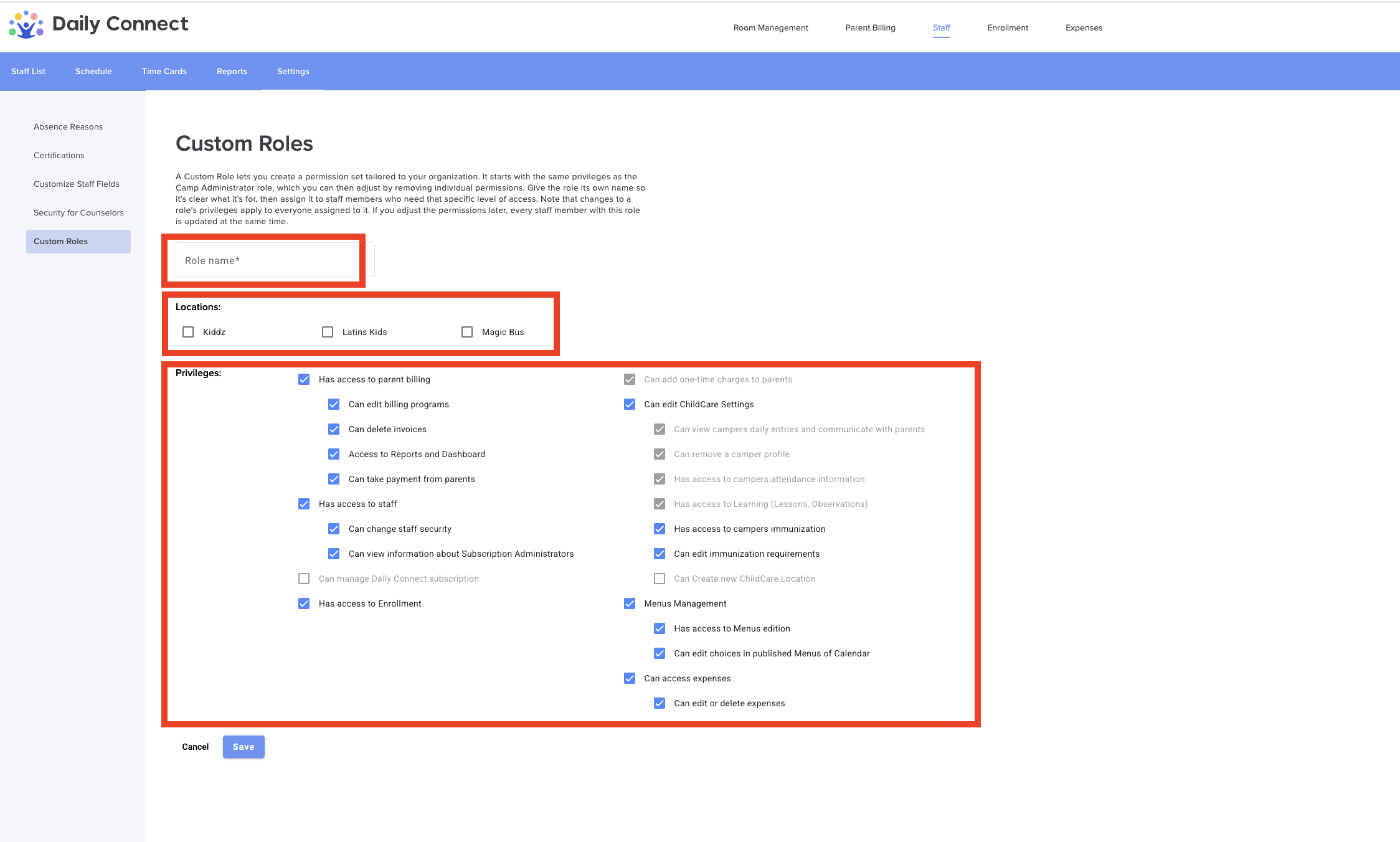
4. Fill in all the information (name, location and privileges) and click Save:
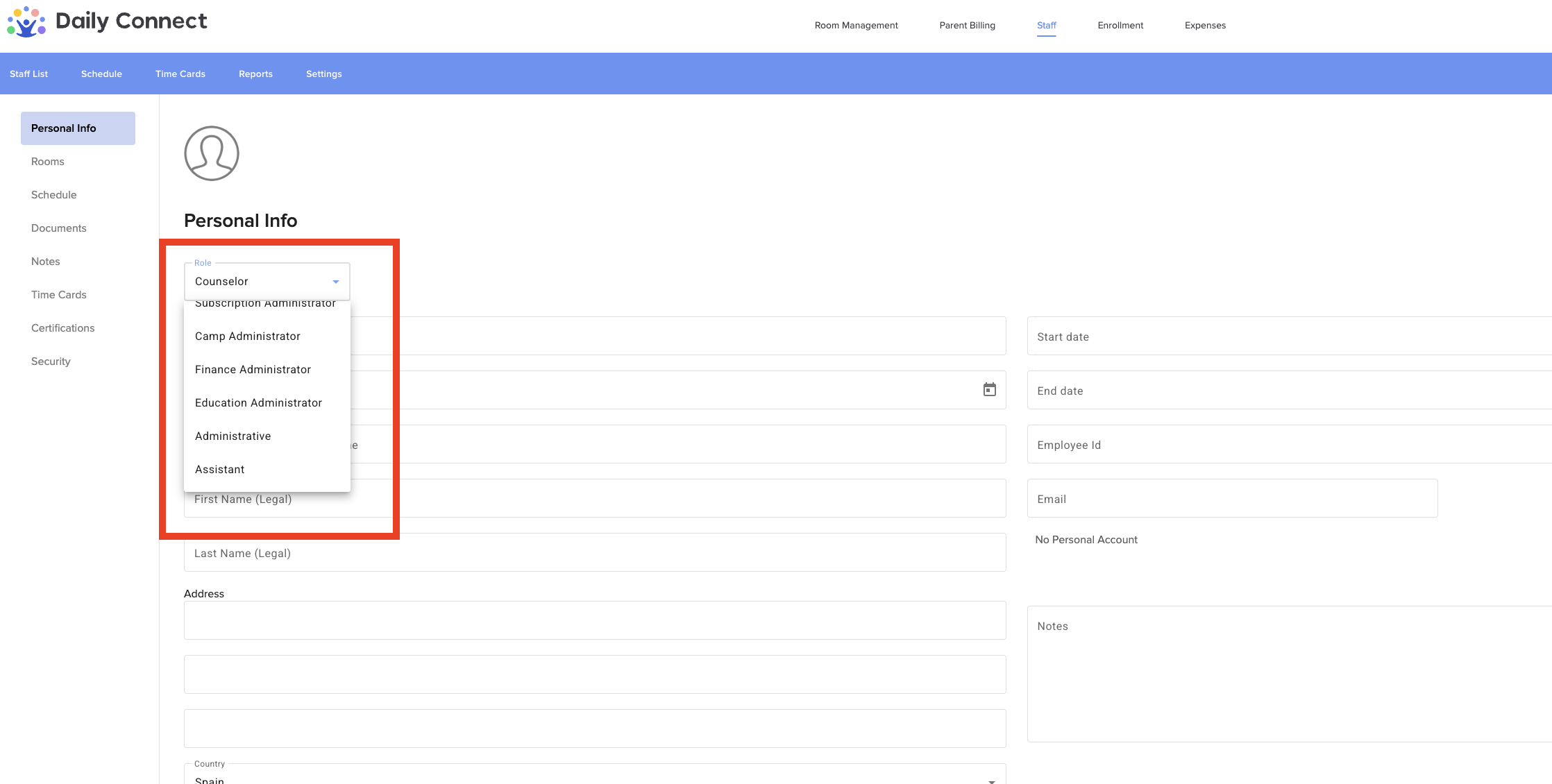
5. Now, when you create a new employee in your account, you can choose the role you just created from the different roles available:
More questions? Contact us at support@dailyconnect.com
Was this article helpful?
That’s Great!
Thank you for your feedback
Sorry! We couldn't be helpful
Thank you for your feedback
Feedback sent
We appreciate your effort and will try to fix the article