Announcements let a childcare post short messages to families and classrooms for a set period, such as a closure, a holiday, a picture day or a reminder.
Learn how to do it:
1. Log in to your admin account.
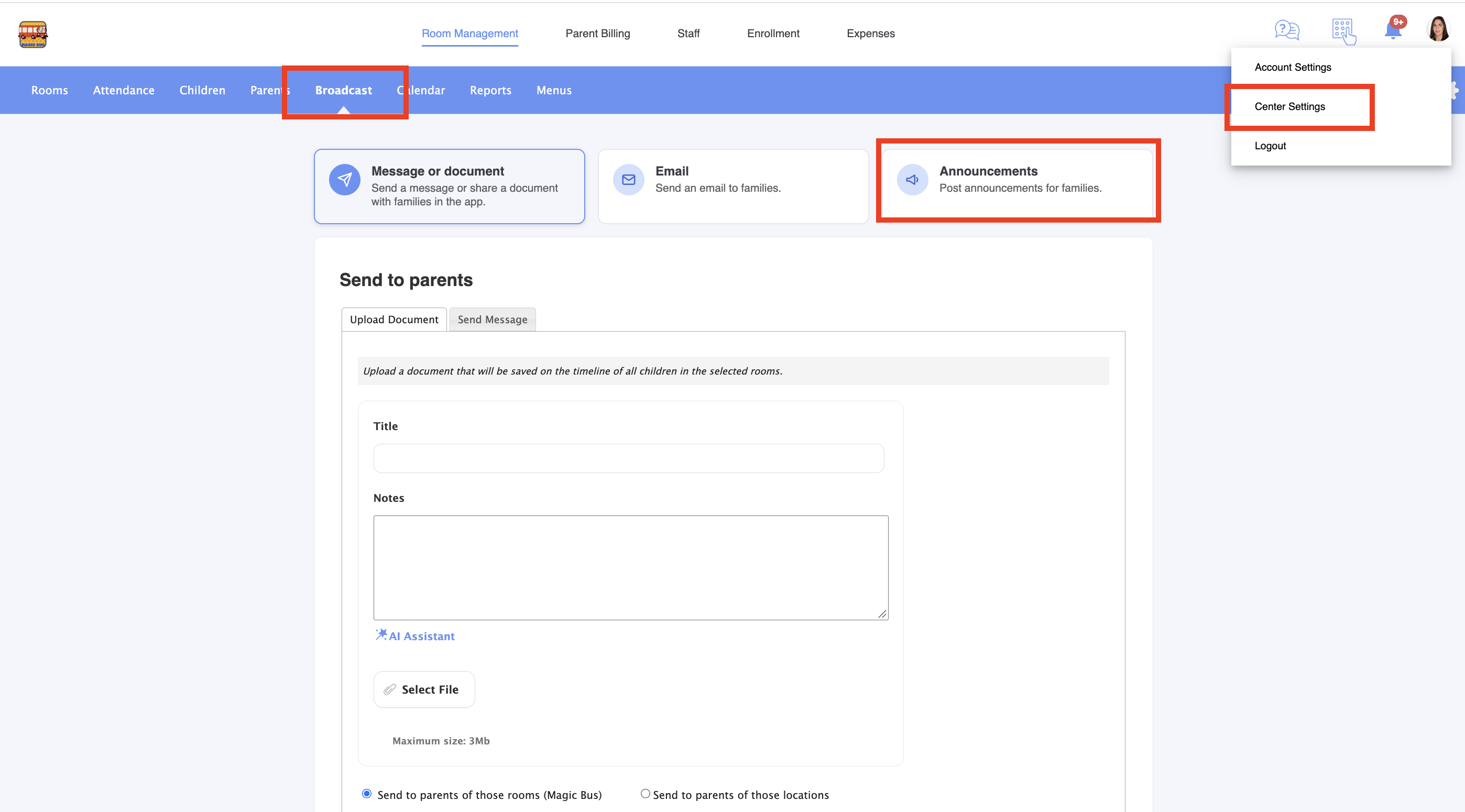
1. Go to childcare settings > Broadcast > Announcements:
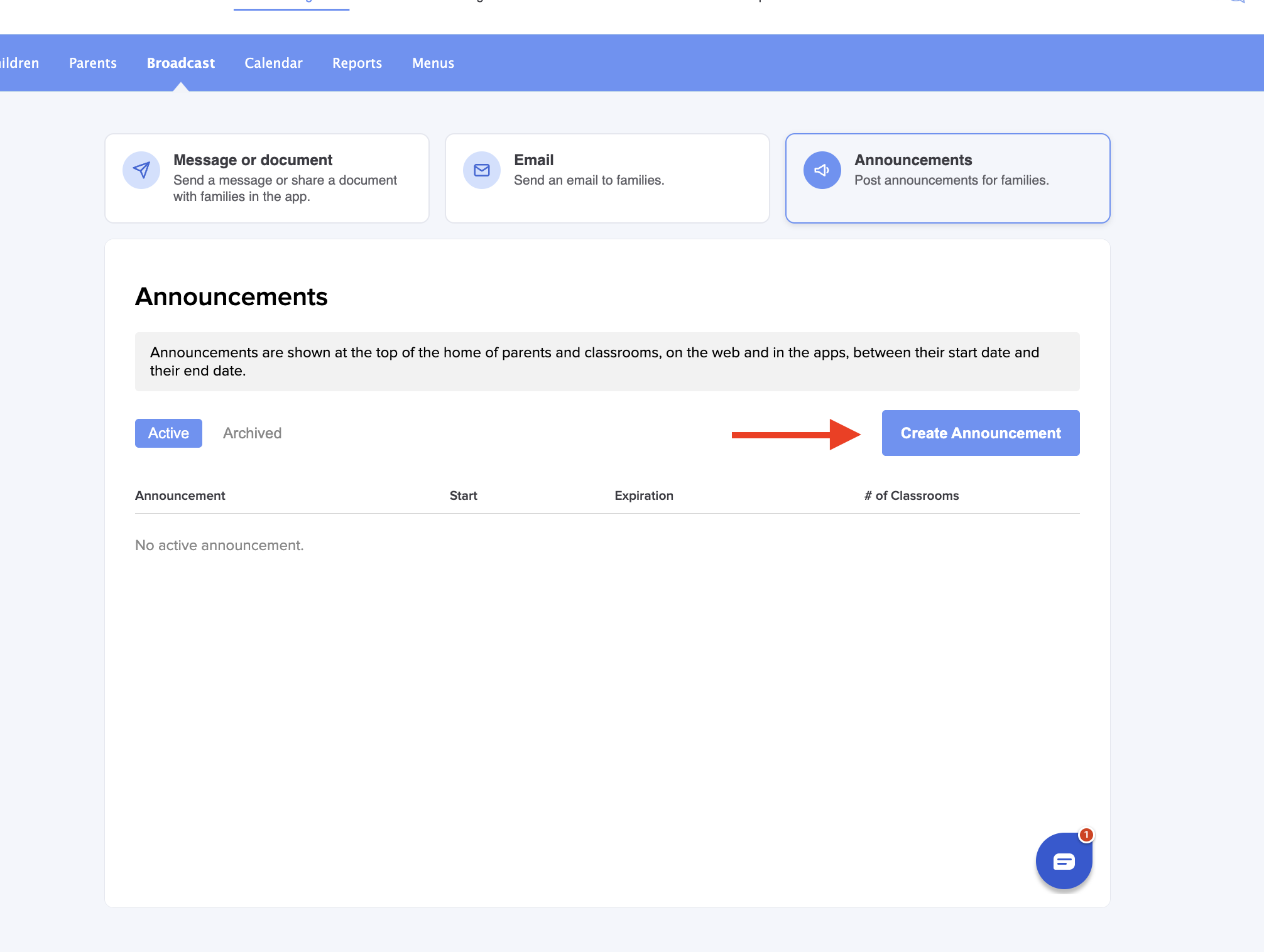
2. Click on Create Announcement:
3. Fill in all the information:
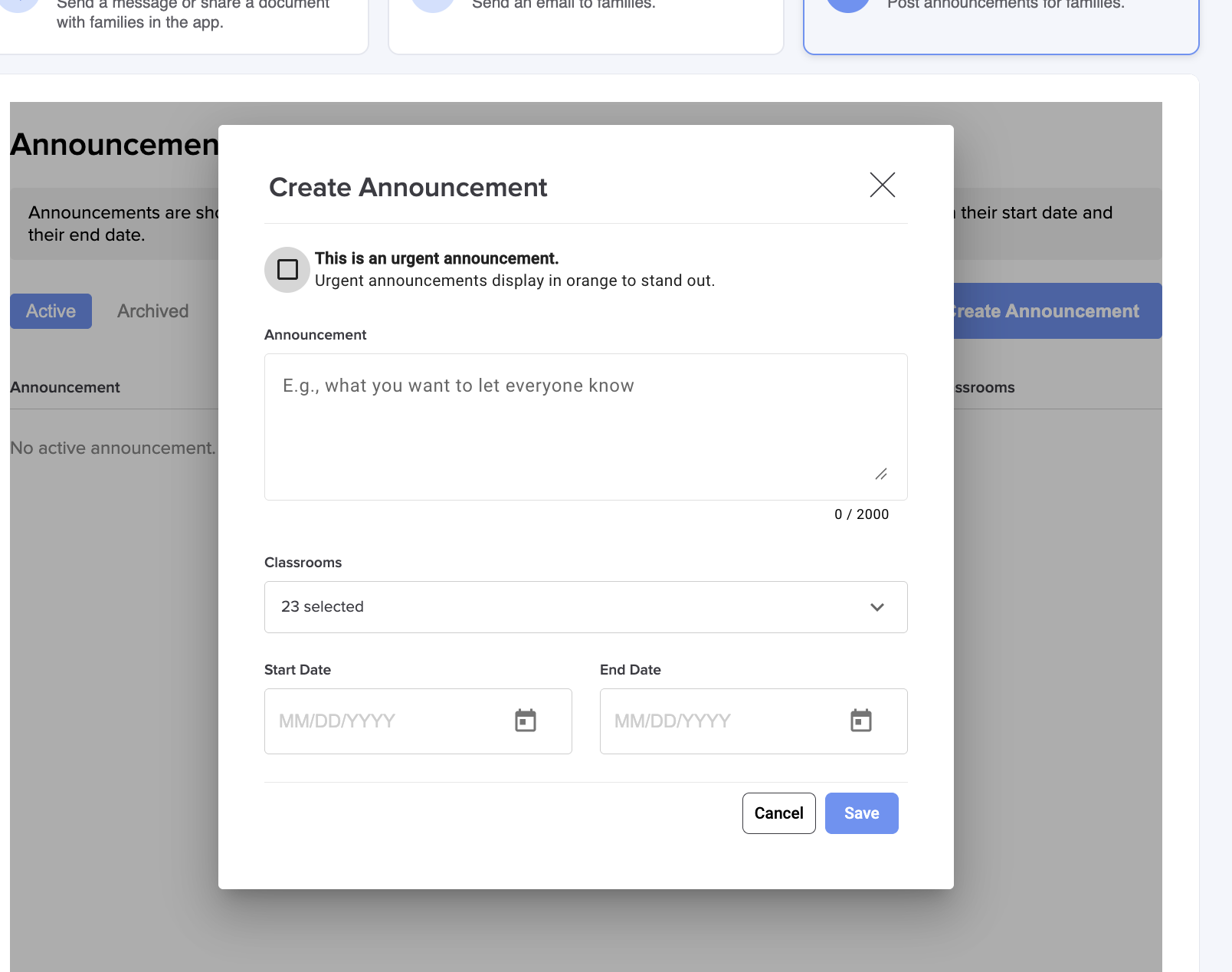
- Message: up to 2,000 characters.
- Start and end date: the announcement shows from the first day through the last day. A one-day announcement is fine
- Classrooms: pick specific classrooms, or leave it on all classrooms. “All classrooms” also covers classrooms added later.
- This is an Urgent announcement: if you enable this option, it highlights the announcement so it stands out.
- Click Save.
What families and classrooms see
When parents log in to their app, they’ll see a banner at the top, like this one. Urgent announcements are orange with a warning icon; others are blue:
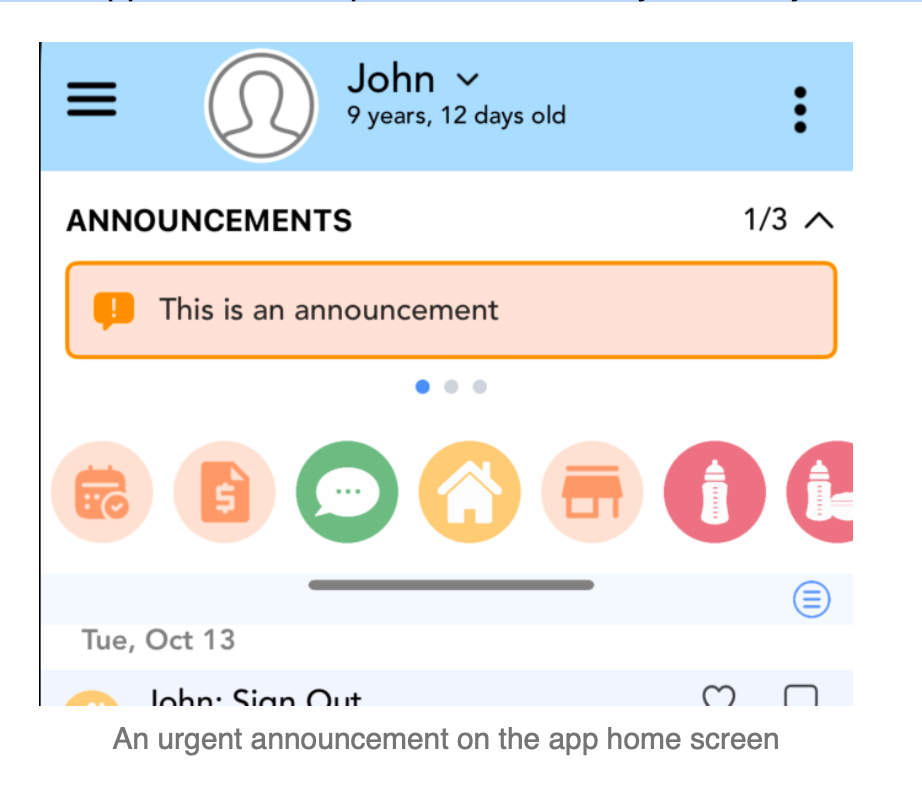
When several announcements are running, families swipe through them (“1/3” shows which one they are on).
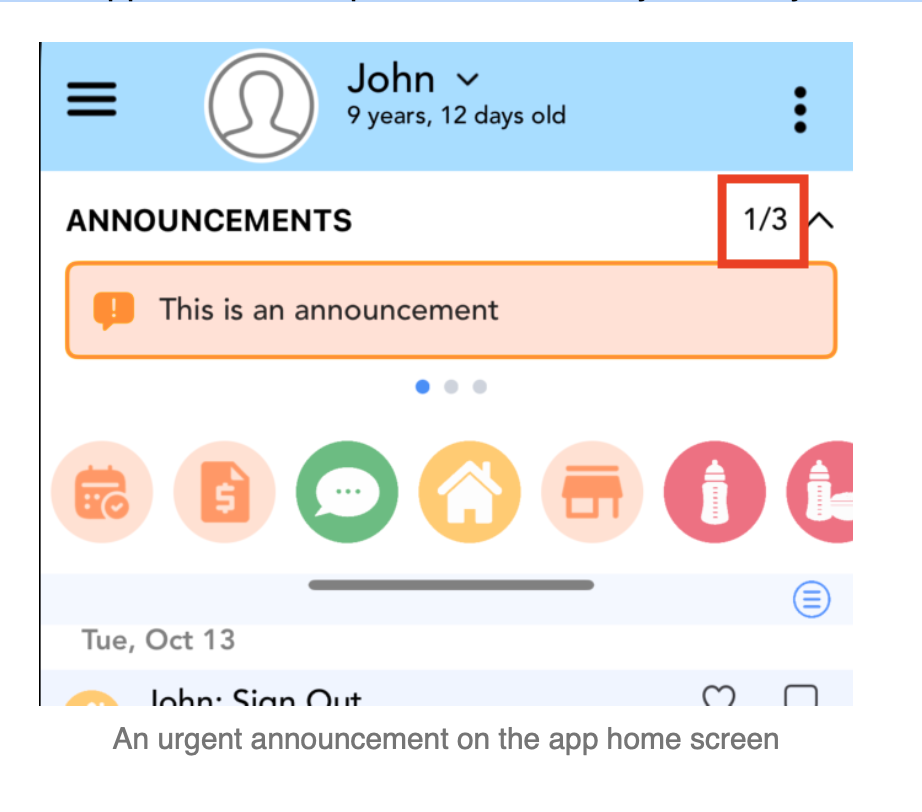
Parents only see announcements for their own child’s classrooms. The announcement also appears at the top of the child’s daily summary email while it’s running.
In the announcements list, you can see past announcements, those currently active, and those scheduled for the future:
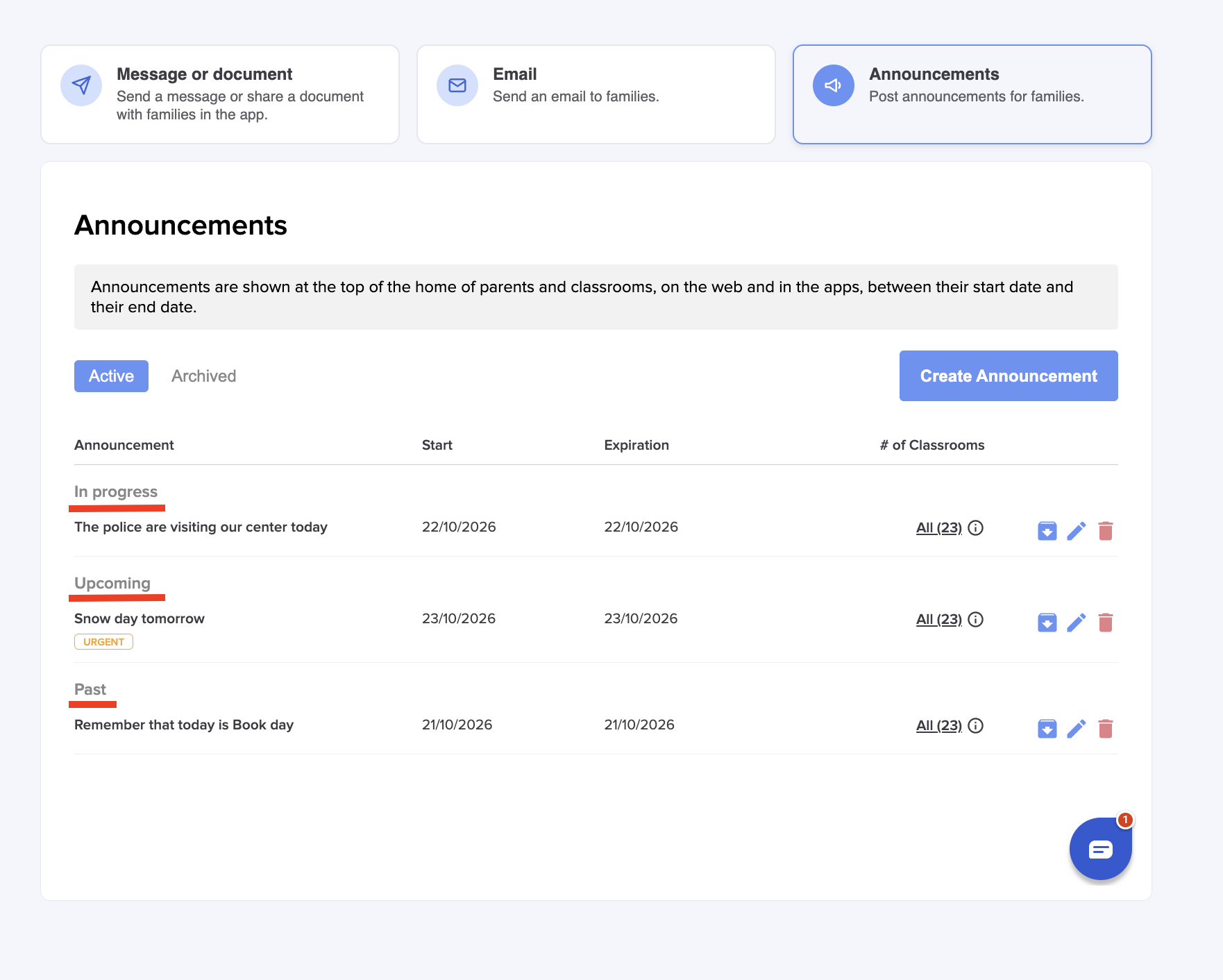
You can edit the announcement at any time. Changing the start date sends the notification again on the new first day. Archive to hide an announcement without losing it; it can be unarchived later. Archived announcements are never sent. Delete to remove an announcement permanently.
More questions? Contact us at support@dailyconnect.com
Was this article helpful?
That’s Great!
Thank you for your feedback
Sorry! We couldn't be helpful
Thank you for your feedback
Feedback sent
We appreciate your effort and will try to fix the article