We’re excited to share the latest enhancements and features designed to make managing your center even smoother, more efficient, and stress-free.
Let’s take a look at what’s new.
Improved Photo Quality
We’ve significantly enhanced the quality of uploaded photos!
Images are now preserved at up to 1600 pixels — compared to the previous 600-pixel limit — resulting in sharper, clearer, and more vibrant photos.
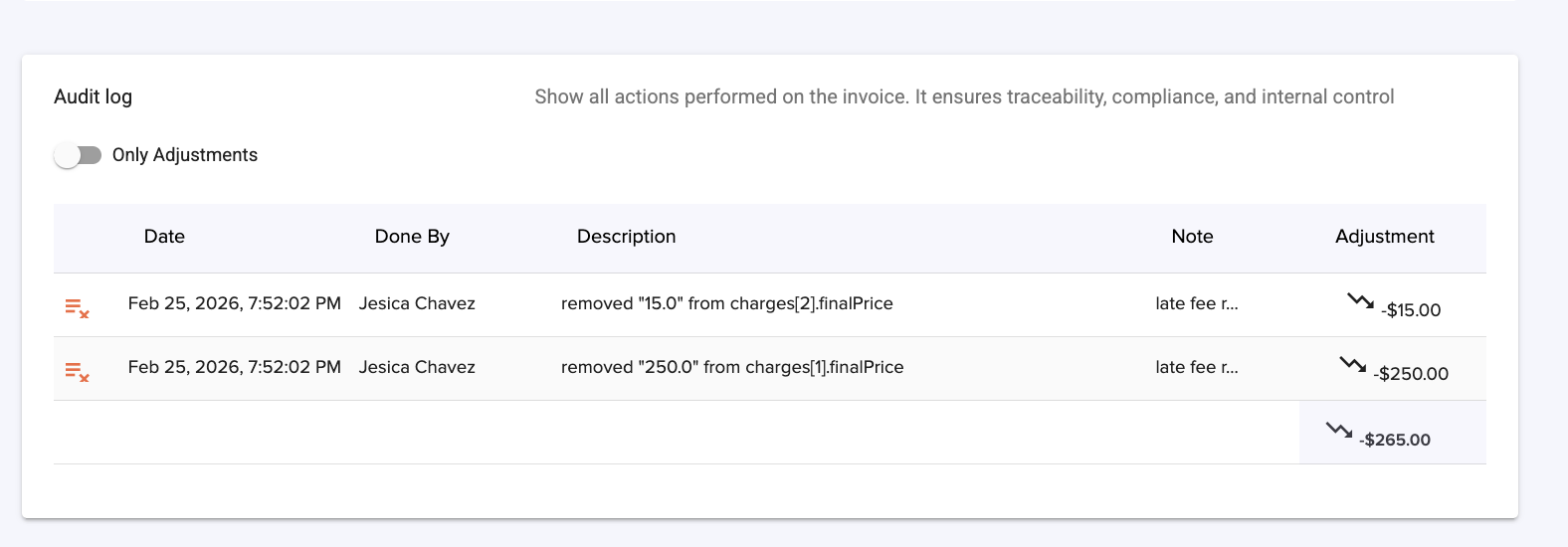
New Invoice Audit Log & Report
We’ve added a powerful new Audit Log feature to improve billing transparency and accountability.
You’ll now find an Audit Log at the bottom of each invoice, showing a detailed history of any changes made — including updates, edits, and adjustments.
Additionally, a new Audit Log Report is available on the Reports page, giving you a broader view of invoice changes across your center.
When making changes to an invoice, users can also add an optional note to document the reason for the update.
Pay All Due Invoices at Once
Parents can now pay all outstanding invoices directly from their payment page — not just the most recent one.
This makes it easier for families to catch up on balances in one simple transaction and helps centers receive payments faster.
The feature will be enabled progressively over the coming weeks. If you’d like to activate it sooner, please email us at support@dailyconnect.com, and our team will be happy to enable it for you.
One-Time Fees for Store Products
We’re excited to introduce a new feature that gives you even more flexibility in managing payments!
You can now charge a one-time fee for store products — perfect for things like Summer Camp registration fees, special programs, activity fees, or one-time supplies.
You have the option to set the fee:
Per child, or
Per family account
This makes it easier than ever to collect registration and program fees quickly and accurately — without manual adjustments. (Learn more about)
Attendance
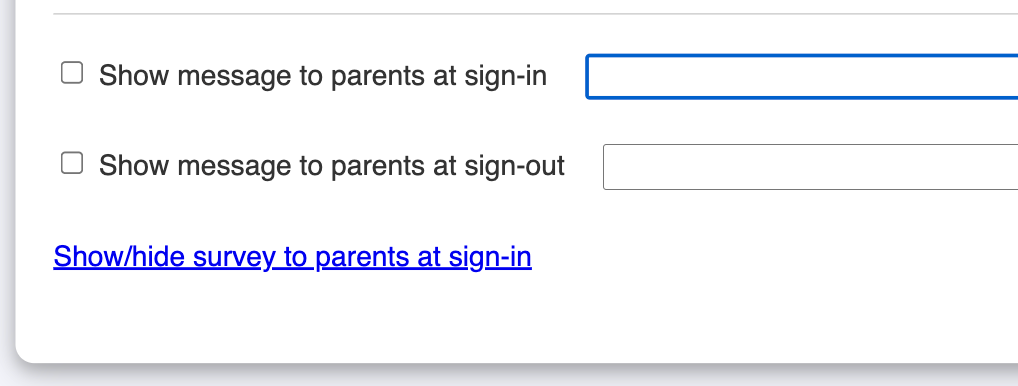
New Sign-In Kiosk Setting: You now have a new option under Childcare Settings < Sign-In Kiosk: “Do not show survey question when staff signs in children.” This allows you to streamline the sign-in process by removing survey prompts when your staff signs children in.
New Sign-Out Kiosk Option: We’ve added a new feature under Sign-In Kiosk:“ Show messages to parents at sign-out.” You can now display important reminders, announcements, or updates to parents during the sign-out process — ensuring key information is seen at the right moment.
Staff Management Tools
Staff Schedule Update: You can now copy a previous week’s schedule when creating staff schedules. Instead of rebuilding shifts from scratch, simply duplicate an existing week and make adjustments as needed.
Send Staff Schedules by Email: Keeping your team informed just got easier! We’ve added a new “Send Schedule by Email” button that allows you to instantly send the schedule to all staff members.
Enhanced Parent Communication
Document Upload Size Limit Update: We have increased the document upload limit to 6M.
New Privacy Setting for Parent Contact Information: We’ve added a new option to help you enhance family privacy. You can now enable “Prevent parents/caregivers from viewing other parents’ email addresses and phone numbers” directly from the bottom of the Child Profile > Parents / Caregivers page.
Parent Billing
Parent Prepayments — No Invoice Required: Parents can now make prepayments directly to their account — even without an issued invoice.
New Billing Report: Discount Report – By Invoice: We’ve added a new report under Parent Billing > Discount Report – By Invoice.
Update Charges After Payment: You can now update charges even after an invoice has been paid or partially paid. This added flexibility allows you to make necessary billing adjustments without having to void or recreate invoices — saving time and keeping your records accurate.
Set Start & End Dates for Billing Programs: You can now define a start and end date for a billing program directly from the Child Profile > Tuition & Payers page. (Learn more about)
Customize your Enrollment Form: You can set different customization options for the PDF and web versions of the form, giving you full control over how each format appears. Additionally, you can choose to repeat the header on every page or display it only on the first page. (Learn how to)
Send Forms to Existing Parents: You can now send forms directly to existing parents — not just new applicants. This makes it easy to request updated information, collect new permissions, or share seasonal forms with families already enrolled in your center.
Email Customization: You can now send automated emails at key moments in your enrollment process. When they submit an application and have been officially admitted. The email after they submit can include the completed form as a PDF attachment, giving families a copy for their records. (Learn more).
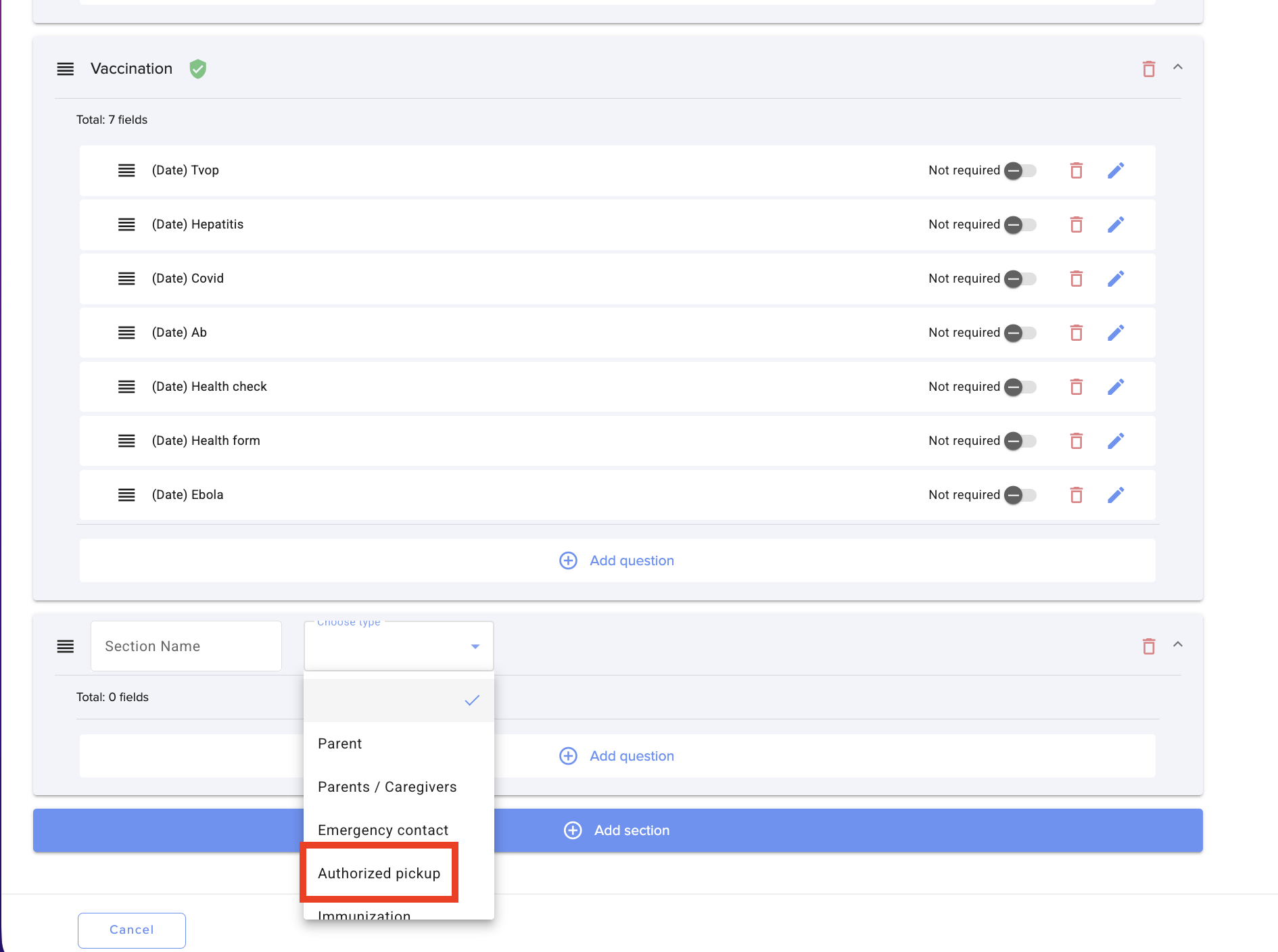
Authorized pick-up section: You can now add a system-generated Authorized Pick-Up section directly to your enrollment forms. This section allows you to collect detailed information about authorized pick-up contacts — and automatically map that data into Daily Connect.
“Schedule” System Question for Enrollment Forms: You can now add a Schedule system question directly to your enrollment forms. When parents complete the form, they’ll select from the options available in your Childcare Schedule Template — ensuring consistency from the start. Once you’re ready to admit the child, the selected schedule is automatically applied, saving you time and reducing manual setup. Need to make adjustments? No problem — you can still update the schedule before finalizing admission.
New “Photo Release” System Question: You can now add a Photo Release system question directly to your enrollment forms. This allows you to collect parental consent for photos and automatically map that information into Daily Connect. No more tracking paper forms or manual updates.
New “Child ID Number” System Question: We’ve added a new “Child ID Number” field that can now be included in your enrollment forms. When parents complete the form, the ID number can be automatically mapped to the corresponding field in the child’s profile, eliminating manual data entry and reducing errors.
Other enhancements
Children Roster Update: You can now view a child’s start date directly on the roster when their status is set to “Not Started.” This makes it easier to track upcoming enrollments, prepare classrooms in advance, and stay organized without having to open each individual profile.
Duplicate Lesson Plans in One Click: Planning just got easier! You’ll now see a new “Duplicate Lesson Plan” link at the bottom right of the Lesson Plan page.
New Security Setting for Teacher Access: You now have more control over staff visibility of parent contact information. Under Childcare Settings > Security, you’ll find a new option: “Teachers can view parents’ phone numbers and email addresses.”
Rooms Management Update: We’ve improved navigation under Rooms Management > Reports to make it easier to manage centers with multiple rooms or summer camp programs. New enhancements include: A Room Filter dropdown with a search field for faster access. Inactive rooms are now organized into sub-menus, keeping your active rooms clean and easy to find.
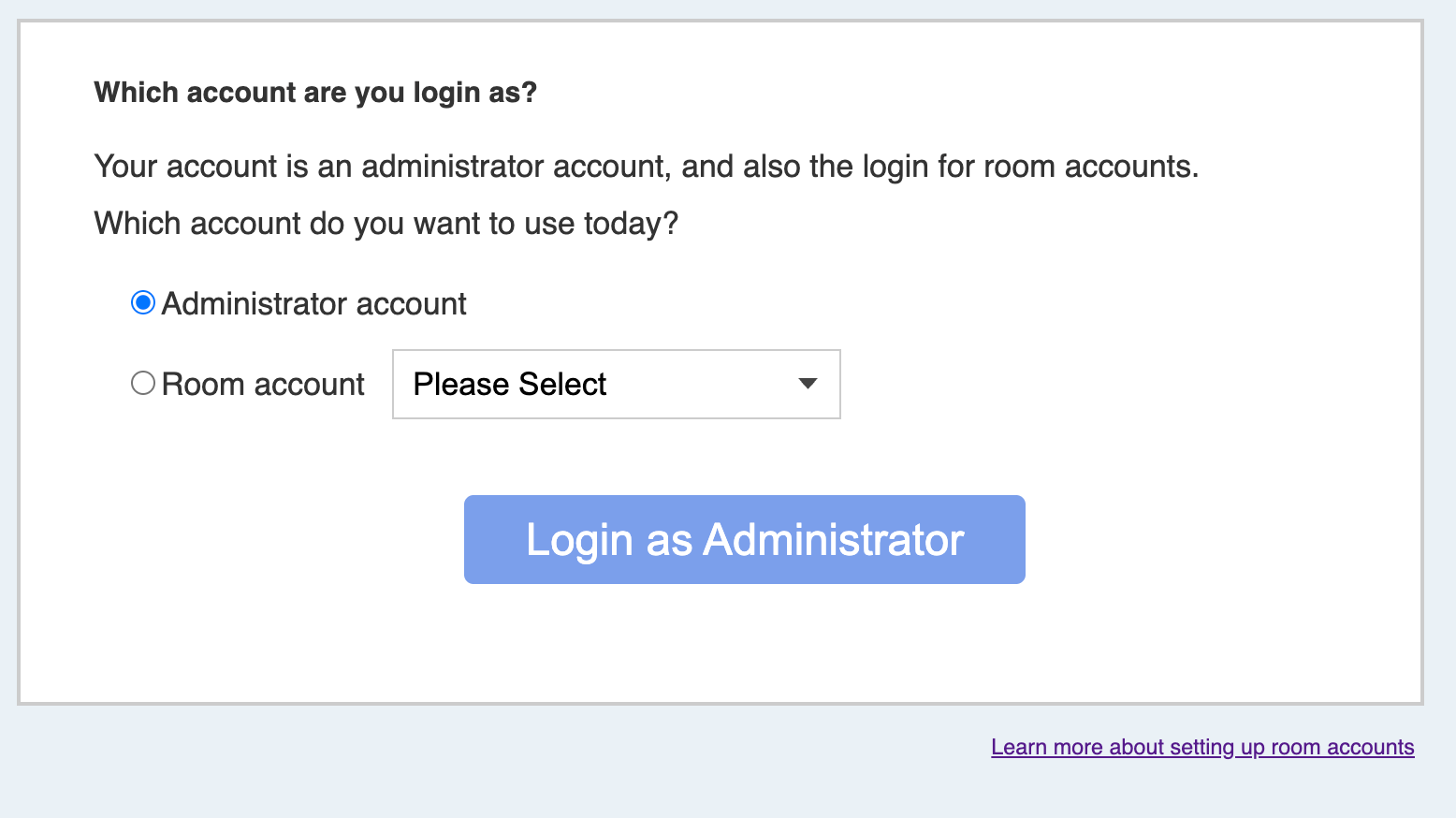
Improved Admin Login Experience: We’ve introduced an updated login experience for users who have both Administrator and Common Room-login access. This enhancement makes it easier to switch between roles and manage your account without confusion or extra steps.
Thank you for being part of the Daily Connect community.
Stay connected with us on Instagram @dailyconnectapp
Need assistance? Our support team is always here to help — simply reach out at support@dailyconnect.com.
Was this article helpful?
That’s Great!
Thank you for your feedback
Sorry! We couldn't be helpful
Thank you for your feedback
Feedback sent
We appreciate your effort and will try to fix the article