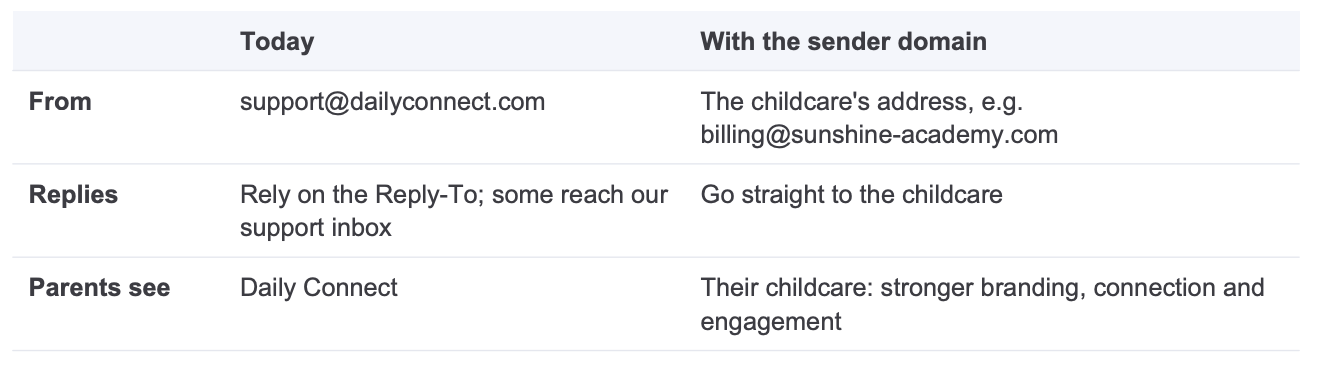
A subscription can send its childcare emails from its own domain, for examplebilling@sunshine-academy.com, instead of support@dailyconnect.com. Parents see the childcare as the sender and their replies go straight to the childcare.
Why: how emails are sent today
Without this setup, every email of a childcare is sent from support@dailyconnect.com, with the childcare's email as Reply-To.
When a parent clicks Reply, the answer should go to the childcare. Some email apps ignore the Reply-To, and some parents write to the From address directly. These messages land in our support inbox instead of the childcare's, and we have to forward them. Parents see "Daily Connect" as the sender, not their childcare.
Who can use it
• Only the Subscription Administrator.
• Only on subscriptions where we turned the feature on: it is in beta and rolled out gradually. The customer sees an orange BETA tag next to the feature.
Where you can activate it: Settings > Branding, block "Emails sent from", then Set up.
How the customer sets it up
1. Enter the domain. Refused: free mailbox domains (Gmail, Outlook...), our own domains, and a domain already used by another subscription.
2. Publish 2 DNS records at their domain provider: a TXT record (DKIM) and a CNAME (Return-Path,pm-bounces). Usually their IT person does it; the screen can copy the instructions to forward.
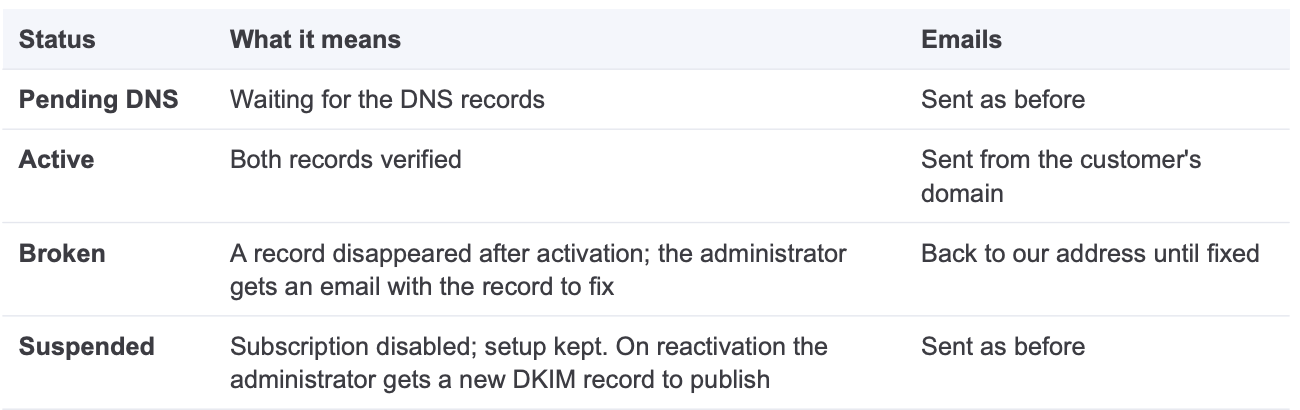
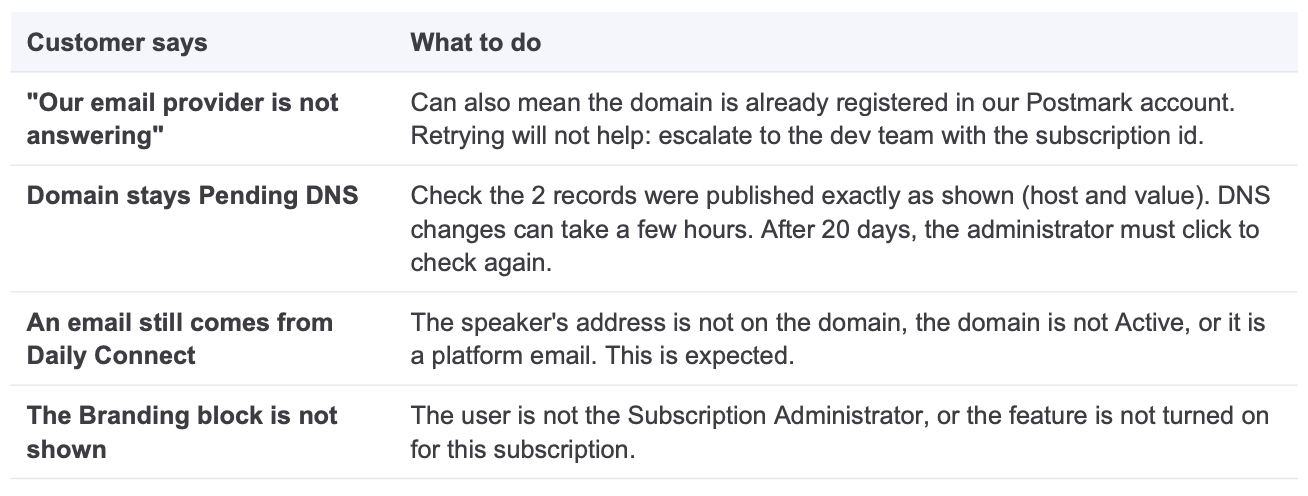
3. Verification. We check automatically for 20 days; the administrator can also check now. When both records are found the domain becomes Active and the administrator gets an email.
Which emails use it
Emails sent on behalf of the childcare: invoices, receipts and payment notices, forms, reminders, daily reports, Messages. Each email leaves from the address of who speaks:
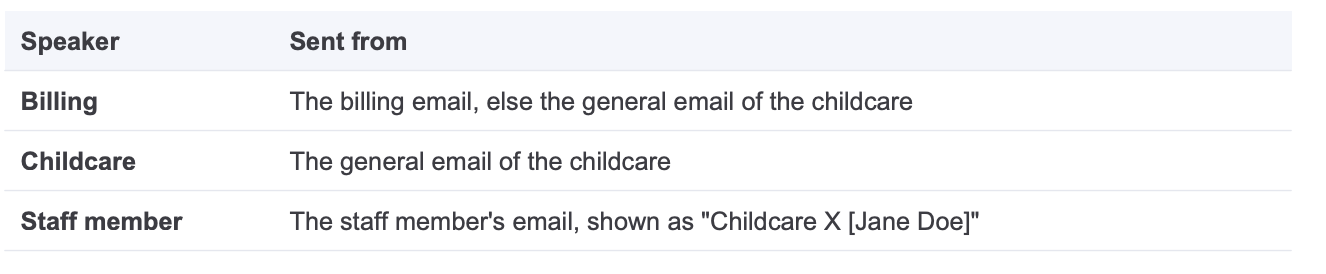
The address must be on the domain. Otherwise (e.g. a staff member on Gmail) that email is sent from our address, as before.
Platform emails (login, password reset, our notices) always come from Daily Connect.
Status
Good to know
• While the domain is Active or Broken, the childcare general and billing emails must be on that domain.
• Removing the domain puts every email back on our address.
Troubleshooting
More questions? Contact us at support@dailyconnect.com
Was this article helpful?
That’s Great!
Thank you for your feedback
Sorry! We couldn't be helpful
Thank you for your feedback
Feedback sent
We appreciate your effort and will try to fix the article