? Customize the Terms You Use in Your Center
Daily Connect is now used by more than just childcare centers — from preschools and after-school programs to summer camps and enrichment classes. We know every program is unique, and the word “children” doesn’t always fit.
You can now choose how participants are labeled throughout the app. Whether you prefer students, campers, or another term that better describes your program, Daily Connect will now reflect your organization’s language. Learn More
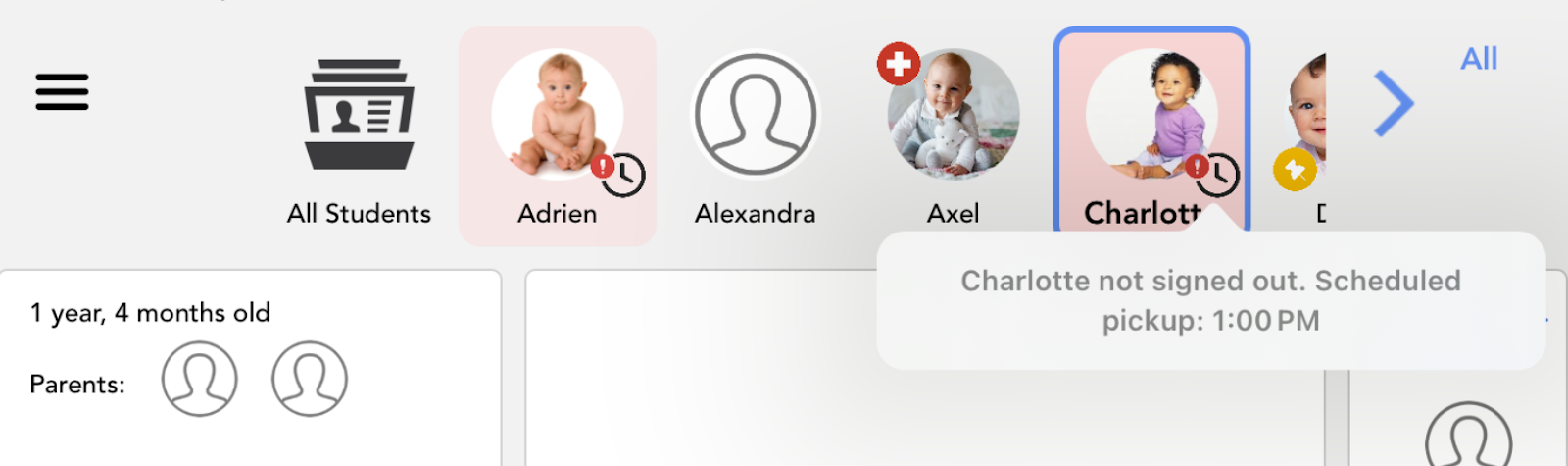
⏰ New Feature: Get Notified When a Pickup Time Has Passed
Never lose track of late pickups again. With this new feature, Daily Connect automatically shows an alert next to a child’s name when their scheduled end time has passed, helping you stay aware and maintain smooth transitions at the end of the day. This simple update helps staff stay aware, improve safety, and ensure smooth end-of-day operations.
To enable this feature, go to your Childcare Security settings and turn on “Notify when a student is not picked up on time.” Learn More
? Smarter Ways to Reach Parents
We’ve added new tools to make family communication simpler and more precise.
Targeted Messages: Bulk emails and texts from administrators now go only to Parents, not Extended Family Members, Nannies, or Authorized Pickups — so important updates reach the right people.
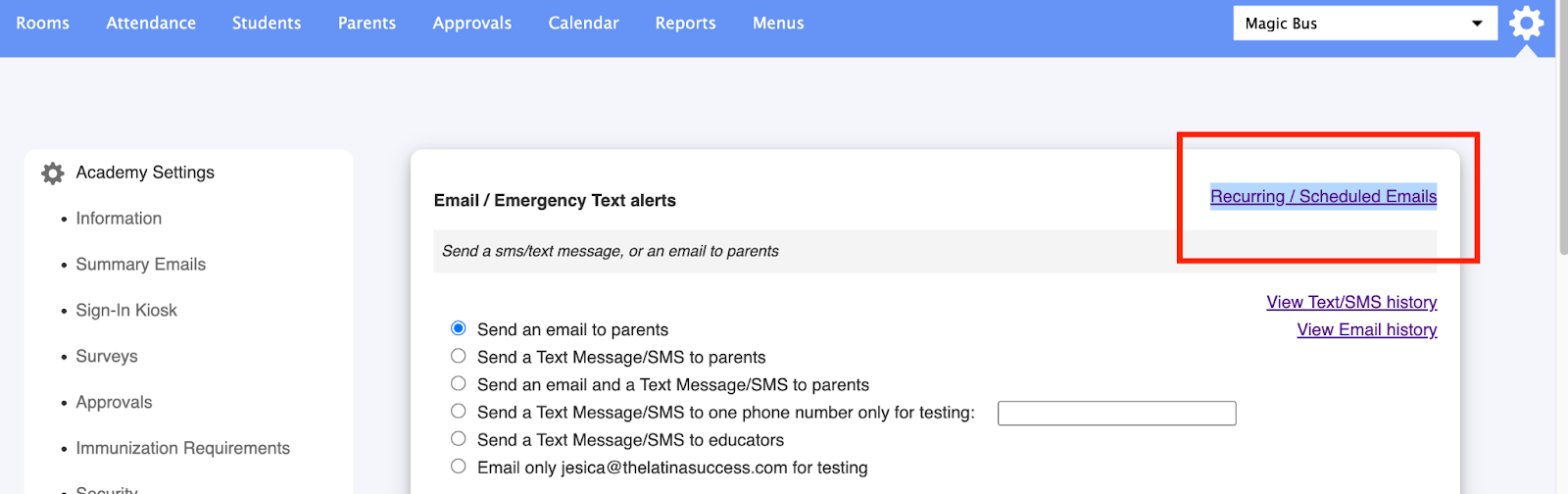
Recurring & Scheduled Emails: Plan ahead by scheduling recurring messages or setting delivery times. Find it under Settings → Send Email/Text → Recurring / Scheduled Emails.
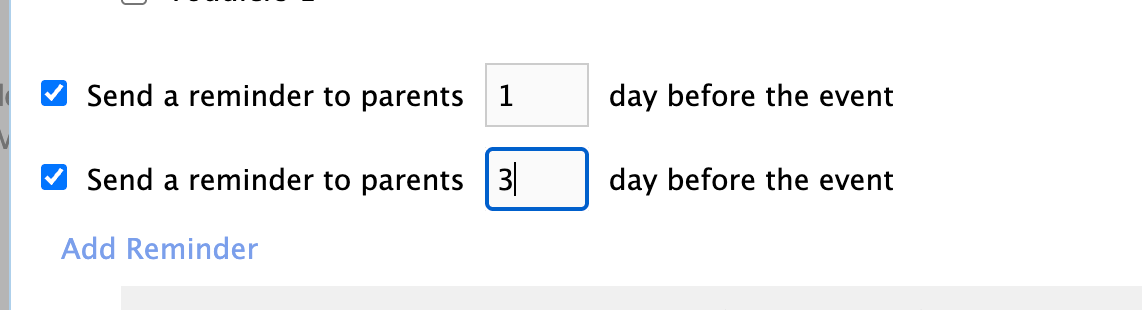
Multiple Calendar Reminders: Add more than one reminder for any event to help everyone stay on track.
? Streamlined Staff Management Tools
We’ve made it easier than ever for staff to manage their day and stay connected:
View Schedules in the App: Teachers can now see their own schedules—or the full staff schedule—directly from the Daily Connect app. Learn how to enable this view
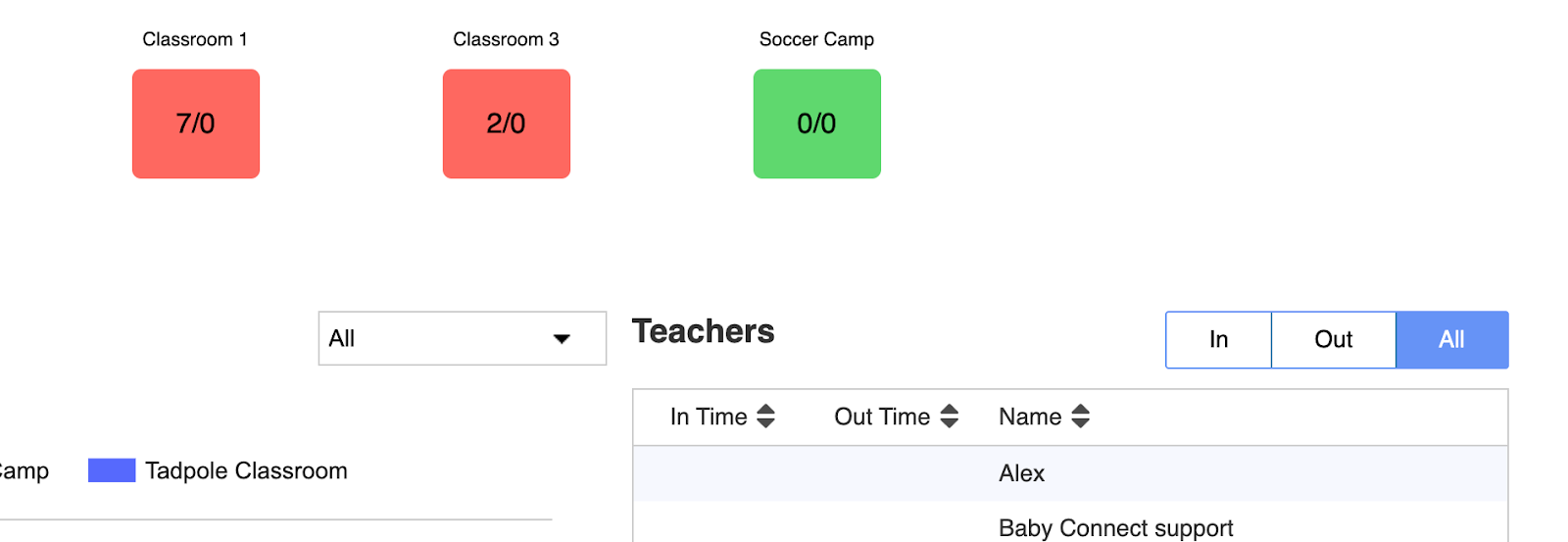
Real-Time Attendance: A new “All” option on the Real-Time Attendance page lets you monitor staff attendance across your entire team in one place.
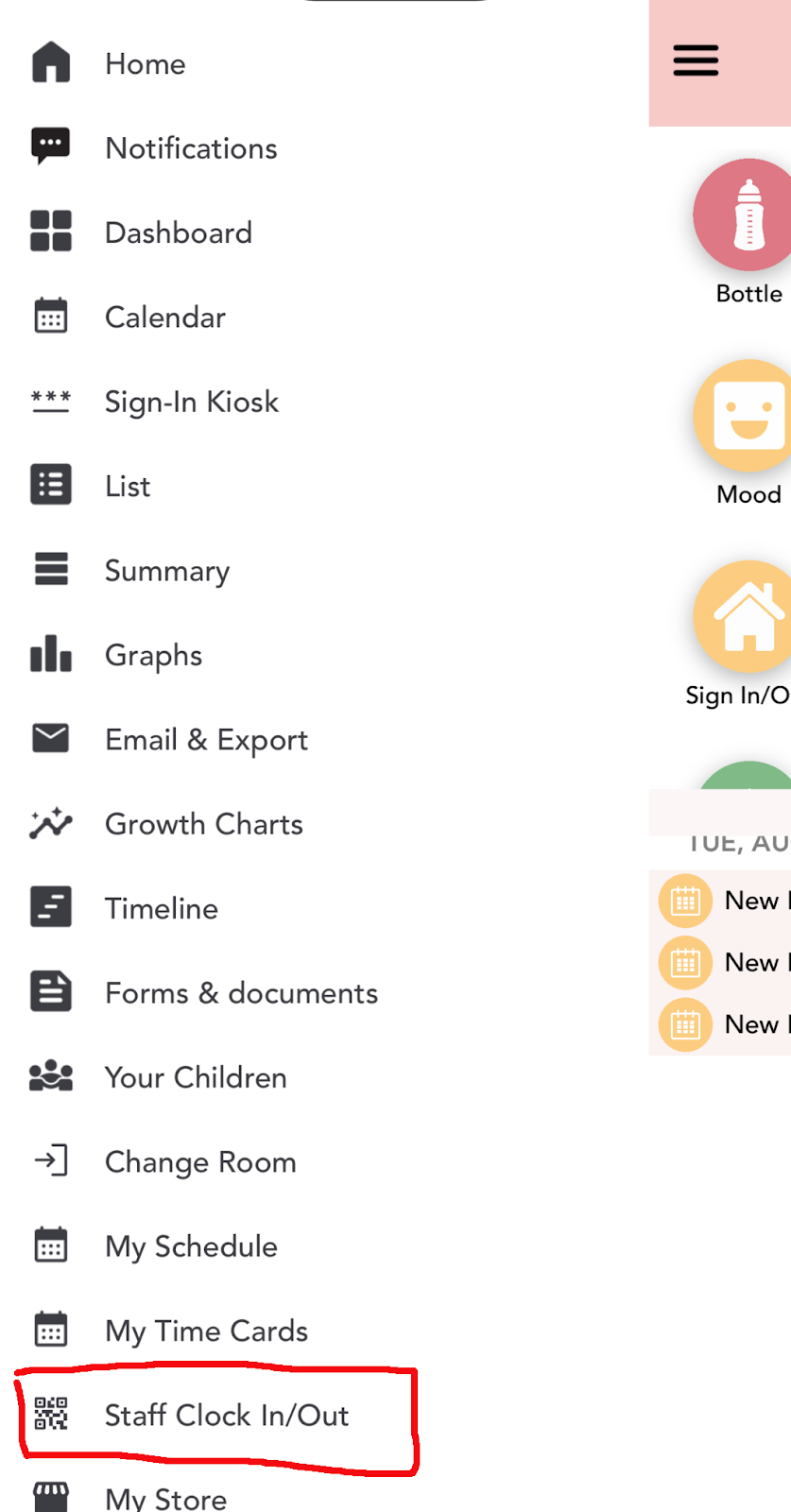
Staff Clock In/Out via QR Code: Staff can now clock in and out with a simple scan, making time tracking faster and easier. (Available when Staff Sign-In and QR Code features are enabled in Settings.)
? Smarter Parent Billing
We’ve improved Attendance Billing to make your records more accurate. Charges will no longer be generated when a child is signed in but not signed out for the day.
To ensure every child is signed out automatically, you can enable Automatic Sign-Out in your Childcare Settings → Sign-In Kiosk.
??? Enhanced Enrollment and Store Features
We’ve added several updates to make enrollment and store management simpler for both families and administrators:
Continue an Abandoned Application: Parents can now resume an unfinished application directly from the Store (for logged-in users). This makes enrollment easier and helps reduce incomplete submissions.
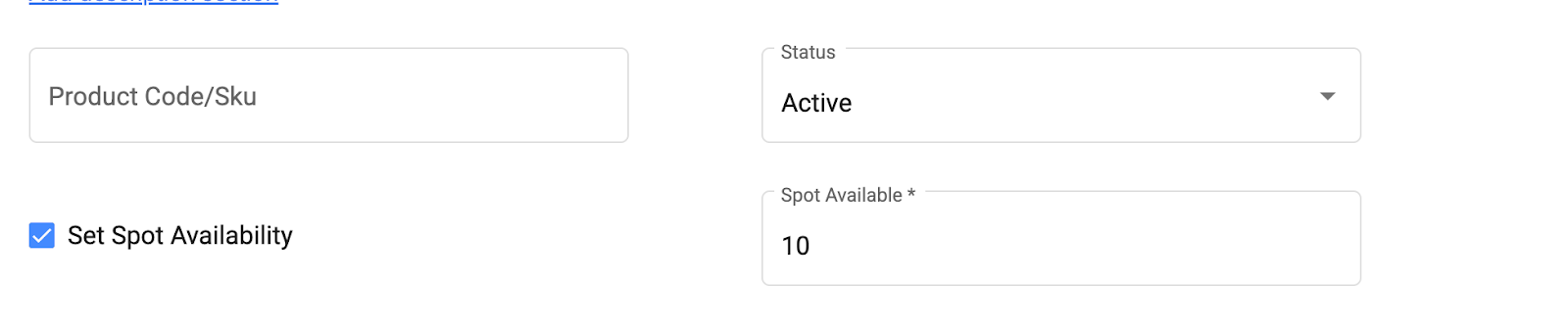
New Option: Hide Available Spots from the Store. You can now choose to hide available spots from your Store view for a cleaner presentation.
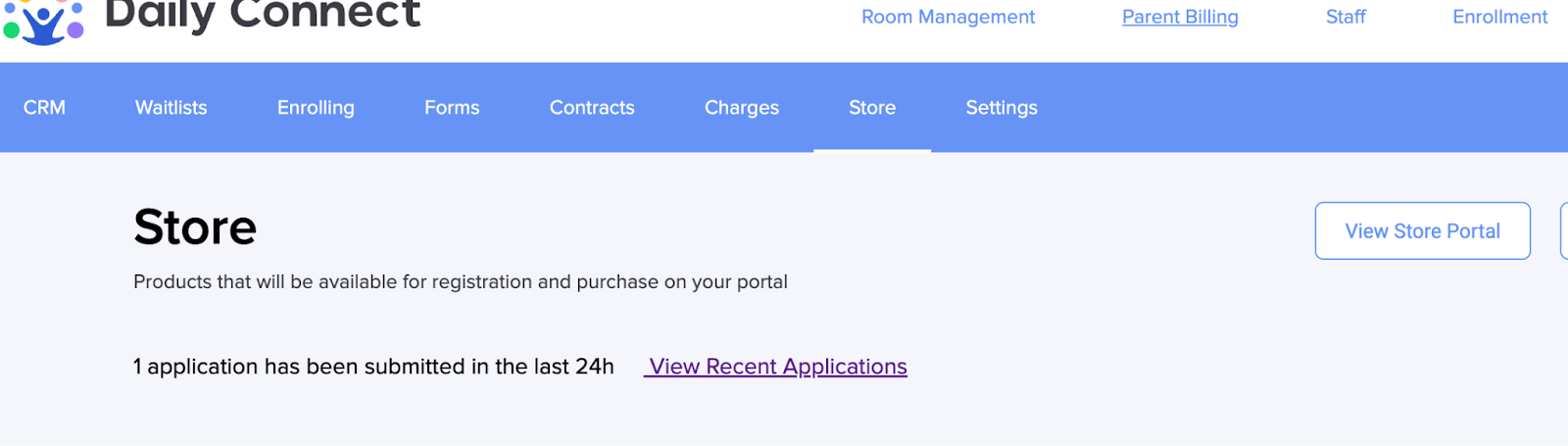
New View Recent Applications' link on the Store: A new link in the Store lets you quickly access recent applications and see how many were submitted in the past 24 hours.
? Other Enhancements
A few more improvements to help you save time and work more efficiently:
Incident Reports: You can now choose Daily, Weekly, or Custom date ranges — not just monthly.
Observations and Assessments: Set whether an assessment is required when adding an observation, and remove the option to select from Lesson Plans. Learn More.
Observation Reports: Custom time periods now extend up to 90 days (previously limited to 31)
?? We’re Looking for Beta Testers!
We’re excited to announce that we’re developing a new CACFP Menu Report feature for centers participating in the Child and Adult Care Food Program (CACFP) — and we’d love your help!
If you’re interested in testing this new feature and sharing your feedback to help us improve it, please send us an email at support@dailyconnect.com. Your input will help shape a tool designed to make CACFP menu tracking and reporting easier than ever!
? Join Our Daily Connect Facebook Community!
We’re excited to invite you to join our Daily Connect Facebook Group, a space where childcare centers can share experiences, tips, and best practices on how to get the most out of Daily Connect.
Connect with other educators, learn new ways to use the app, and be part of a supportive community that’s growing every day!
? Join us here: www.facebook.com/groups/dailyconnect
Was this article helpful?
That’s Great!
Thank you for your feedback
Sorry! We couldn't be helpful
Thank you for your feedback
Feedback sent
We appreciate your effort and will try to fix the article