Some accounts need to manage one or more centers. Follow these steps to learn how to do it.
1. Log in to your admin account on the Daily Connect website.
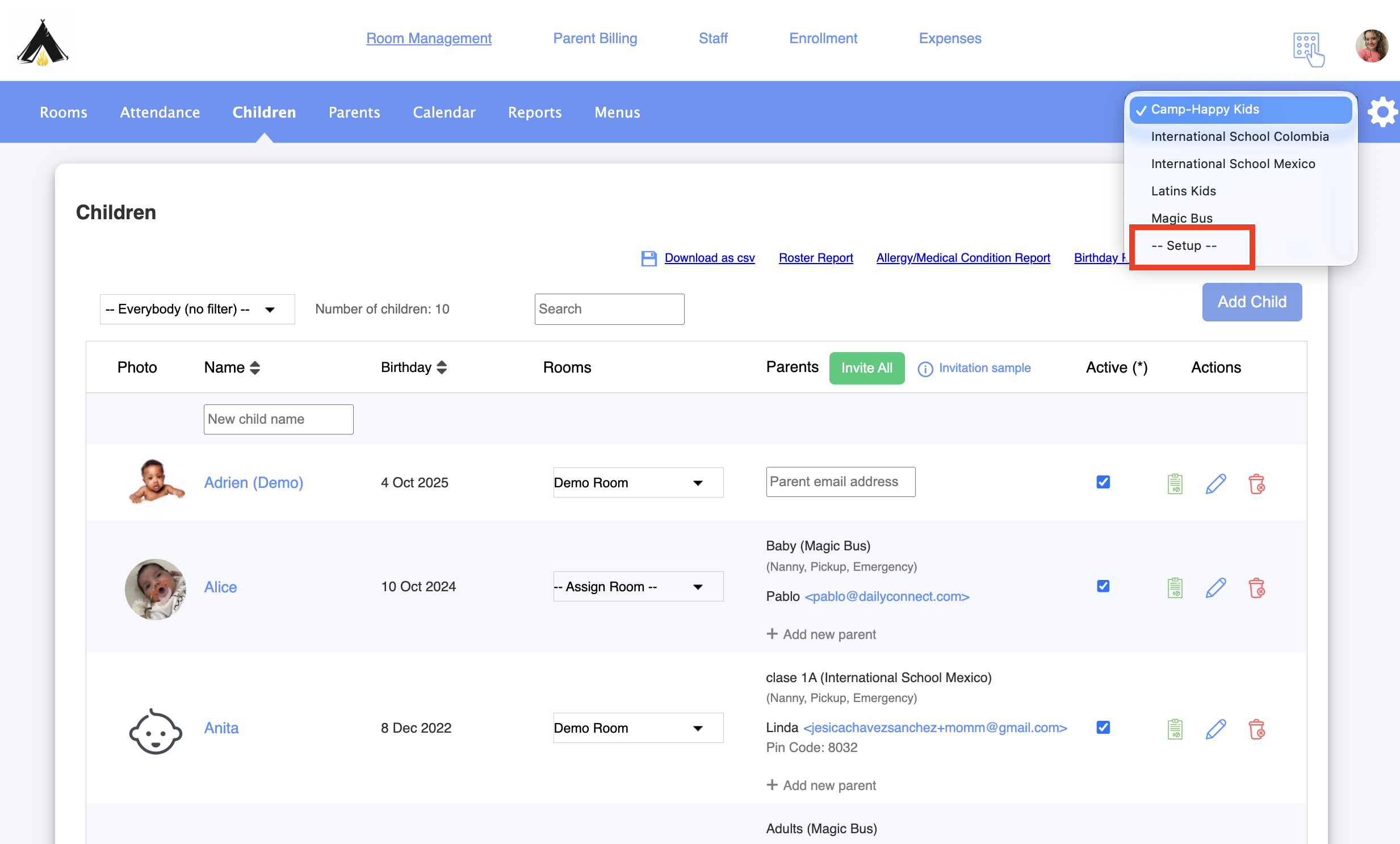
2. Go to Set up:
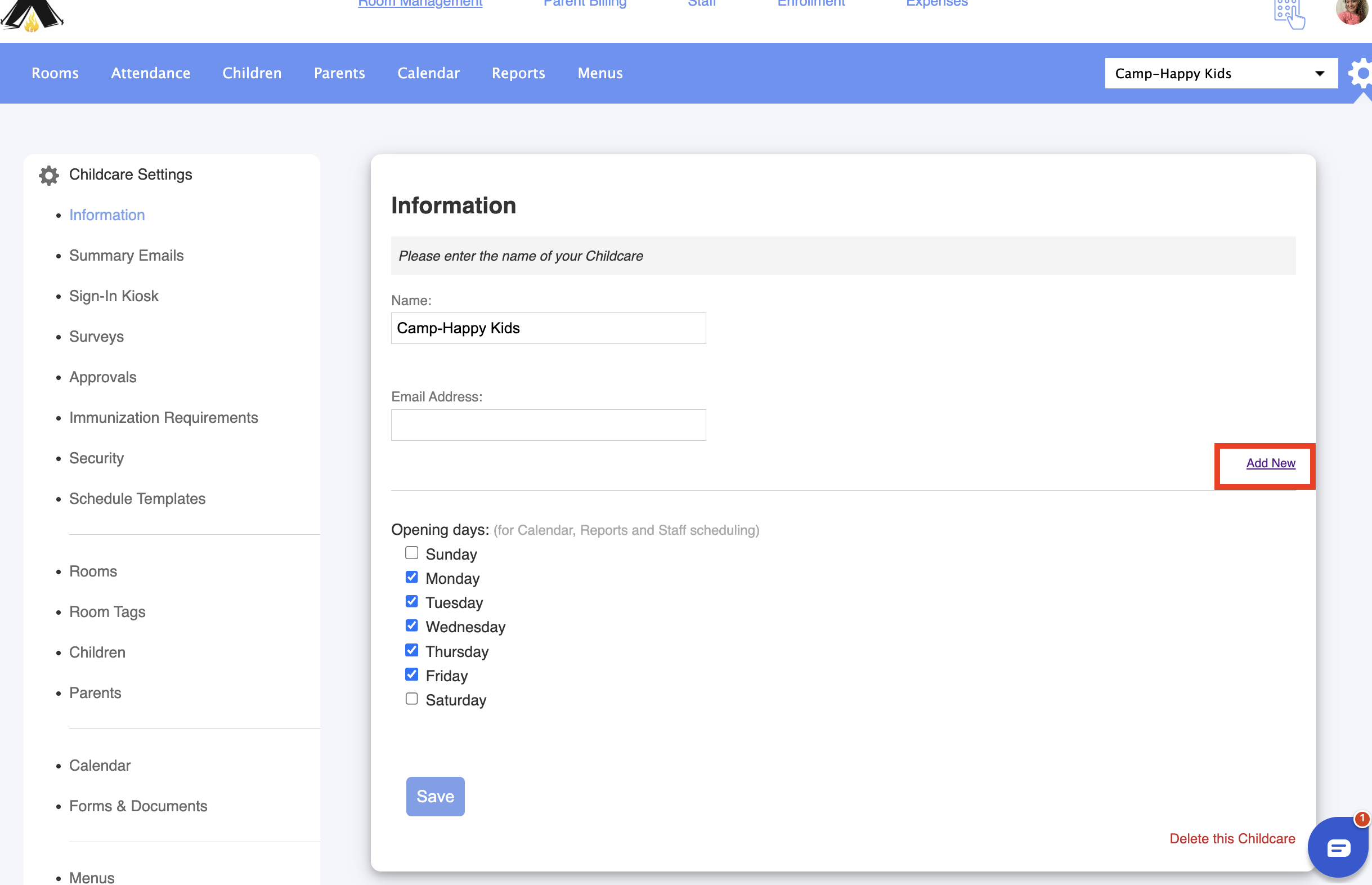
3. Select Add new:
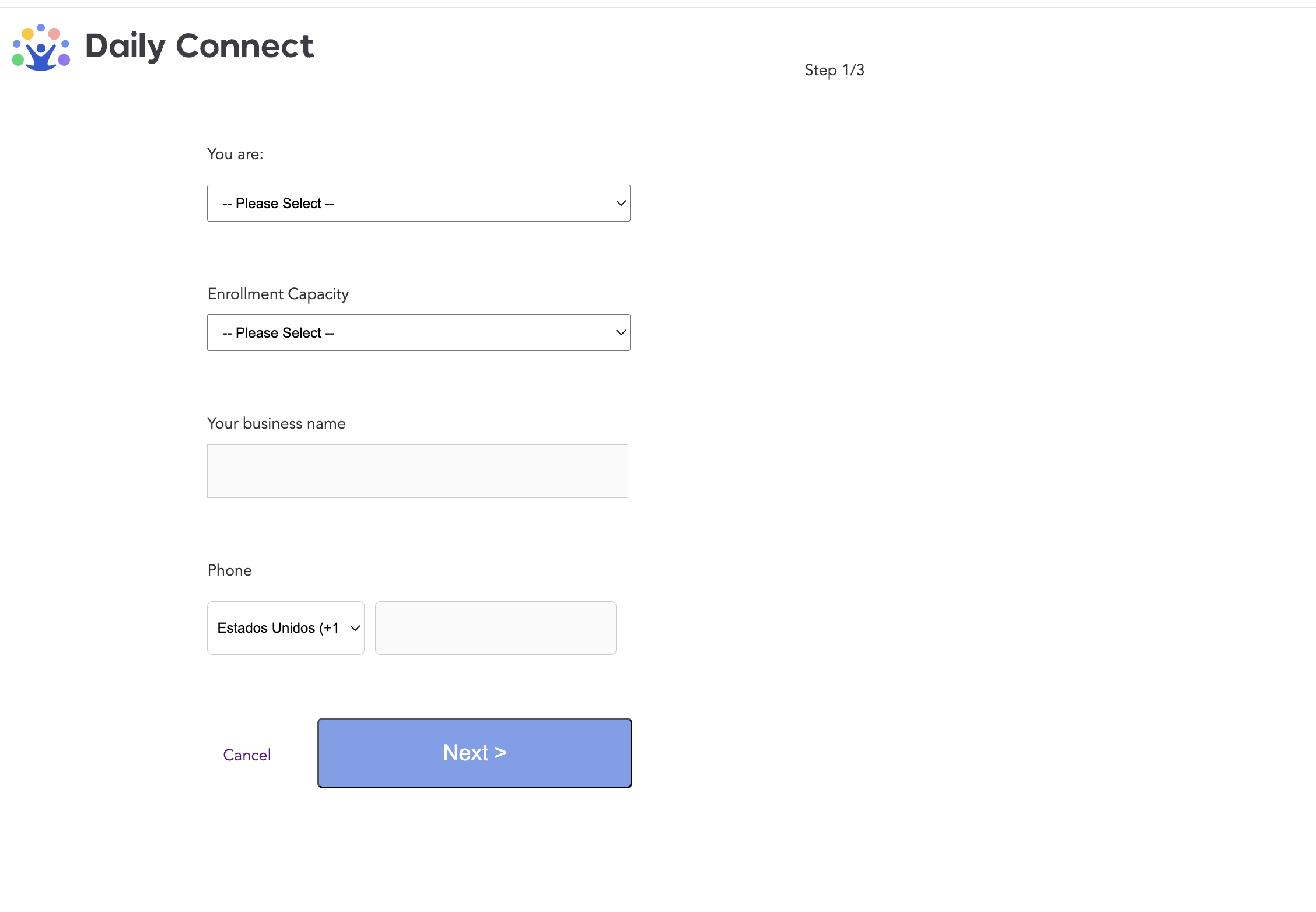
4. Fill all the information:
Was this article helpful?
That’s Great!
Thank you for your feedback
Sorry! We couldn't be helpful
Thank you for your feedback
Feedback sent
We appreciate your effort and will try to fix the article