... ...
Skip to main content

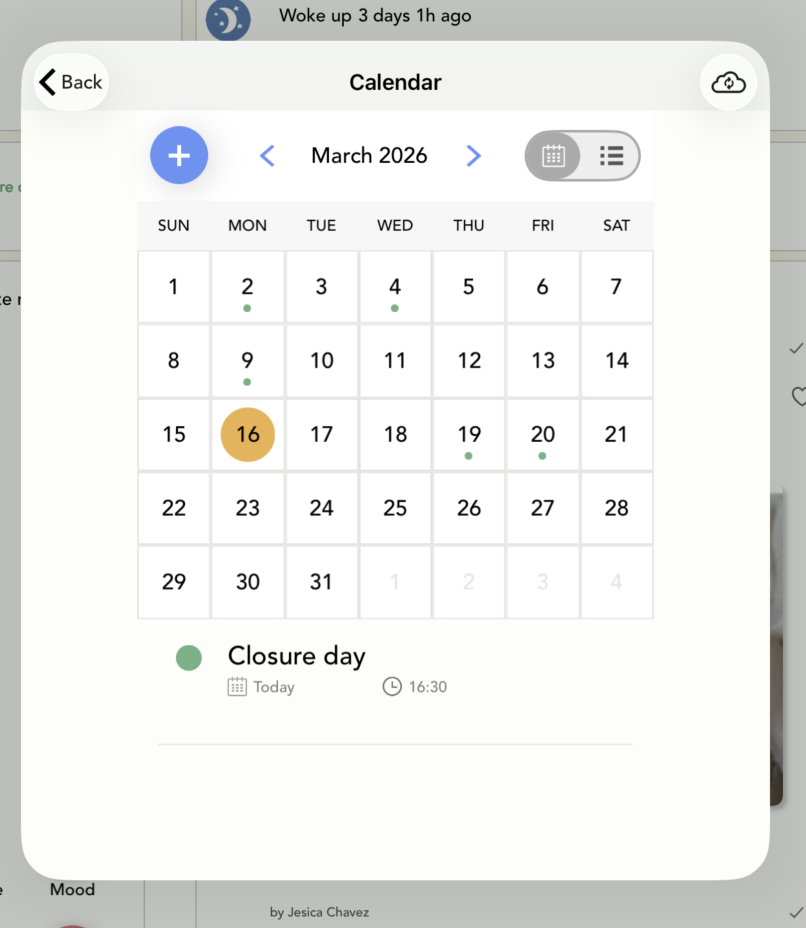
How to add an event to the calendar (Ipad)

Modified on Mon, 16 Mar at 8:58 AM

In the calendar, you can add upcoming events for your room to inform parents about them. Learn how to do it in this article.


1. Log in to your Daily Connect teacher account.


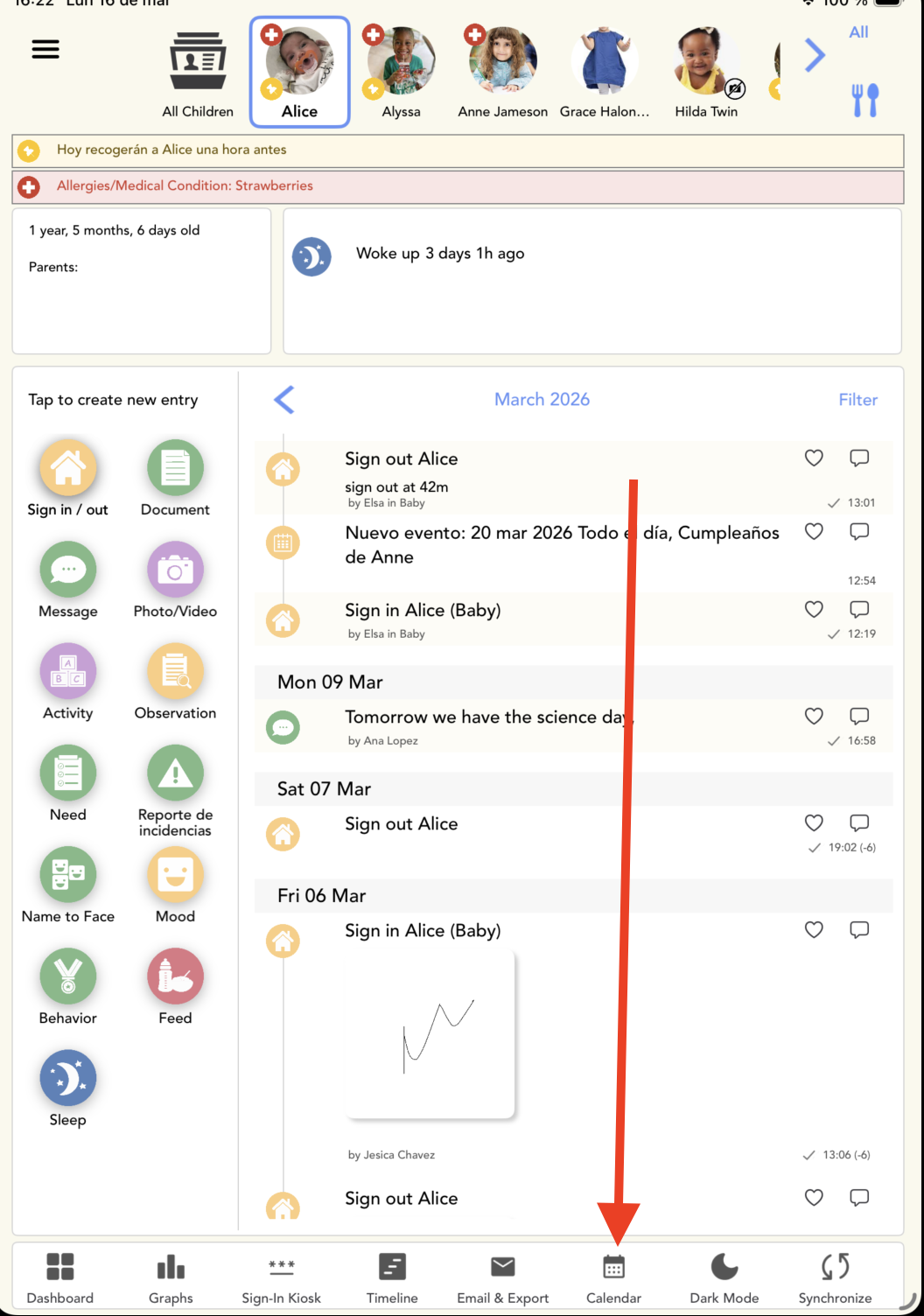
2. Click on Calendar:


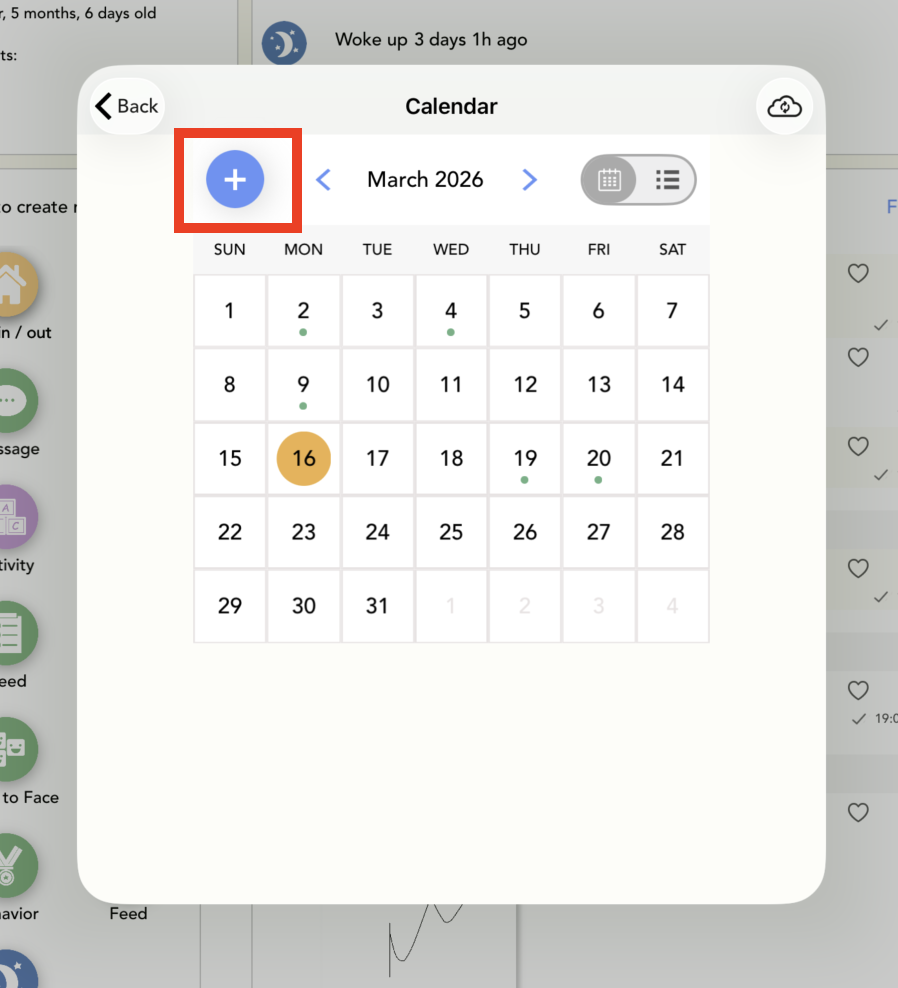
3. Click on + icon:


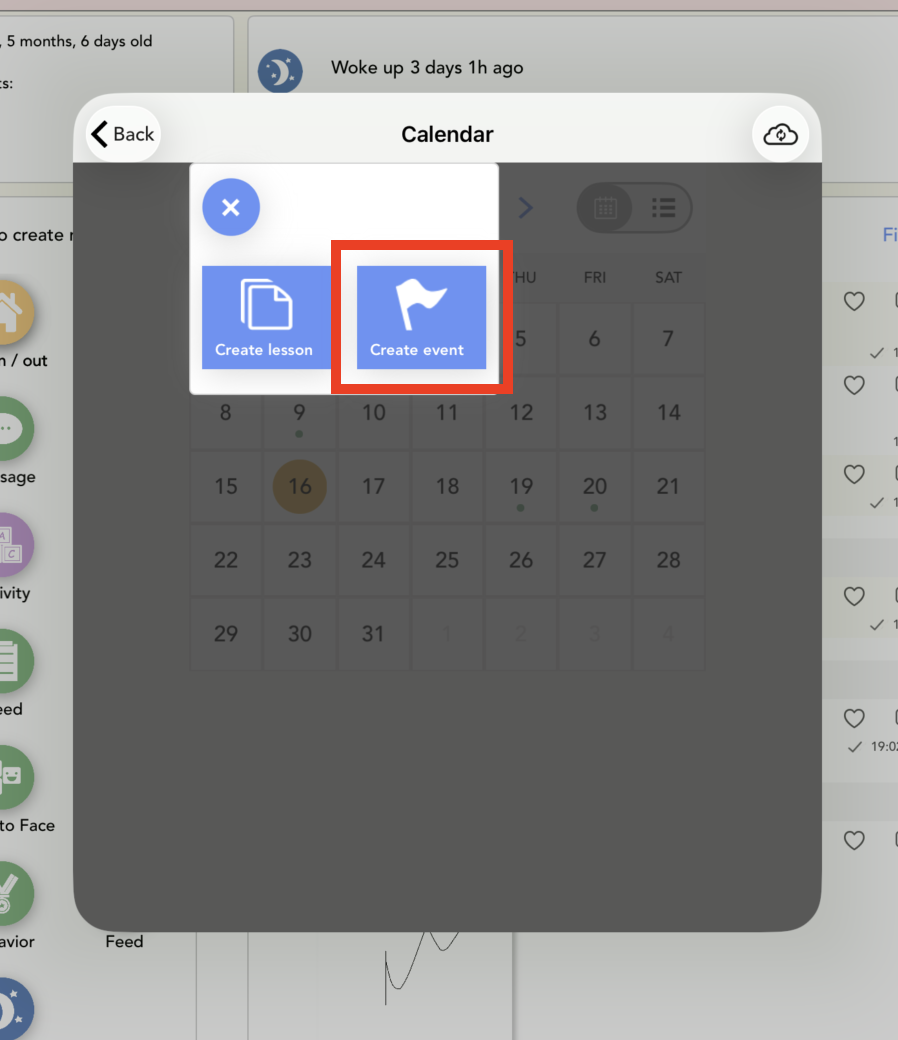
4. Click on Create event:


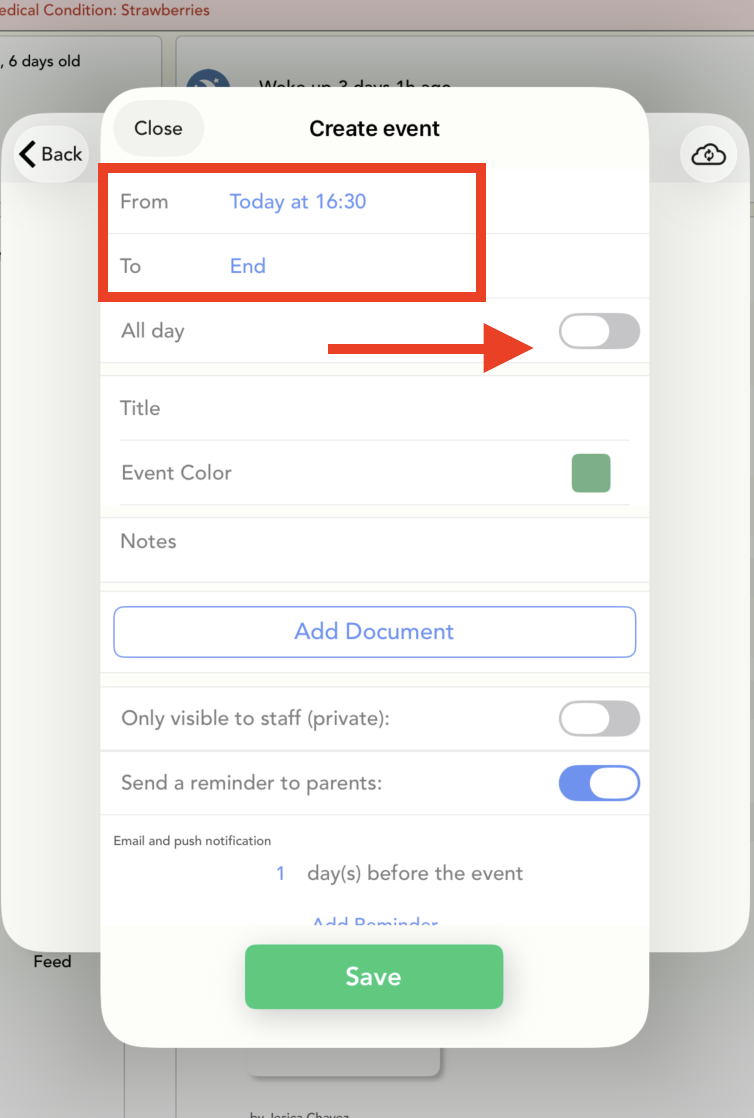
5. Select the time period during which the event will take place. You can also choose All Day.


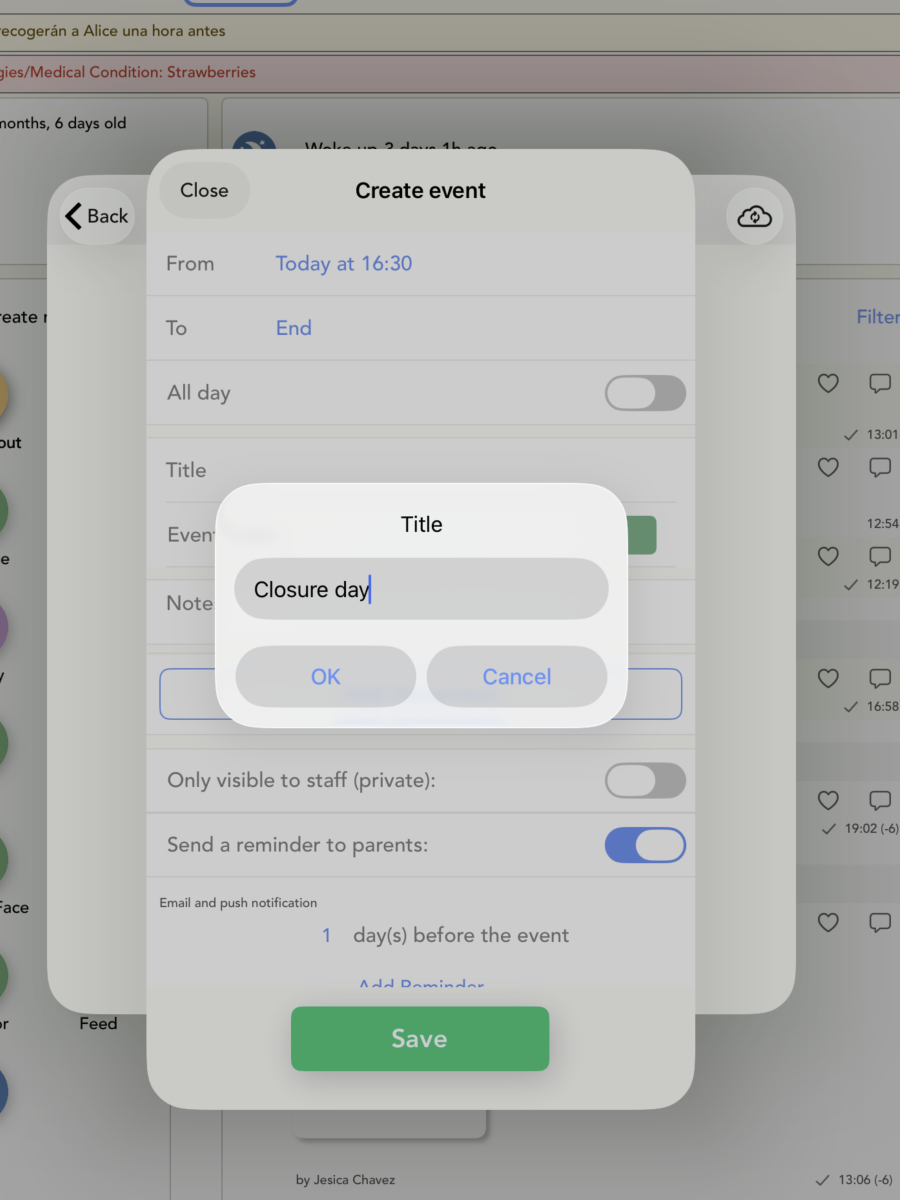
6. Write the event title:


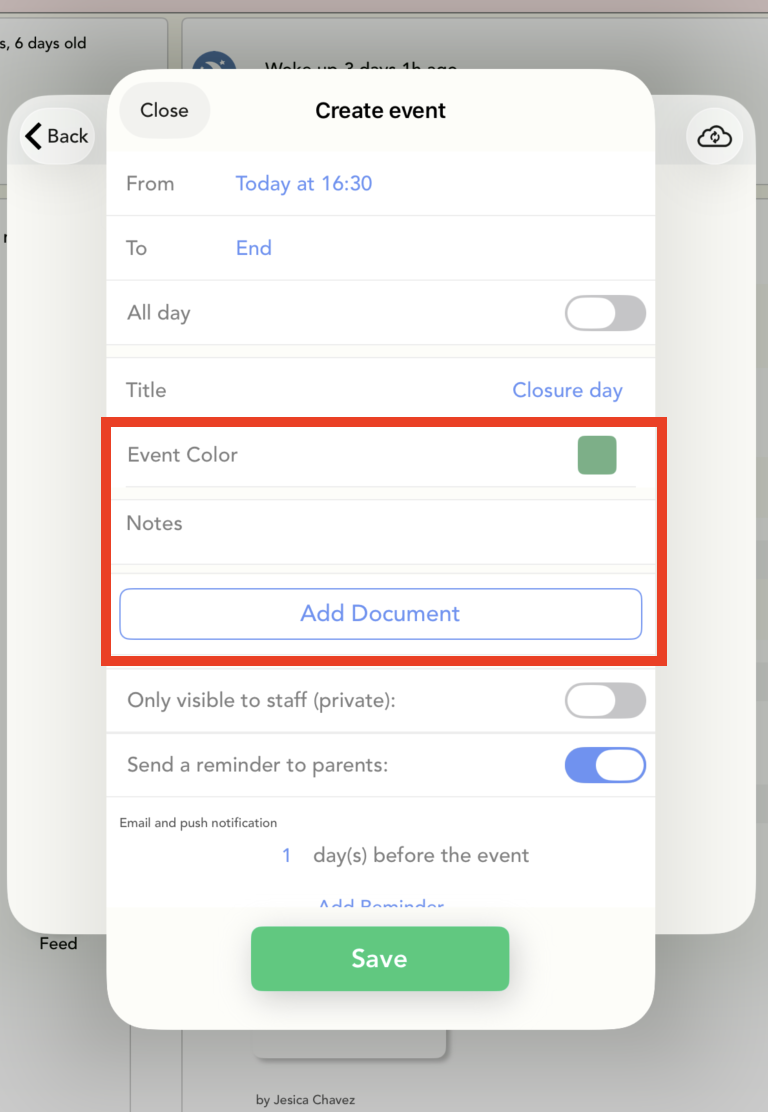
7. Add notes, select a color, and add a document, if needed:


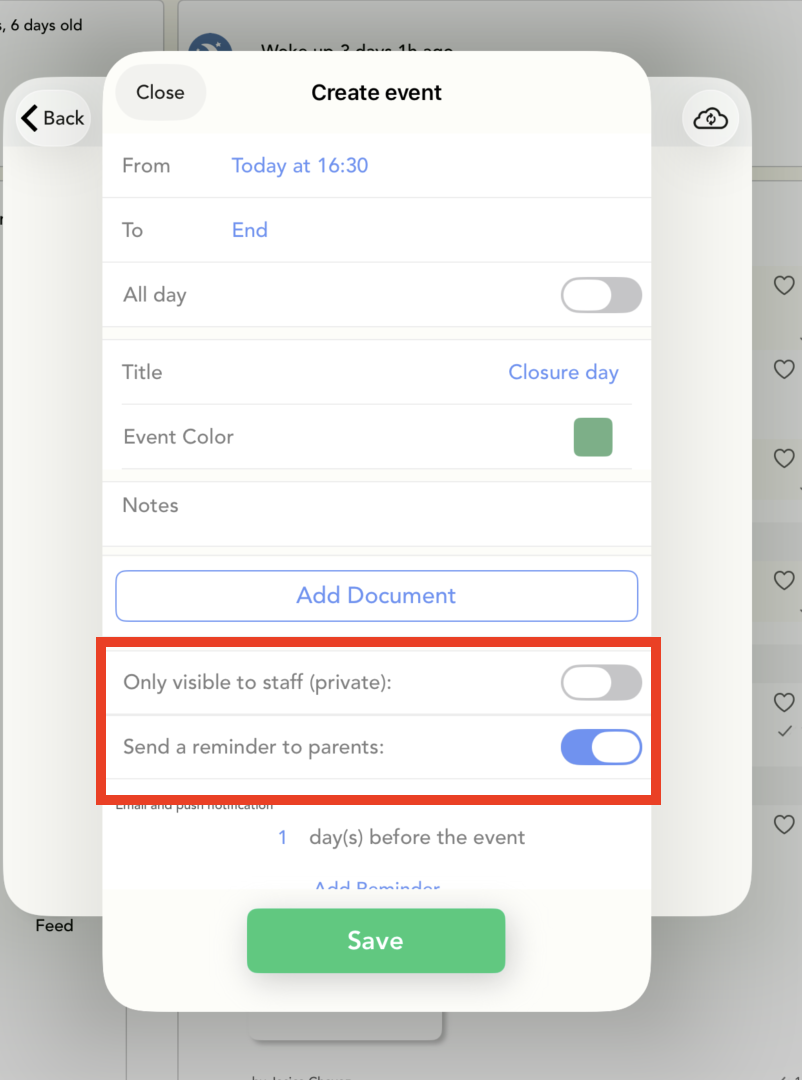
8. Select who can see the event on the calendar:


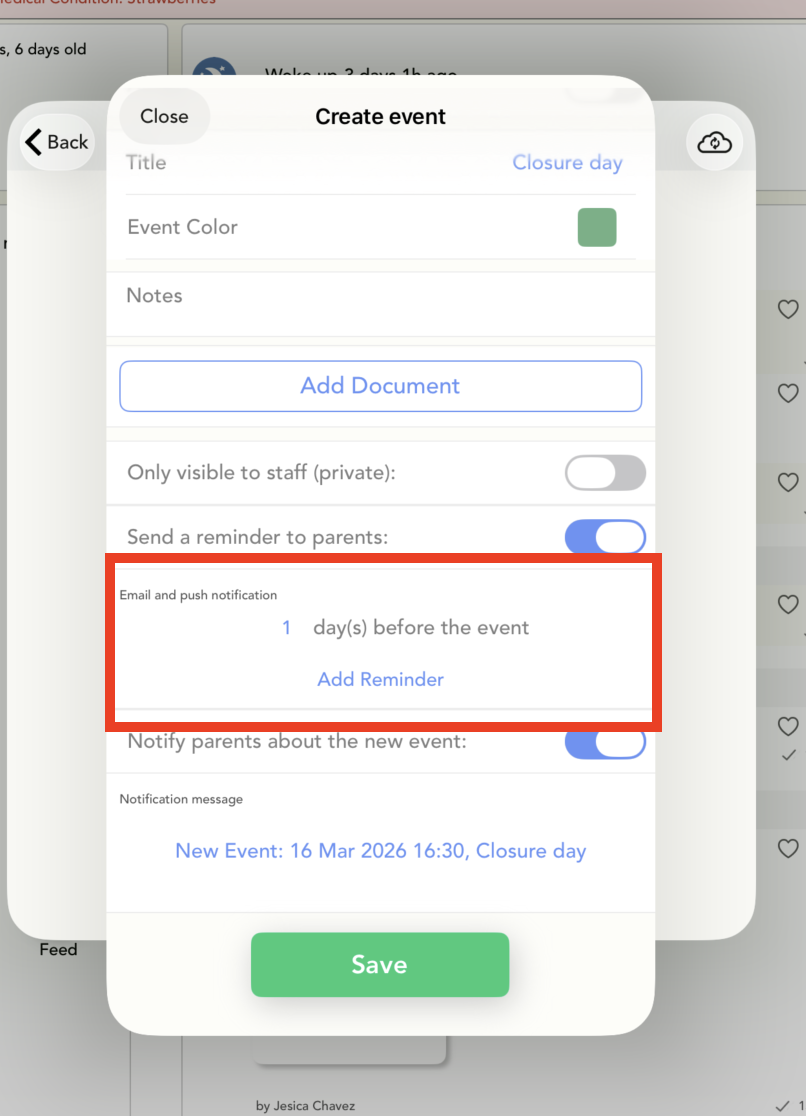
9. Send reminders to parents about the event:


And that's it!:


Was this article helpful?

That’s Great!

Thank you for your feedback

Sorry! We couldn't be helpful

Thank you for your feedback

Let us know how can we improve this article!

Select at least one of the reasons
CAPTCHA verification is required.

Feedback sent

We appreciate your effort and will try to fix the article