... ...
Skip to main content

How to disable late payment fee for one parent

Modified on Thu, 19 Mar at 2:42 AM

One of the features you can configure in your Daily Connect account is applying an additional charge to parents who do not pay their invoices on time. However, it is possible to disable this option for certain parents; we show you how:


1. Log in to your Daily Connect admin account.


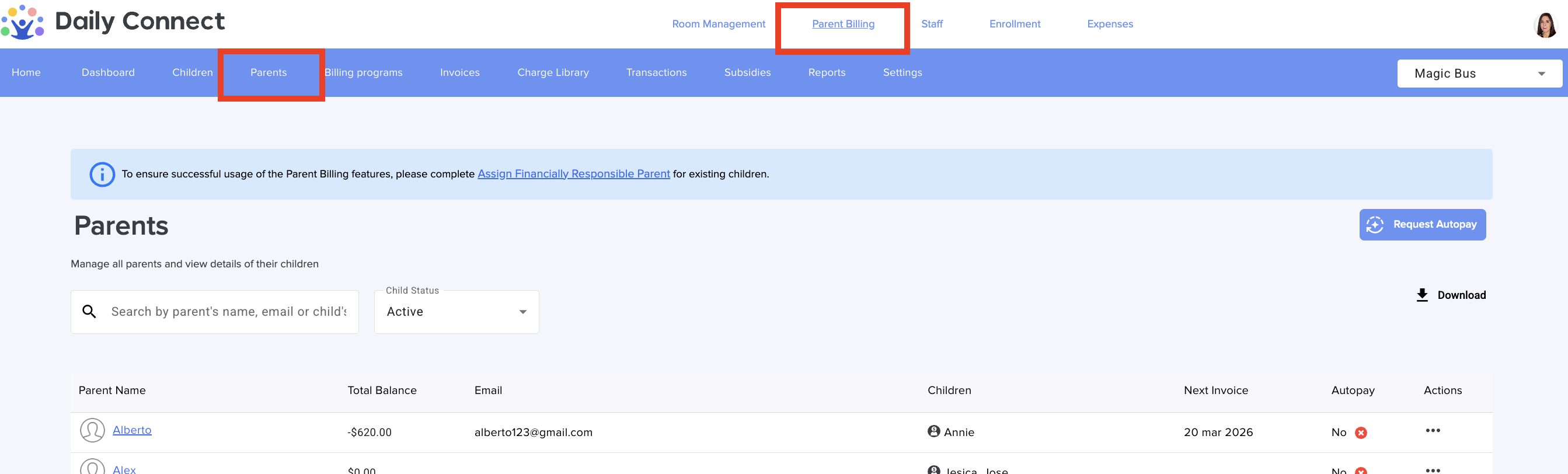
2. Go to Parent Billing > Parents :


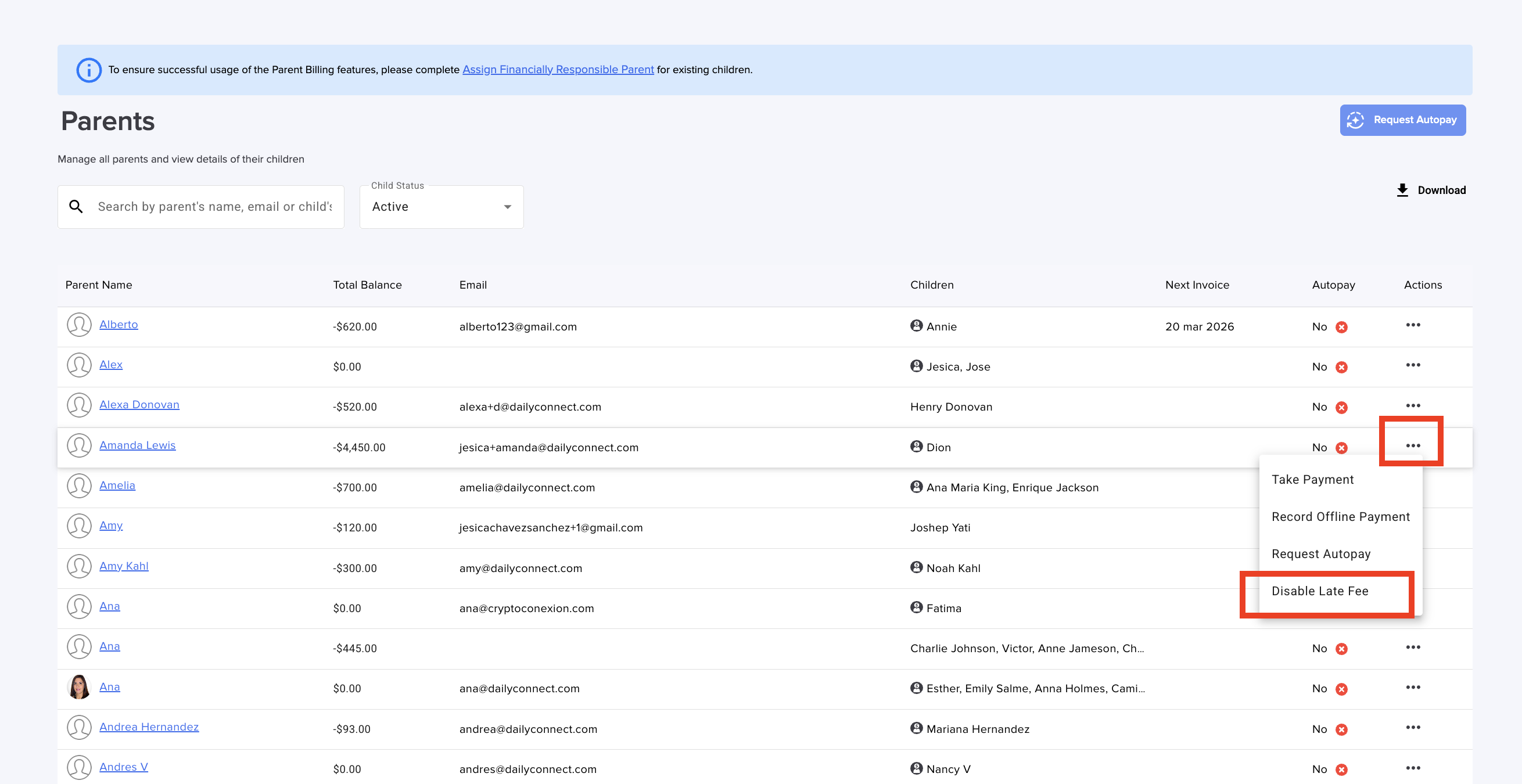
3. Search for the parent for whom you want to disable this option. Click on the three dots and select “Disable late  fee":


And that's it!


Was this article helpful?

That’s Great!

Thank you for your feedback

Sorry! We couldn't be helpful

Thank you for your feedback

Let us know how can we improve this article!

Select at least one of the reasons
CAPTCHA verification is required.

Feedback sent

We appreciate your effort and will try to fix the article