What it is
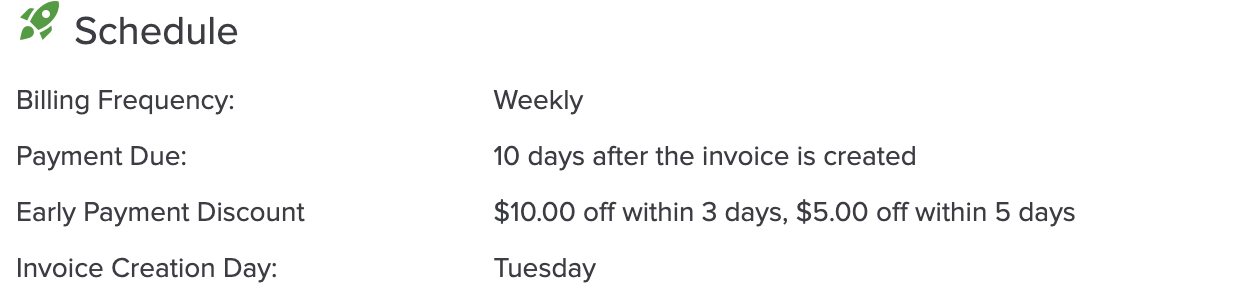
A billing program or a one-time charge can offer up to two discount tiers, e.g. "$30 off if paid within 3 days". The discount is a read-only line on the invoice. If the invoice isn't paid in full when a tier ends, the discount steps down automatically.
Setting it up
In the schedule step, under Payment Due, the director turns on Early payment discount, chooses $ or %, and fills in one or two tiers: "If paid within N days after an invoice is created, discount X". A preview shows the price for each pay-by date.
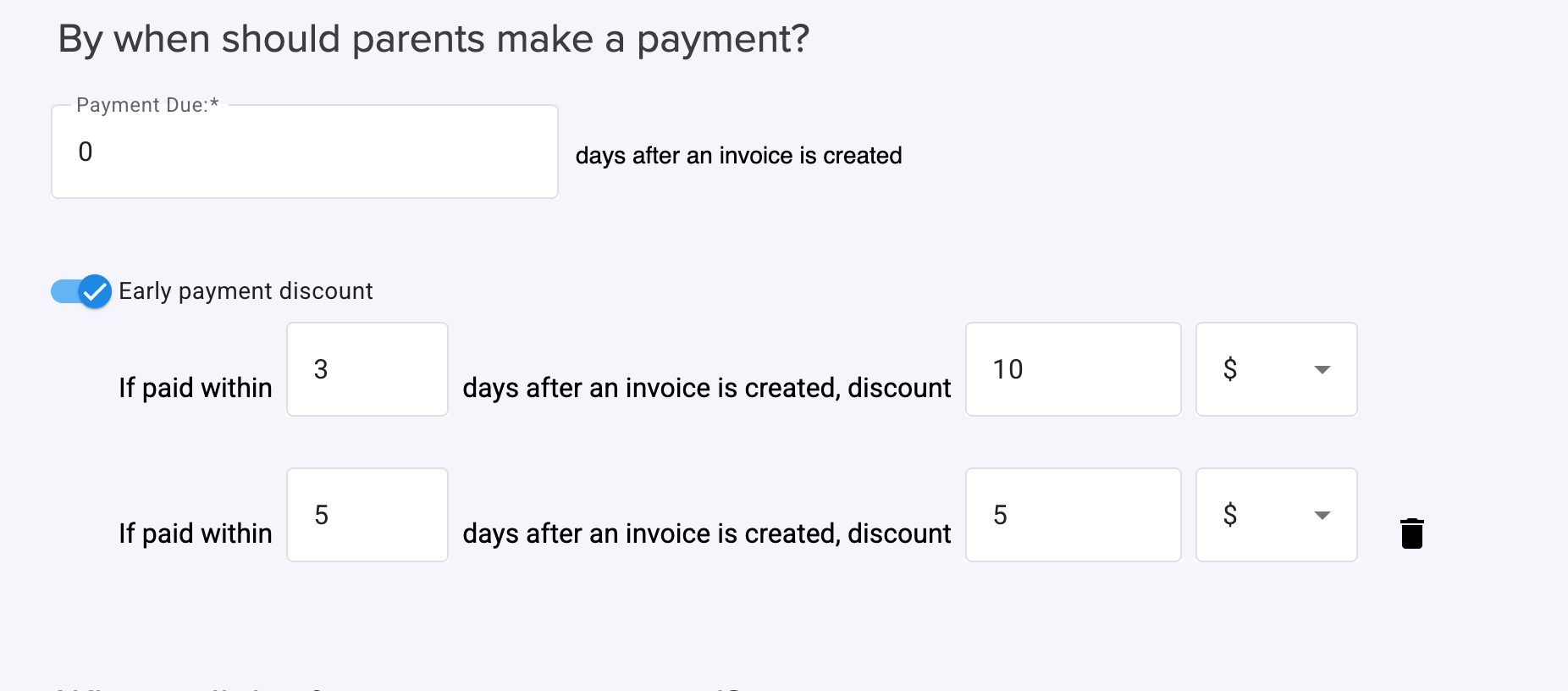
- Tier 2 must end after tier 1 and give a smaller discount.
- The last tier must end on or before the payment due day.
- Not available for monthly programs due on a set day of the month, or for one-time charges added to the next invoice.
- A fixed amount larger than a child's total is accepted with a warning, then capped.
On the invoice
The invoice gets a read-only "Early payment discount" line. Parents see a pay-by schedule under the total and on the pay screen, with amounts already paid subtracted.
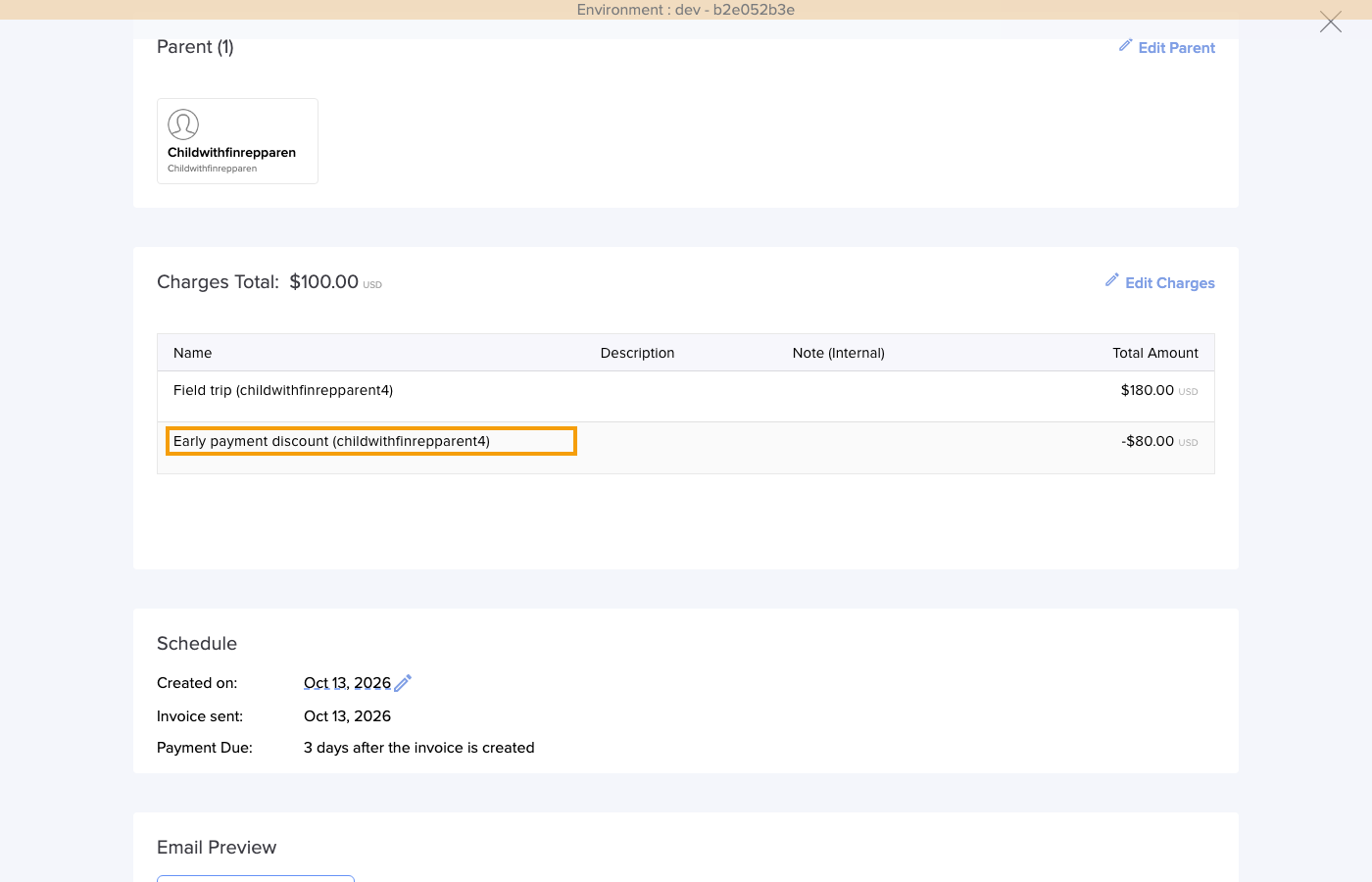
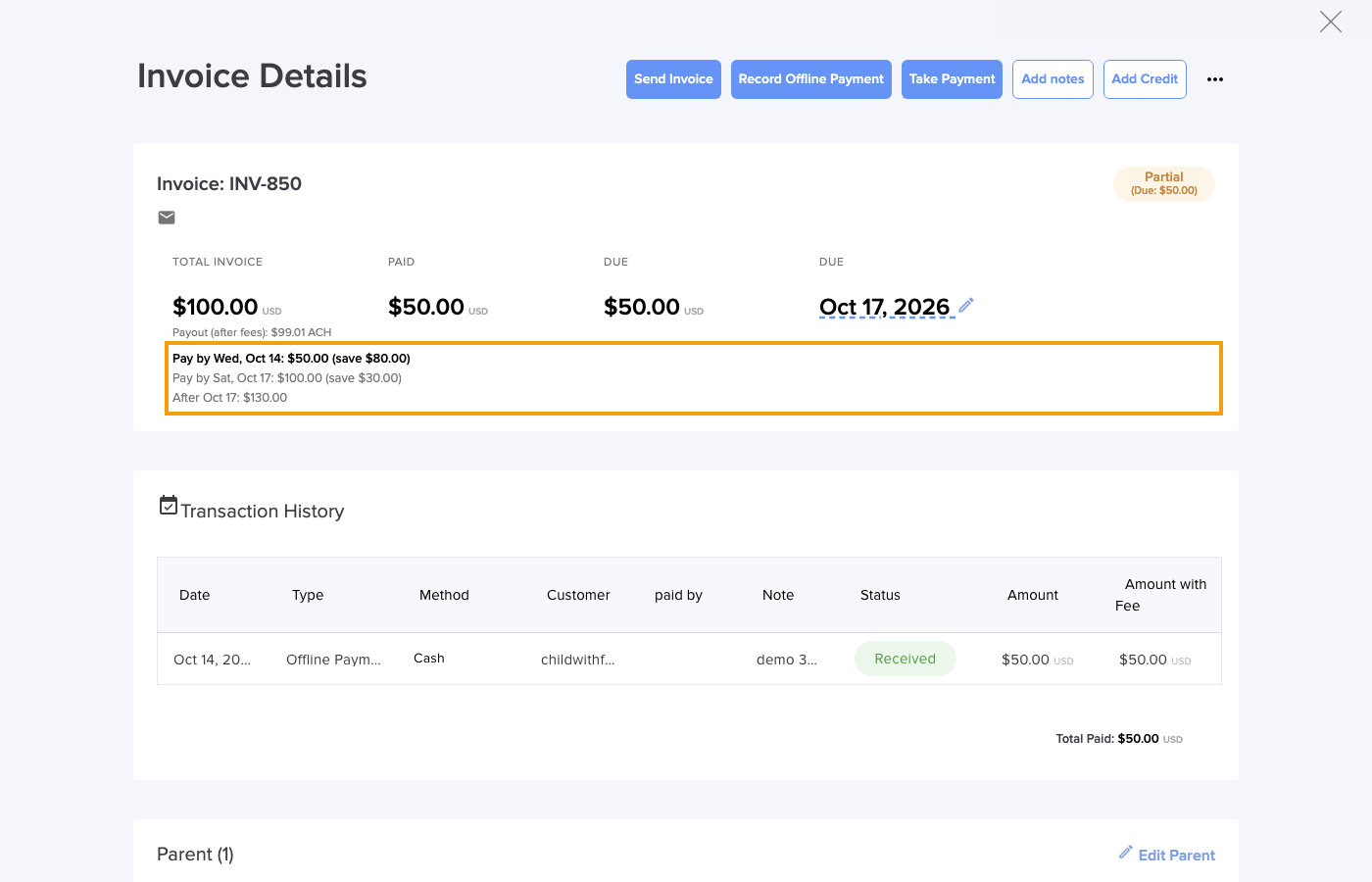
- Step-down: every 15 minutes, an invoice not paid in full when a tier ends moves to the next tier. After the last tier, the line is removed. A partial payment doesn't keep a tier.
- Parents: they get a reminder email the day before a tier's last day, and a warning if they pay less than the current row.
- Line labels: "(until Aug 17)" while open, "(kept)" once paid in time, "(frozen)" after a write-off.
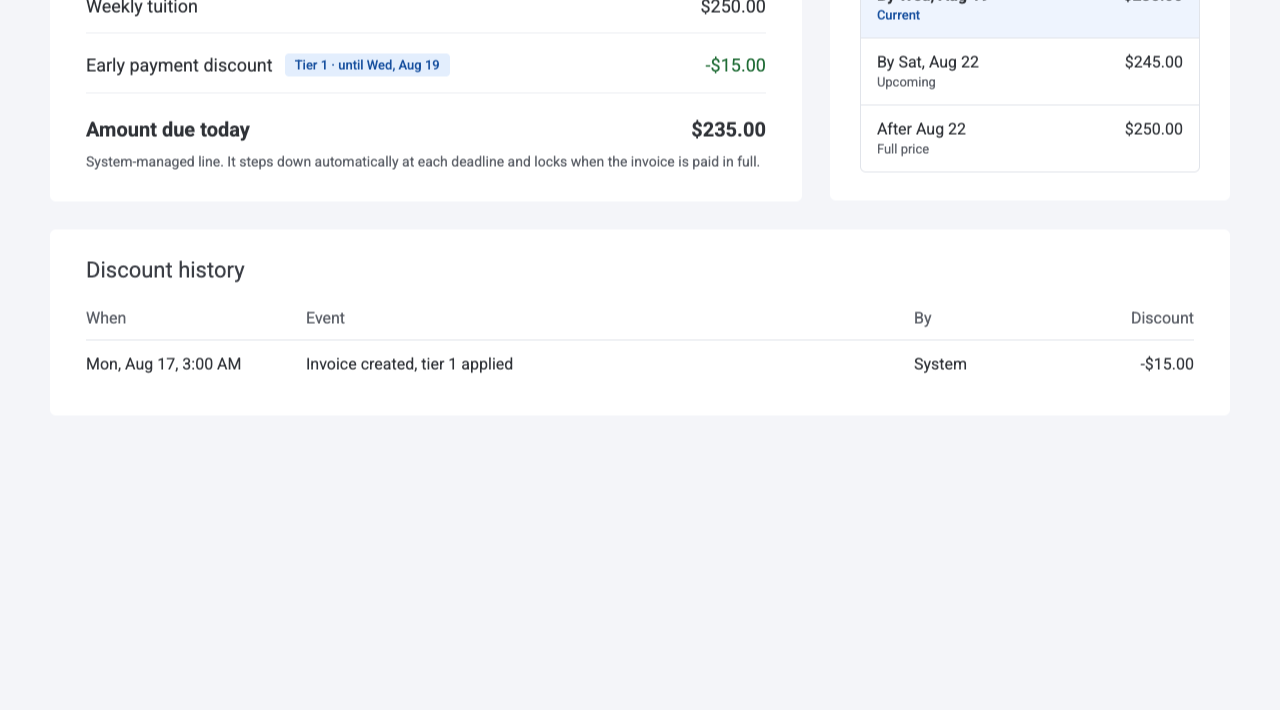
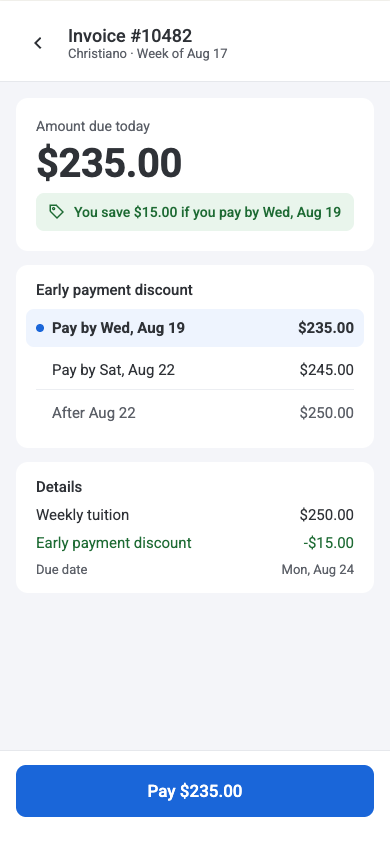
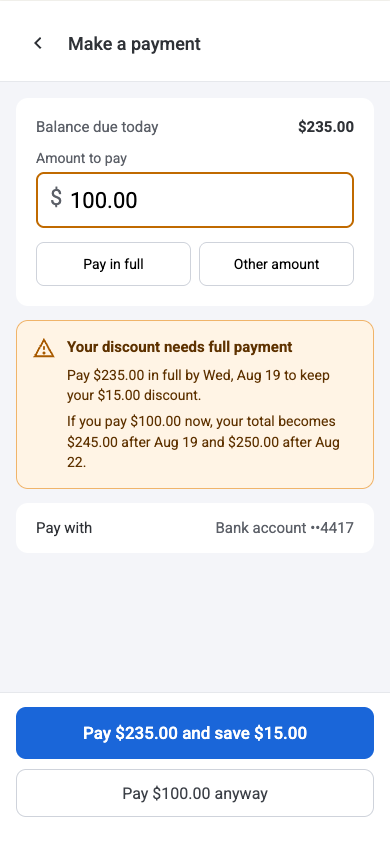
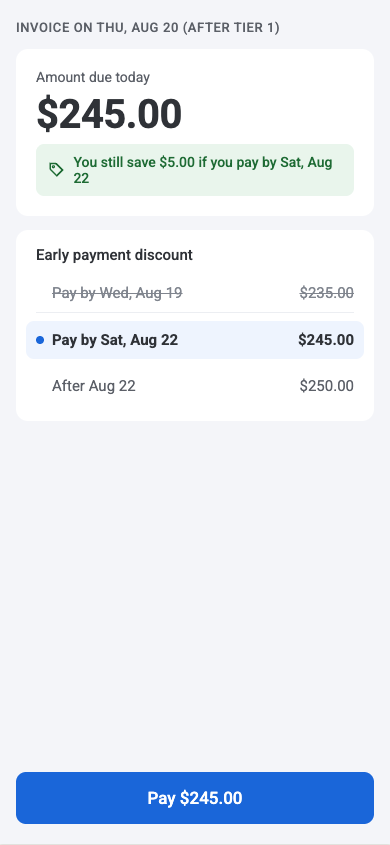
Parent screens above: UX mockups from #3033; the shipped screens may differ.
Common questions
- Paid but lost the discount: only a payment of the full remaining amount, made before the tier ends, keeps it.
- Discount came off after payment: the payment was reversed (ACH return, chargeback, or moved to another invoice). The parent and the center are emailed.
- Carried over at full price: expected. An unpaid invoice merged into the next one loses its discount.
- No late fee yet: no late fee is added while a tier is open. Once the last tier ends, it is calculated on the full price.
- Error 409 from the mobile app: older app versions can't edit a discounted invoice. Use the website.
More questions? Contact us at support@dailyconnect.com
Was this article helpful?
That’s Great!
Thank you for your feedback
Sorry! We couldn't be helpful
Thank you for your feedback
Feedback sent
We appreciate your effort and will try to fix the article