Follow these steps to enable this option:
1. Log in to your admin account
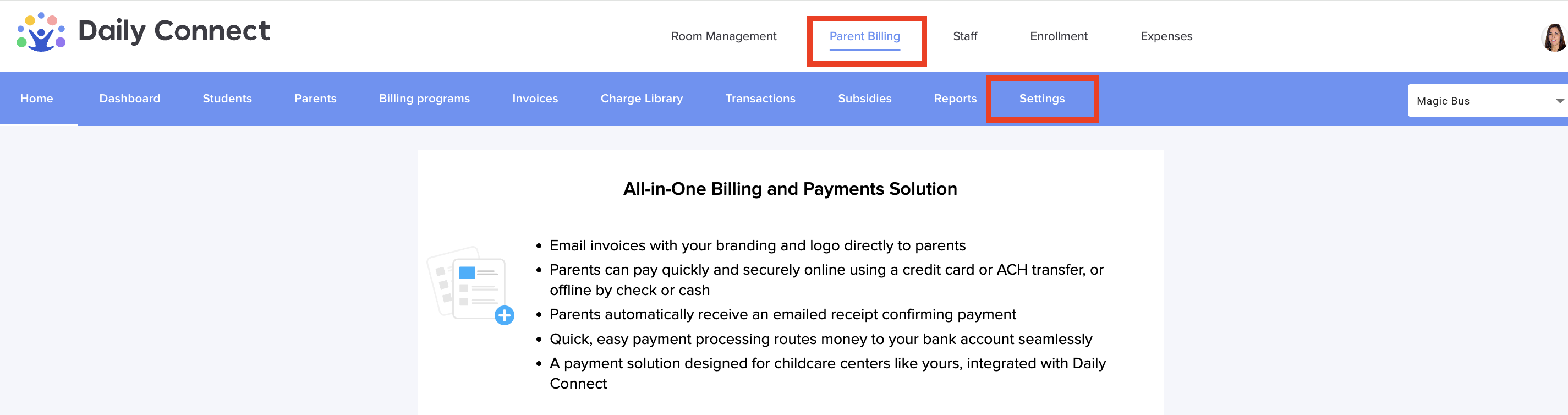
2. Go to Parent Billing > Settings:
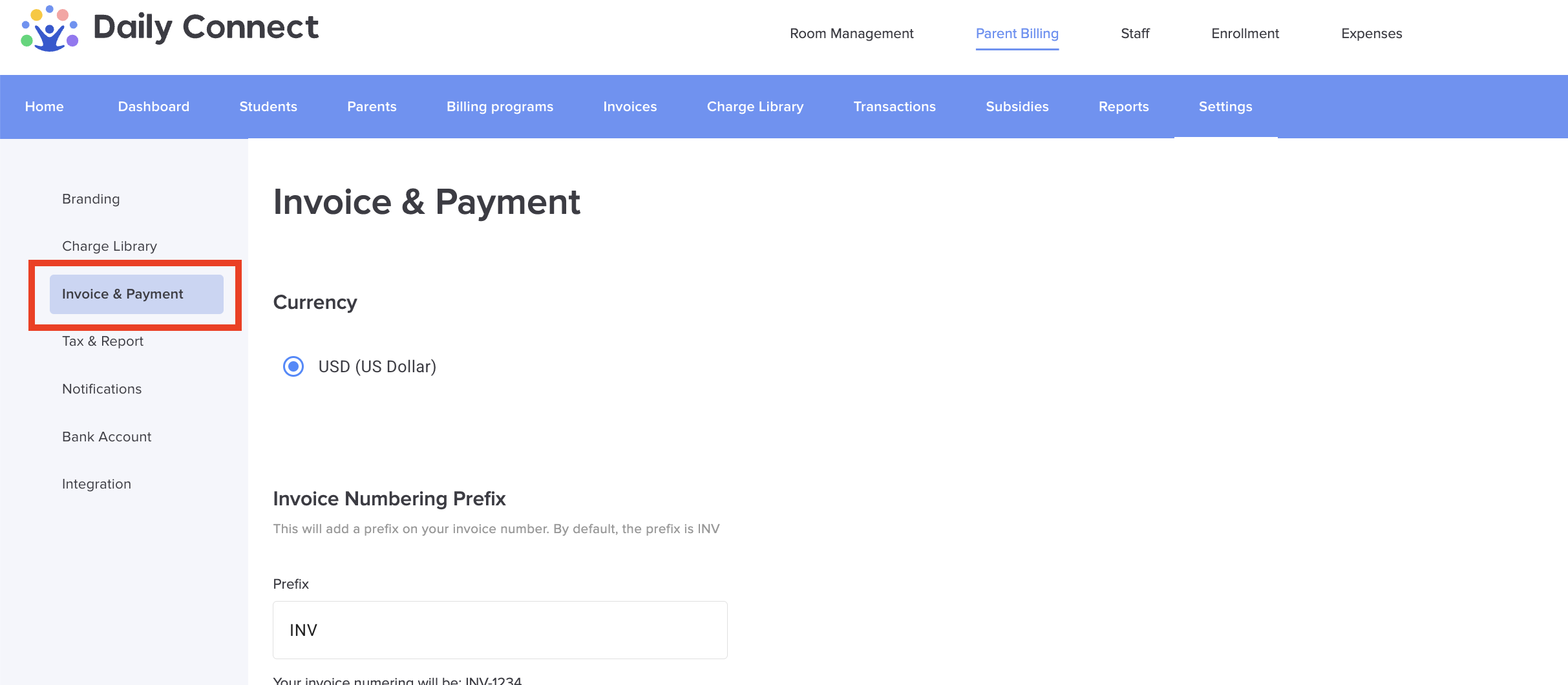
3. Go to Invoice & Payment:
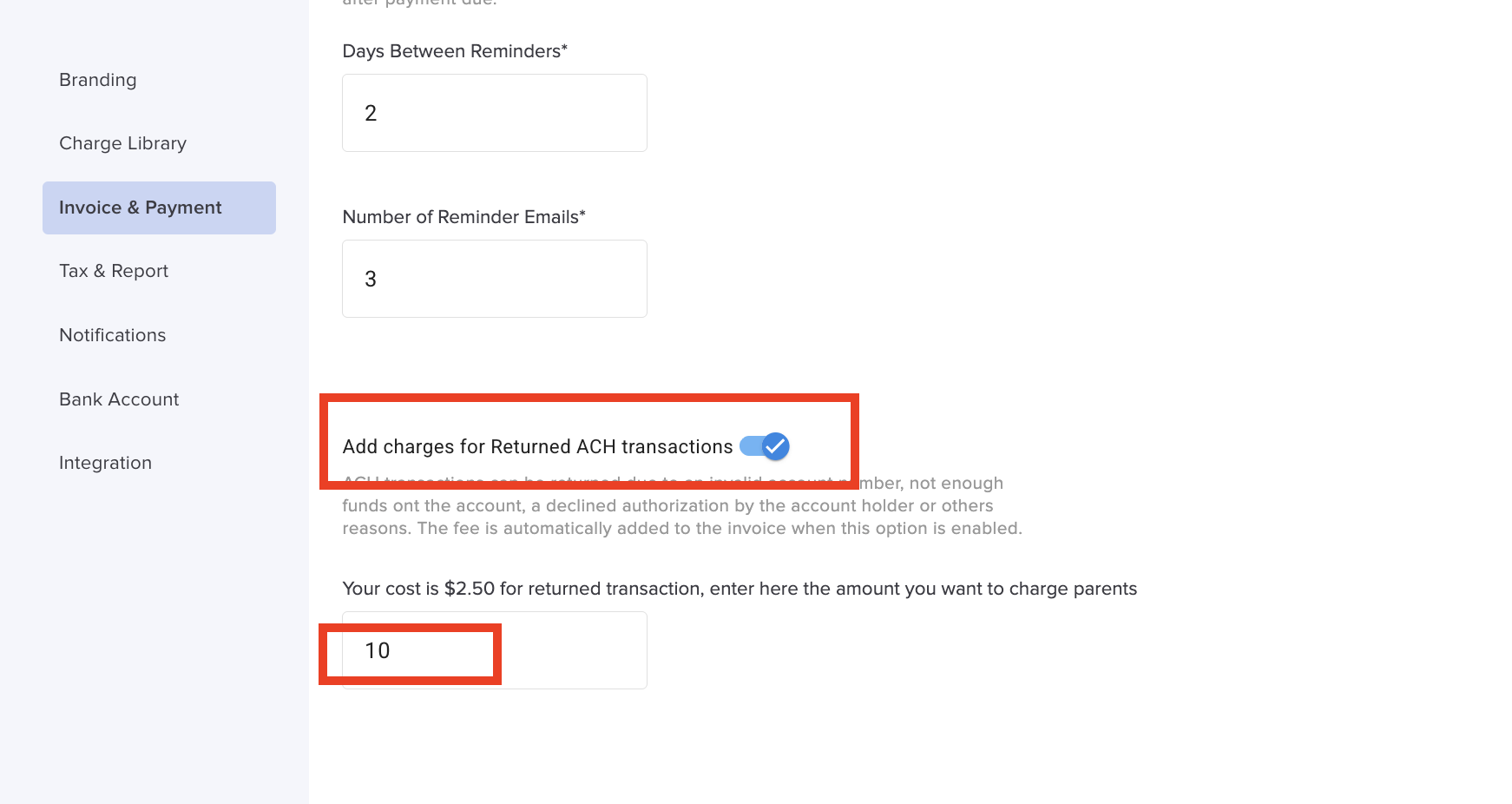
4. Enable the option and set the amount parents will pay for each returned transaction. Some centers set an amount higher than $2.50 because they consider that returned payments involve administrative work.
Was this article helpful?
That’s Great!
Thank you for your feedback
Sorry! We couldn't be helpful
Thank you for your feedback
Feedback sent
We appreciate your effort and will try to fix the article