... ...
Skip to main content

How to enable parents to record their children’s vaccinations

Modified on Fri, 10 Apr at 8:57 AM

Daily Connect makes it much easier to manage vaccination records by allowing parents to provide and record all this information directly from the app for your center. To do this, enable this feature by following these steps:


1. Log in to your Daily Connect admin account.


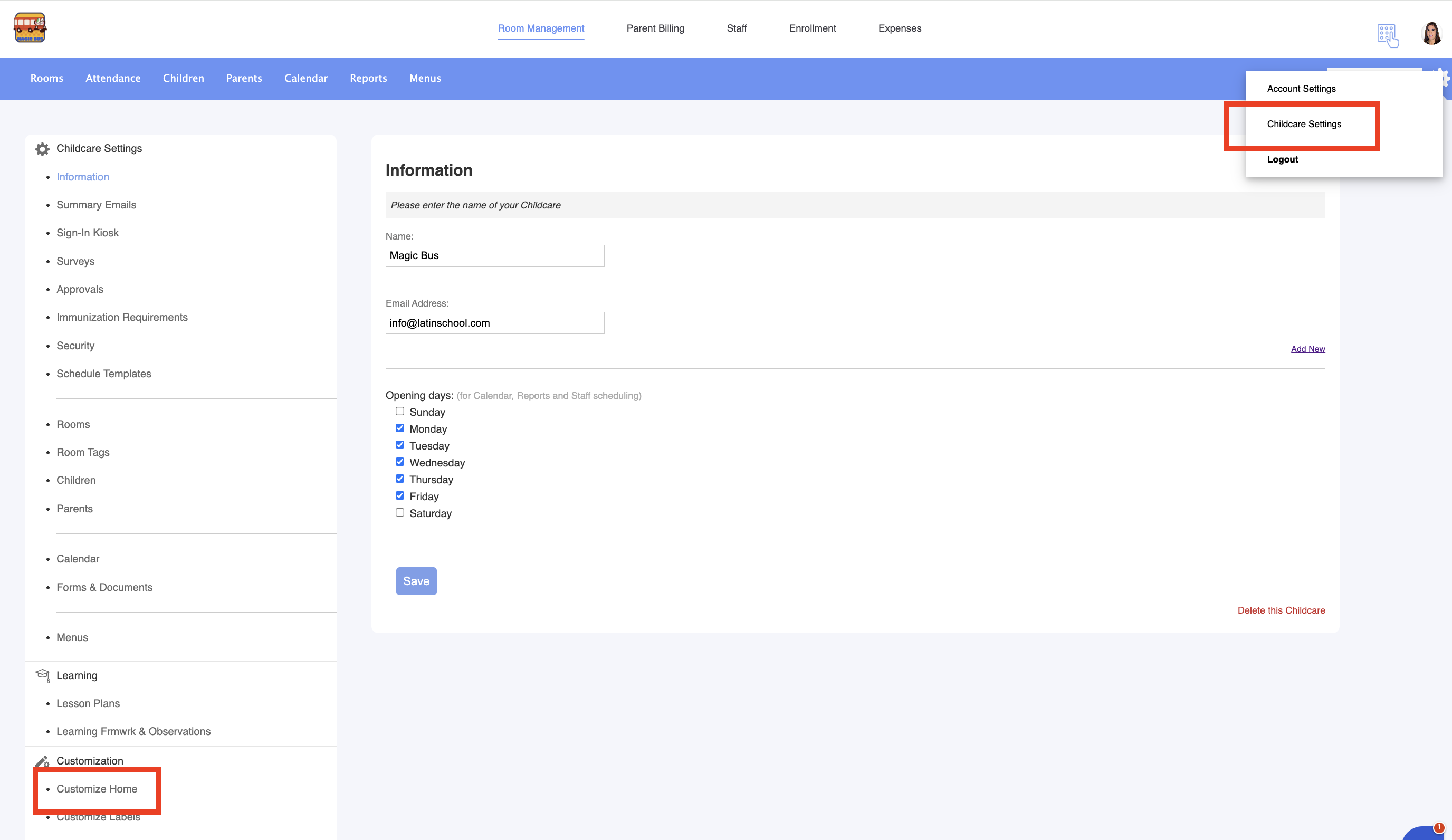
2. Go to Childcare Settings > Customize home:


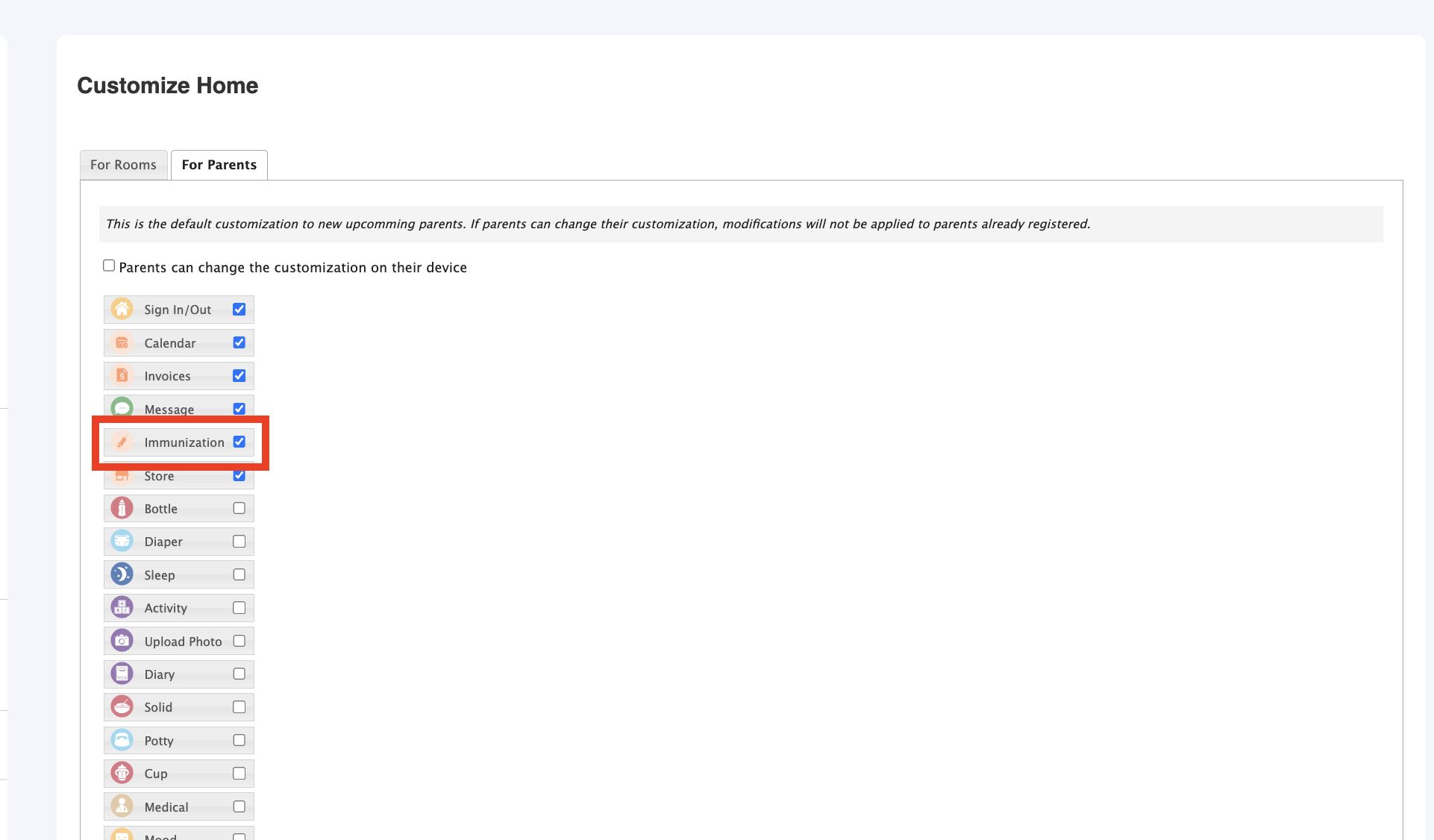
3. Go to For Parents label and enable the Immunization icon:


Parents can now record their children’s vaccinations directly in the Daily Connect app.

Was this article helpful?

That’s Great!

Thank you for your feedback

Sorry! We couldn't be helpful

Thank you for your feedback

Let us know how can we improve this article!

Select at least one of the reasons
CAPTCHA verification is required.

Feedback sent

We appreciate your effort and will try to fix the article