... ...
Skip to main content

How to enable Staff Communication feature

Modified on Thu, 16 Apr at 3:00 AM

One of the features that Daily Connect offers is the ability for staff members to communicate with each other privately. To do this, the account administrator needs to enable this option. Follow these steps:


1. Log in to your admin account on the Daily Connect website.


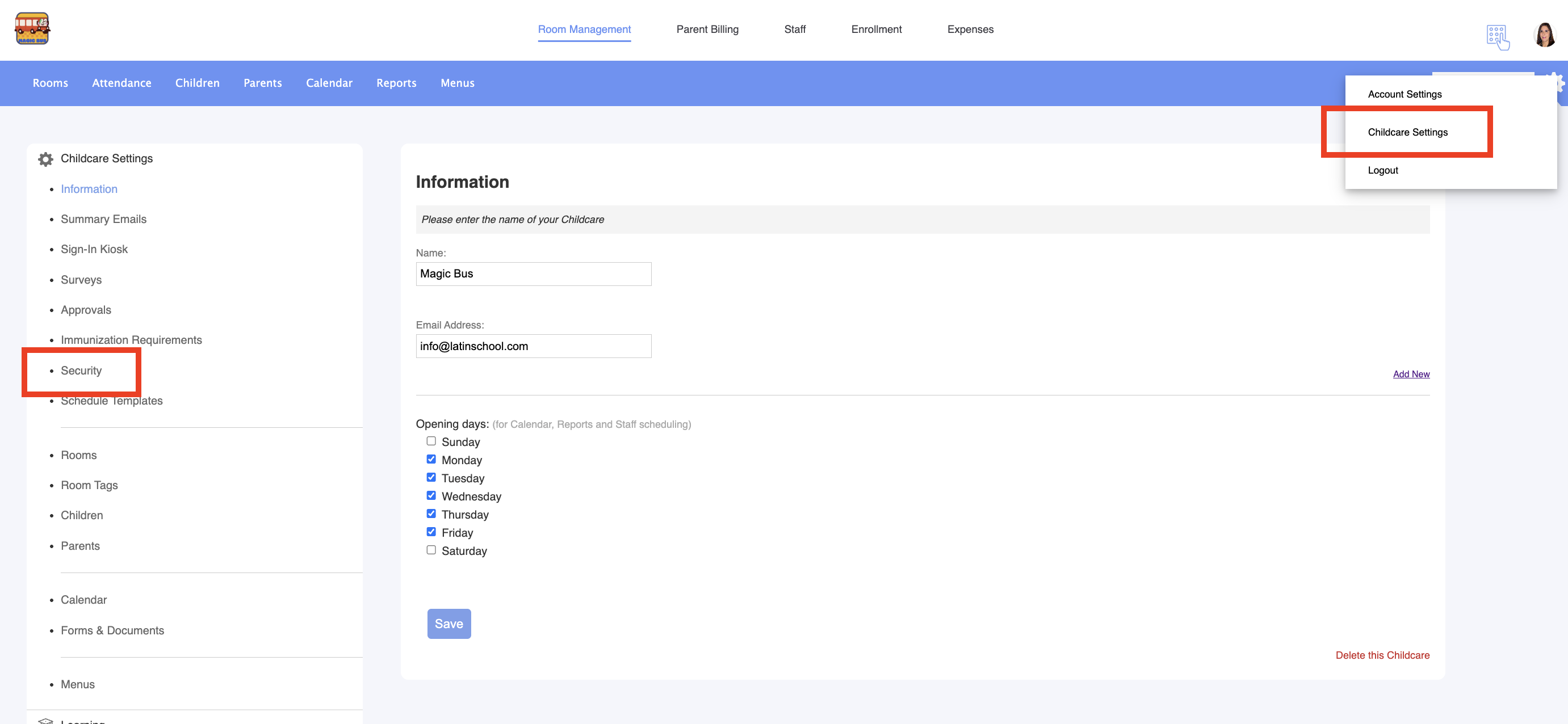
2. Go to Childcare Settings > Security:


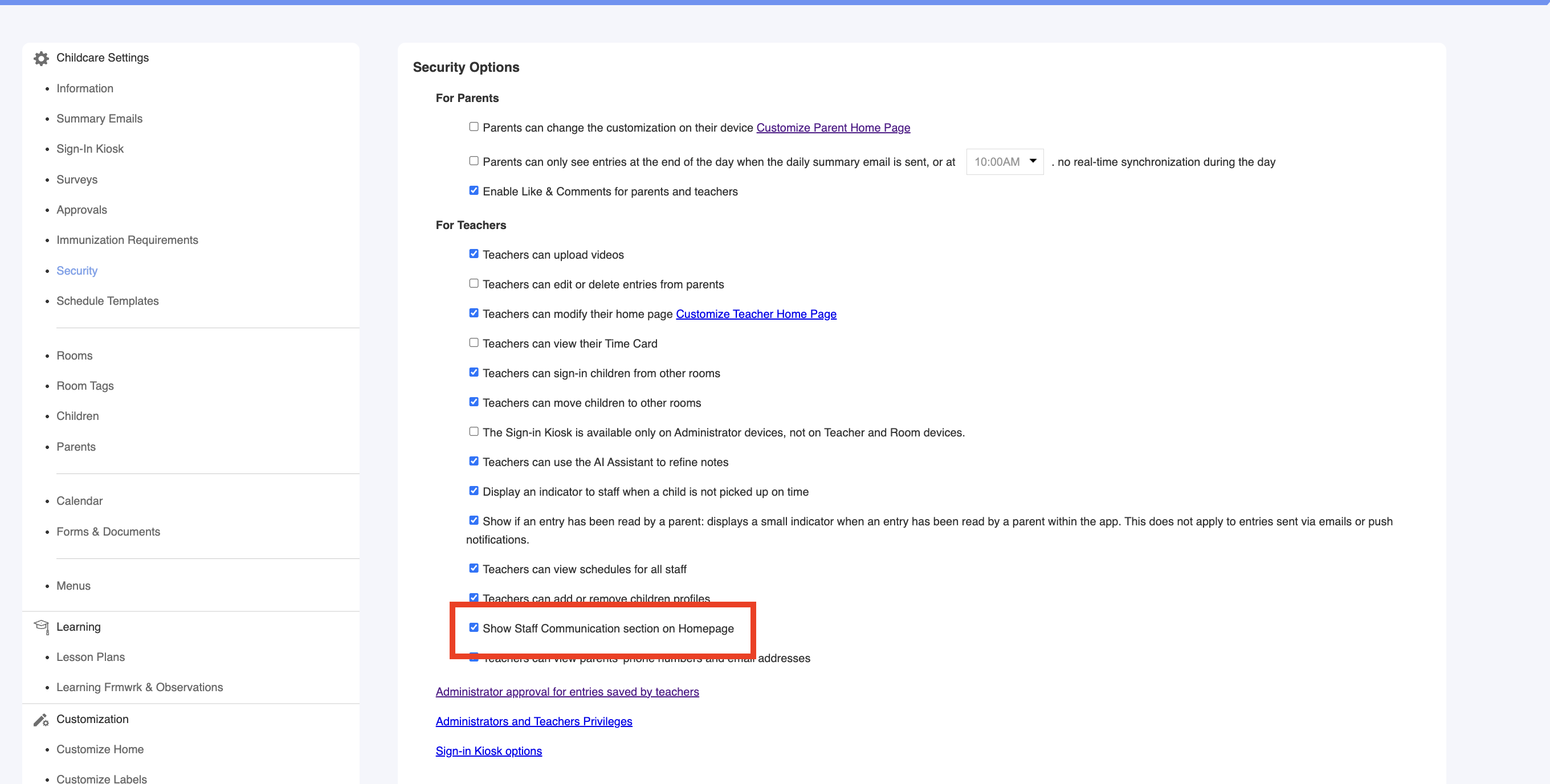
3. Enable this option:


If you have any questions or comments, please get in touch with us at support@dailyconnect.com


Was this article helpful?

That’s Great!

Thank you for your feedback

Sorry! We couldn't be helpful

Thank you for your feedback

Let us know how can we improve this article!

Select at least one of the reasons
CAPTCHA verification is required.

Feedback sent

We appreciate your effort and will try to fix the article