Keep the figures of a month exactly as you reported them, and record every later correction in the month it was made.
Why use it
Once a month is closed and its figures are sent to your accountant, those figures should not change. Without this option, editing, voiding or deleting an old invoice also changes the reports of the month it belongs to. Your September report can show different totals in November than it did in October.
With period-based accounting on, a past month stays as it was. A correction made today is shown today, as a dated adjustment, so your books and your reports always match.
How to turn it on
Go to Settings > Tax & Report and check Use period-based accounting adjustments, then save.
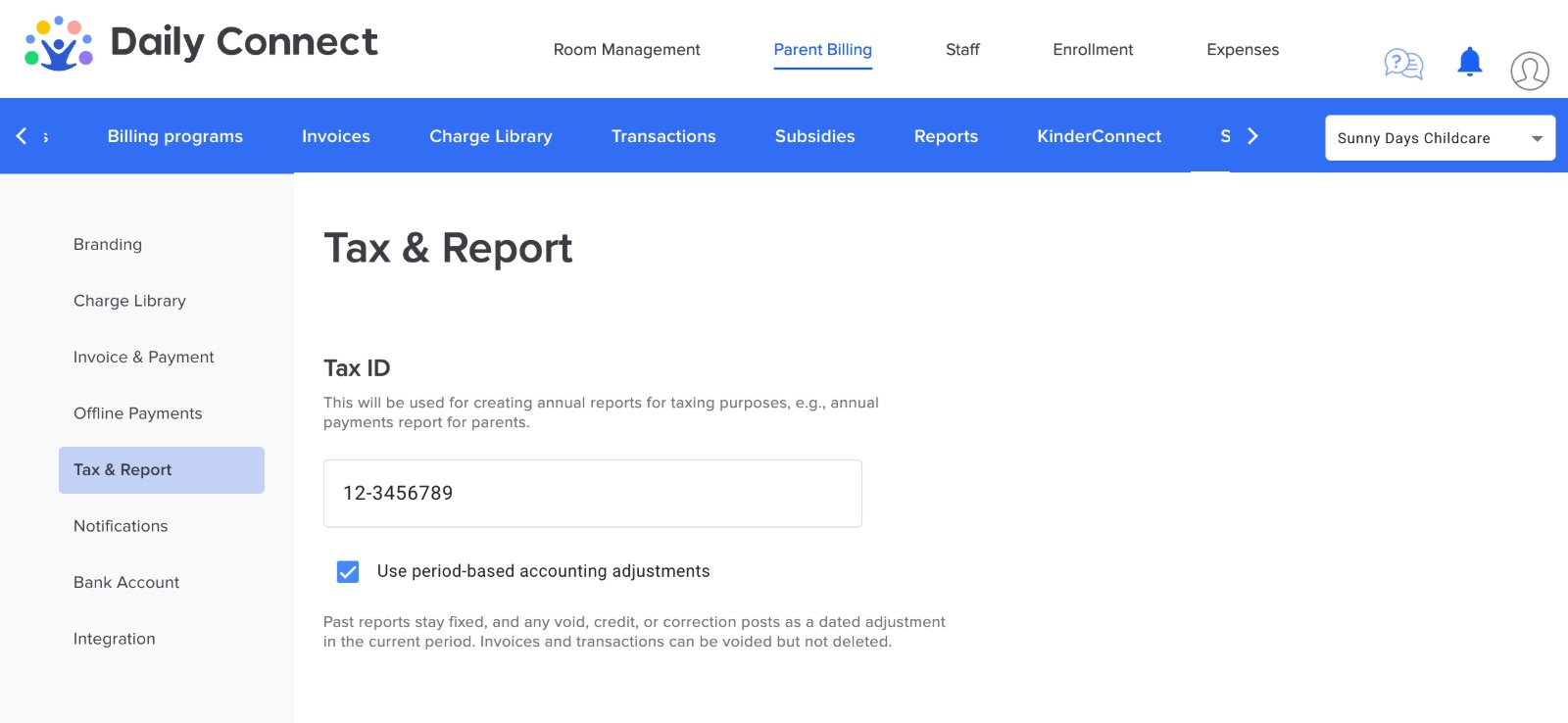
- Only staff members allowed to manage parent billing can change this option.
- Every change of the option is recorded, with who made it and when.
- You can turn it off at any time. Reports then go back to the way they work today.
How it works
Four simple rules decide where each amount appears in your reports.
An invoice belongs to its due date
An invoice due on September 30 is part of September. Until that day, you can change it freely.
A payment belongs to its payment date
A payment received on October 2 is part of October, whatever invoice it pays.
A later change is an adjustment
Once the due date has passed, a void, a line change, a late fee, a write-off or a free credit is recorded as an adjustment on the day it is made.
Subsidies and wallet credits are payments
An agency subsidy or an applied wallet credit counts as money received, not as a lower price. An early payment discount still lowers the price.
An example, step by step
The screens below come from DailyConnect, with a fictitious childcare and family. Sarah Wilson is the parent of Leo. She received four invoices:
On November 17, the administrator finds that the registration fee was charged by mistake. September is already reported to the accountant.
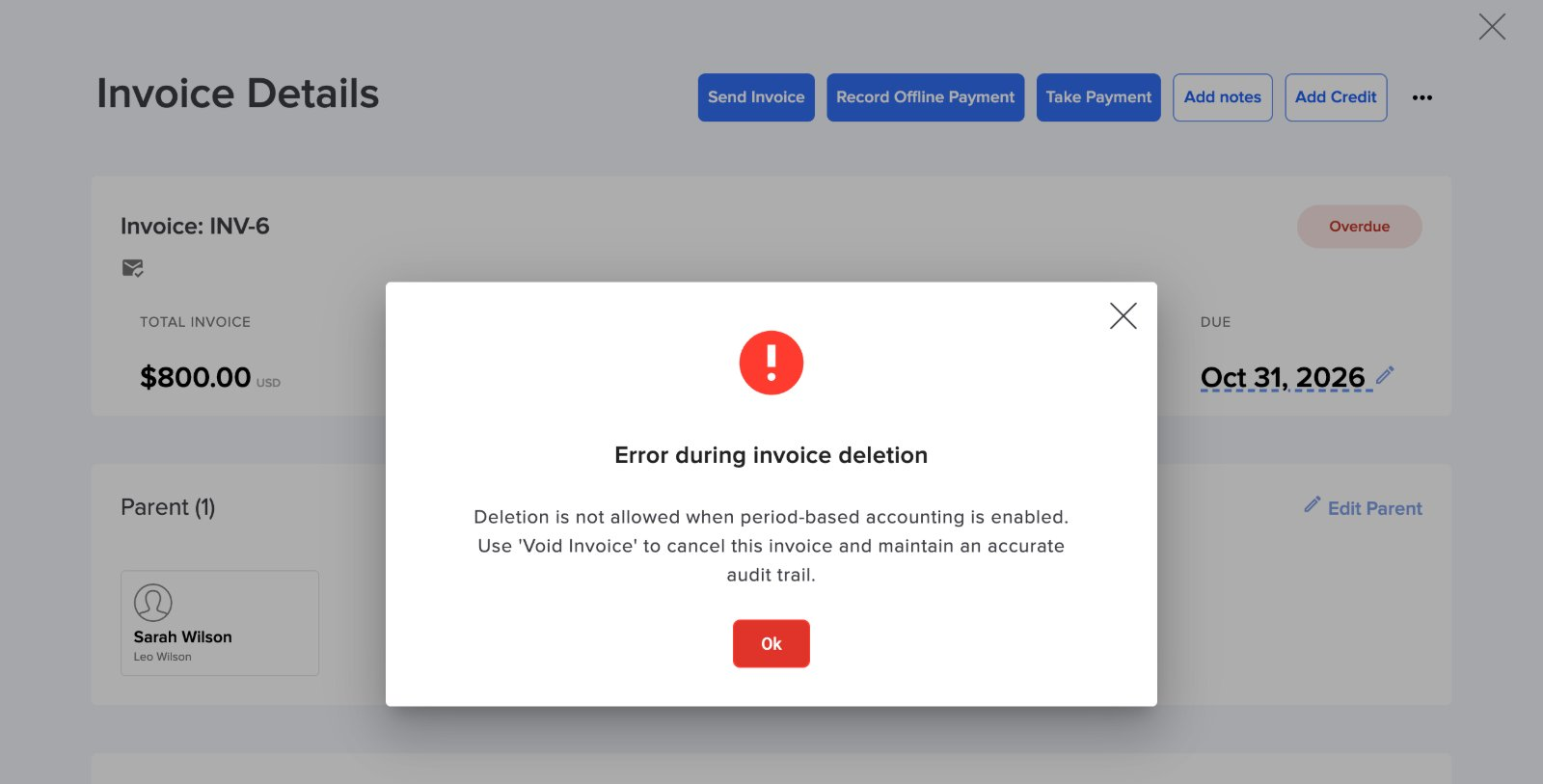
Deleting is no longer possible
An invoice that is not a draft cannot be deleted. The message tells you to void it instead.
Void the invoice
From the invoice list, open the actions of INV-5 and choose Void invoice.
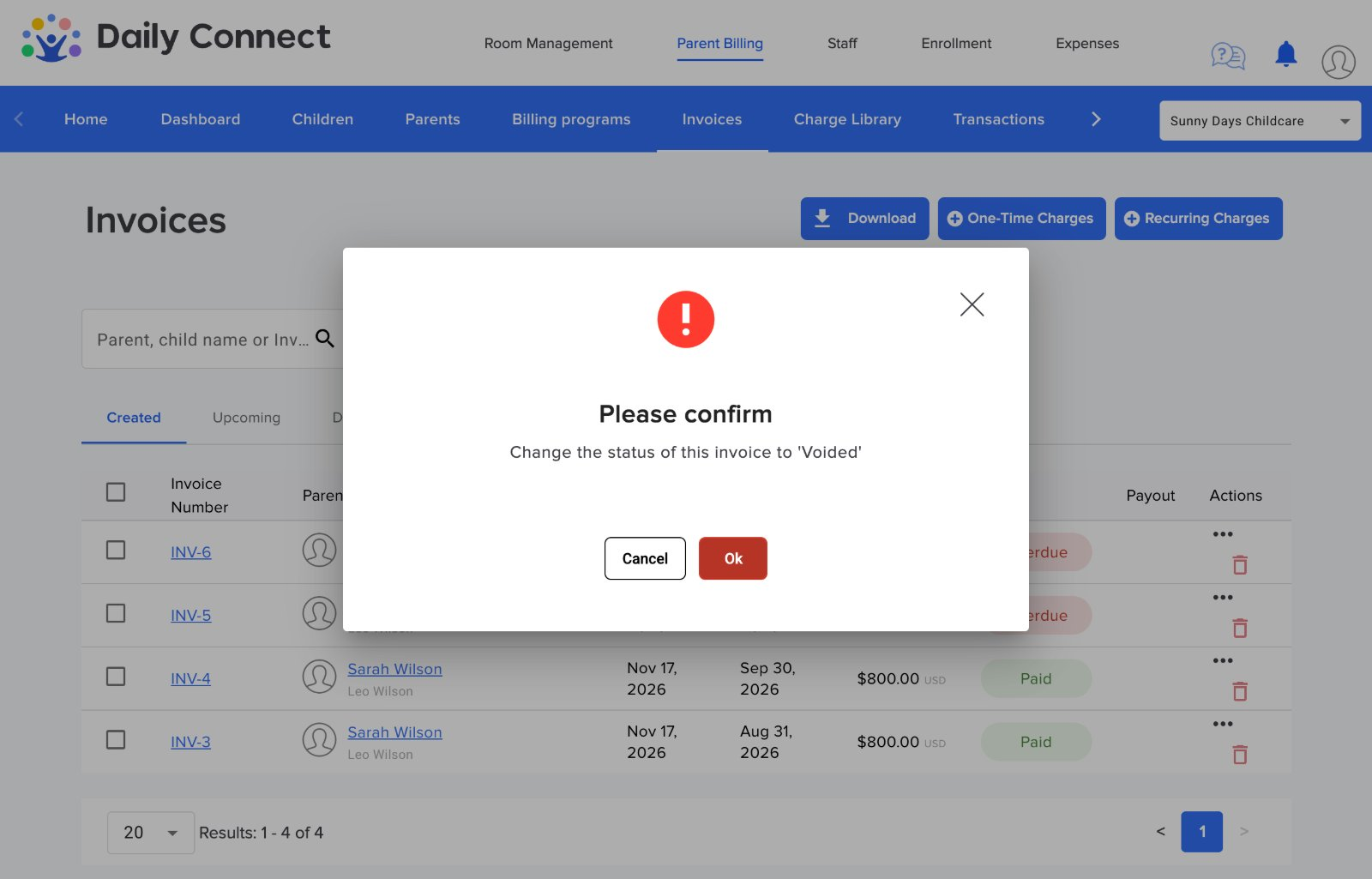
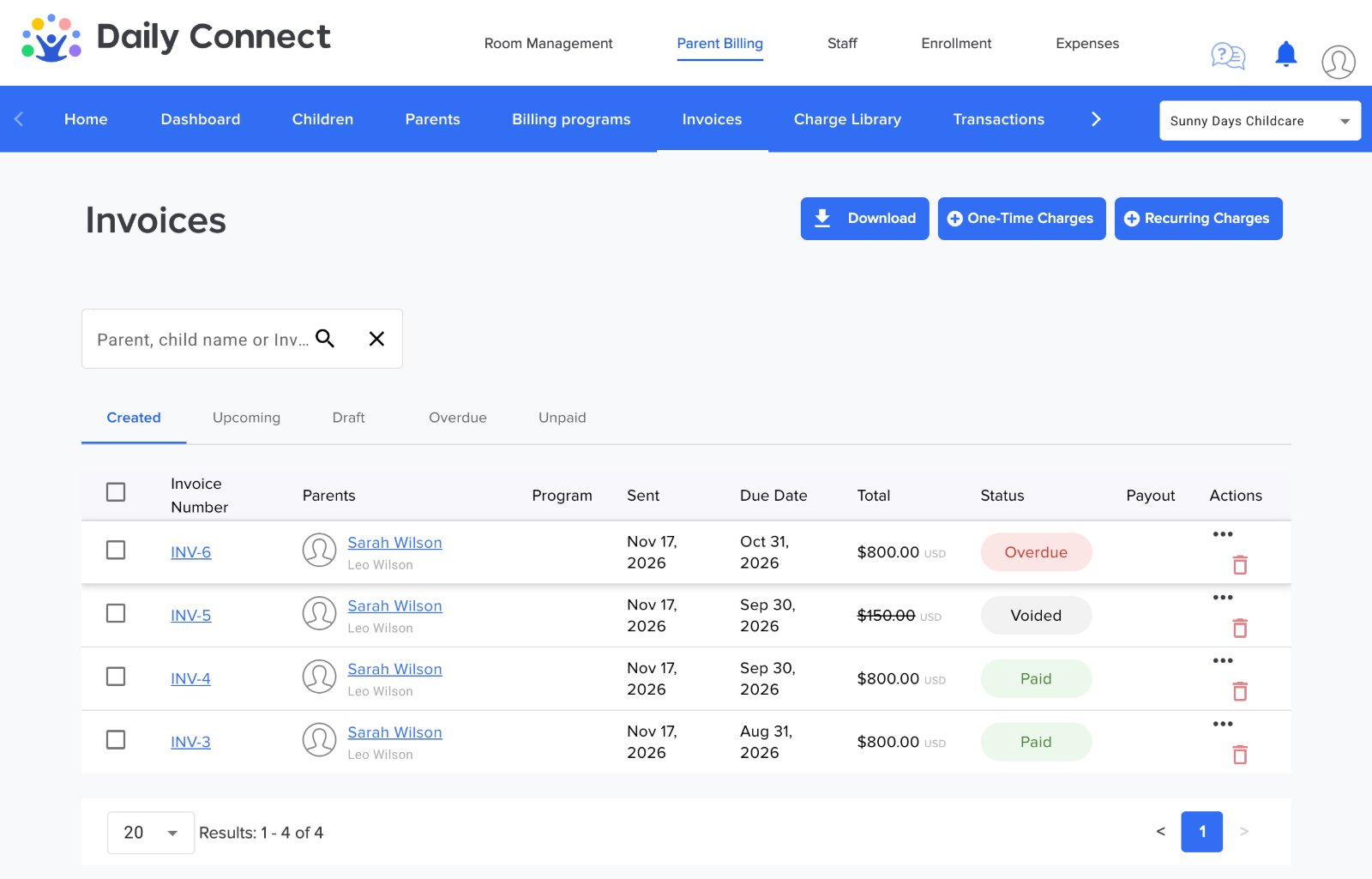
The void is recorded as an adjustment of November 17. The next section shows how it appears in the reports.
What you see in the reports
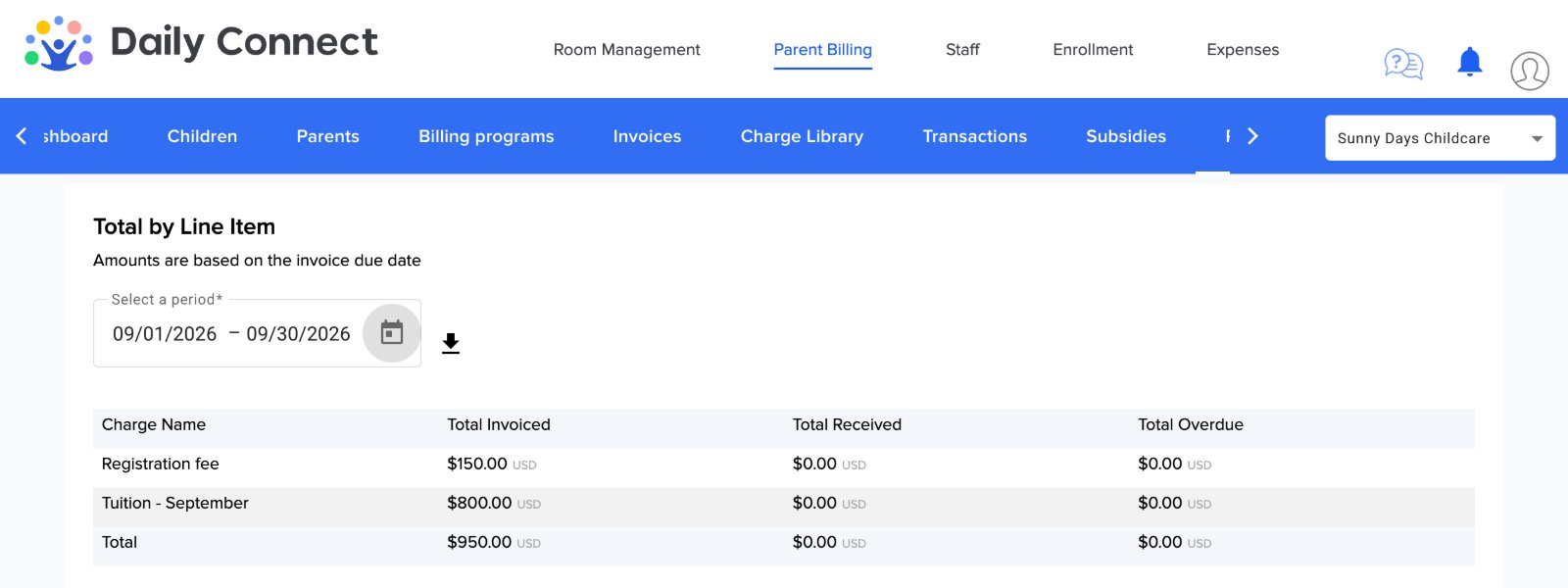
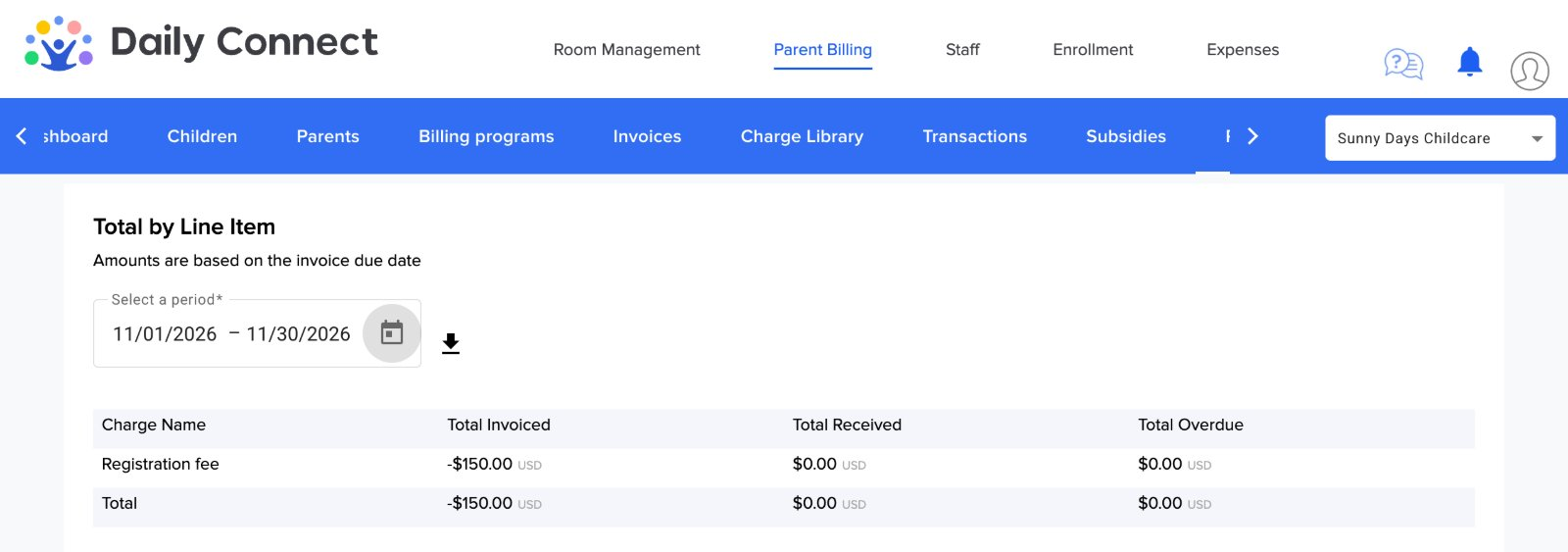
Total by Line Item
Each invoice shows in the period of its due date, as it was on that day. September still shows the registration fee, even though it was voided in November.
The void appears in November, the month it was made, as a negative amount on the line of the registration fee.
Current Balance
In Reports > Current Balance, the monthly view gains two columns, Opening and Adjustments. The opening of a month is the amount due at the end of the month before, and every row balances:

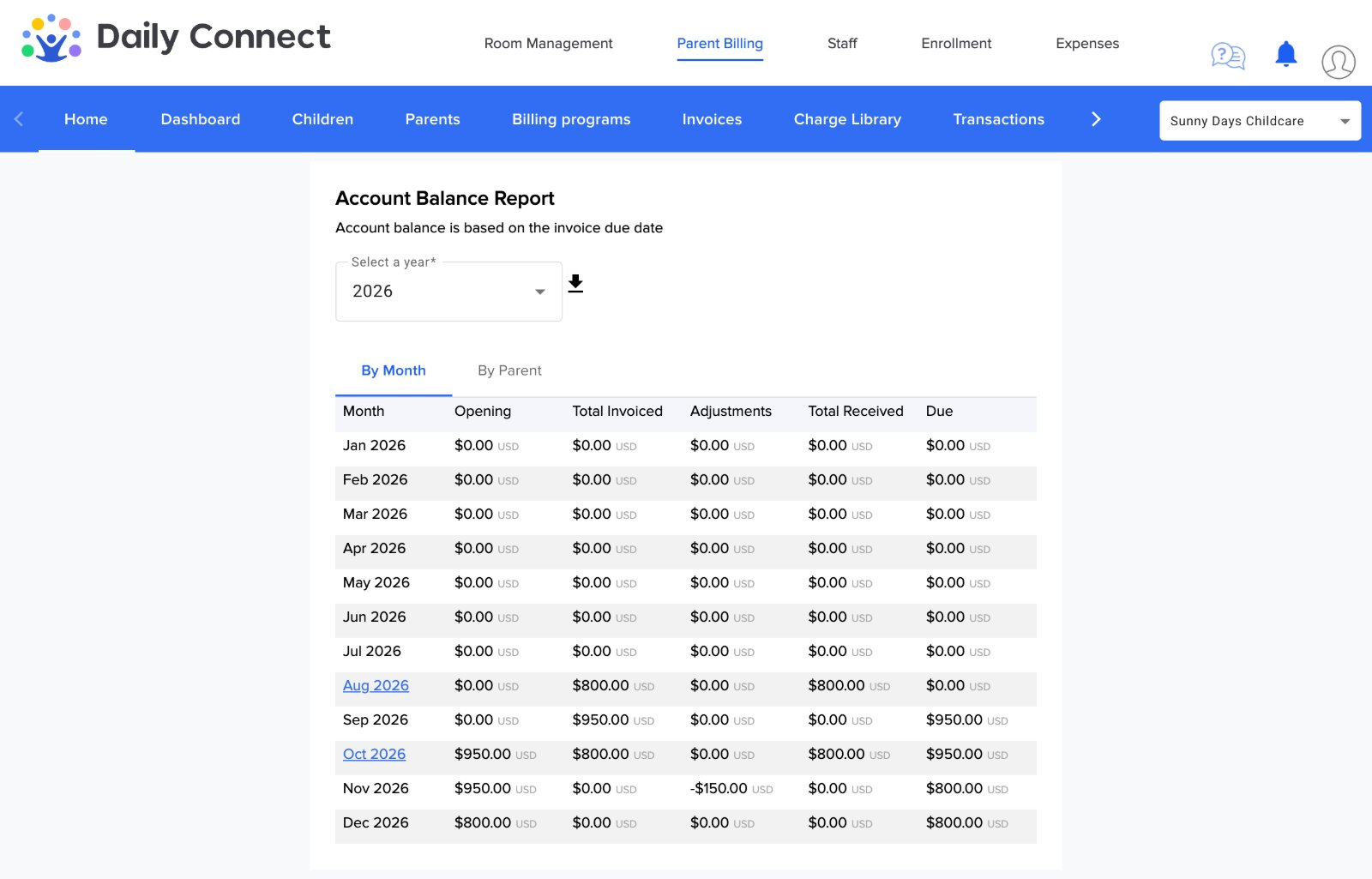
- September ends with $950.00 due: the tuition and the registration fee were not paid yet. This amount never changes afterwards.
- October opens with $950.00, adds the October tuition and receives the $800.00 paid on October 2, which leaves $950.00 due.
- November shows the void as an adjustment of -$150.00, which leaves $800.00 due: the October tuition.
Exports contain the same figures as the screen.
What changes in your daily work
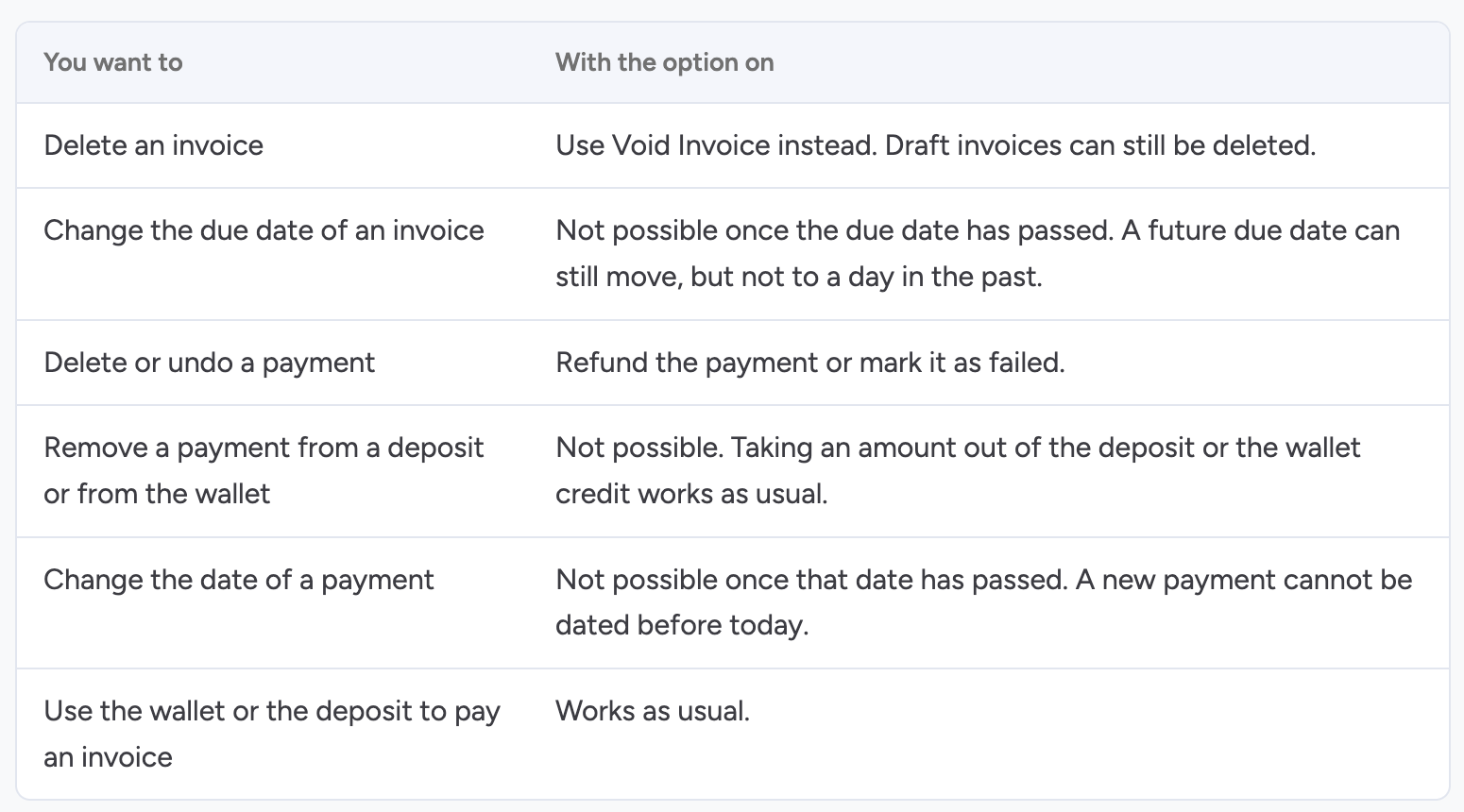
To keep a clear history, some actions are no longer possible while the option is on. The software tells you what to do instead.
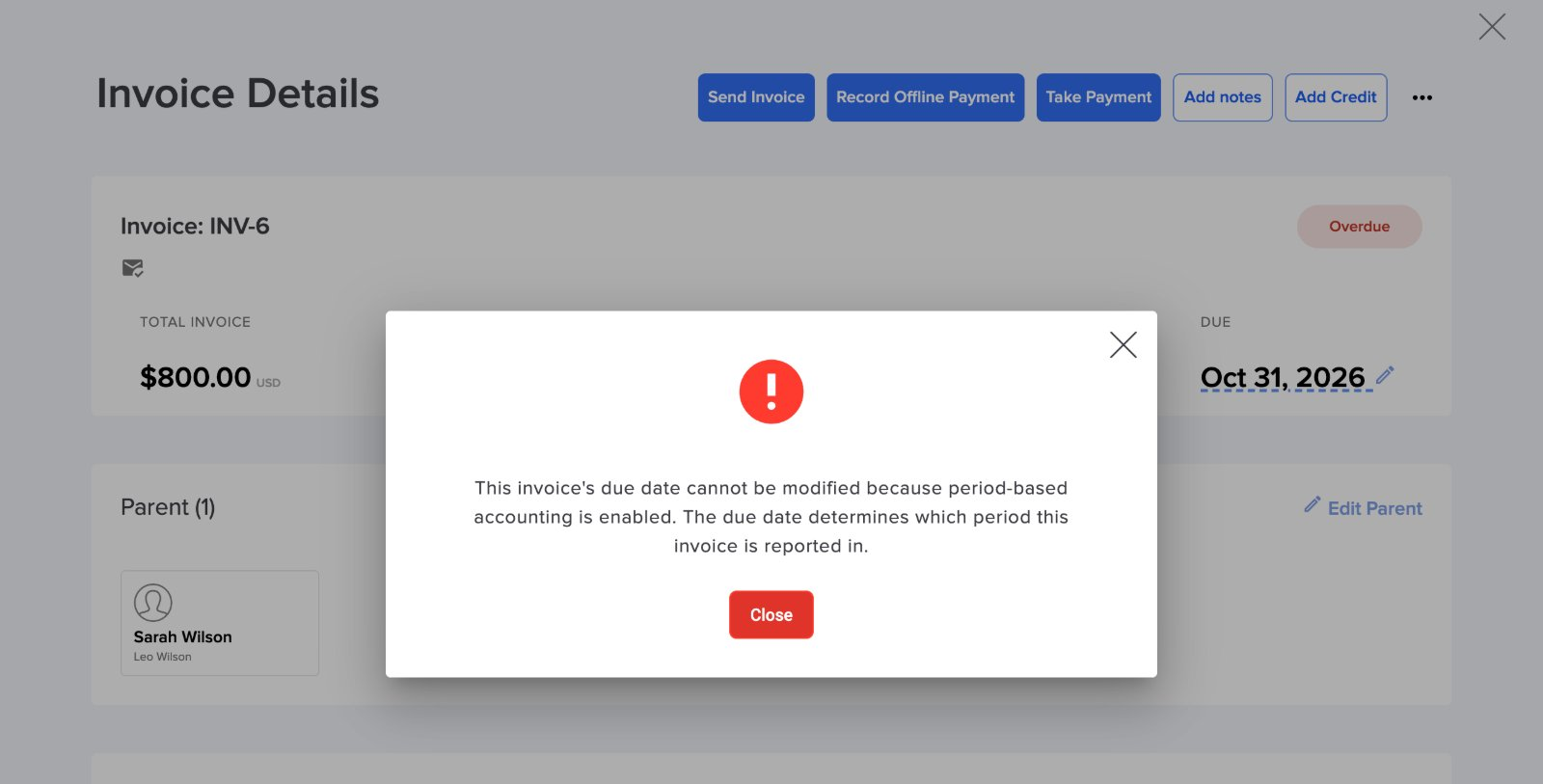
Good to know before you start
- Months before you turn the option on are shown as they are today. Nothing is recalculated.
- Autopay only charges invoices due in the last 30 days. An older unpaid invoice must be collected separately.
- With the option off, all reports and actions work exactly as before.
- If you work with an accountant, let them know the date you turned the option on.
More questions? Contact us at support@dailyconnect.com
Was this article helpful?
That’s Great!
Thank you for your feedback
Sorry! We couldn't be helpful
Thank you for your feedback
Feedback sent
We appreciate your effort and will try to fix the article