The Child and Adult Care Food Program (CACFP) pays for nutritious meals and snacks for eligible children who are enrolled at participating: child care centers and family child care homes, afterschool programs, homeless shelters, and senior day care centers. CACFP supports good nutrition and quality care in early care and education settings.
Daily Connect integrates this program into the platform, allowing the management of menus in compliance with the CACFP program.
If you would like to include this program in your center, first activate it:
Go to Childcare Settings > Menu, and there select "Enable independent menu management" :
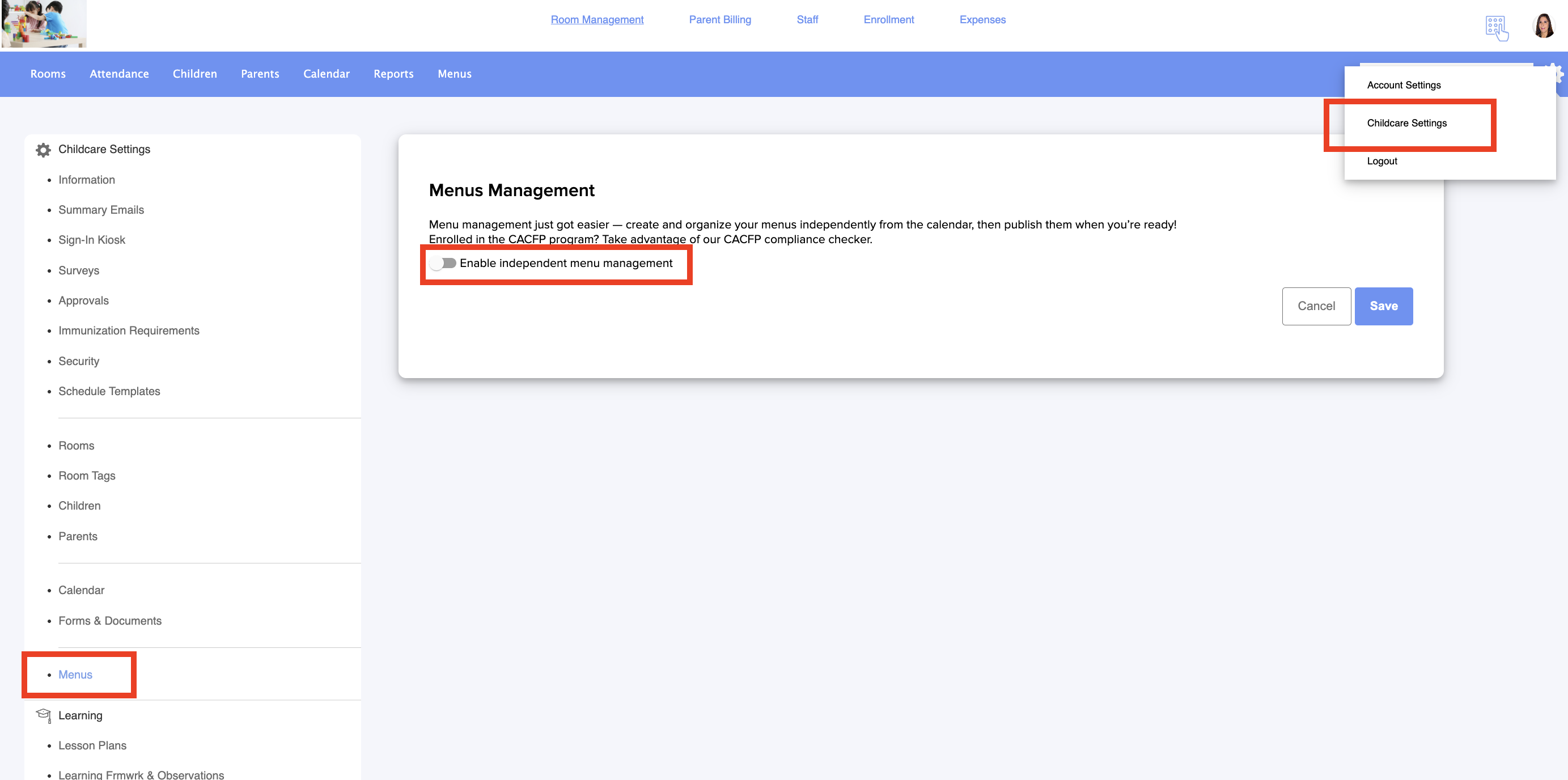
If you have more than one center, you can configure the program for all centers or select the ones you would like to associate with it:
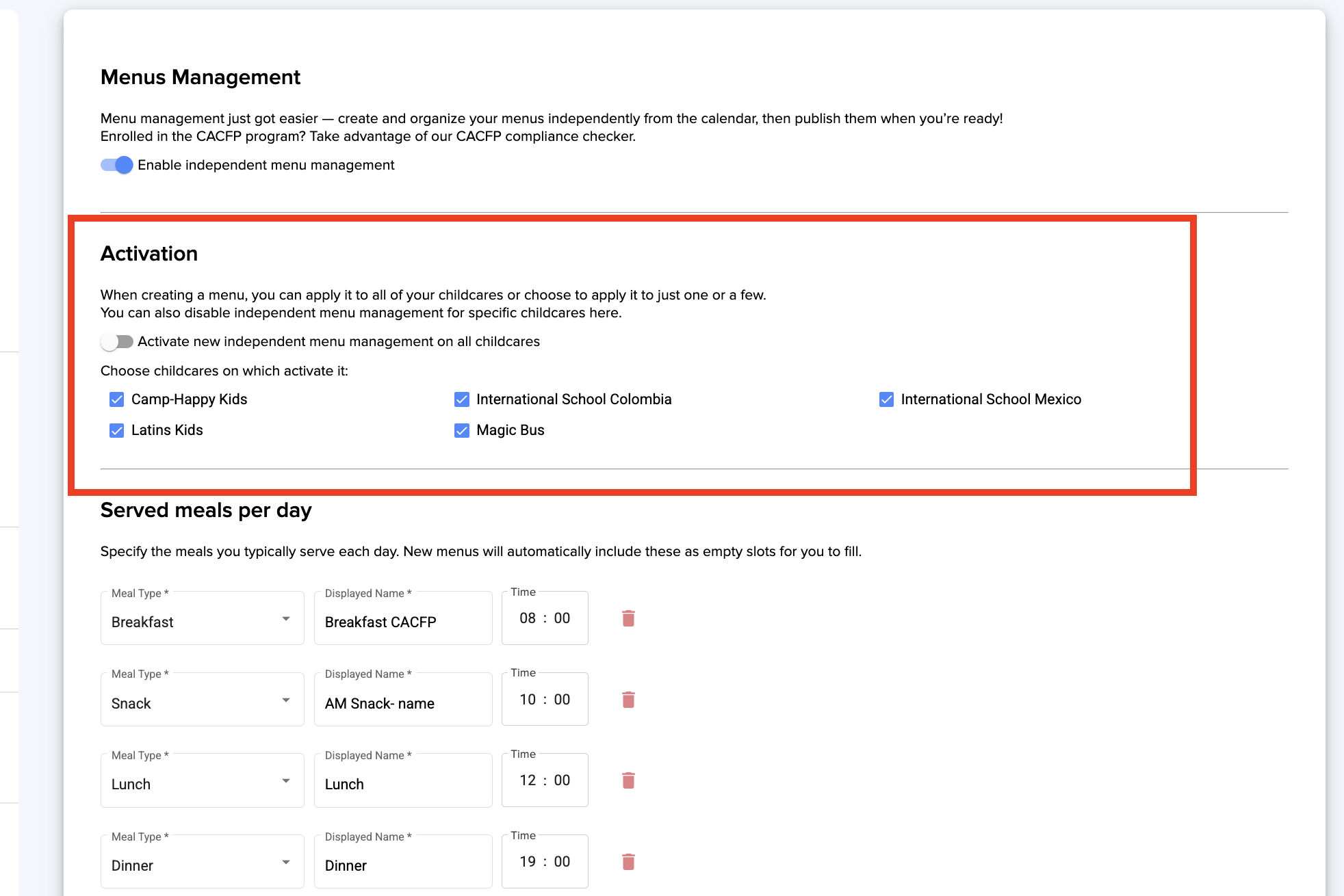
The next step is the basic configuration of the menus that will be served at your center. You can add or remove the ones shown by default. Select the meal type in the 'Meal Type' section and enter the name you prefer in 'Displayed Name.' You can also choose the schedule for each meal.
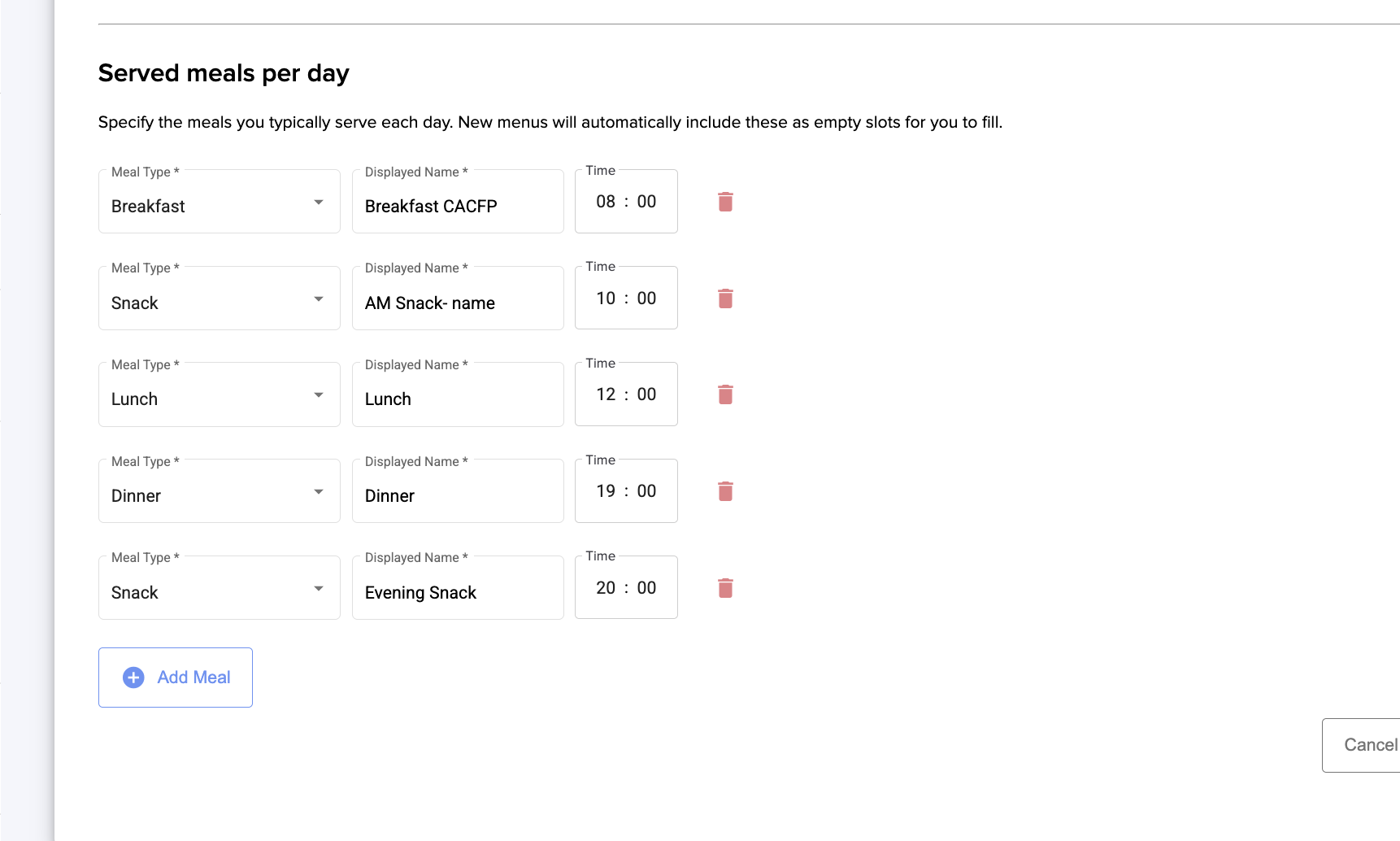
Now you are ready to add your menus. Learn how here.
Was this article helpful?
That’s Great!
Thank you for your feedback
Sorry! We couldn't be helpful
Thank you for your feedback
Feedback sent
We appreciate your effort and will try to fix the article