Creating lessons for different curriculums can be a time-consuming task, time that could be better spent focusing on your students. To help with this, Daily Connect offers an artificial intelligence tool that allows you to create the lessons you need in just a few seconds.
There are three ways to create a lesson: through a calendar entry, through a daily feed entry, or through lesson plans (reserved for administrator accounts). In this case, we’ll show you how to do it through a feed entry.
Watch this video:
Follow these steps:
1. Log in to your teacher account on the Daily Connect website.
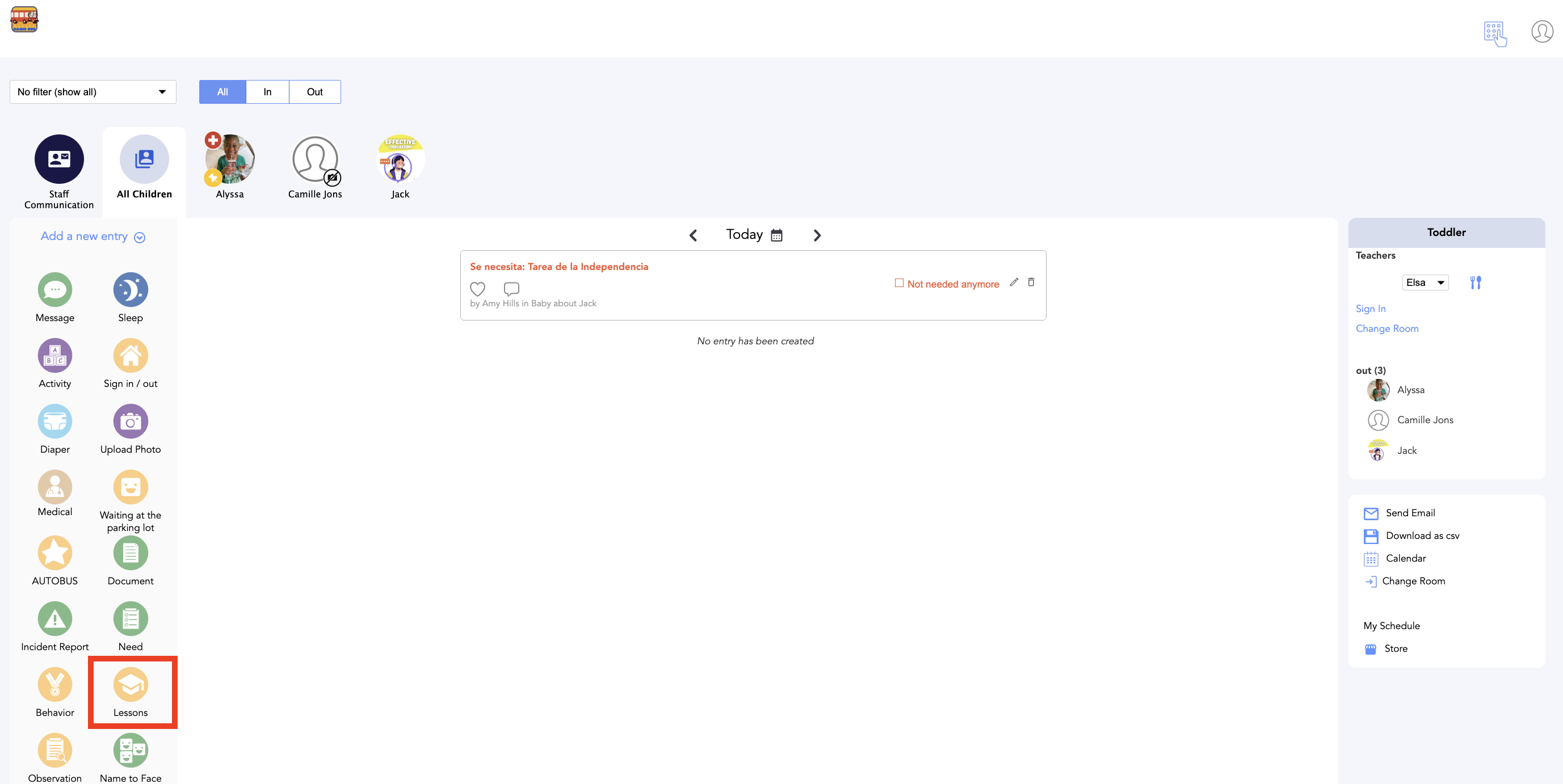
2. Click on Lessons:
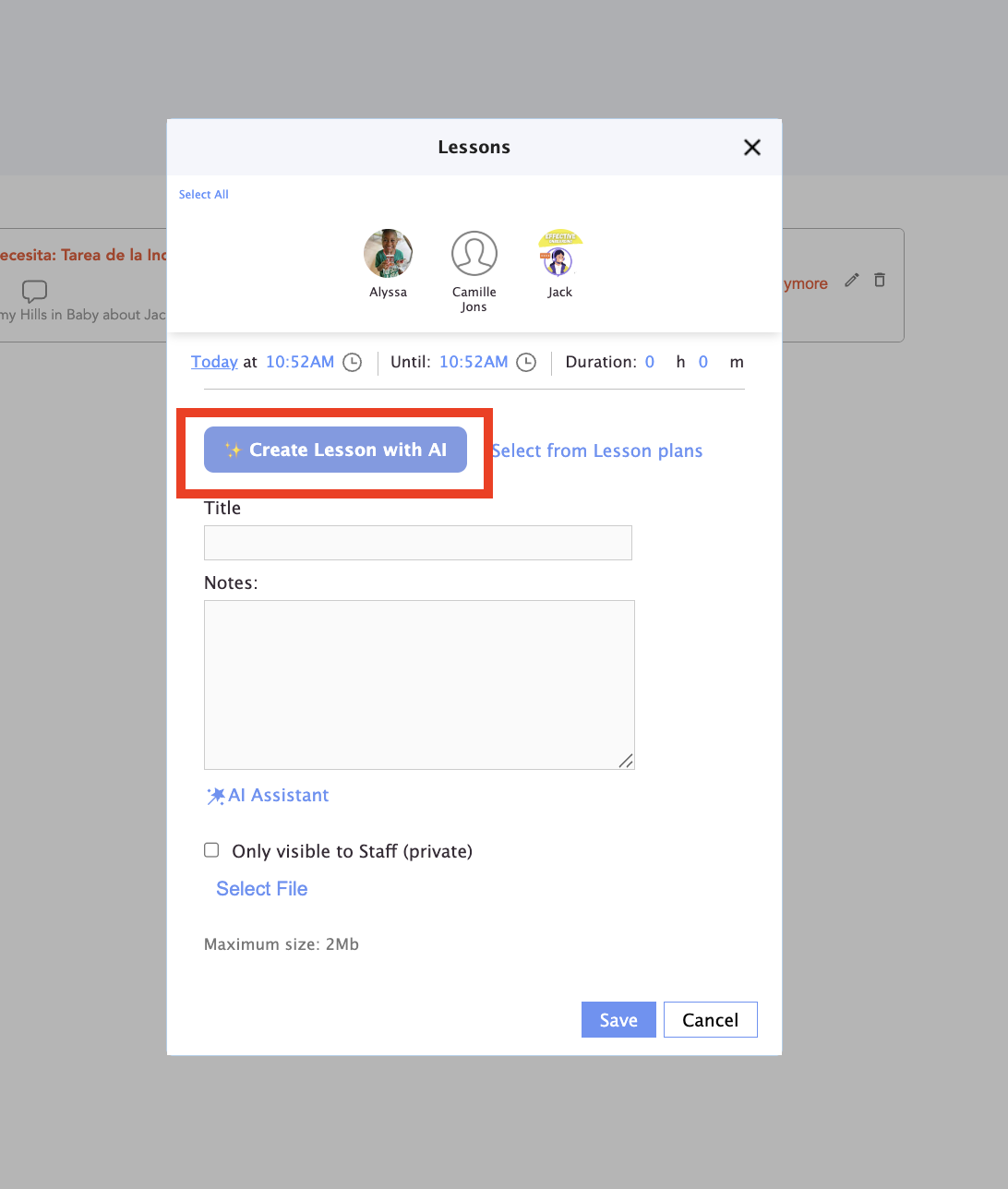
3. Click on Create lesson with AI:
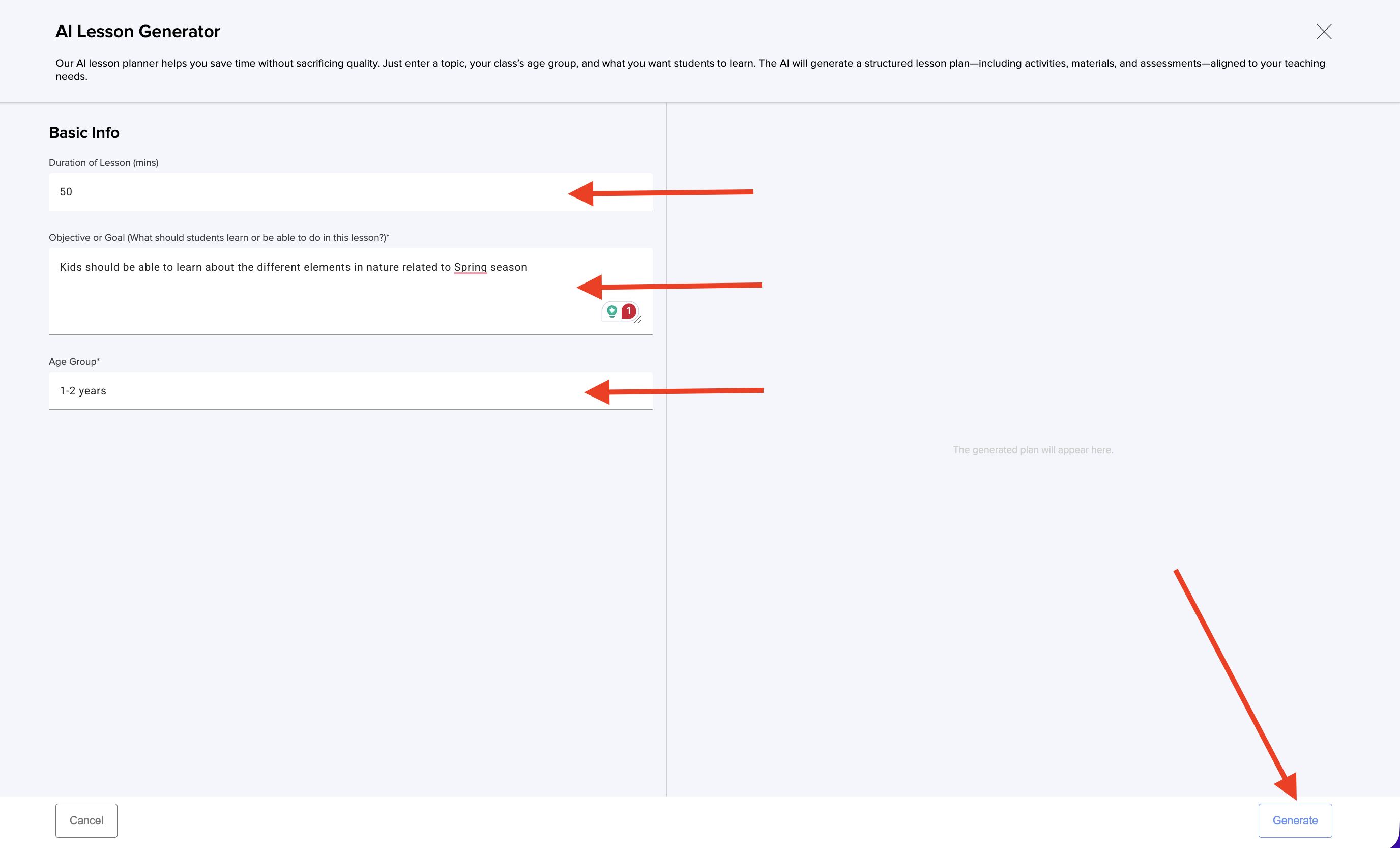
4. Next, enter the duration of the lesson in minutes, specify the objective of the lesson to the AI, and indicate the age group of the children the lesson is intended for. Click on Generate:
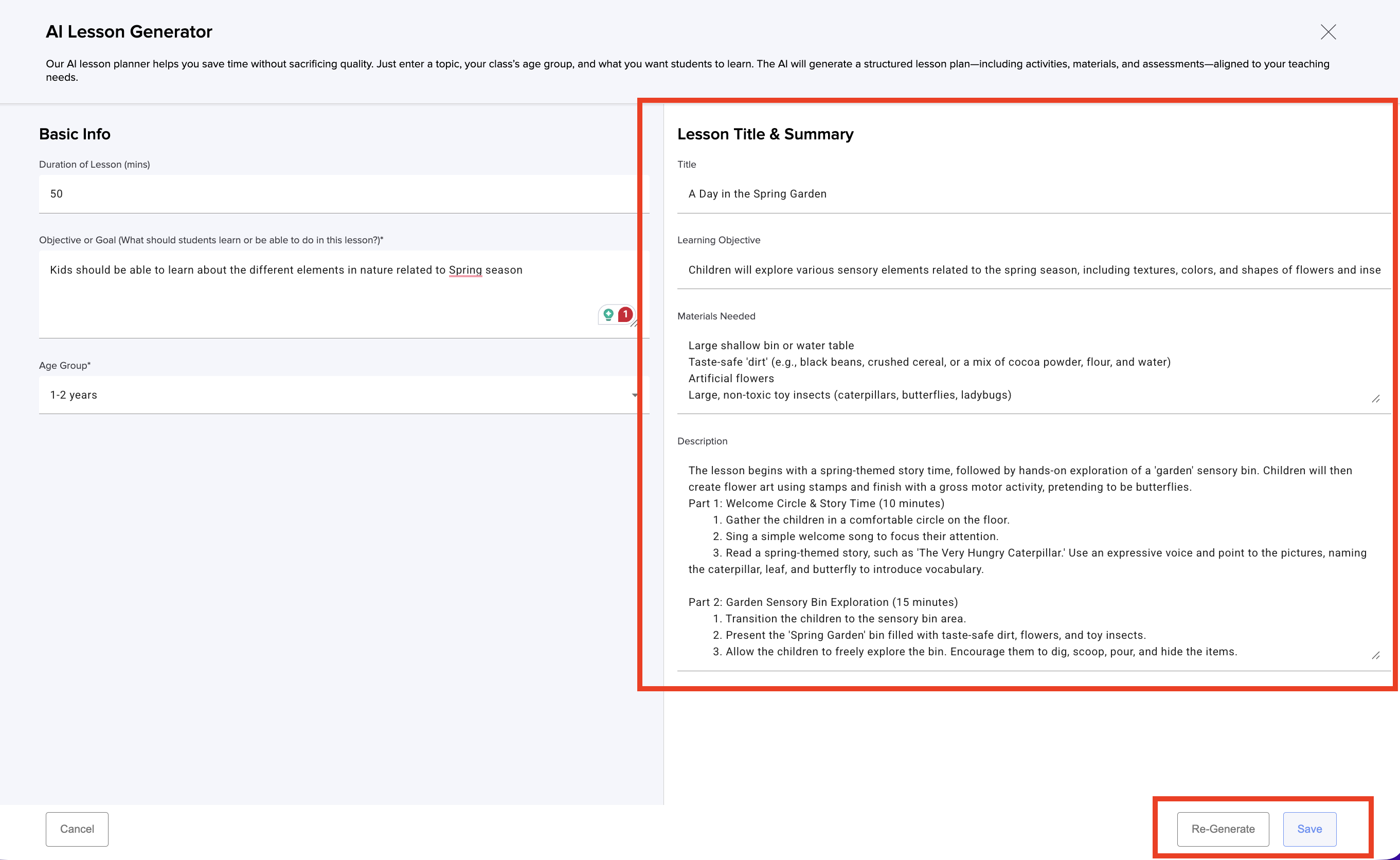
5. In just a few seconds, the lesson will be generated. Click Save, if you’d like a new version, click Re-generate.
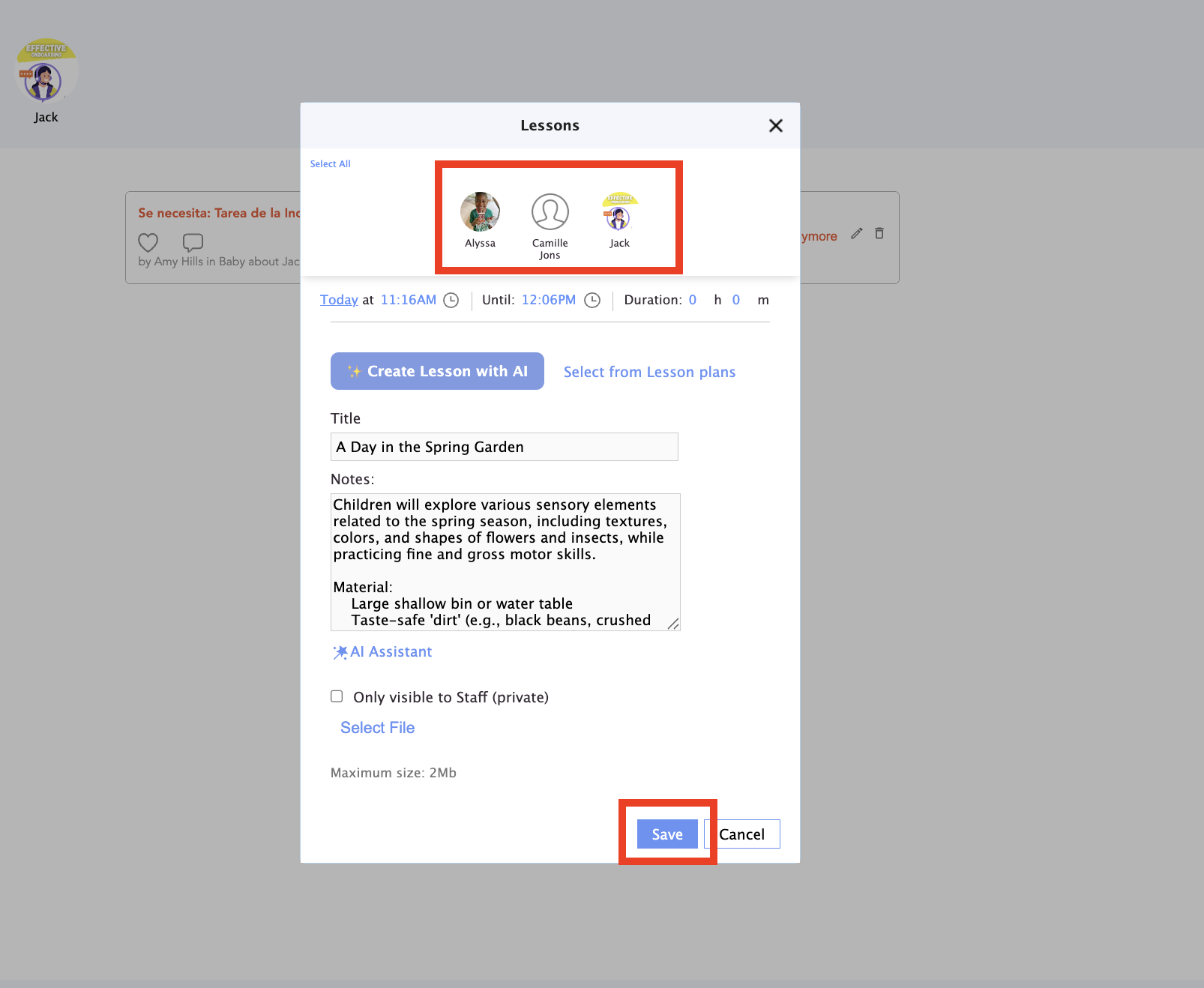
6. Select the child or children you want to assign this lesson to and click Save:
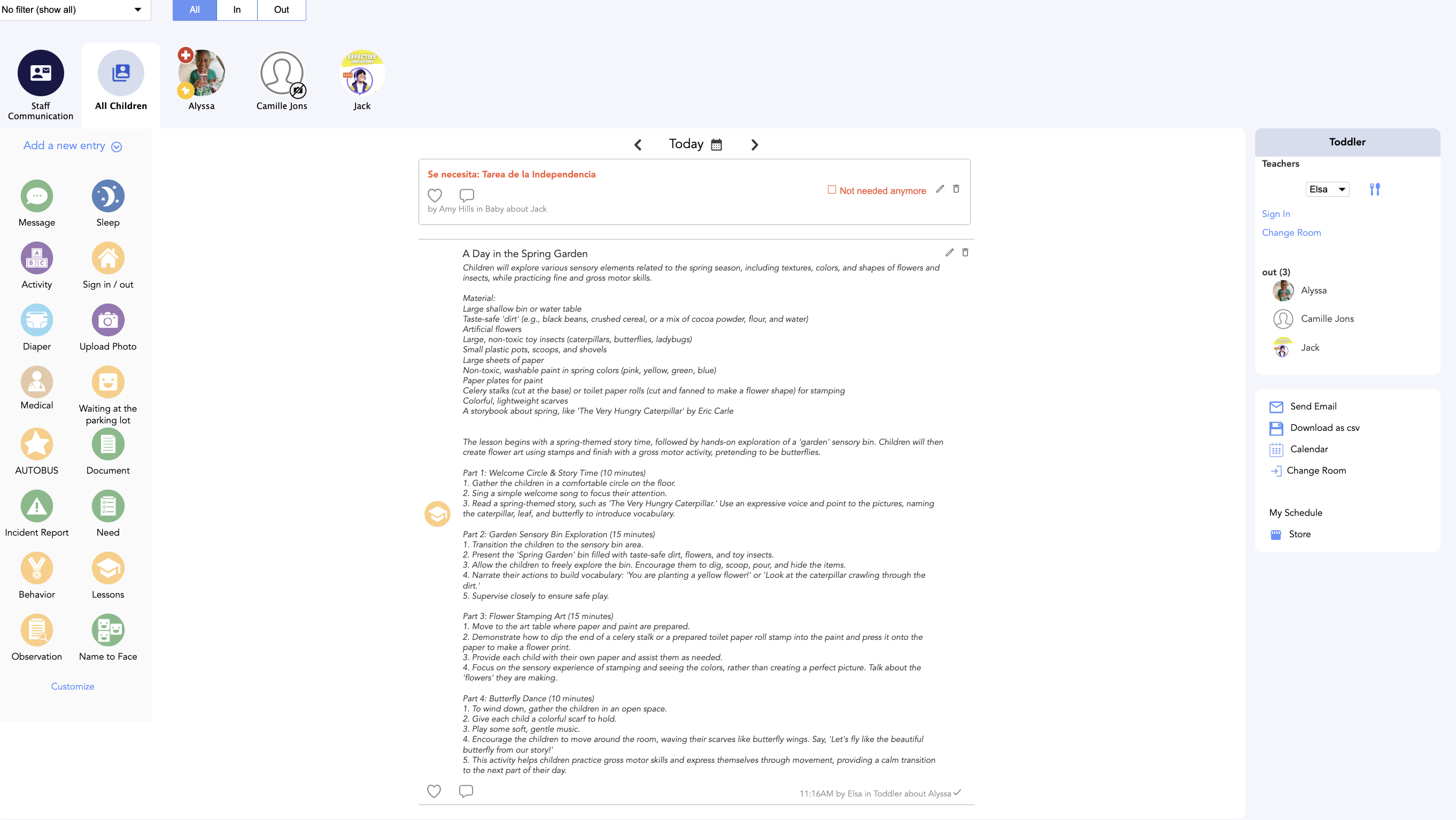
7. Now you can see on the feed the lesson assigned
If you have any questions or comments, please get in touch with us at support@dailyconnect.com