1. Open Child Care Settings and go to Rooms 0:00
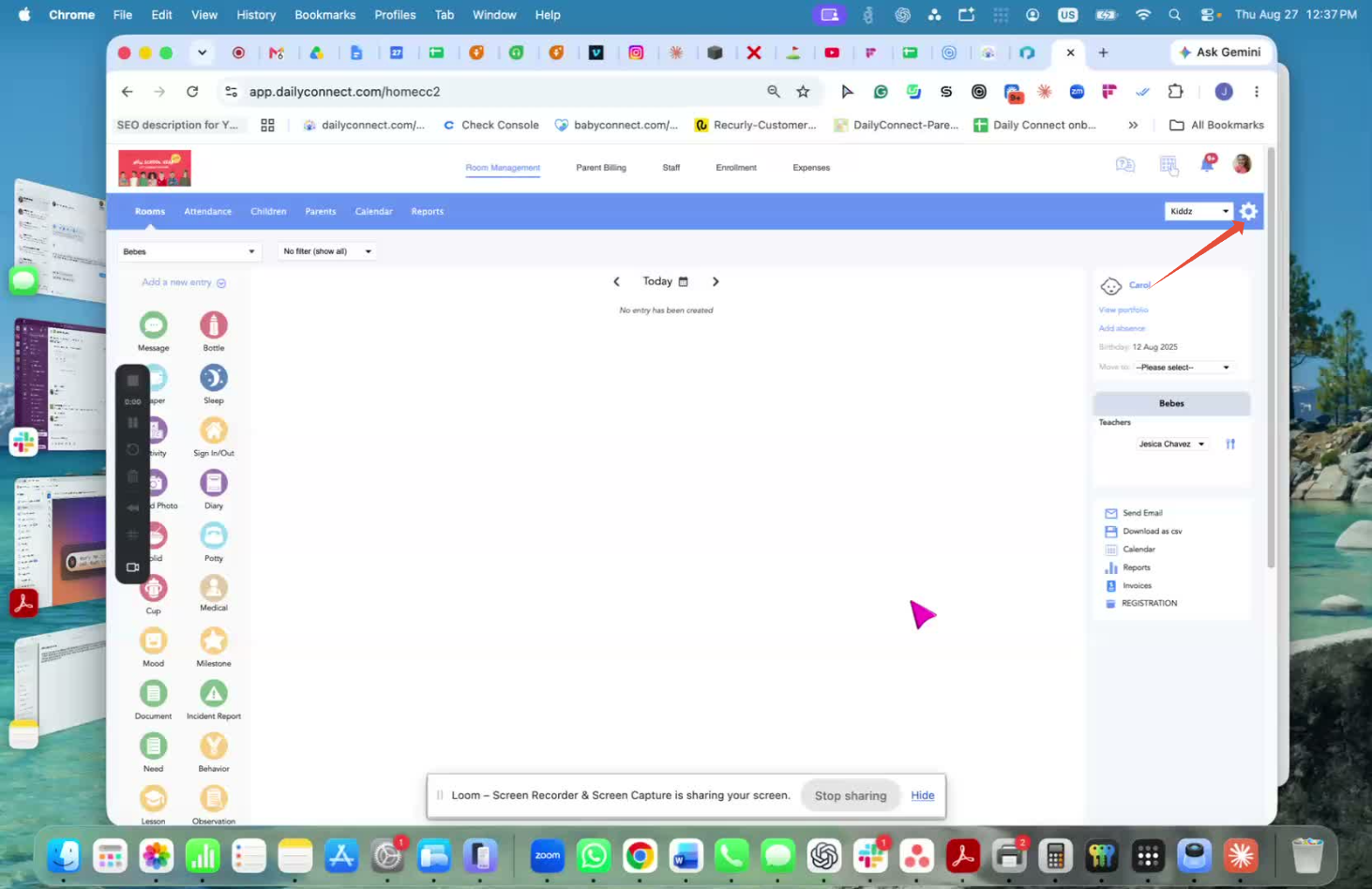
Navigate to Child Care Settings.
Select Rooms from the settings menu.
This is where all room management actions are available.
2. Choose the room action: Archive or Delete 0:16
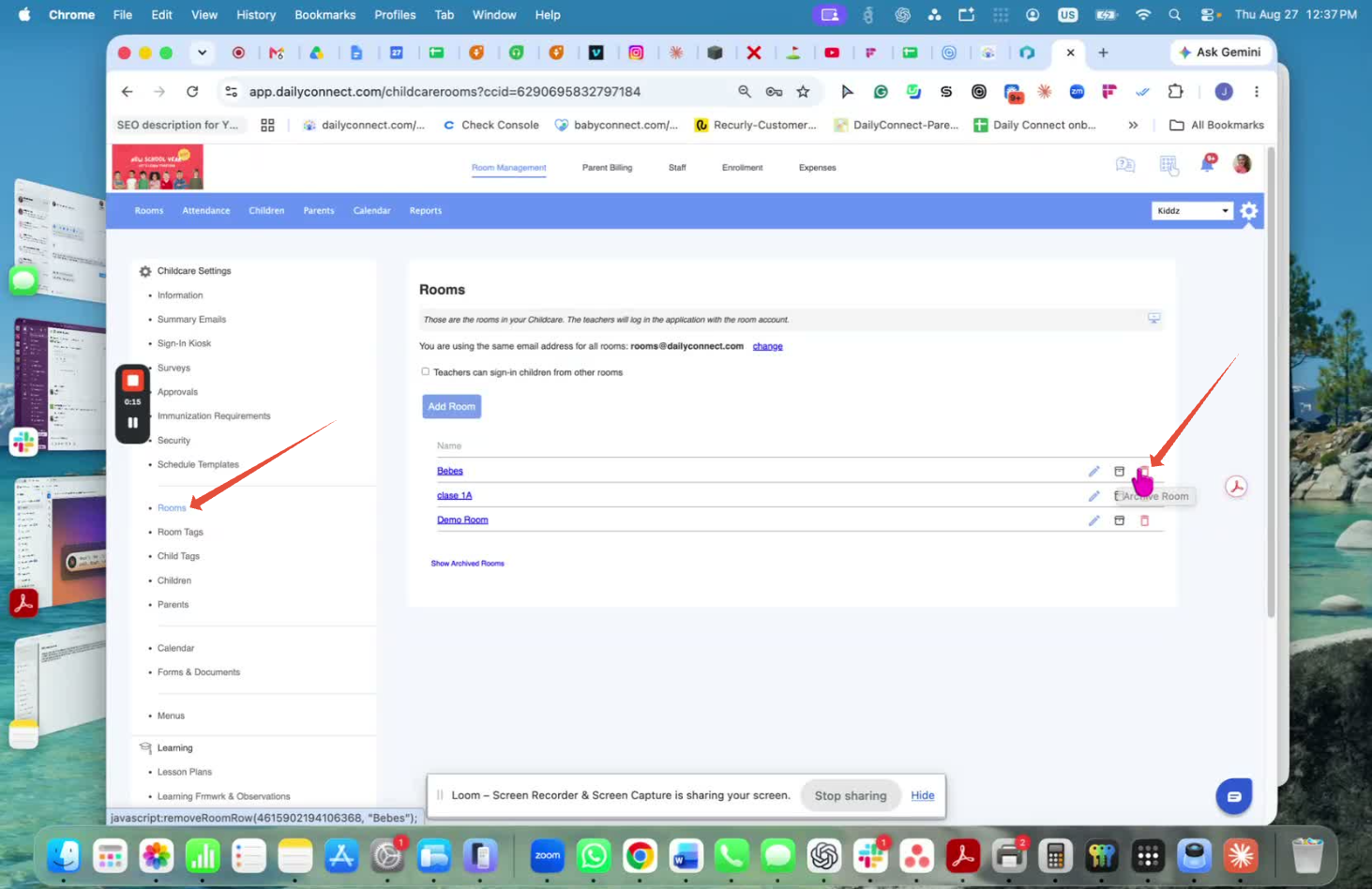
Find the room you want to remove.
You will see options to Archive the room or Delete it.
If you want to fully remove the room, select Delete.
Confirm the action if prompted; the room will be deleted.
Watch the video
Was this article helpful?
That’s Great!
Thank you for your feedback
Sorry! We couldn't be helpful
Thank you for your feedback
Feedback sent
We appreciate your effort and will try to fix the article