In this article, you will learn how to perform a series of actions on the classes you have already created in your account.
1. Log in to your admin account.
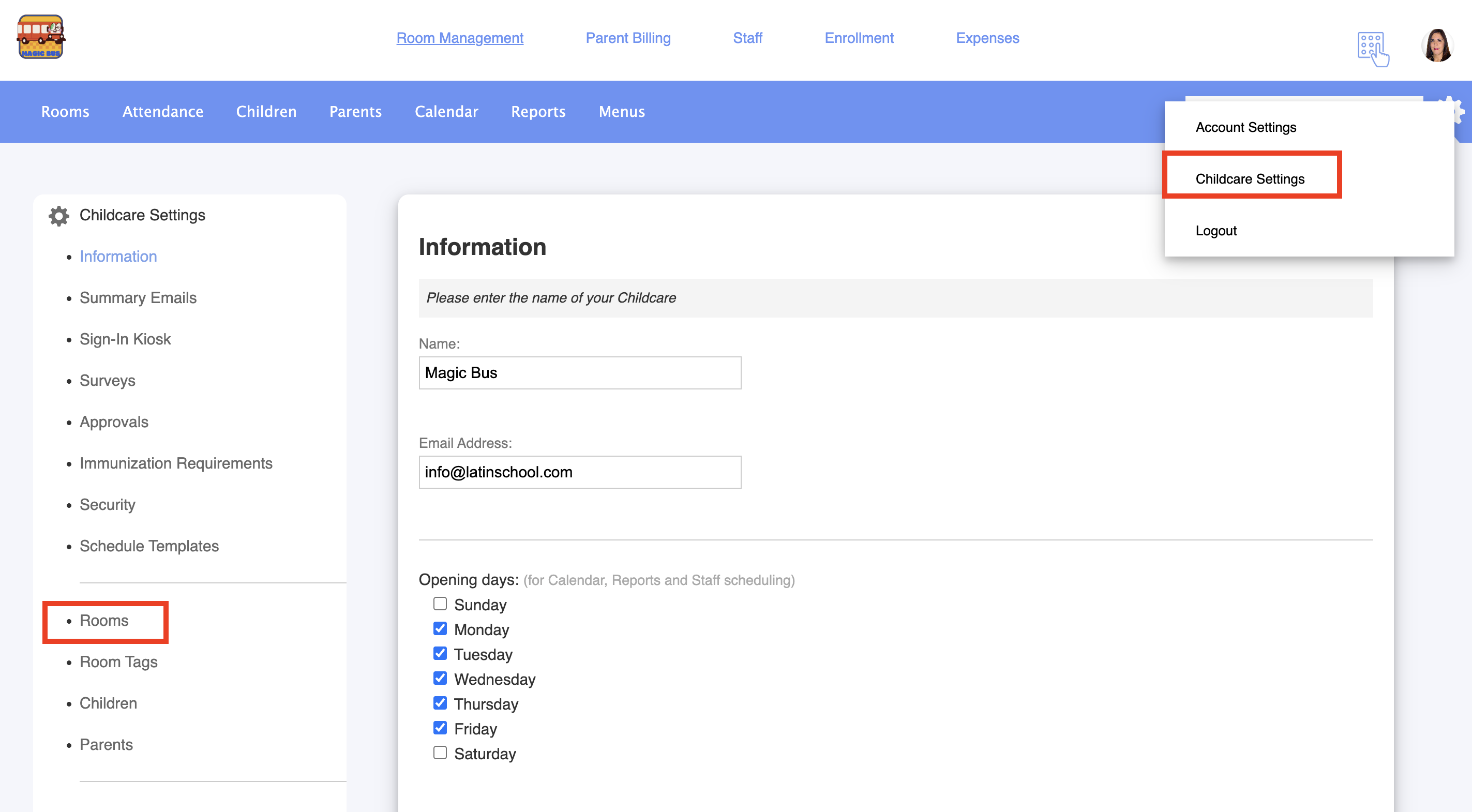
2. Got to Childcare settings > Rooms:
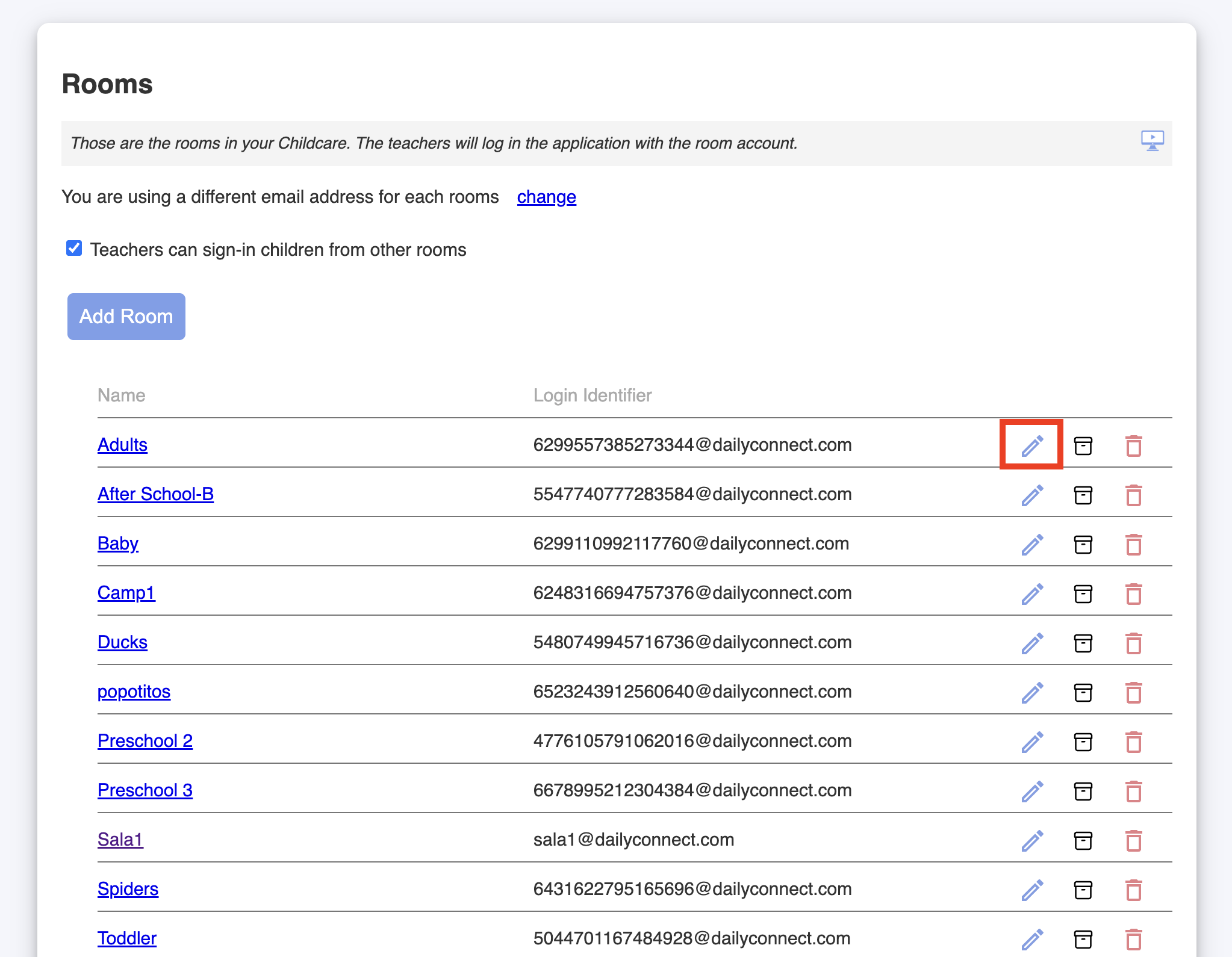
Edit your room:
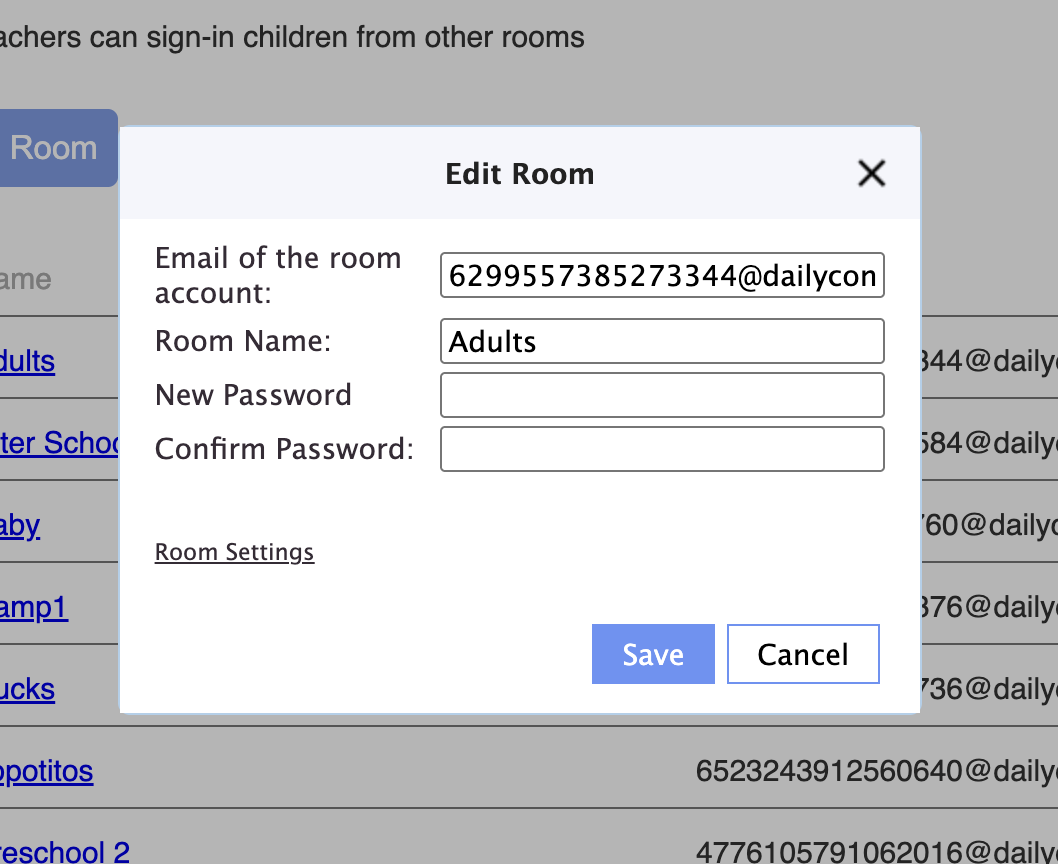
1. Click on the blue pencil:
2. You can change the room name, email, and password:
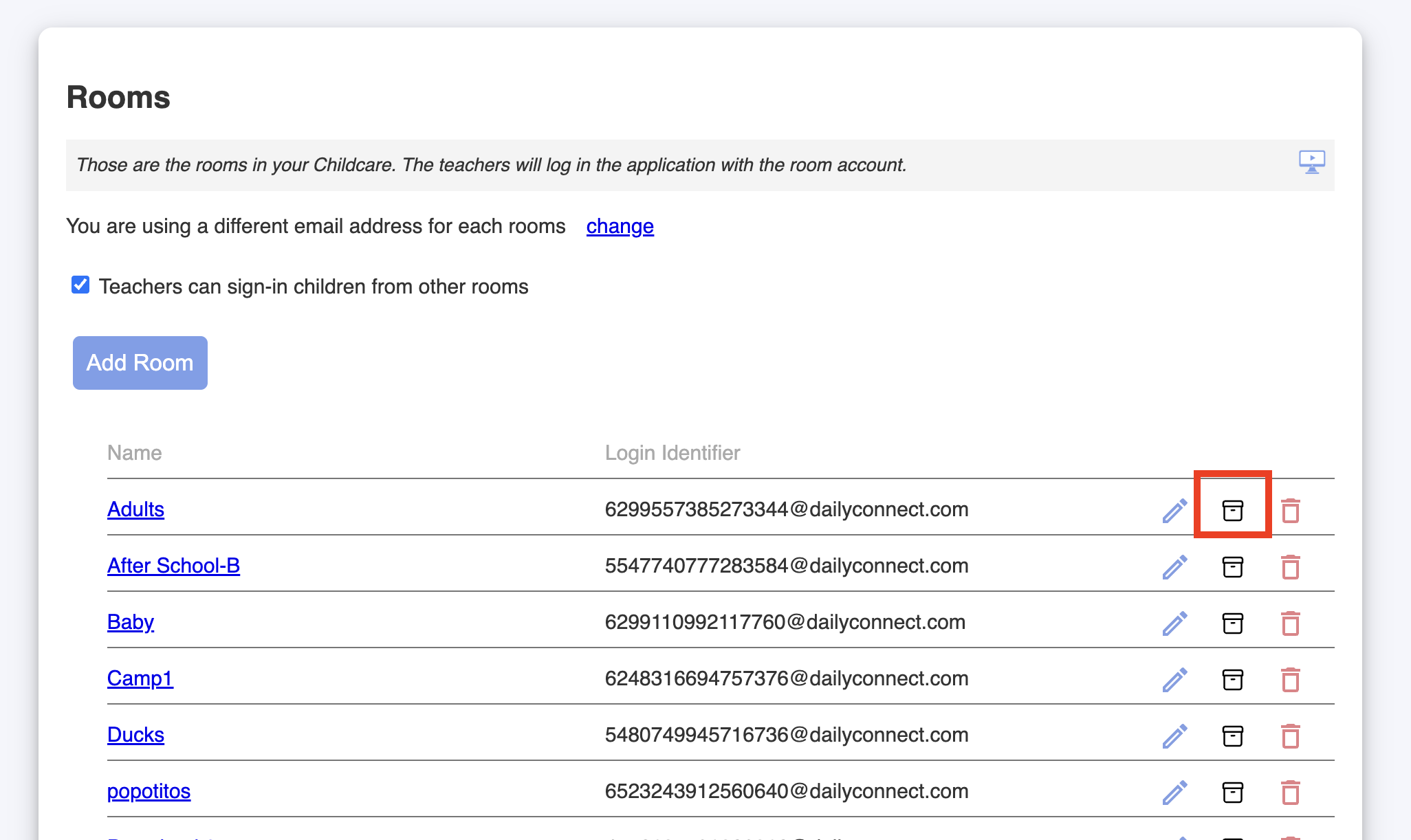
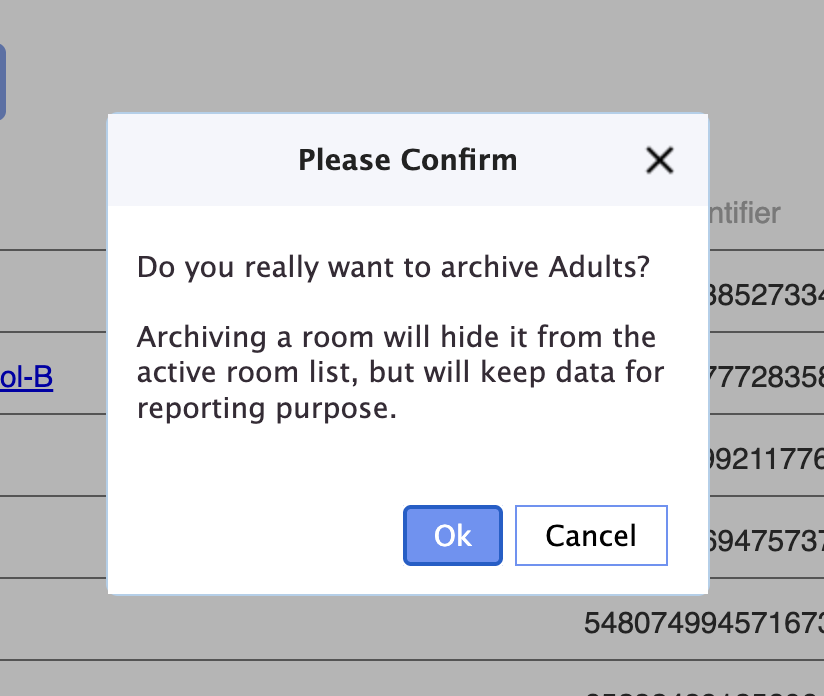
Archive the room:
1. Click on the archive icon:
2. Confirm the action:
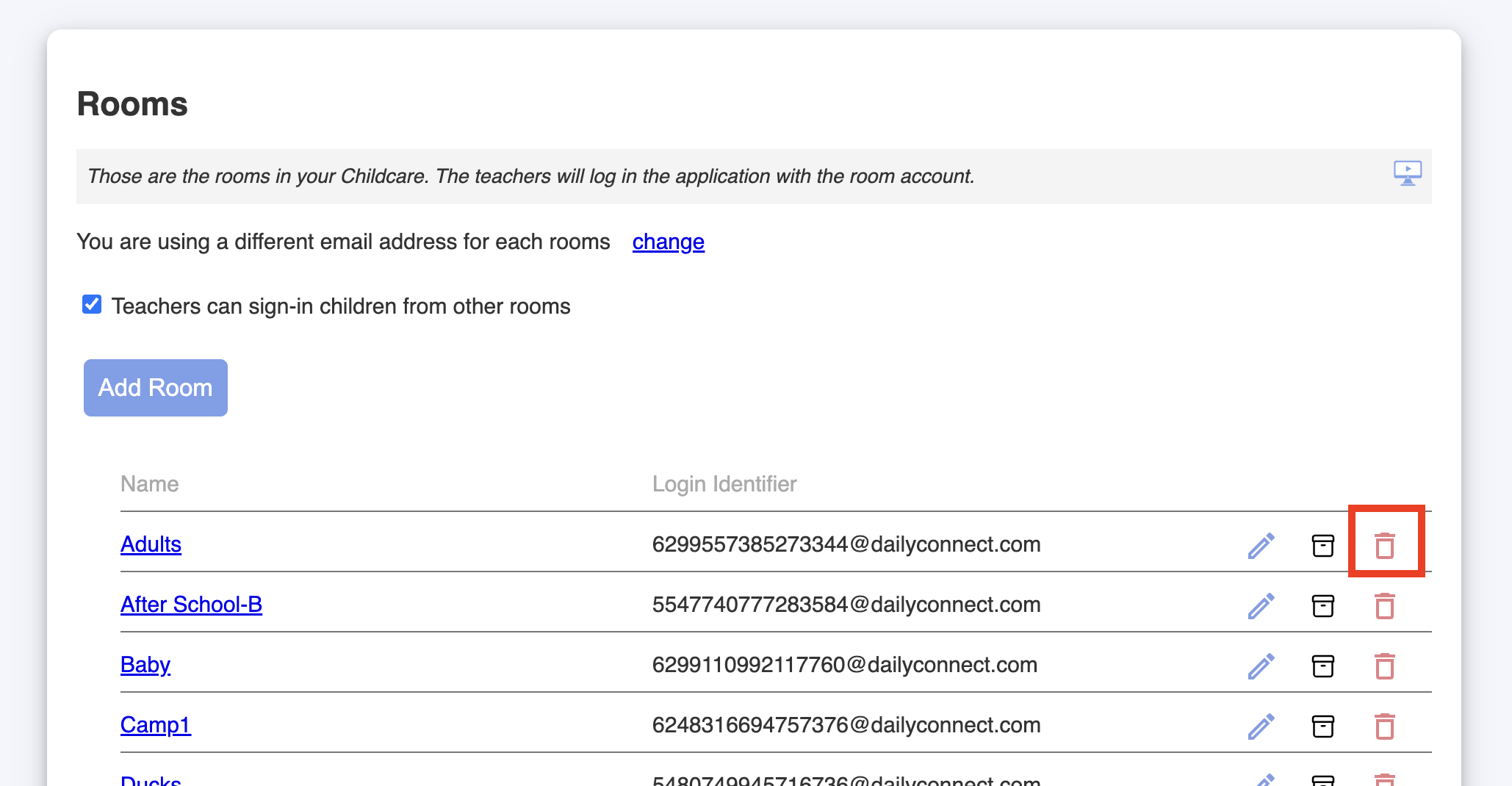
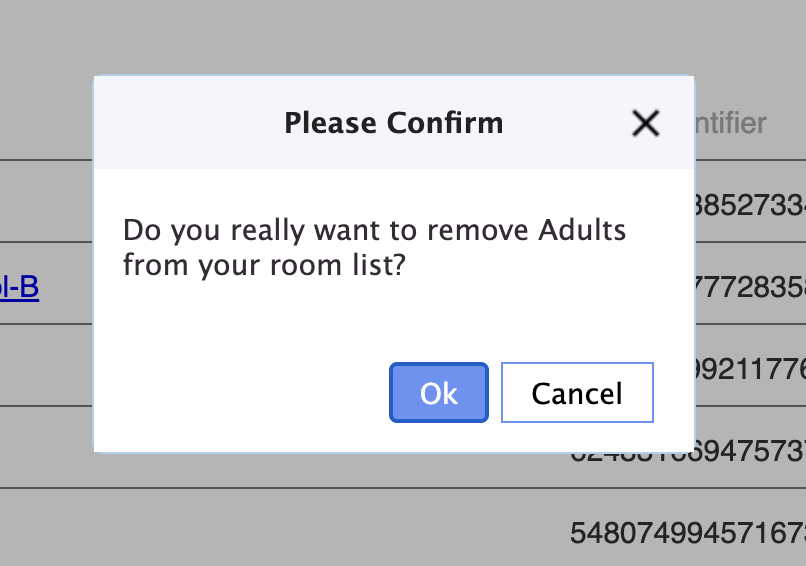
Delete the room:
1. Click on the trash icon:
2. Confirm the action:
Was this article helpful?
That’s Great!
Thank you for your feedback
Sorry! We couldn't be helpful
Thank you for your feedback
Feedback sent
We appreciate your effort and will try to fix the article