If you offer similar programs again and again, such as a weekly summer camp or a new session each term, templates save you from setting up each product from scratch. A template keeps a product's whole setup, including your own custom fields, so you can start new products from it one click.
What a template includes
Everything you configured on the product: name, descriptions, price and schedule options, add-ons and payment schedule, forms and approval settings, fees and customized emails, image, custom fields, with their default values.
It doesn't include the product's status, available sessions or folder. You set those on each new product.
Save a product as a template
You can save as a template products that you have already created on your store. Learn how:
1. Log in to your admin account.
2. Go to Enrollment > Store.
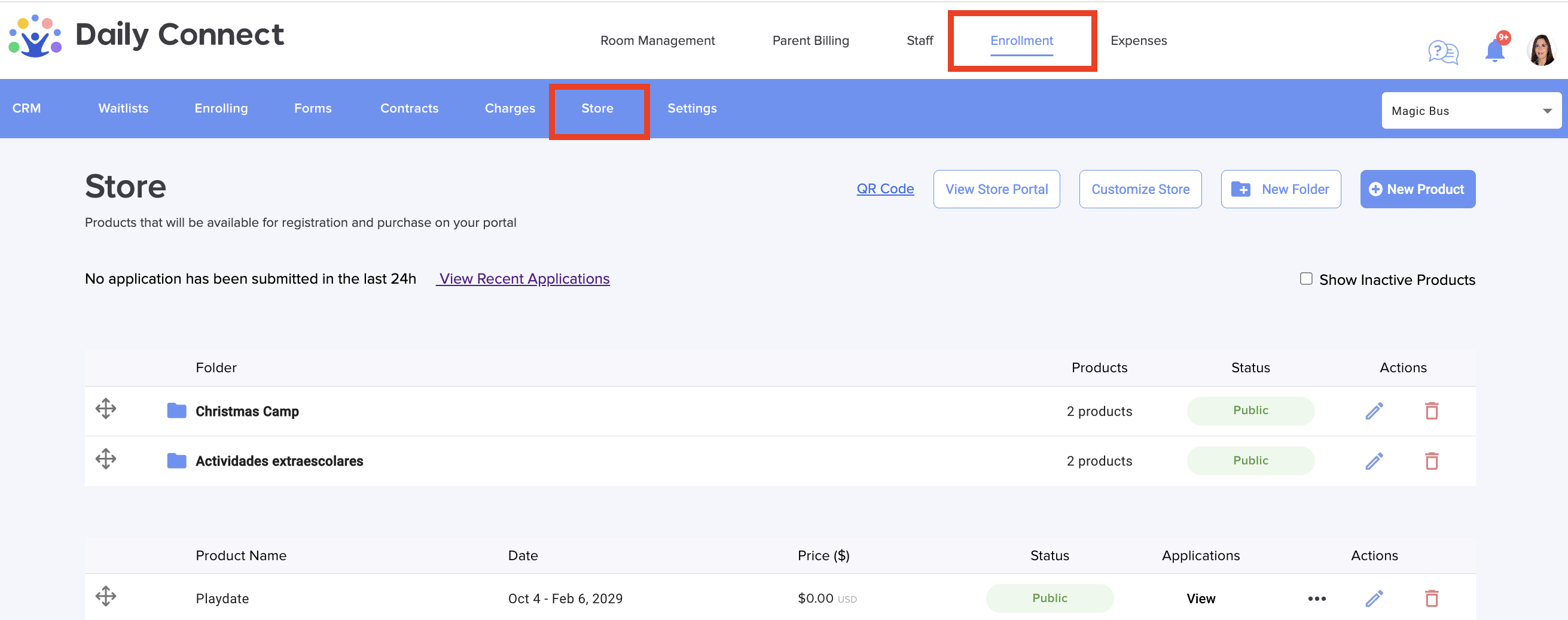
3. Open a product's menu and choose Save as template.
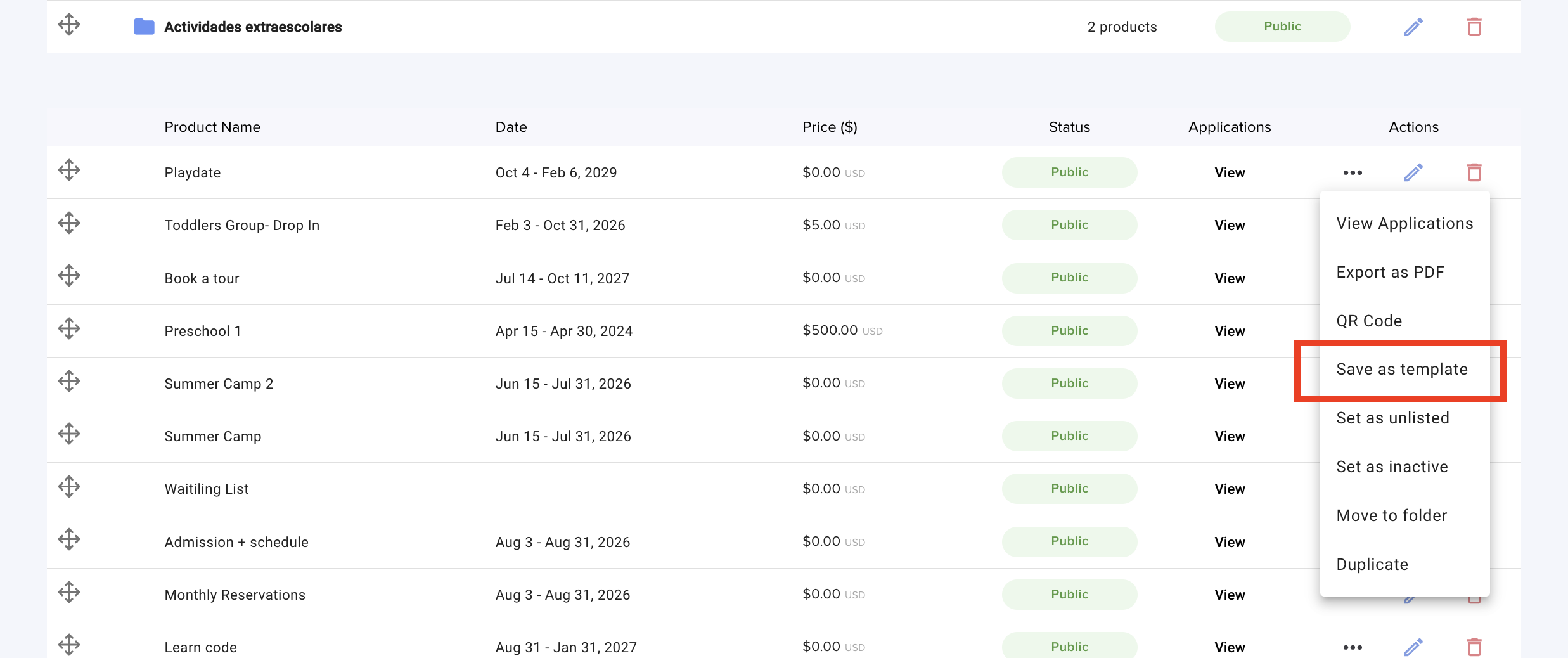
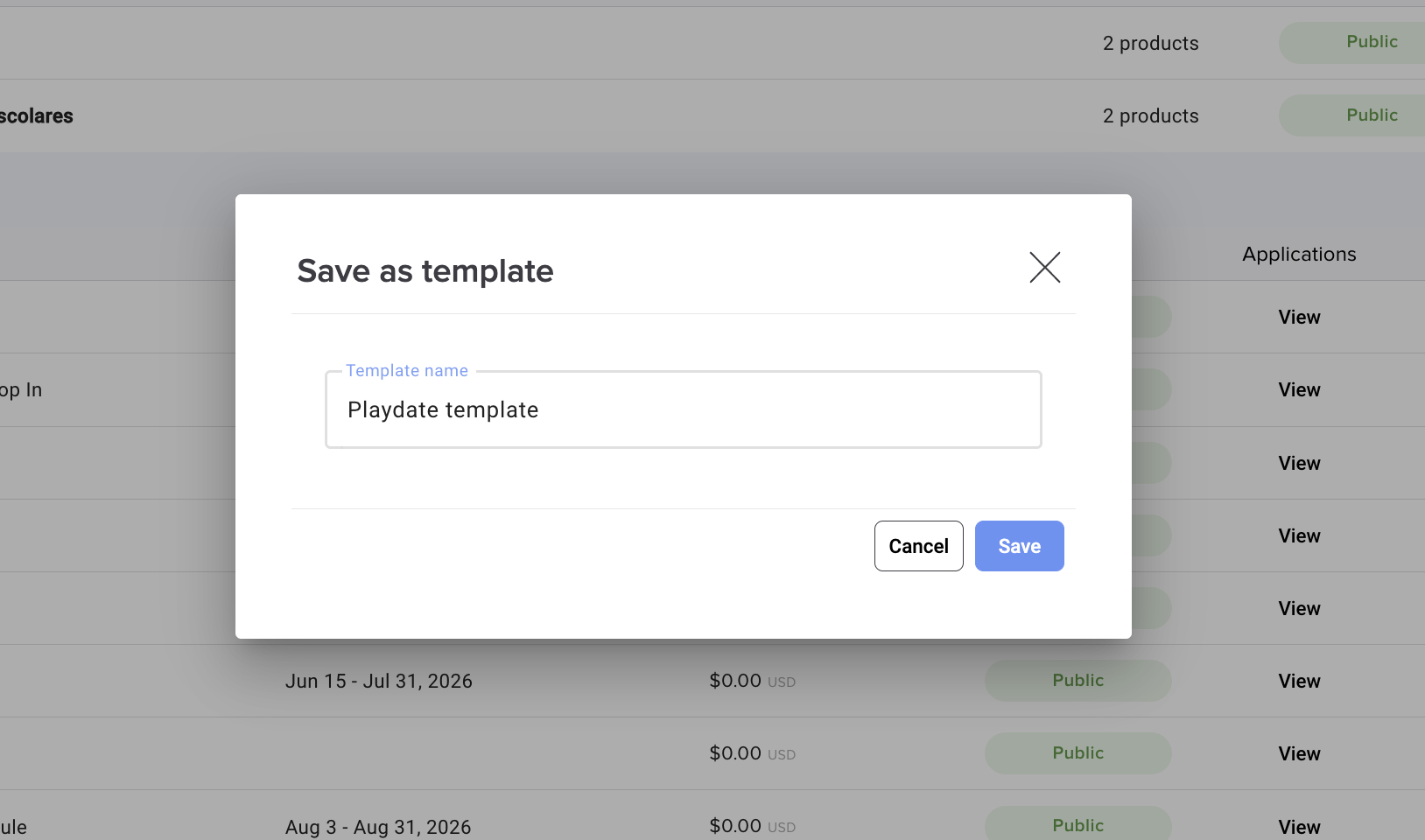
4. Choose one of these:
- Create a new template and give it a name.
- Replace an existing template to update it with this product's current setup. The template keeps its name.
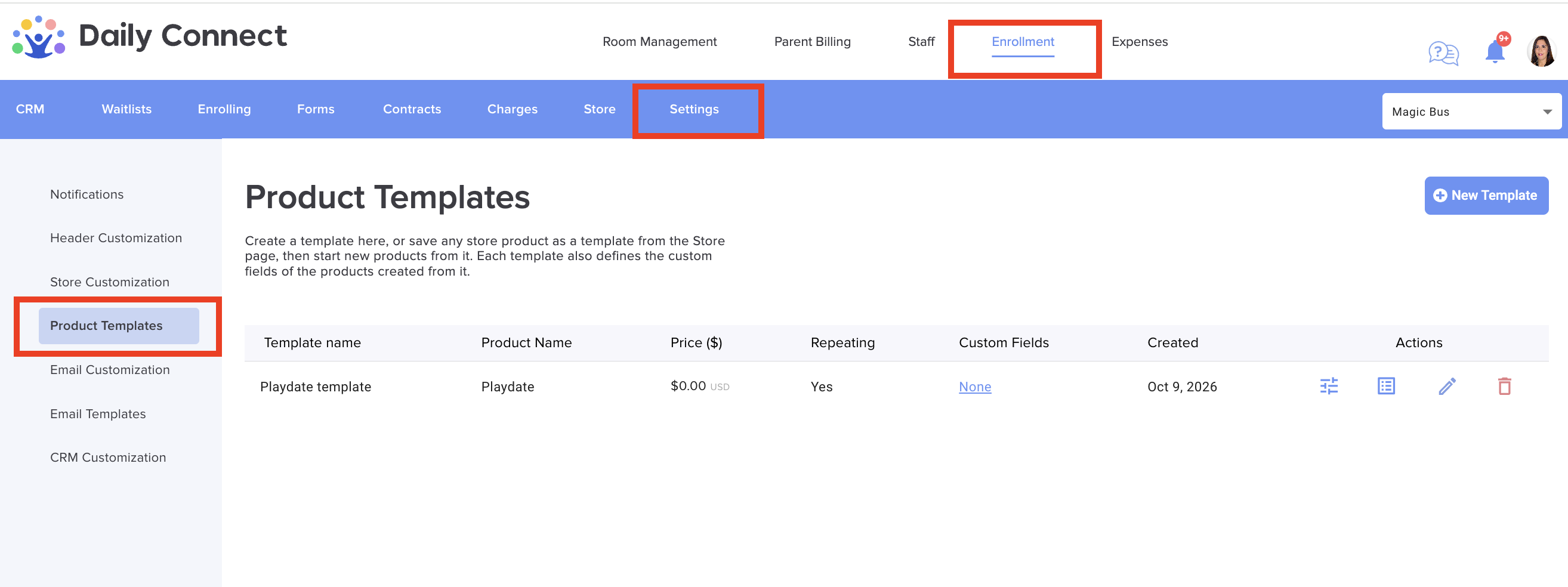
Create a template from scratch
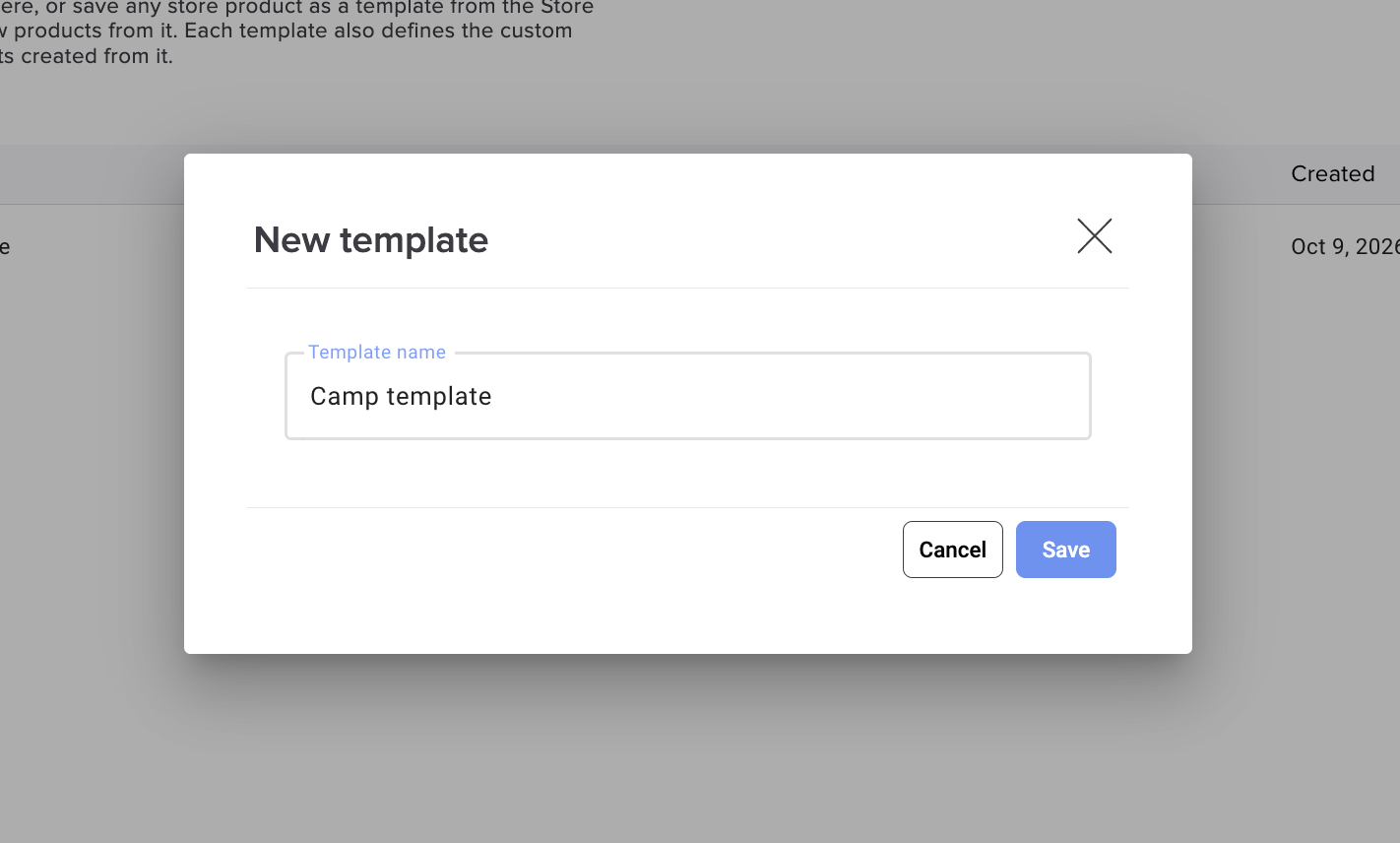
1. Go to Enrollment > Settings > Product Templates and click New Template:
2 Give it a name, then set up the product configuration as you would for a regular product.
Start a new product from a template
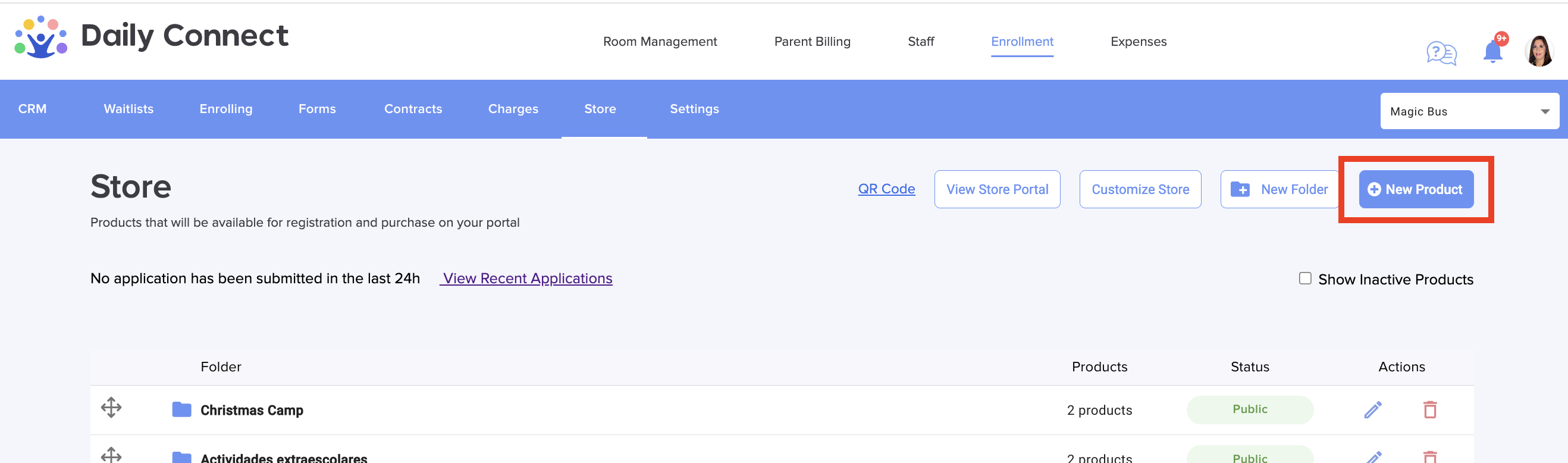
1. Click New Product on the Store page.
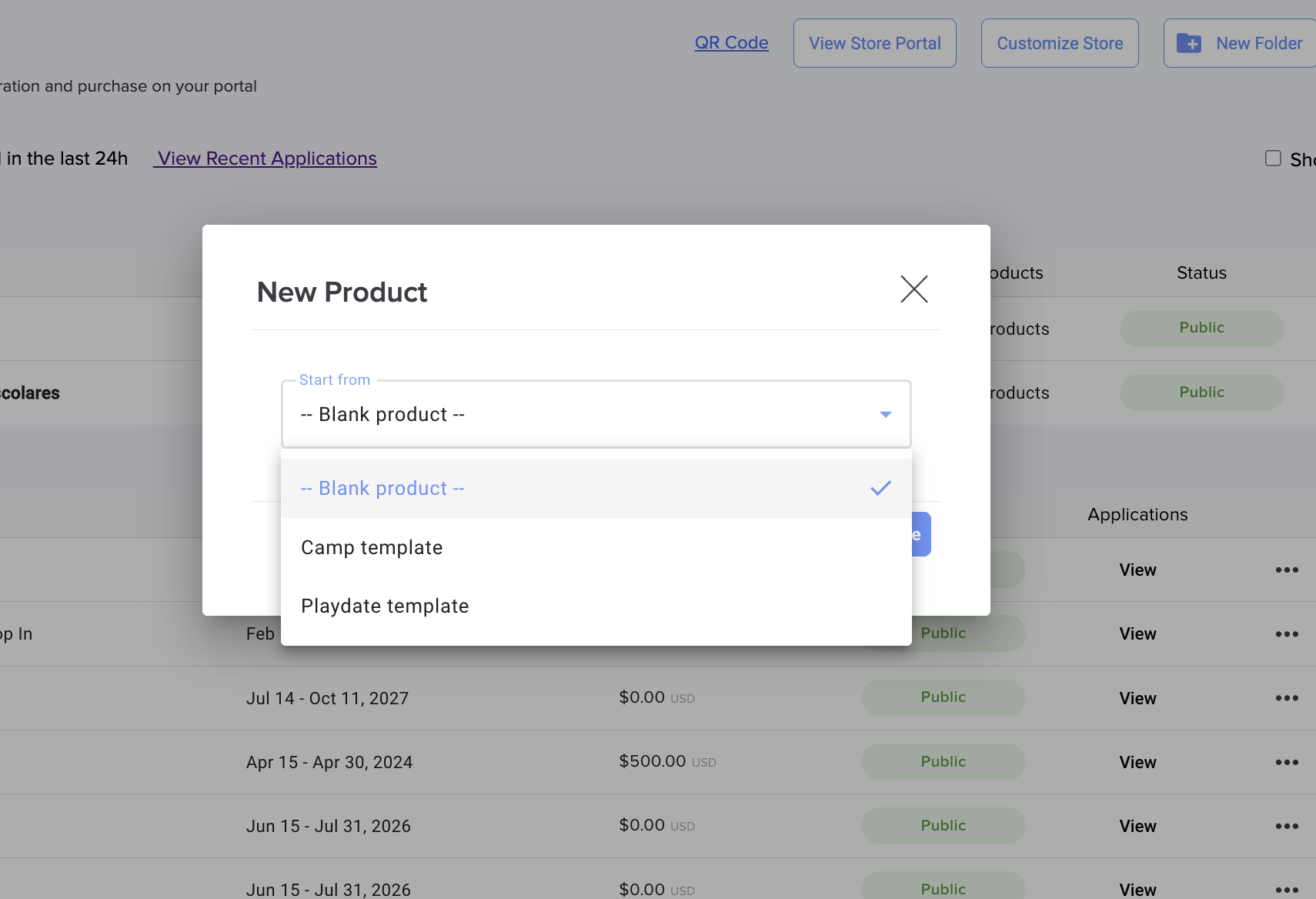
2. If you have templates, you'll be asked to pick one or start from a blank product:
3. The new product is created with the template's full setup and opens so you can review it.
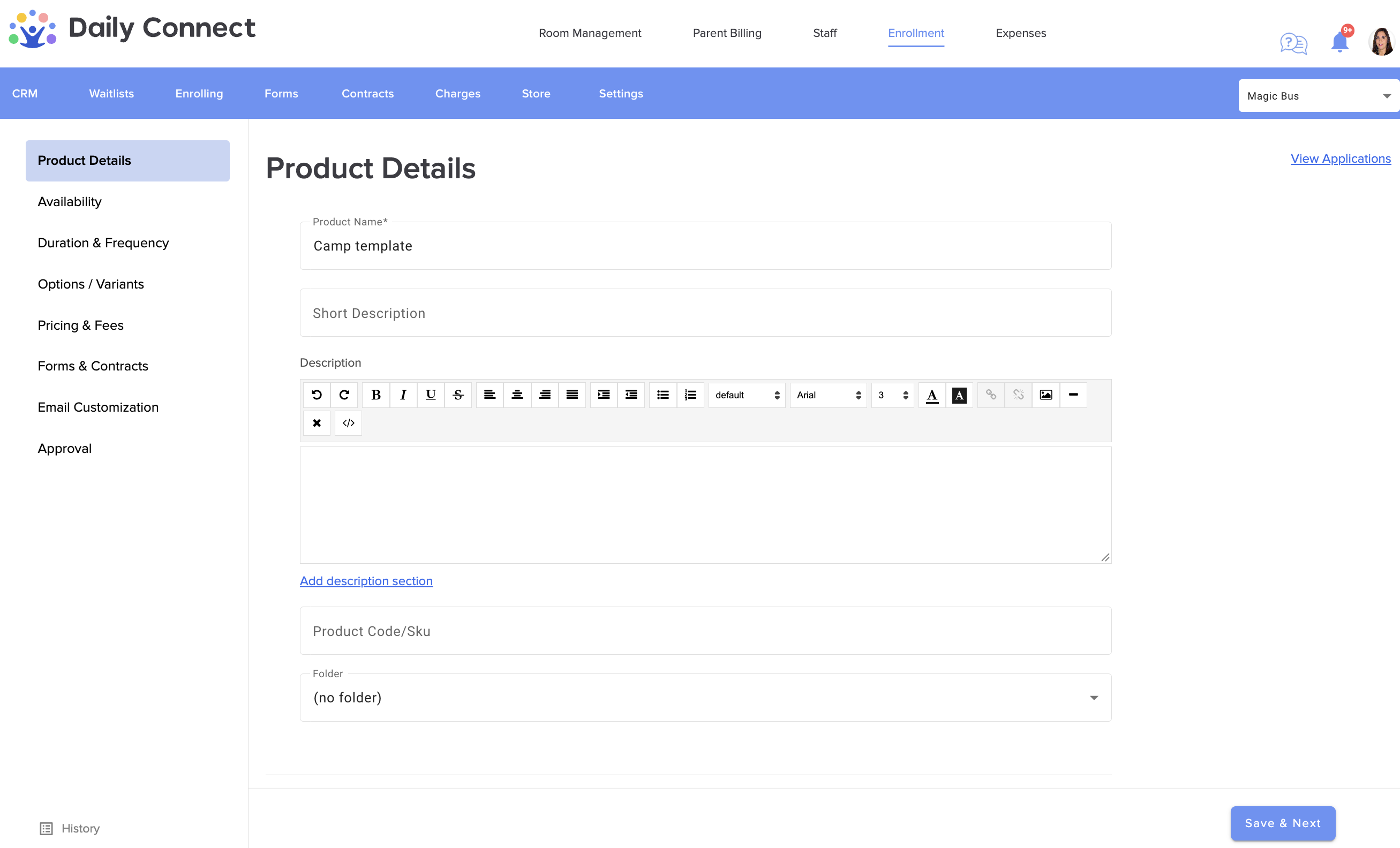
New products from a template start as Inactive, so you can check the dates and details before families see them. If you're inside a folder, the product is added to that folder.
Questions? Contact us at support@dailyconnect.com
Was this article helpful?
That’s Great!
Thank you for your feedback
Sorry! We couldn't be helpful
Thank you for your feedback
Feedback sent
We appreciate your effort and will try to fix the article