... ...
Skip to main content

How to create an incident report for a child

Modified on Wed, 27 May at 1:15 AM

As a teacher, you can view a child’s incident reports and also send them by email. Follow these simple steps:


1. Log in to your teacher account.


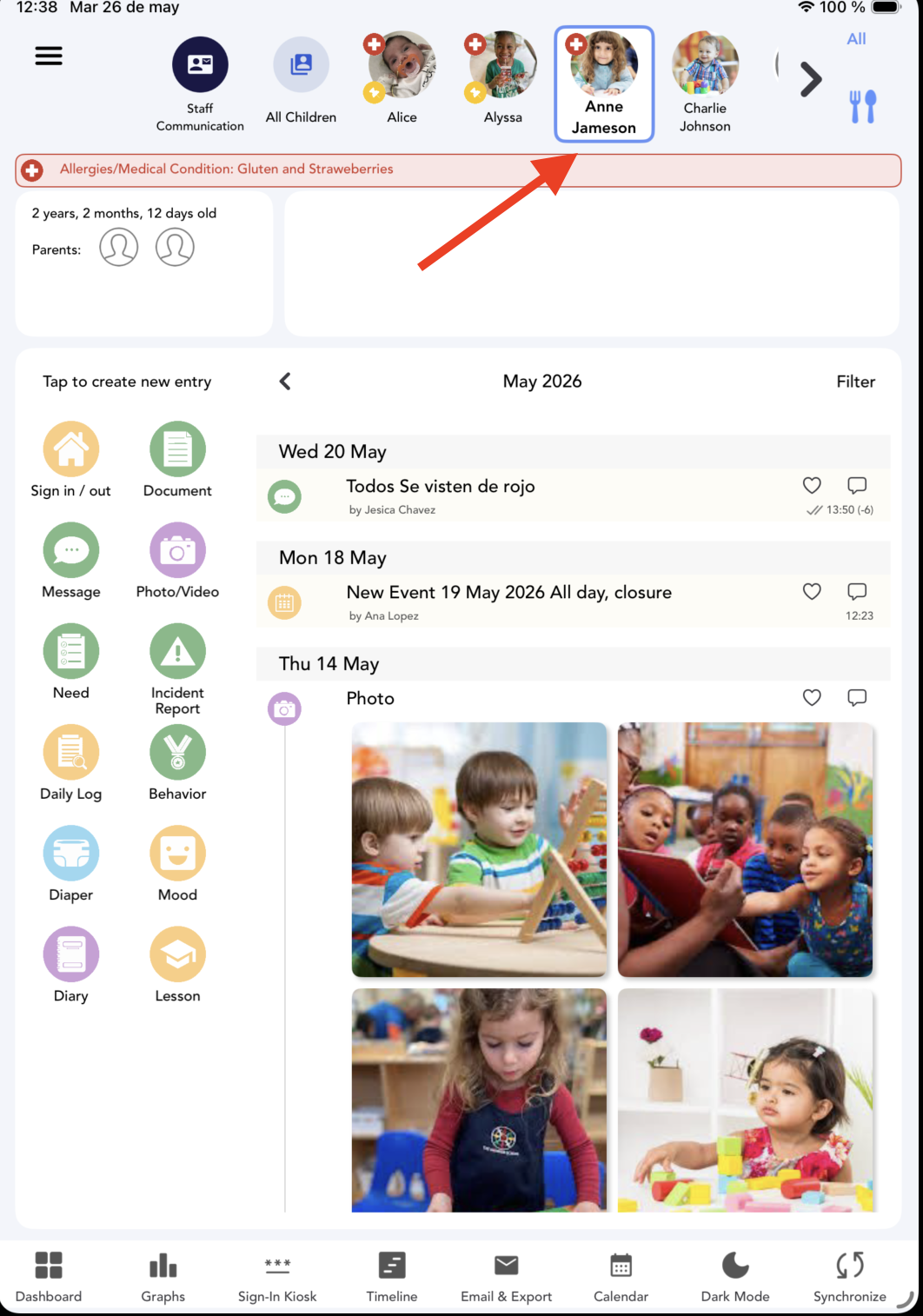
2. Select the Kid:


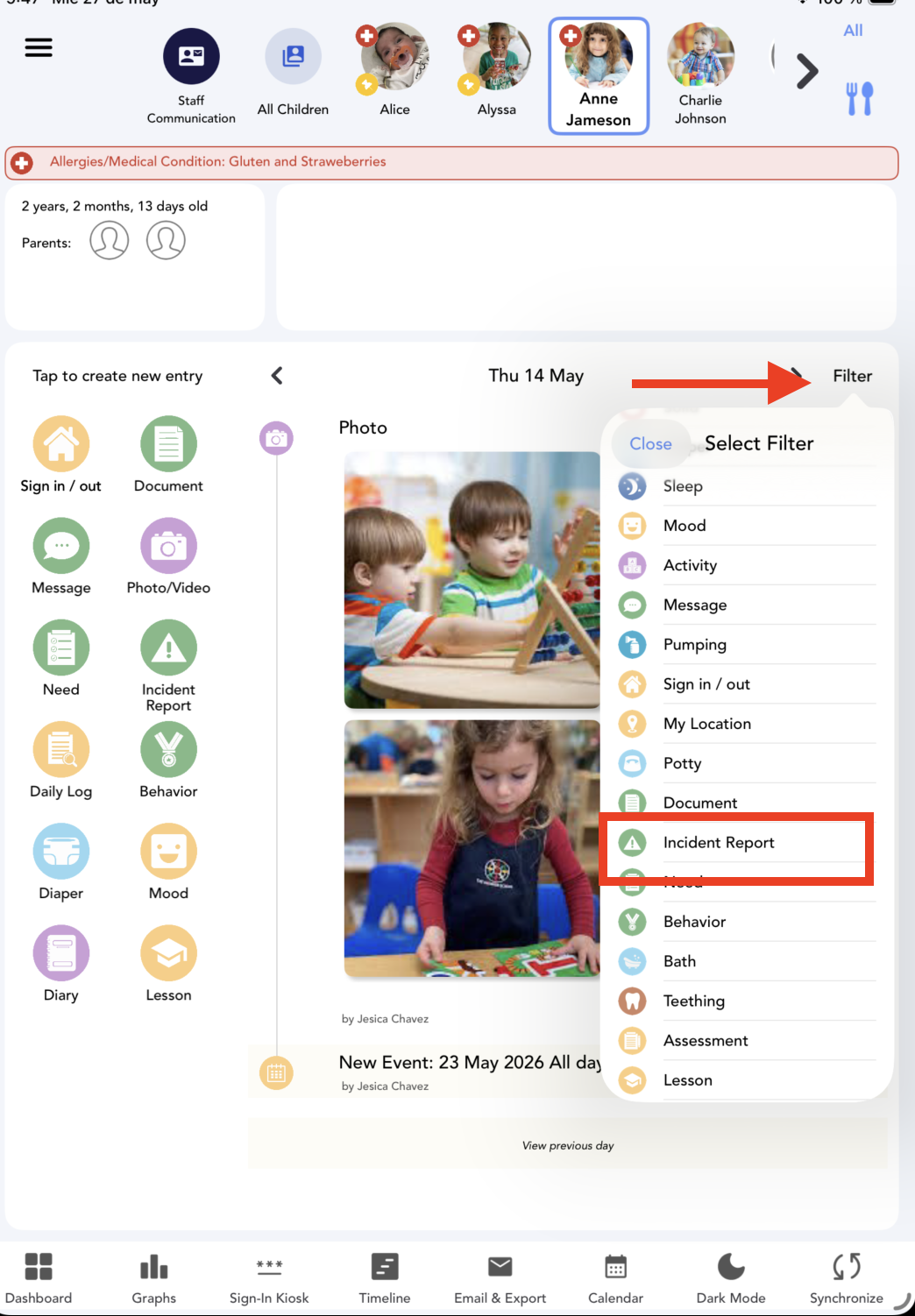
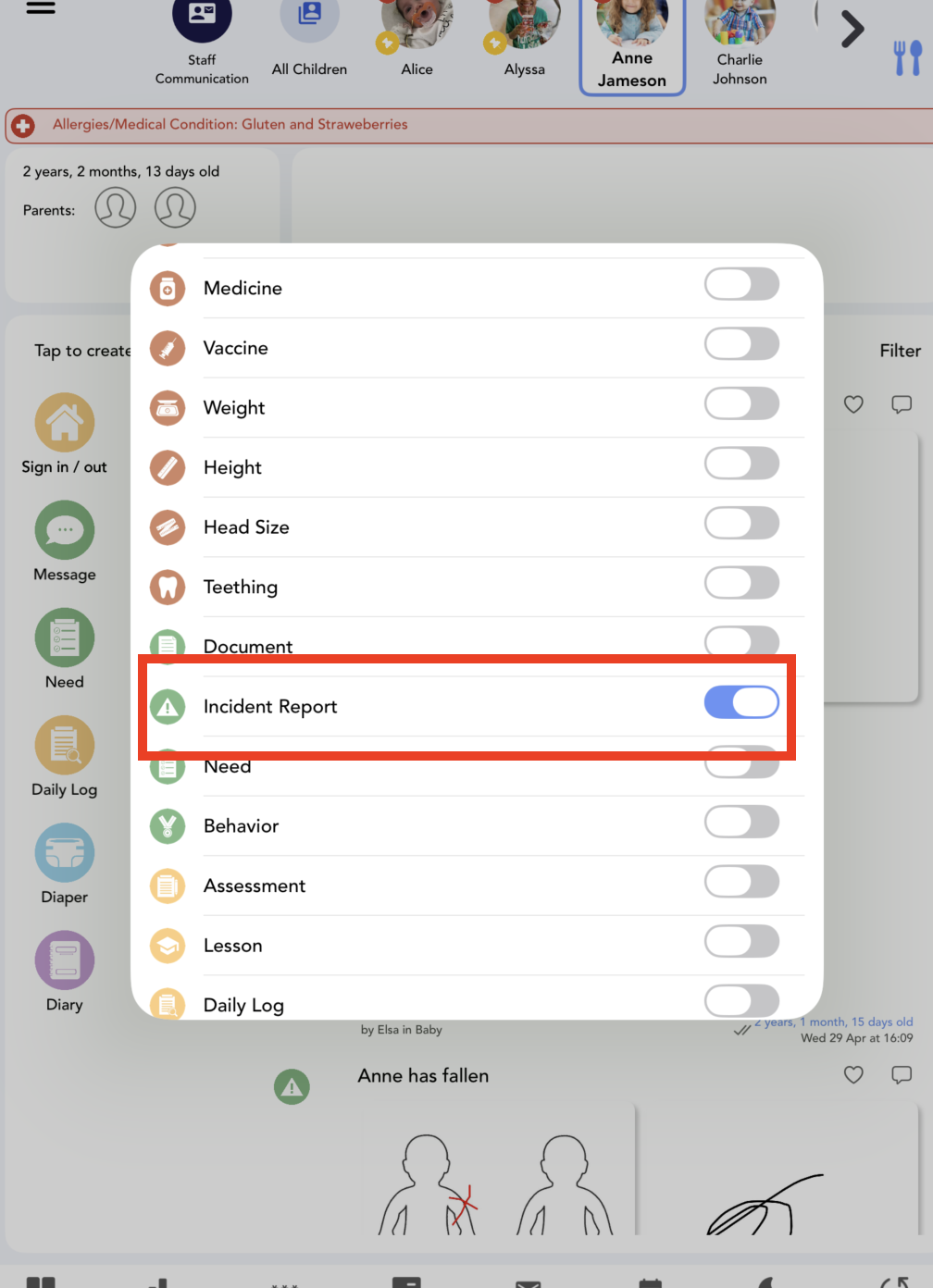
3. Click on Filter and select the Incident Report entry:


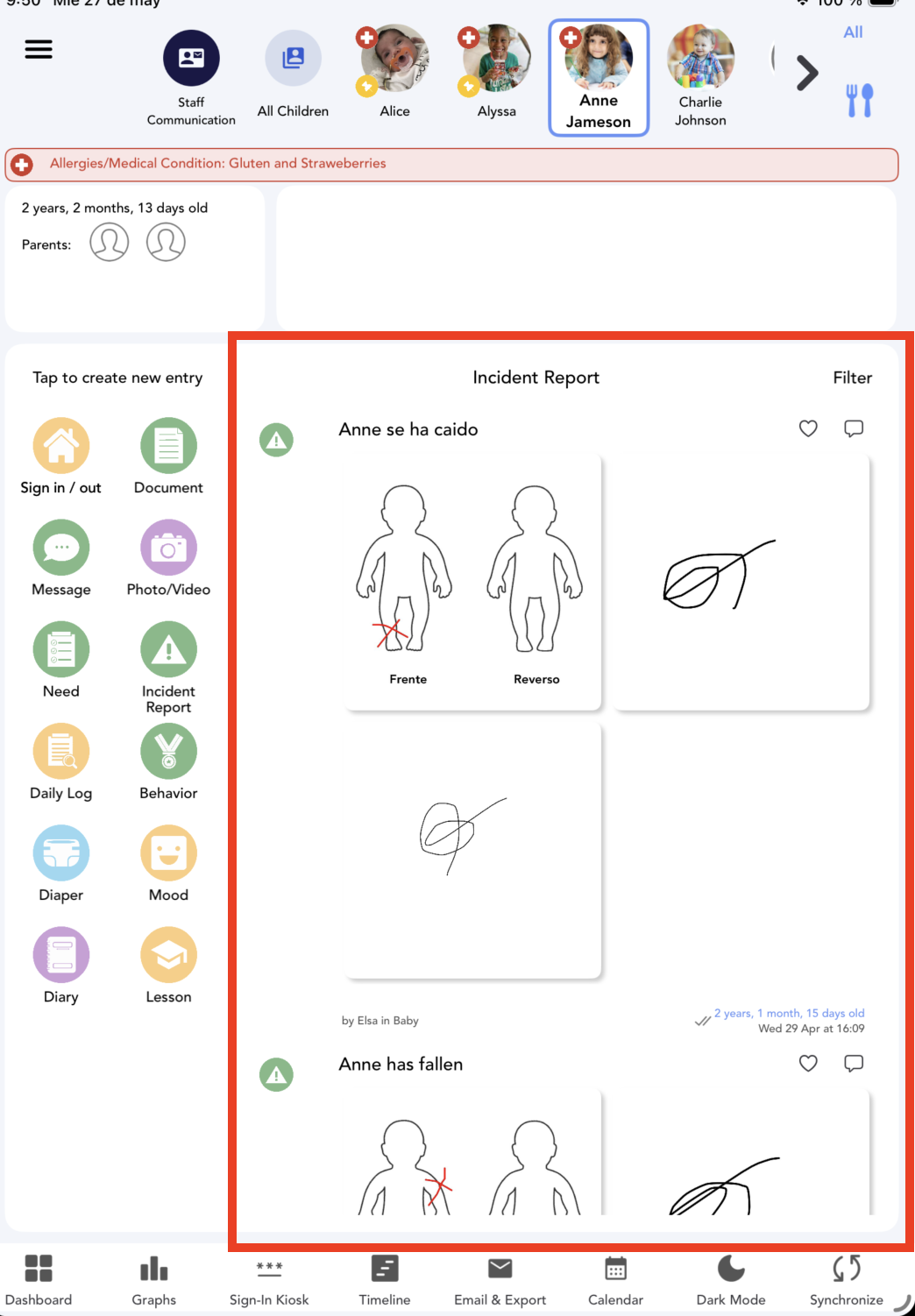
Now you can see all the incidents reported for this child:


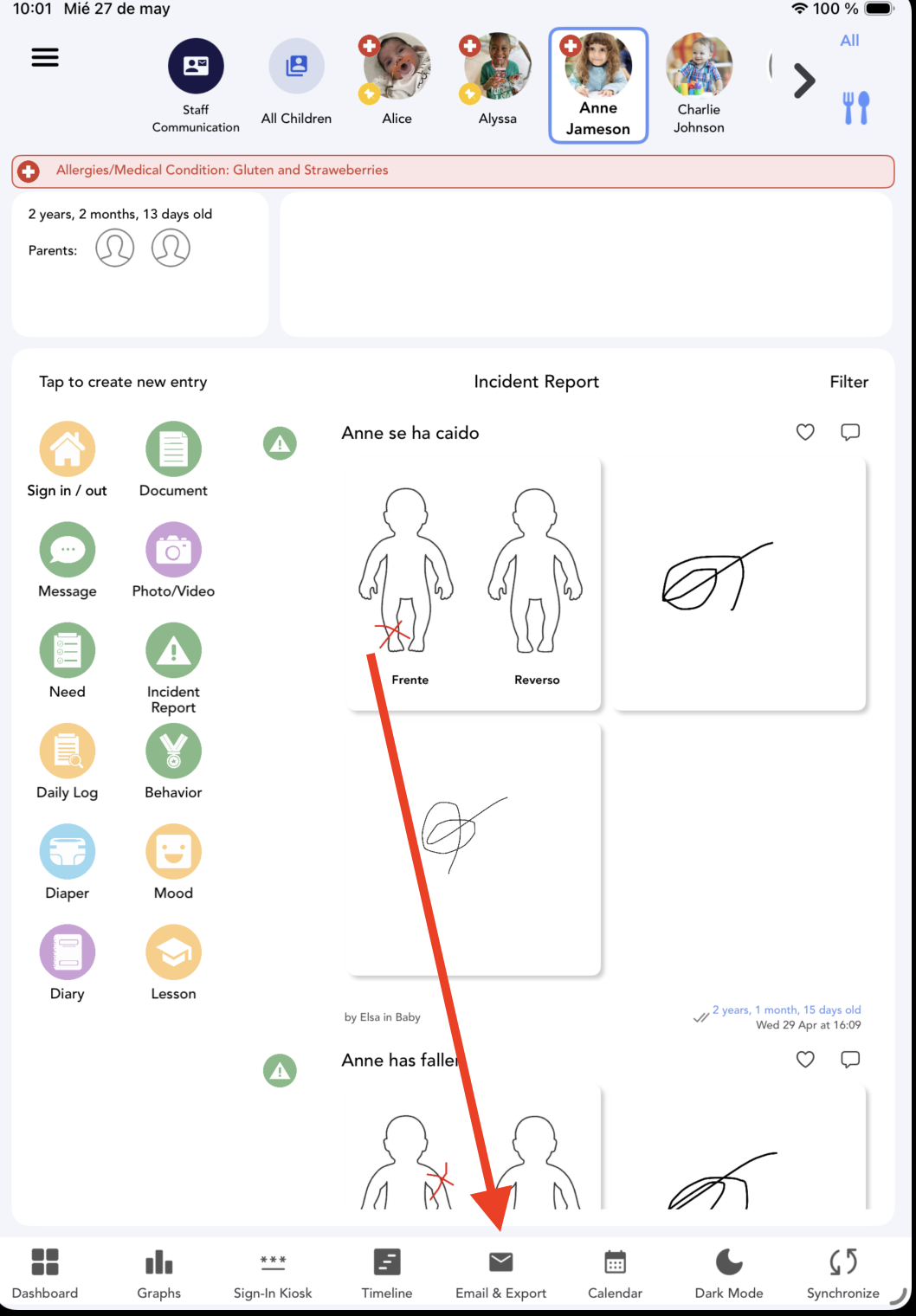
4. You can send these reports via email if you want. Select Email&export:


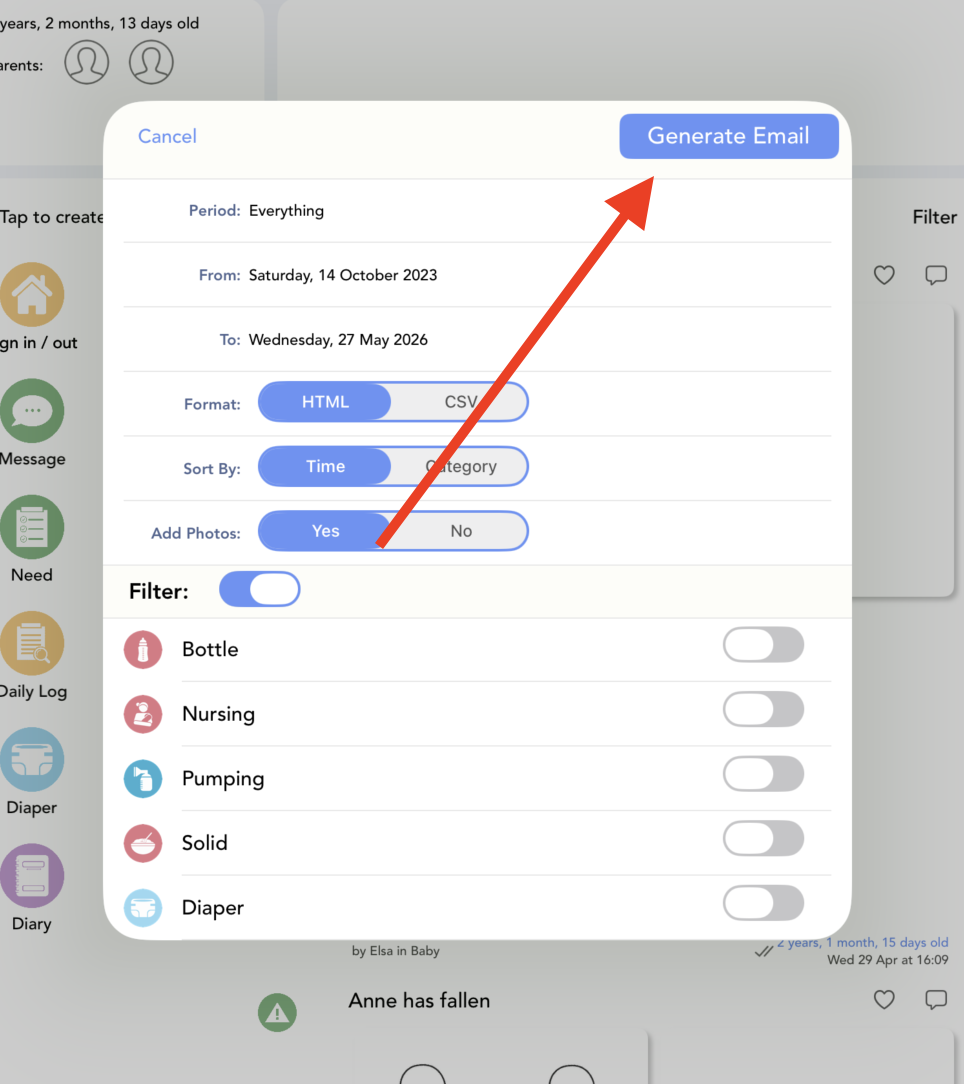
 5. Select Incident Report :


6. Click on Generate email:


And that's it!


Watch this video to follow all these steps:


Was this article helpful?

That’s Great!

Thank you for your feedback

Sorry! We couldn't be helpful

Thank you for your feedback

Let us know how can we improve this article!

Select at least one of the reasons
CAPTCHA verification is required.

Feedback sent

We appreciate your effort and will try to fix the article